
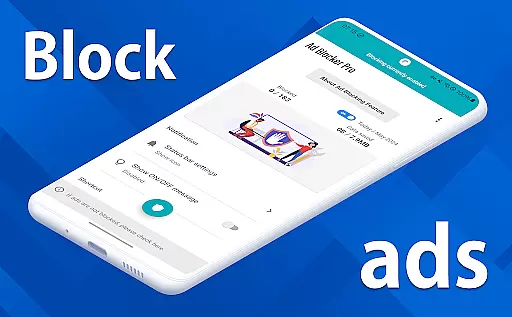
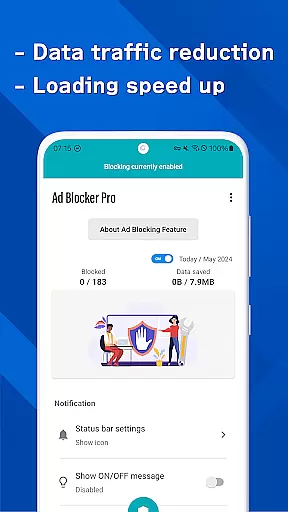
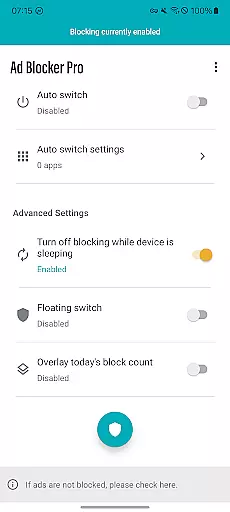
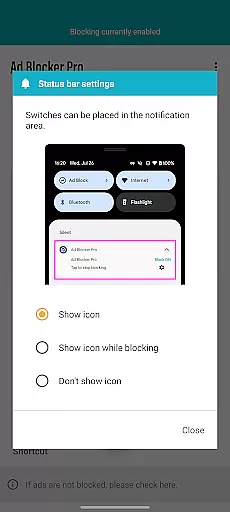
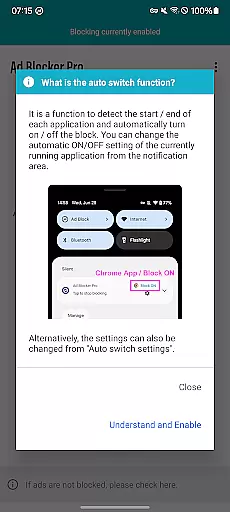
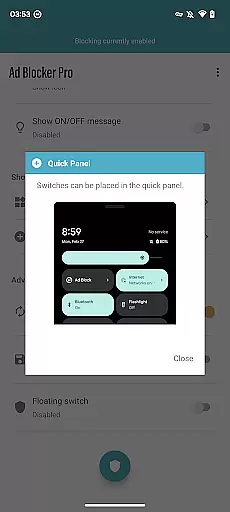
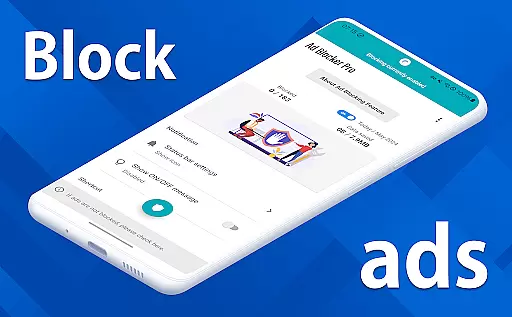
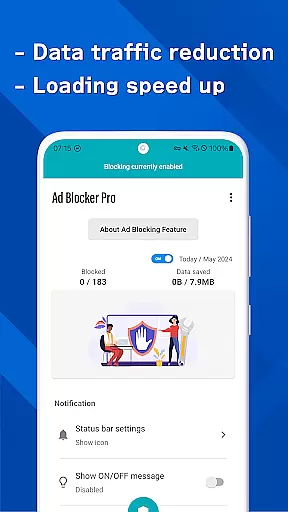
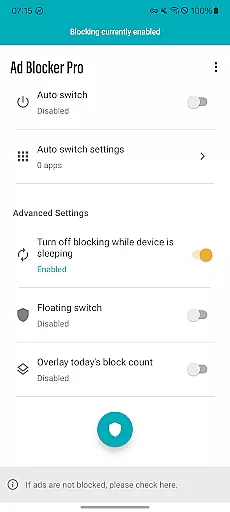
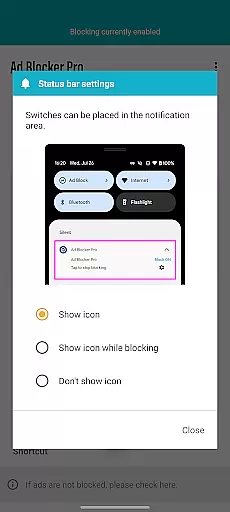
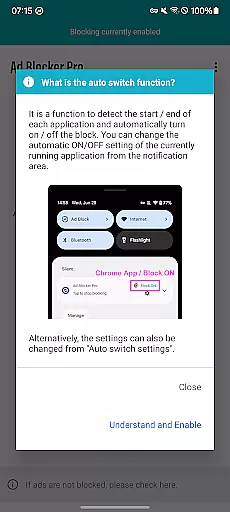
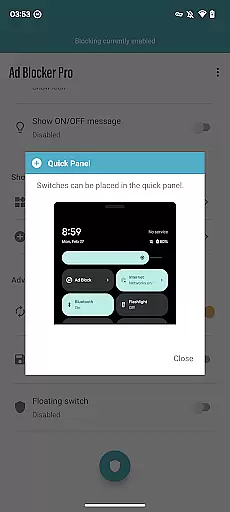
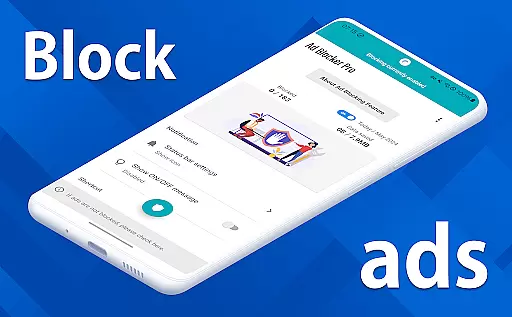
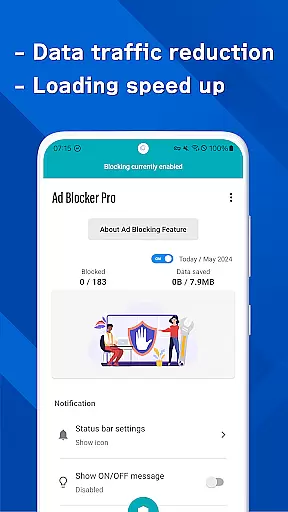

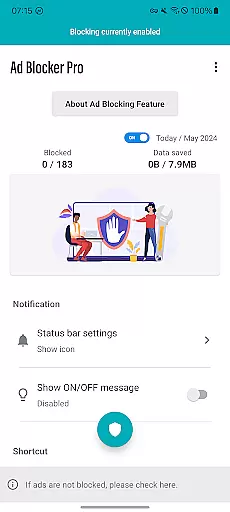
Ad Blocker Pro is a powerful ad-blocking application designed to enhance your browsing experience on Android devices. The app's core functionality revolves around blocking unwanted advertisements, malware, and trackers across all browser apps, ensuring a faster, more secure, and comfortable web surfing environment.
Apart from its primary ad-blocking feature, Ad Blocker Pro offers unique functionalities such as the one-tap ON/OFF switch, allowing users to easily toggle ad blocking from various access points like the notification area or floating switch. It also includes an Auto Switch feature that intelligently detects app usage and adjusts ad blocking accordingly. These features collectively contribute to reduced data consumption while maintaining optimal device performance during sleep mode.
This app is particularly beneficial for users who prioritize fast browsing speeds, enhanced security, and reduced data usage. Whether you're dealing with ad-heavy websites or simply seeking a cleaner browsing interface, Ad Blocker Pro delivers tangible value by creating a more streamlined and safer online experience.
Ad Blocker Pro stands out through its comprehensive set of features tailored to optimize the browsing experience. One of its key characteristics is universal compatibility - it works seamlessly with all browser applications, providing consistent ad-blocking performance regardless of your preferred web surfing tool.
The app employs advanced mechanisms to block not only standard ads but also malware and tracking scripts, which significantly improves online safety. This dual-layer protection ensures that users are safeguarded against both intrusive advertisements and potential security threats. Additionally, the app's ability to display real-time block counts through an overlay feature gives users immediate feedback on its effectiveness.
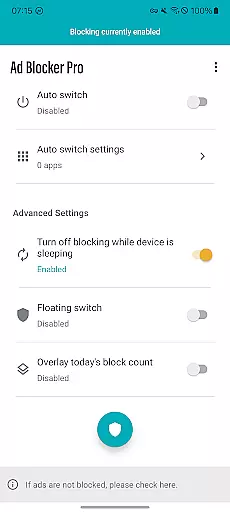
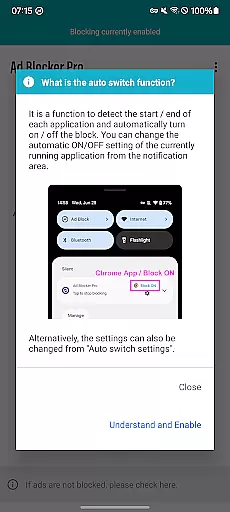
What truly sets Ad Blocker Pro apart is its intelligent automation features. The Auto Switch functionality automatically enables or disables ad blocking based on app usage patterns, while the sleep mode setting ensures uninterrupted background operations of other applications. These thoughtful implementations demonstrate the app's commitment to both effectiveness and user convenience.
Ad Blocker Pro exemplifies core function accuracy and effectiveness by delivering a seamless ad-blocking experience across all browser apps on Android devices. The app's primary feature is its ability to block ads, malware, and trackers efficiently, which not only enhances the browsing speed but also contributes to a significant reduction in data usage.
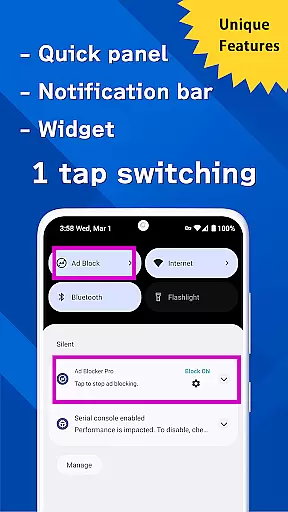
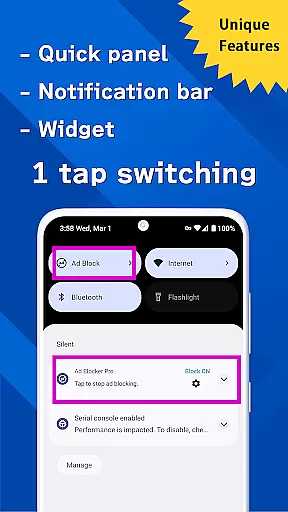
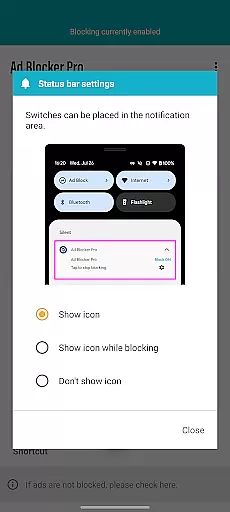
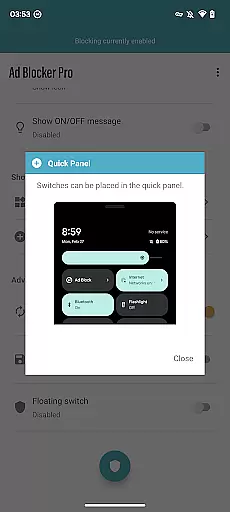
The app provides unique functionalities such as the one-tap ON/OFF switch, allowing users to easily manage ad blocking from various access points like the notification area, quick panel, widget, or floating switch. This intuitive control ensures that users can activate or deactivate ad blocking according to their immediate needs without any hassle.
Another testament to its effectiveness is the Auto Switch feature, which intelligently detects when specific apps are launched or terminated and toggles ad blocking accordingly. This ensures uninterrupted service for other apps during device sleep mode while maintaining an ad-free environment where needed.
Users benefit from enhanced security and a more streamlined browsing experience, making Ad Blocker Pro a reliable tool for anyone seeking comfort, speed, and safety online. With real-time tracking of blocked items and compatibility with all browsers, it stands out as an essential utility for productive and secure web surfing.
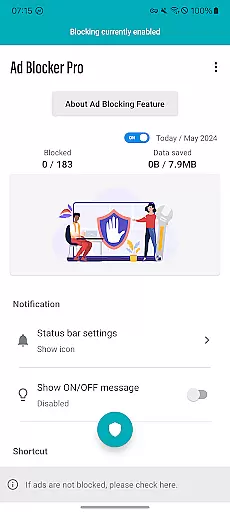
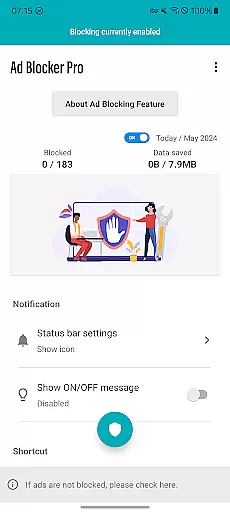
Ad Blocker Pro excels in interface simplicity and intuitiveness, offering users a straightforward and user-friendly experience. The design focuses on ease of use, ensuring that even those who are not tech-savvy can navigate and utilize the app's features without a steep learning curve.
Central to its intuitive design is the one-tap ON/OFF switch functionality, accessible from multiple points including the notification area, quick panel, widget, or floating switch. This allows users to toggle ad blocking effortlessly, adapting to their current browsing scenario with minimal interaction required.
The app further simplifies user engagement through its overlay display of today's block count, providing immediate feedback on the app's performance. Users can visually confirm the number of ads and trackers blocked in real time, reinforcing trust in the app's effectiveness.
By prioritizing a clean and efficient user interface, Ad Blocker Pro ensures that its advanced features like Auto Switch and block OFF during device sleep are seamlessly integrated into the user experience. These elements work together to create an environment where managing ad blocking is both simple and effective, catering to users who value a hassle-free, secure browsing experience.
Effective ad blocking
Enhanced security features
Reduced data consumption
User-friendly interface
Real-time block count
Limited non-browser support
YouTube ads not blocked
Social media ads persistent
Initial purchase required
Occasional compatibility issues

 4.50
4.50
Learn the vast amount of system information about device and monitor it's state
4.70
Family Locator, Share location, StayConnect with your family in real time
3.90
Safely recover deleted photos, videos, and files with a single easy tap.
3.70
An open-source APK explorer for Android!
4.10
A non-root local ADB shell client. READ BELOW!
3.40
With videos, electrical calculators, and built-in ebook, Ugly’s has your answer.
4.50
Screen Mirroring for Roku Sticks, Roku TCL TV and Roku Hisense TV
4.50
Enjoy a smooth mobile reading experience!
3.60
Powerful collection of electronics tools and reference.A must for any enthusiast
4.90
Navigate with Ease and Style
4.90
Optimize your WiFi network, turn your phone into Wifi Analyzer
4.70
NFC Tools can read and write NFC tags.
4.70
Mirror your screen to Chromecast and Android TV - Super fast and simple
4.60
Play your X-Box games remotely in 1080p with any controller and zero latency
4.60 4.50
4.50
pdf merge, word to pdf, jpg to pdf, edit pdf, convert to pdf and much more!
4.20
Automate everything from settings to photos, SMS to speech. ADC2 prize winner.
4.10
Create your own live wallpaper or check out thousands already made presets
3.90
Honest Scratch app review—is it actually good for teaching kids to code? Real user insights on features, limitations, and learning outcomes.



User Reviews