
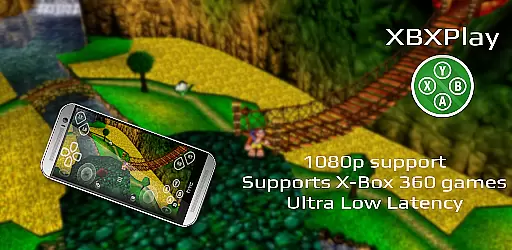
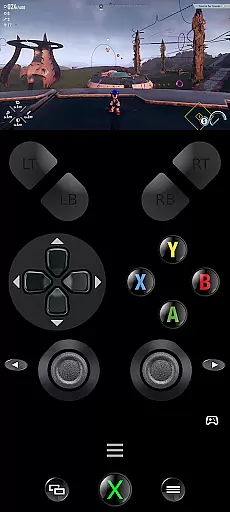
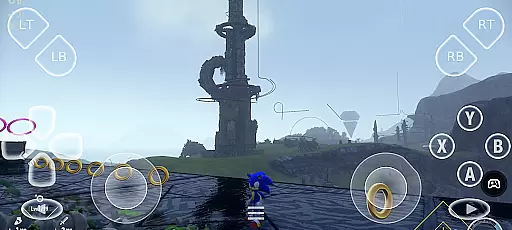
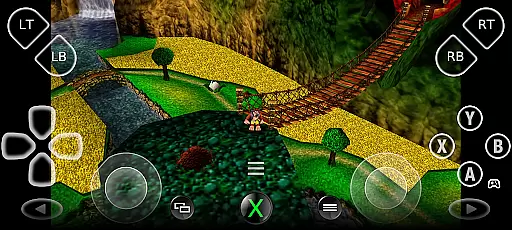
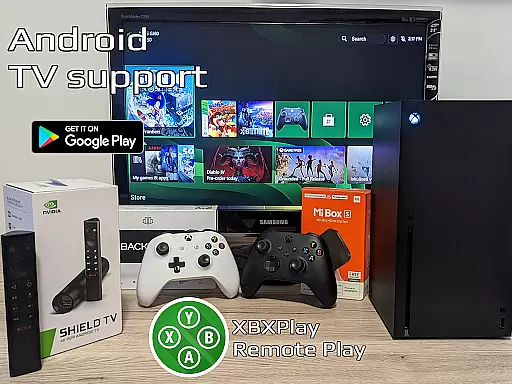

XBXPlay is a powerful remote control application designed specifically for X-Box Series X/S, X-Box One (X/S), and even X-Box 360 consoles. The app allows users to stream their favorite games in full 1080p resolution directly to their mobile devices, providing an exceptional remote gaming experience. With advanced features like customizable onscreen gamepad layouts, manual bitrate adjustments, and support for third-party controllers, XBXPlay ensures optimal performance and flexibility.
One of the standout capabilities of XBXPlay is its ability to function without a physical gamepad. Users can enjoy their games using the touch-optimized onscreen controls, which can be tailored to fit specific gaming needs. Additionally, the app supports innovative functionalities such as Picture-In-Picture mode, Multi-Window support, and USB-OTG connectivity, making it a versatile tool for gamers who demand both convenience and performance. Whether you're playing remotely over the internet or within your local network, XBXPlay delivers low-latency streaming experiences that enhance gameplay.
XBXPlay distinguishes itself through a range of advanced features tailored for modern gamers. First and foremost, the app offers full 1080p streaming support, surpassing the limitations of the official X-Box Remote Play app. This ensures that users can enjoy high-definition gaming experiences on their mobile devices without compromising visual quality. Furthermore, XBXPlay provides compatibility with X-Box 360 games, expanding the library of titles available for remote play.
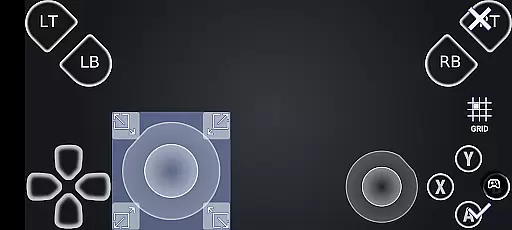
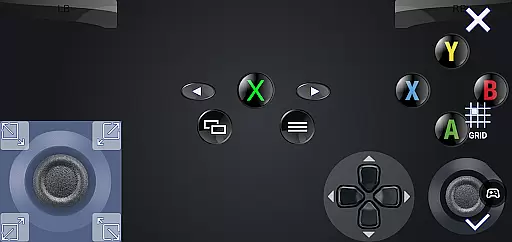
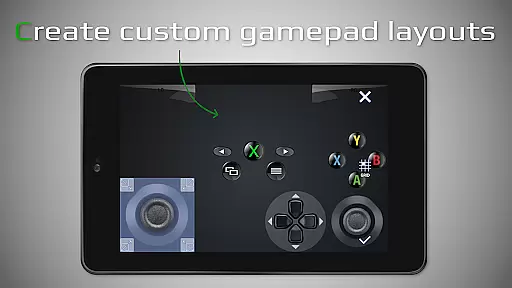
The app's customizable onscreen gamepad layout is another key feature, allowing users to create personalized control schemes that suit their preferred gaming style. Gamers can also take advantage of manual bitrate adjustments to optimize streaming performance based on their internet connection. Additional highlights include fullscreen support, button mapping for gamepads, and native USB-OTG functionality, all of which contribute to a seamless and immersive gaming experience. These innovations make XBXPlay a top choice for enthusiasts seeking cutting-edge remote play solutions.
XBXPlay excels in delivering core functionalities with precision and effectiveness, ensuring an optimal remote gaming experience. The app supports 1080p streaming, which allows users to enjoy high-definition gameplay on their mobile devices without limitations. This feature is crucial for gamers who demand clear visuals and smooth performance while playing remotely.
The application has been optimized for low-latency streaming, making it possible to play even fast-paced games without noticeable delays. With support for third-party controllers and customizable onscreen gamepad layouts, XBXPlay caters to a variety of user preferences and play styles. These options enhance the control scheme intuitiveness, enabling players to tailor their setup for maximum comfort and efficiency.
Moreover, XBXPlay extends its capabilities by allowing users to play not only Xbox Series X/S and Xbox One games but also backward-compatible Xbox 360 titles. This expands the library of available games significantly, providing access to a broader range of gaming experiences from different generations. Such versatility ensures that users can enjoy both classic and contemporary games with equal ease.
By integrating advanced features like manual bitrate adjustments, picture-in-picture mode, and multi-window support, XBXPlay demonstrates its commitment to delivering a seamless and flexible gaming experience. Users benefit from these enhancements through improved video quality, multitasking capabilities, and overall convenience during gameplay sessions. As a result, XBXPlay stands out as a powerful tool for remote gaming enthusiasts seeking top-tier performance on their mobile devices.
Achieving interface simplicity and intuitiveness is essential for any tool-based application, and XBXPlay rises to the occasion by offering a user-friendly design that enhances the overall gaming experience. The app's layout is carefully crafted to ensure that all critical functions are easily accessible, minimizing the learning curve for new users. This focus on usability makes it simple for gamers to dive into their favorite titles without being hindered by complex navigation or cluttered menus.
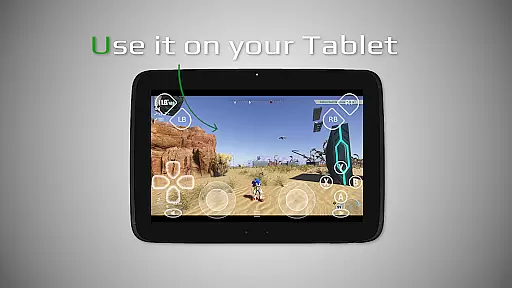
XBXPlay provides a touch-optimized onscreen gamepad layout, which allows players to enjoy their games even without a physical controller connected. This feature is particularly beneficial for users who prefer playing on mobile devices or tablets, as it offers a responsive and customizable control scheme that adapts to individual gaming needs. By supporting gamepad button mapping, the app further refines the control experience, giving users the freedom to adjust settings according to their preferences.
In addition to its intuitive controls, XBXPlay includes fullscreen support with no black bars, maximizing the viewing area and immersing players in their gaming sessions. The inclusion of native USB-OTG support adds another layer of convenience, enabling seamless connection of external peripherals. These thoughtful design choices contribute to an interface that feels natural and effortless to use, enhancing both functionality and enjoyment.
Furthermore, XBXPlay incorporates modern Android features such as picture-in-picture mode and multi-window support, which cater to users seeking flexibility in their gaming setups. These options allow for multitasking and uninterrupted gameplay, demonstrating the app's dedication to providing a versatile and adaptive user experience. Overall, XBXPlay's commitment to interface simplicity and intuitiveness ensures that gamers can focus on what truly matters: enjoying their favorite Xbox games anytime, anywhere.
Full 1080p support
X-Box 360 game compatibility
Customizable onscreen controls
Low latency streaming
Third-party controller support
No microphone input
Requires stable internet
Complex setup process
Limited firmware support
Premium features locked

Best leveling tool for your Android device. Hang paintings like a pro.
 4.90
4.90
Signal Strength, Mobile, Wifi, Speed Test, Bad Signals, Cellular, 5G, LTE, 4G
4.20
Mirror your screen to Chromecast and Android TV - Super fast and simple
4.60
The one-and-only remote control for PC, Mac, and Linux
4.70
NFC Tools can read and write NFC tags.
4.70
Automate everything from settings to photos, SMS to speech. ADC2 prize winner.
4.10
Clean up large files and similar photos, fast and easy to use
4.40
Protect your device with antivirus, storage cleanup, and system monitoring
4.70
Fast VPN USA for any country. Super secure VPN for calls, streaming, games, TV.
4.40
Remote Play with FSR upscaling, low latency & full controller support
4.80
The Ultimate Flex Drivers Utility App - Convenient Tapping & Block Filters
4.70
HD Camera captures every special moment.
4.60
Canon PRINT is a companion app for your Canon printer.
4.60
The Ultimate Bluetooth Keyboard & Mouse. Securely control your PC, Mac, and more
4.50
Forza Tuning Calculator App for Forza Horizon 5, Motorsport and Earlier Titles
4.40
App that Recover your pictures, videos or files after you delete them.
4.20
Family Locator, Share location, StayConnect with your family in real time
3.90
card-reader app
2.20
Save any video in HD - paste the link, download fast and watch offline.
4.0
Honest Scratch app review—is it actually good for teaching kids to code? Real user insights on features, limitations, and learning outcomes.



User Reviews