
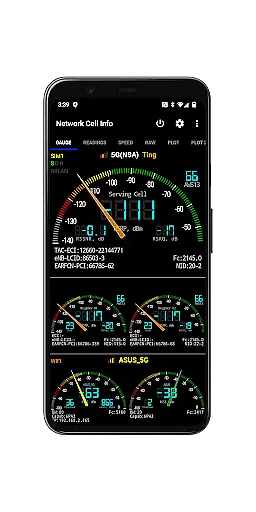
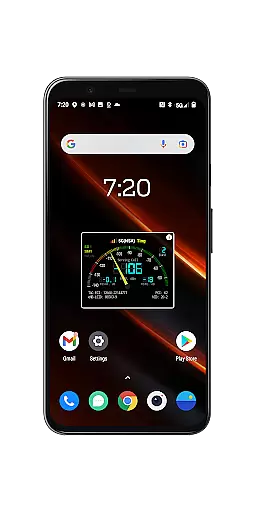
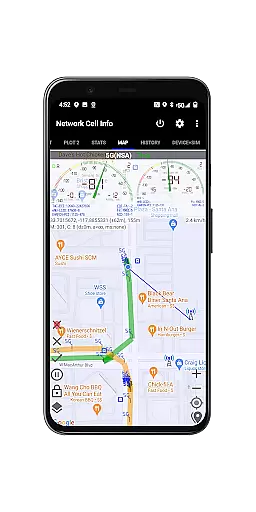
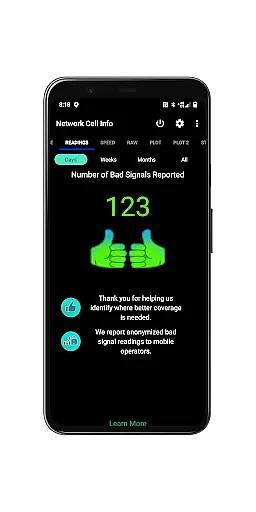
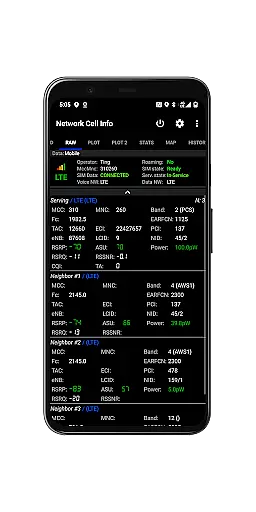
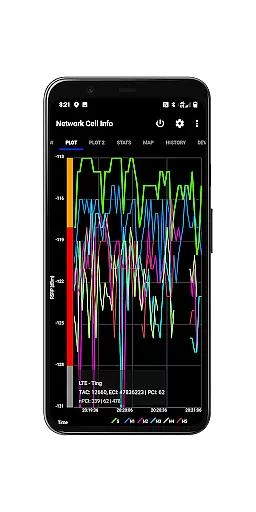
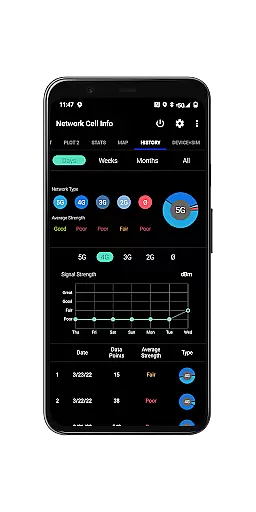
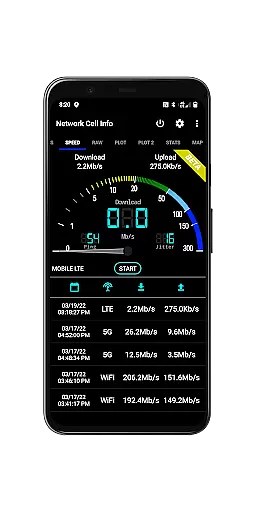
Network Cell Info & Wifi is a comprehensive mobile network monitoring tool designed for users seeking to optimize their connectivity experience. The app provides detailed insights into cellular and Wi-Fi signals, supporting technologies like 5G, LTE, CDMA, and GSM.
One of its standout features is the Bad Signal Reporter, which automatically collects data on poor signal areas and shares this information with mobile network operators. This functionality not only helps individual users troubleshoot reception issues but also contributes to improving overall network quality.
With real-time monitoring, dual-SIM support, and advanced diagnostic tools, Network Cell Info & Wifi is ideal for tech-savvy users and professionals who require precise network performance data. Whether you're analyzing signal strength history or locating the nearest cell tower, this app delivers significant value for optimizing mobile connectivity.
Network Cell Info & Wifi offers an impressive range of features tailored for network analysis and troubleshooting. Its almost real-time monitoring (1-second updates) allows users to track cellular and Wi-Fi signals across multiple tabs, including support for technologies like 5G, LTE+, and CDMA.
The app includes specialized tools such as one-tap speed tests for measuring download, upload, ping, and jitter performance. Additionally, it provides detailed signal plots, band numbers, and SIM preferences, making it highly versatile for various use cases. Users can also access historical logs and map layers showing signal strength by location.
Advanced functionalities like the Personal Best Signal Finder and Crowdsourced Best Signal Finder further enhance its utility. These features enable users to identify optimal signal areas and analyze connectivity trends over time, ensuring a reliable and high-performing mobile experience.
Network Cell Info is designed to provide precise and reliable monitoring of mobile network signals, which is crucial for users seeking optimal connectivity. The app supports a wide range of network types including 5G, LTE+, LTE, CDMA, WCDMA, and GSM, ensuring comprehensive coverage for different user needs.
The application offers almost real-time monitoring of cellular carrier and WiFi signals through its Gauge and Raw Tabs. This feature allows users to observe signal strength with just a one-second delay, providing immediate feedback on their network status. Additionally, the inclusion of a one-tap speed test for WiFi and mobile internet measures download, upload, ping, and jitter, giving users a complete picture of their connection quality.
For those experiencing connectivity issues, Network Cell Info provides tools like the Personal Best Signal Finder and Crowdsourced Best Signal Finder. These features help users locate areas with stronger signals, thus improving their mobile experience. By offering detailed insights into signal strength history and cell locations, the app empowers users to make informed decisions about their network usage.
A user-friendly interface is essential for effectively utilizing the extensive features of Network Cell Info. The app excels in this area by providing clear and accessible navigation through its various tabs and settings. Users can easily switch between Gauge, Raw, Map, and other tabs to access different types of information without feeling overwhelmed.
The design includes visual aids such as signal-meter gauges for both SIMs and WiFi, making it simple for users to interpret complex data at a glance. With support for dual-SIM devices and up to six signal plots, the interface remains uncluttered and intuitive, even when displaying multiple data streams simultaneously.
Furthermore, Network Cell Info offers customization options that enhance usability. Features like the SIM# preference option and adjustable measurement settings allow users to tailor the app to their specific requirements. This flexibility ensures that both casual users and professionals can efficiently manage and analyze their network information, leading to an improved overall user experience.
Comprehensive network monitoring
Real-time signal tracking
Detailed diagnostic tools
Supports multiple technologies
User-friendly interface
Complex for beginners
Requires technical knowledge
Limited CDMA support
Some features need consent
Heavy on system resources

Save any video in HD - paste the link, download fast and watch offline.
 4.4
4.4
Universal TV remote control all TVs, Roku, LG, Samsung, Fire, Vizio, Sony, TCL.
4.40
An easy-to-use calculator designed to save time calculating and bending conduit
4.30
Create your own live wallpaper or check out thousands already made presets
3.90
View detailed information about your Nissan Leaf the dealer never shows you.
4.10
Mirror your screen to Fire TV - Super fast and simple
4.40
Introducing Smart Printer, your ultimate destination for printing solutions!
4.00
Clean up your phone, find files, play media, and share files offline
4.50
Your personal health butler
3.60
Support Fossify apps with a warm thank you!
5.00
WiFi Signal Strength Meter help you detect WiFi Signal Strength in real time.
4.80
Fast Video Downloader, Movie Downloader, Torrent Downloader & Adblock Browser
4.70
HD Video player and downloader for all formats, fast & smooth 4K video playback.
4.60 4.50
4.50
Quickly switch to an encrypted DNS server on Android TV
4.50
Button mapper, mouse toggle, sleep timer and a lot of another features
4.50
Quickly check the frequency of the Earth
4.30
1-Click close all background apps on Android TV
3.90
Download any file easily and quickly with Downloader
4.5
Honest Scratch app review—is it actually good for teaching kids to code? Real user insights on features, limitations, and learning outcomes.



User Reviews