

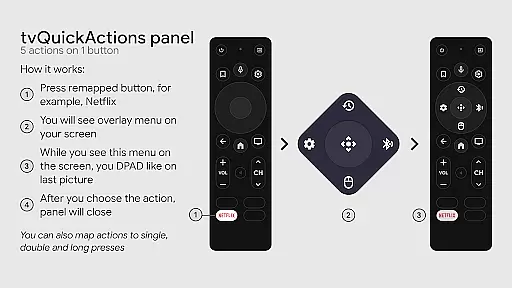
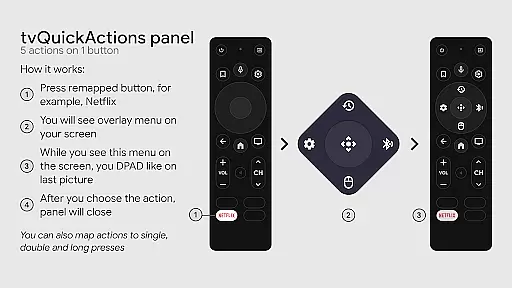
tvQuickActions Pro is an advanced button/key mapper specifically designed for TV devices, compatible with Android TV, Google TV, and AOSP on most devices. Its standout feature allows users to assign up to five actions to a single remote button, significantly enhancing device functionality.
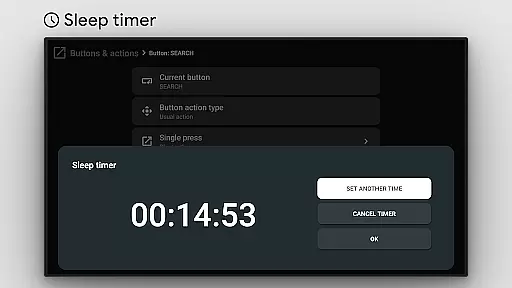
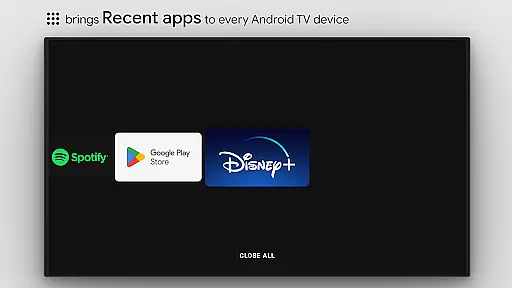
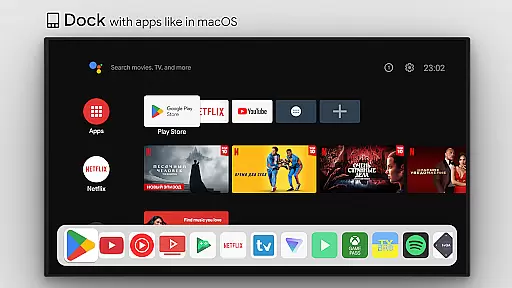
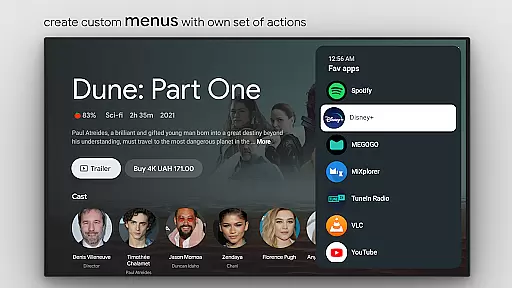
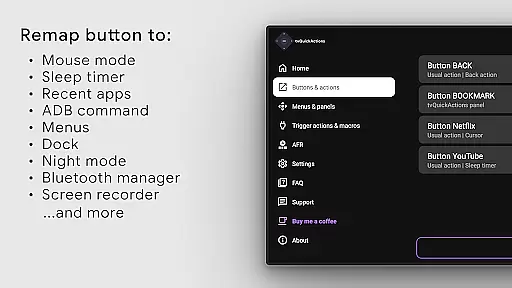
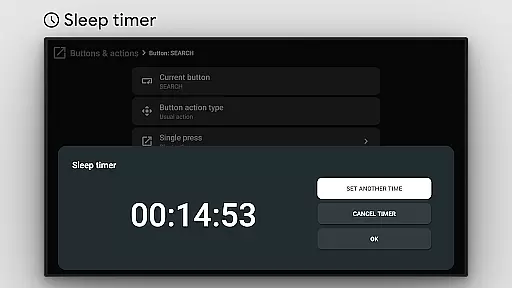
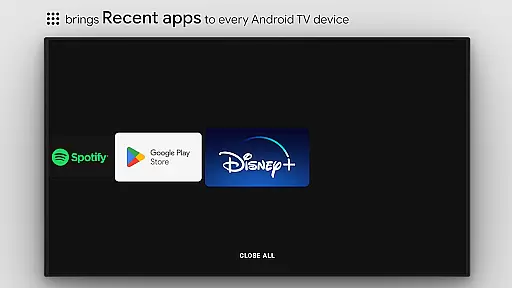
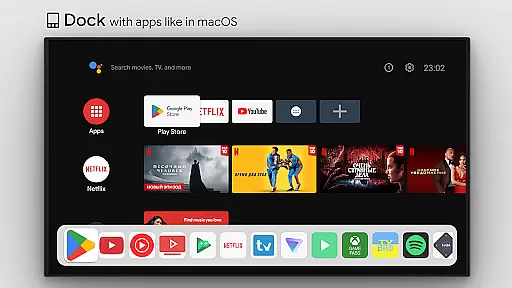
This tool transforms your TV experience by adding useful features such as app docks similar to macOS/iPadOS, recent apps management, custom action menus, and ADB command integration. It also supports practical functions like mouse toggle, sleep timer, dialpad, screen recording, night mode, and Bluetooth management.
Designed for power users, tvQuickActions Pro offers specialized capabilities including auto framerate adjustment for Amlogic devices and remapping of Netflix buttons on specific hardware. The app's versatility makes it the most comprehensive mapper for TV devices, ensuring even rarely-used buttons can serve practical purposes through double-click functionality.
tvQuickActions Pro stands out with its extensive feature set tailored for TV device customization. The app allows users to create custom channels for Android TV home screens from personalized menus and lock apps for added security.
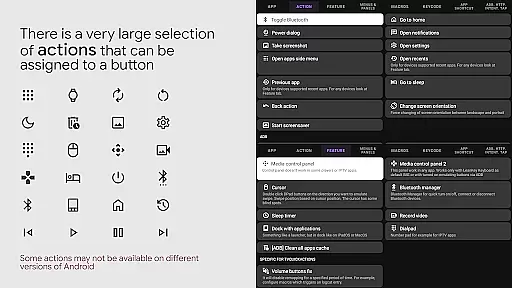
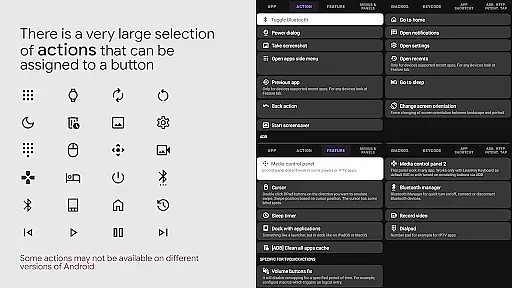
The range of assignable actions is impressive, including opening apps or specific activities, executing shortcuts and intents, sending keycodes, controlling media playback, toggling WiFi and Bluetooth, and taking screenshots on Android 9.0+. Users can also access system dialogs, manage power options, and interact with voice assistants.
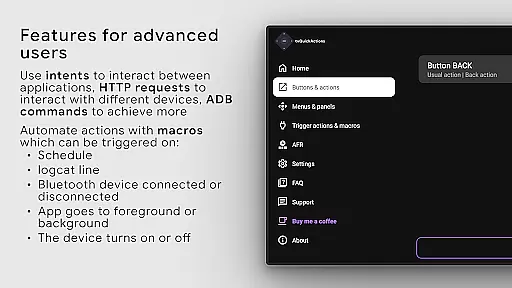
Technical implementation relies on Android's AccessibilityService API, enabling key event listening and blocking for effective button remapping. The AutoFrameRate feature utilizes screen view analysis and automated press emulation for seamless mode selection. While some features may vary in compatibility based on device firmware and Android version, the app provides comprehensive tools for advanced TV device customization.
tvQuickActions Pro stands out as a highly accurate and effective button/key mapper specifically designed for TV devices. The app supports Android TV, Google TV, and AOSP on most devices, ensuring broad compatibility and functionality. One of its main unique features is the ability to assign up to five actions to a single button on your remote control, significantly enhancing the utility of your device.
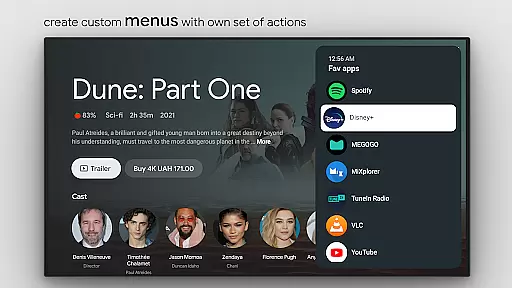
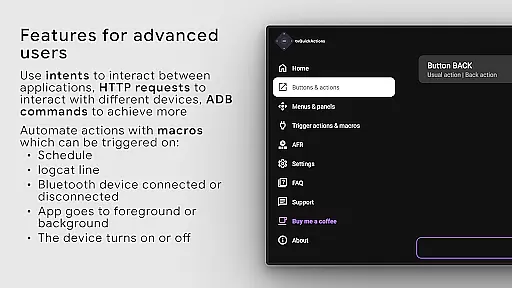
The application offers an extensive range of functionalities including a dock system similar to macOS/iPadOS, recent apps management, custom menus, and even user ADB commands as actions. These features collectively ensure that users can tailor their TV experience precisely to their needs. Additionally, tvQuickActions Pro provides practical tools such as a sleep timer, dialpad, screen recording, night mode, and Bluetooth manager, all contributing to a more versatile and user-friendly interface.
By integrating advanced capabilities like auto framerate adjustment for Amlogic devices and supporting remapping of specific buttons on various devices, tvQuickActions Pro delivers a seamless and customized user experience. This level of precision and adaptability ensures that users can optimize their TV interactions efficiently, making daily tasks simpler and more enjoyable.
tvQuickActions Pro excels in providing a simple and intuitive interface that enhances user interaction with TV devices. Despite the complexity of its features, the app maintains an accessible design that allows users to easily navigate and utilize its full potential. The straightforward setup process ensures that even those new to button mapping can quickly get accustomed to the app's offerings.
The app includes customizable menus and actions which can be tailored to individual preferences, promoting ease of use. Users can set actions for power-on events, sleep mode entering or exiting, and create custom channels for Android TV home from menus. Such flexibility not only simplifies routine operations but also empowers users by giving them control over their deviceu2019s functionality.
Furthermore, tvQuickActions Pro incorporates familiar actions such as opening apps, shortcuts, intents, keycodes, and media controls, all presented in an organized manner. This thoughtful arrangement reduces the learning curve and enhances overall usability, allowing users to focus on enjoying their entertainment without unnecessary complications.
Extensive customization
Wide device compatibility
Innovative button mapping
Comprehensive feature set
Advanced automation tools
Complex setup required
Device compatibility issues
Steep learning curve
Premium price point
Occasional bugs

Head tracking for PC sim games such as MSFS 2024 or Elite:Dangerous. No headset!
 4.50
4.50
This app unlocks the Pro features of the Central for DayZ app
3.60
Best leveling tool for your Android device. Hang paintings like a pro.
4.90
Powerful collection of electronics tools and reference.A must for any enthusiast
4.90
Fast Video Downloader, Movie Downloader, Torrent Downloader & Adblock Browser
4.70
Fun lie-detection pranks for friends and parties.
3.80
Protect your device with antivirus, storage cleanup, and system monitoring
4.70
Enjoy a smooth mobile reading experience!
3.60
The ideal app to be the digital eye of your family
3.40
The ultimate tool for network analysis, wifi scanning and problem detection.
4.90
Excellent scientific calculator with symbolic algebra, integrals, derivatives
4.80
NFC Tools can read and write NFC tags.
4.70
FV File Manager Pro, Fast and powerful file manager for Android
4.60
Game Booster, GFX Tool is now compatible with newer game update
4.50
Forza Tuning Calculator App for Forza Horizon 5, Motorsport and Earlier Titles
4.40
Complete kernel toolbox with features to manage and tweak your rooted device
4.30
Making emulation easy for everyone!
4.30
Introducing Smart Printer, your ultimate destination for printing solutions!
4.00
Undelete and recover your lost or deleted files with DiskDigger!
3.40
Honest Scratch app review—is it actually good for teaching kids to code? Real user insights on features, limitations, and learning outcomes.



User Reviews