
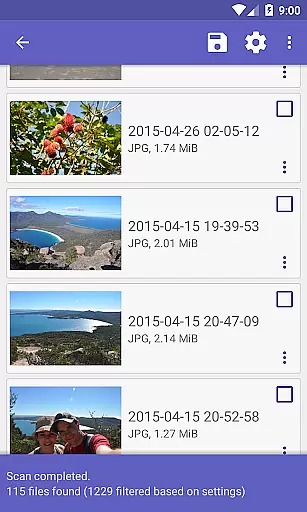
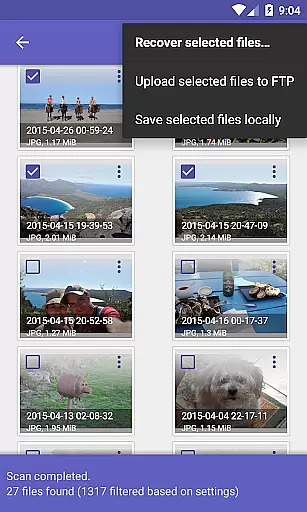
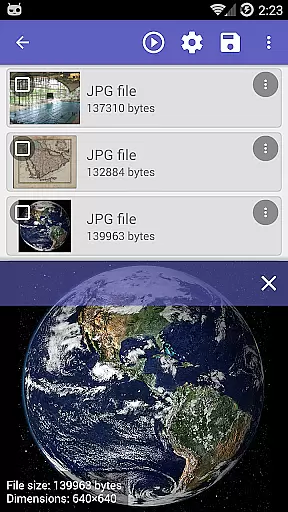
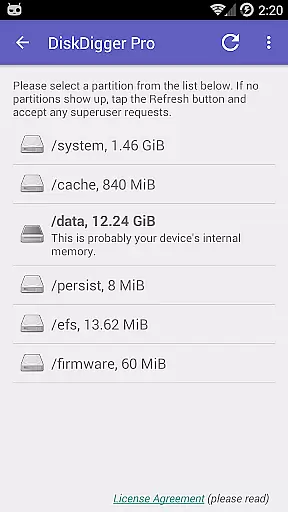
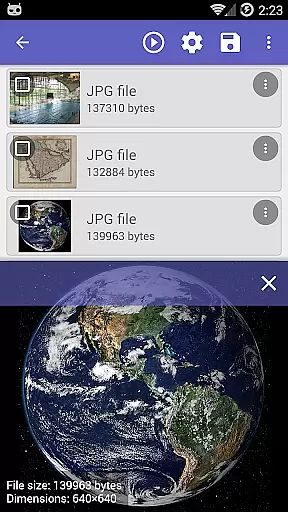
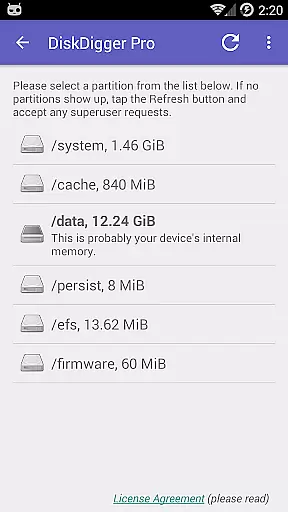
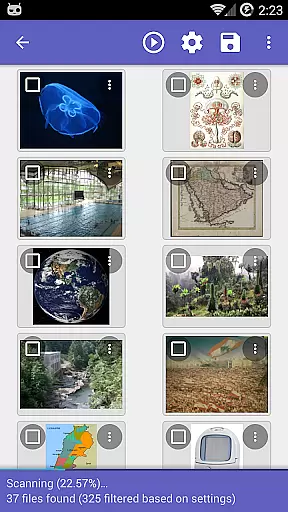
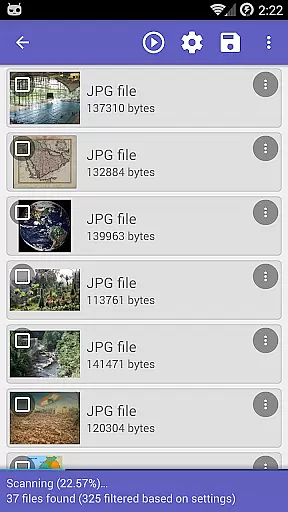
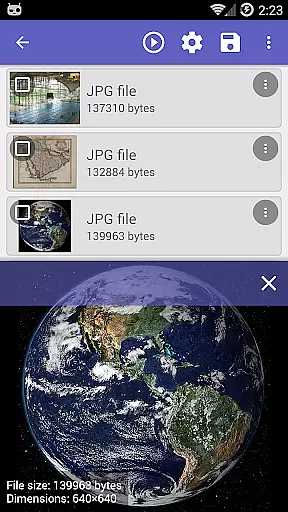
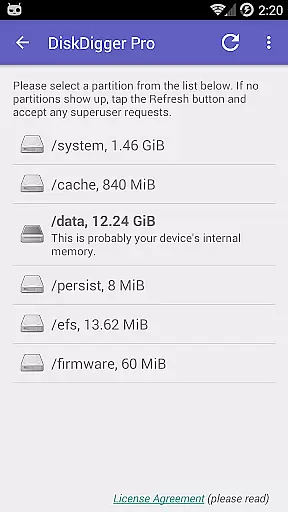
DiskDigger Pro is a powerful data recovery tool designed for rooted Android devices. This application specializes in retrieving lost files, including photos, documents, videos, and music from both internal memory and external memory cards. With its advanced scanning capabilities, DiskDigger Pro can recover accidentally deleted files even after memory card reformatting.
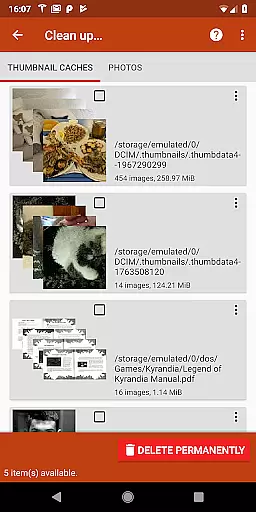
One of the key features of DiskDigger Pro is its ability to permanently delete unwanted files through the experimental 'Clean up' function, ensuring that sensitive data remains unrecoverable. Additionally, users can utilize the 'Wipe free space' option to erase residual free space, preventing any future data recovery attempts. The app supports a wide range of file types, making it an essential tool for anyone needing to recover or securely erase their digital content.
DiskDigger Pro stands out with its comprehensive file recovery options tailored for rooted devices. It supports an extensive list of file formats such as JPG, PNG, MP4, DOCX, PDF, and more, allowing users to retrieve various types of lost data efficiently. For non-rooted devices, the app offers limited functionality focused on recovering lower-resolution versions of photos and videos from cache and thumbnail directories.
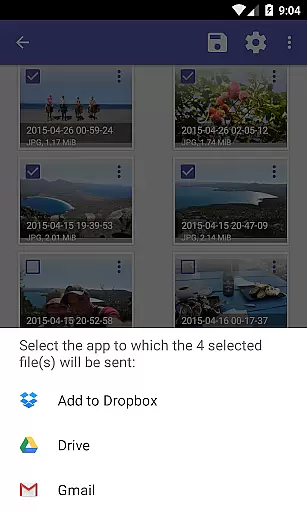
The app provides multiple methods for handling recovered files. Users can upload files directly to cloud services like Google Drive and Dropbox, send them via email, or save them to a local folder. DiskDigger Pro also includes FTP server support for remote file transfers. Furthermore, the app's 'Clean up' feature allows users to permanently delete unnecessary items found during scans, while the 'Wipe free space' option ensures deleted files cannot be recovered by overwriting free space.
DiskDigger Pro file recovery stands out for its powerful data recovery capabilities tailored specifically for rooted Android devices. The app's core functionality revolves around its ability to undelete and recover a wide range of lost files, including photos, documents, videos, music, and more from both memory cards and internal storage.
What makes DiskDigger particularly effective is its advanced scanning technology that can retrieve files even after accidental deletion or memory card reformatting. For non-rooted devices, it offers a limited scan option focusing on deleted photos and videos, ensuring users have some level of data recovery regardless of their device's root status.
The true value of DiskDigger lies in its comprehensive support for various file types, ranging from common formats like JPG, PNG, MP4 to document types such as DOC, PDF, and XLS. This versatility ensures that users can recover almost any type of lost file, making the app an indispensable tool for anyone who has experienced data loss.
Beyond its robust recovery features, DiskDigger Pro excels in providing a user-friendly interface that simplifies the complex process of data recovery. The app is designed with clarity and ease-of-use in mind, ensuring that even those unfamiliar with data recovery can navigate its features effortlessly.
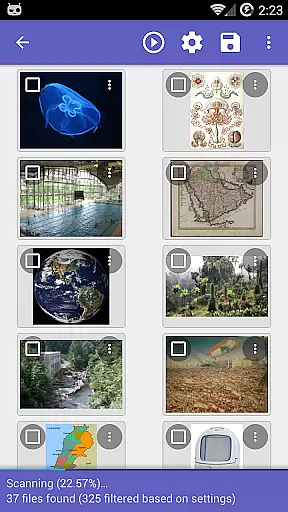
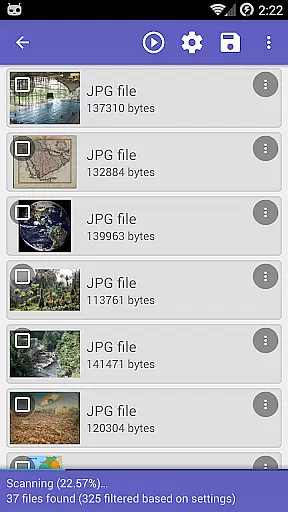
Upon launching DiskDigger, users are greeted with straightforward options to initiate scans, whether they're looking to recover photos, documents, or other file types. The scanning process itself is streamlined, presenting progress updates and findings in a clear, digestible manner.
Additional functionalities, such as the ability to permanently delete unwanted items through the 'Clean up' feature or erase free space to prevent future recoveries, further enhance the app's intuitive appeal. These features not only contribute to a clutter-free device but also offer peace of mind regarding personal data security.
Powerful recovery
Wide format support
Cloud integration
Secure deletion
User-friendly
Root required
Limited on non-rooted
Complex for beginners
Experimental cleanup
Interface outdated

Quickly switch to an encrypted DNS server on Android TV
 4.50
4.50
FV File Manager Pro, Fast and powerful file manager for Android
4.60
Head tracking for PC sim games such as MSFS 2024 or Elite:Dangerous. No headset!
4.50
Quickly & easily calculate the spacing of handrail balusters
4.20
Smart and comfortable browsing experience.
3.80
PC precision for mobile gaming: dominate with keyboard and mouse!
4.30
Mirror your screen to Fire TV - Super fast and simple
4.40
Game Booster, GFX Tool is now compatible with newer game update
4.50
fast and easy mp3 music downloader
4.80
ADB support Android 4.X-Android 13(Support wireless pair mode).No root required!
4.70
The Ultimate Flex Drivers Utility App - Convenient Tapping & Block Filters
4.70
Keep track of your Palia friendships, tasks, and inventory with Palia Notebook
4.60
App to pay for FUTO Keyboard
4.60
App that Recover your pictures, videos or files after you delete them.
4.20
A simple app to back up and restore SMS & MMS messages and call logs.
4.10
Automate everything from settings to photos, SMS to speech. ADC2 prize winner.
4.10
Family Locator, Share location, StayConnect with your family in real time
3.90
Clean the junk files on your device
3.40
Transfer Files, APK from Phone to Watch & Install.
4.4
Honest Scratch app review—is it actually good for teaching kids to code? Real user insights on features, limitations, and learning outcomes.



User Reviews