
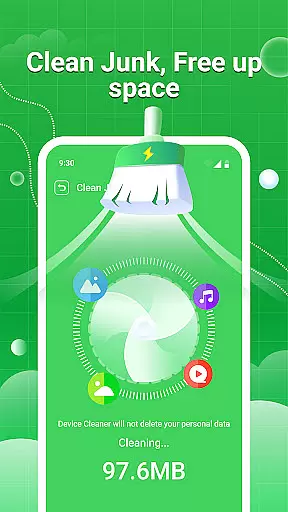
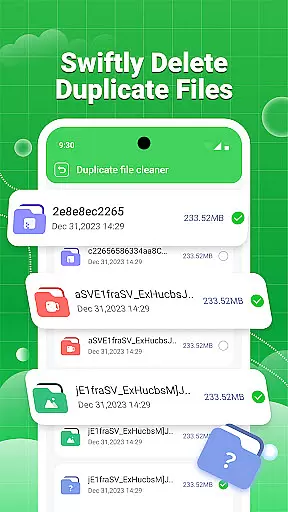
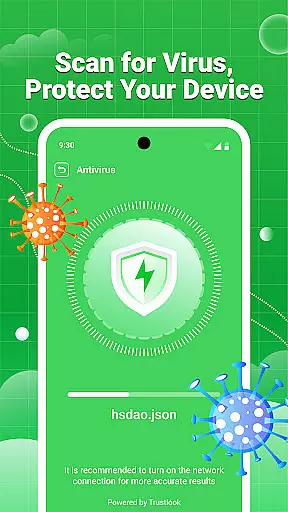
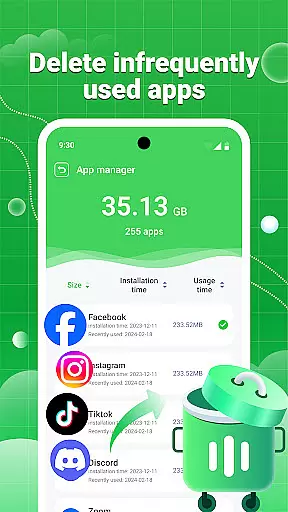
Clean Swipe & Antivirus is a comprehensive tool designed to optimize your device's performance. This app specializes in storage management, security protection, and media file organization. Users can efficiently clean junk files, manage large and duplicate files, and protect their devices from potential virus threats.
In addition to its core optimization features, the app offers advanced privacy protection tools such as photo data sanitization and permission monitoring. Its intuitive interface allows users to easily categorize and compress images while managing unnecessary applications. Whether you're looking to free up space or secure your personal information, Clean Swipe & Antivirus provides essential utilities for maintaining a healthy device.
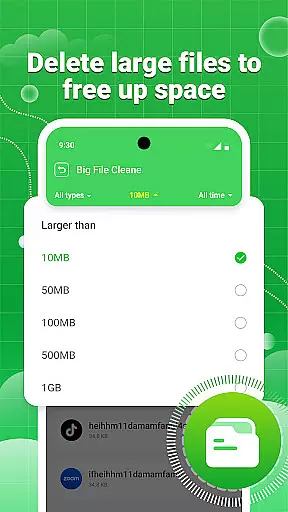
This app stands out with its robust feature set tailored for both casual and power users. The junk cleaning functionality swiftly identifies and removes unnecessary files, freeing up valuable storage space. Its large file manager helps users locate and organize bulky files that consume significant memory.
Clean Swipe & Antivirus also includes a powerful antivirus engine that scans for malicious software and risky permissions. Additionally, its photo management suite allows users to detect similar images, compress pictures without losing quality, and remove sensitive metadata. These features collectively ensure optimal device performance and enhanced privacy protection.
When it comes to utility applications like Clean Swipe & Antivirus, the precision and efficacy of core functions are paramount. This app offers a comprehensive suite of tools designed to manage storage space efficiently. It includes junk cleaning, large file management, and duplicate file identification, all of which work in concert to ensure your device remains uncluttered and optimized.
The virus scanning feature provides an additional layer of security by swiftly detecting potential risk files, safeguarding your device against malicious threats. Moreover, the photo privacy protection tool automatically clears location data from images, ensuring your personal information stays private. These features collectively enhance the overall safety and privacy of your device.
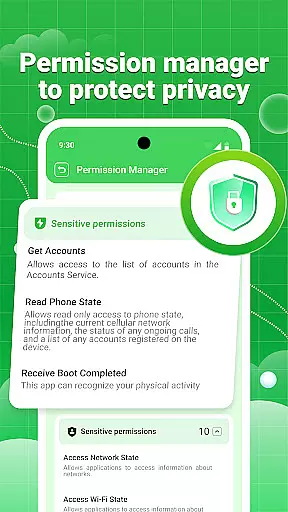
Permission management allows users to monitor and control how each application utilizes permissions, giving you greater authority over your privacy settings. With batch uninstall capabilities for unused apps and media file management options, Clean Swipe & Antivirus ensures that every function serves a practical purpose, contributing to a streamlined and secure user experience.
A straightforward and intuitive interface is crucial for tools applications, and Clean Swipe & Antivirus excels in this area. The app's design emphasizes ease of use, allowing users to navigate through its features effortlessly. Whether you're managing storage space or protecting your device from security threats, the layout is crafted to minimize learning curves and maximize productivity.
Each tool within the app, such as junk cleaning and large file management, is easily accessible and simple to utilize. Users can sort and display files by size, find duplicates, and perform batch deletions without hassle. This level of simplicity extends to more advanced features like virus scanning and permission management, where clear instructions and logical workflows guide users seamlessly.
Furthermore, the album management tool simplifies picture management with functionalities like similar picture detection and image compression. By maintaining clarity while reducing file sizes, these features ensure that users can manage their photos effectively without compromising quality. Overall, Clean Swipe & Antivirus combines powerful functionality with an intuitive interface, making it an essential tool for any device owner seeking efficiency and security.
Efficient junk cleaning
Advanced virus scanning
Comprehensive privacy tools
User-friendly interface
Batch file management
Limited customization options
Occasional slow performance
Ads in the free version
Some features require premium
Complex for beginners

Just swipe the edge to do something!
 4.40
4.40
Universal TV remote control all TVs, Roku, LG, Samsung, Fire, Vizio, Sony, TCL.
4.40
Smart and comfortable browsing experience.
3.80
Signal Strength, Mobile, Wifi, Speed Test, Bad Signals, Cellular, 5G, LTE, 4G
4.20
Undelete and recover your lost or deleted files with DiskDigger!
3.40
Mirror your screen to Fire TV - Super fast and simple
4.40
Screen Mirroring for Roku Sticks, Roku TCL TV and Roku Hisense TV
4.50
A clean app.
4.50
fast and easy mp3 music downloader
4.80
The one-and-only remote control for PC, Mac, and Linux
4.70
Mirror your screen to Chromecast and Android TV - Super fast and simple
4.60 4.50
4.50 4.50
4.50
With videos, electrical calculators, and built-in ebook, Ugly’s has your answer.
4.50
Button mapper, mouse toggle, sleep timer and a lot of another features
4.50
App that Recover your pictures, videos or files after you delete them.
4.20
Introducing Smart Printer, your ultimate destination for printing solutions!
4.00
Unleash gamepad precision for ultimate mobile gaming dominance.
3.90
Fun lie-detection pranks for friends and parties.
3.80
Honest Scratch app review—is it actually good for teaching kids to code? Real user insights on features, limitations, and learning outcomes.



User Reviews