
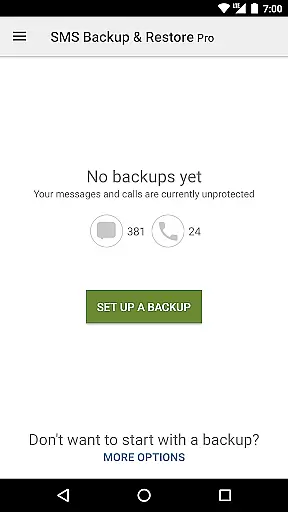
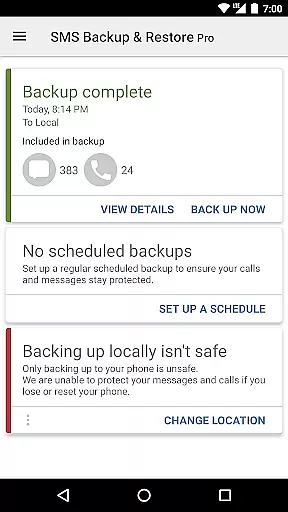
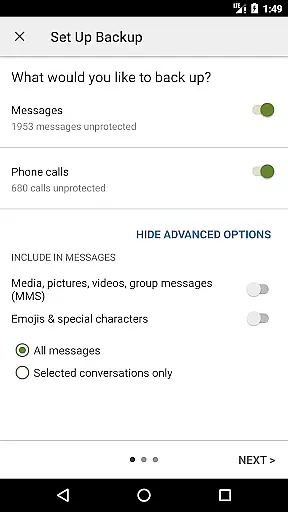
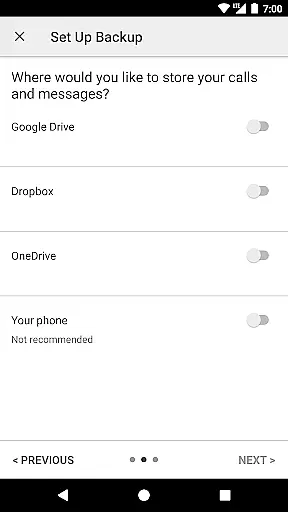
SMS Backup & Restore Pro is a premium Android application designed for secure backup and restoration of SMS, MMS messages, and call logs. This tool ensures data safety by creating encrypted local backups on your device while offering seamless integration with cloud services like Google Drive, Dropbox, and OneDrive.
With advanced features such as WebDAV support, scheduled automatic backups, and WiFi direct transfer between devices, the app provides comprehensive data management solutions. Its XML backup format allows easy viewing on computers and compatibility across different Android versions, making it an essential utility for users who prioritize data security and accessibility.
The app stands out with its ability to compress and encrypt backups, ensuring maximum security for sensitive communication data. Users can choose specific conversations to backup or restore, providing flexibility in managing their message history. The inclusion of a recurring scheduled backup option automates data protection without manual intervention.
Additional professional-grade features include fast device-to-device transfer over WiFi direct, backup file emailing capability, and an online viewer for XML backups. These functions, combined with the ability to free up phone space by deleting messages after backup, make this app a complete solution for both personal and business communication data management needs.
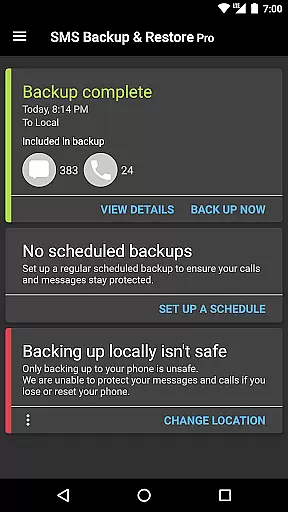
At the heart of SMS Backup & Restore Pro lies its core functionality, which is to create secure and reliable backups of SMS, MMS messages, and call logs. This app ensures that every piece of communication is accurately copied into a backup file in XML format, preserving the integrity of your data.
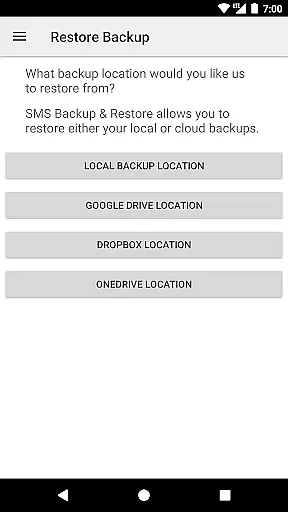
The app offers advanced features such as compression and encryption, providing an additional layer of security for your backups. With options to automatically upload to cloud services like Google Drive, Dropbox, and OneDrive, it guarantees that your information is not only saved but also easily accessible across multiple devices.
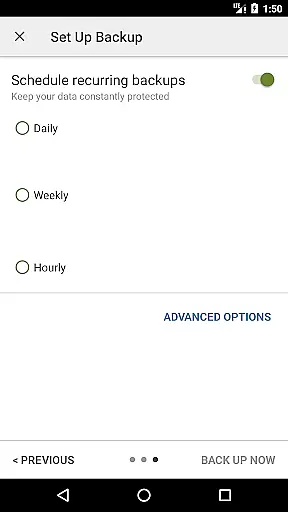
Users benefit from the ability to schedule recurring backups, ensuring their data is consistently protected without manual intervention. The selective backup and restore feature allows customization according to user needs, making sure that only relevant conversations are saved or restored.
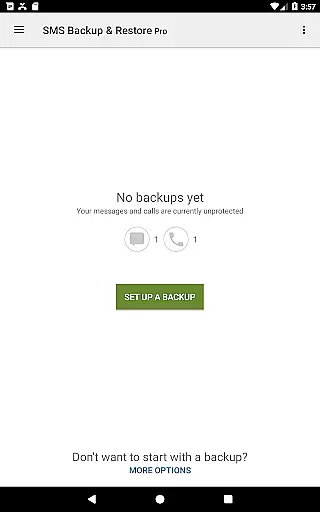
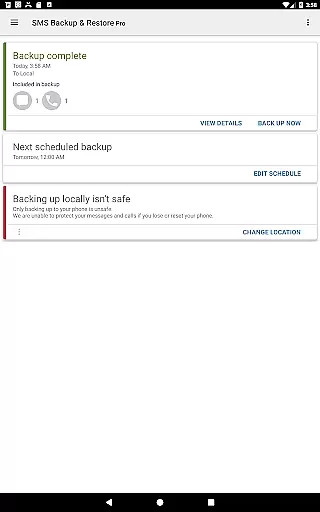
SMS Backup & Restore Pro excels in offering an intuitive interface that simplifies the complex task of data management. Its design focuses on ease of use, allowing users to effortlessly navigate through options to backup, restore, and manage their messages and call logs.
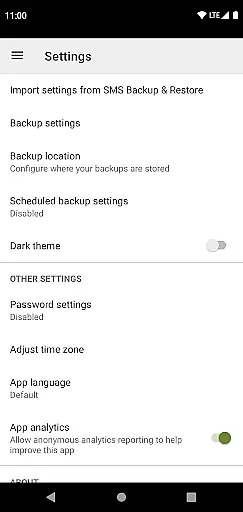
Despite the advanced functionality, the app maintains a straightforward setup process. Users can easily configure settings such as choosing backup locations, setting up automatic backups, and selecting specific conversations to save or restore, all presented in a clear and organized manner.
The app's thoughtful design extends to features like fast phone-to-phone transfer over WiFi direct and freeing up space by deleting messages or call logs. These practical solutions ensure that users can efficiently handle their data while experiencing a seamless interaction with the app.
Secure encryption
Cloud integration
Scheduled backups
WiFi direct transfer
XML format support
No iOS support
Paid version
Requires setup
Permissions needed
Android only

Transfer Files, APK from Phone to Watch & Install.
 4.3
4.3
Use your phone as a webcam on your computer over WiFi or USB.
4.40
Create your own live wallpaper or check out thousands already made presets
3.90
Excellent scientific calculator with symbolic algebra, integrals, derivatives
4.80
Signal Strength, Mobile, Wifi, Speed Test, Bad Signals, Cellular, 5G, LTE, 4G
4.20
Planner and Tracker for Stardew Valley
4.60
Quickly check the frequency of the Earth
4.30
Connect wirelessly to your computer to watch movies, browse the web, play games
5.00
Create your own custom widget with endless possibilities
3.90
Support Fossify apps with a warm thank you!
5.00
Remote Play with FSR upscaling, low latency & full controller support
4.80
Learn the vast amount of system information about device and monitor it's state
4.70
NFC Tools can read and write NFC tags.
4.70
Creation, Learning, Entertainment & More — The All-in-One AI Search Engine
4.70
FV File Manager Pro, Fast and powerful file manager for Android
4.60 4.50
4.50
Head tracking for PC sim games such as MSFS 2024 or Elite:Dangerous. No headset!
4.50
Complete kernel toolbox with features to manage and tweak your rooted device
4.30
Automate everything from settings to photos, SMS to speech. ADC2 prize winner.
4.10
Honest Scratch app review—is it actually good for teaching kids to code? Real user insights on features, limitations, and learning outcomes.



User Reviews