
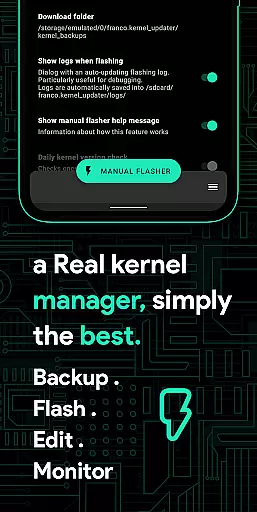
Franco Kernel Manager is a comprehensive toolbox designed for Android users who want to optimize their device performance. This app offers a rich set of features that cater to both beginners and expert users, providing everything needed to manage, tweak, and enhance your device's kernel capabilities.
With Franco Kernel Manager, you can significantly boost your device's performance and battery life while enjoying the convenience of flashing mods without using a custom recovery. The app supports all devices and kernels but requires root access for full functionality, except for the Battery Monitor feature which works without root.
The app's intuitive interface and tailored features make it stand out from other similar tools. Whether you're looking to fine-tune CPU frequencies, monitor battery usage, or create per-app profiles, Franco Kernel Manager delivers a superior user experience with practical tools for system optimization.
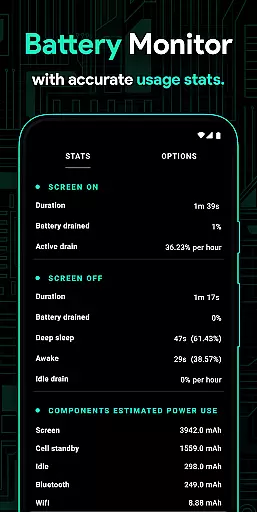
Franco Kernel Manager boasts an impressive array of features that empower users to take full control of their device's kernel settings. One standout feature is the detailed Battery Monitor notification, which provides insights into power consumption patterns, charging time estimates, and more.
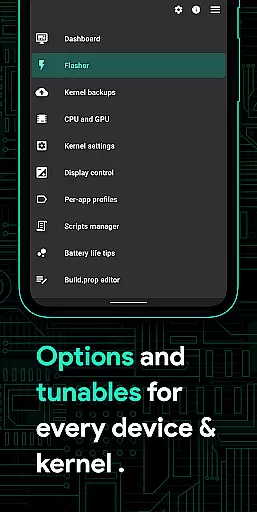
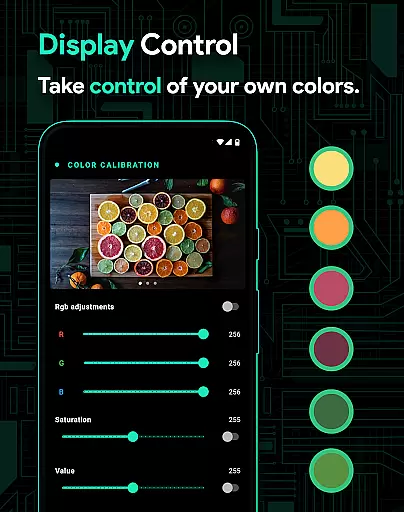
The app also includes advanced functionalities such as a build.prop editor, auto-flash capability for kernels and Magisk modules, and support for various GPU types including Adreno, Exynos, and Kirin. Users can benefit from powerful battery-saving tips, display color temperature presets, and High Brightness Mode (HBM) for supported devices.
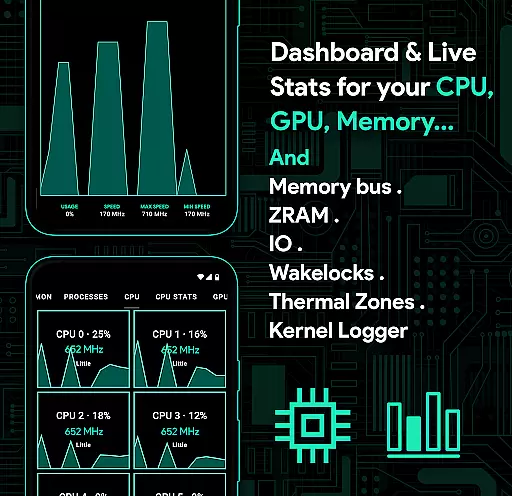
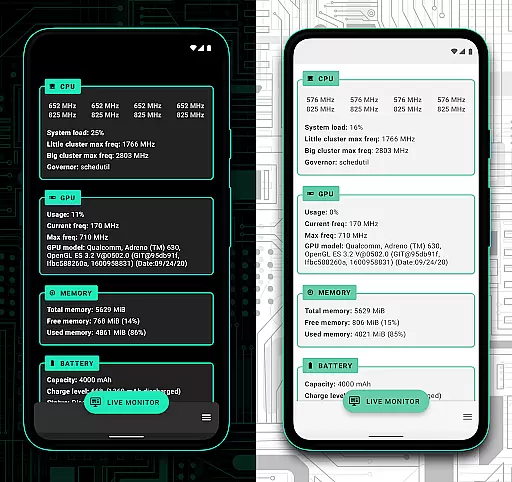
Additionally, Franco Kernel Manager offers system health monitoring with real-time stats on CPU, GPU, RAM, and thermal zones. With customizable themes, automatic Night Shift mode, and a scripts manager for creating shell scripts, this app ensures a personalized and efficient device management experience.
Franco Kernel Manager offers a comprehensive suite of tools designed to enhance kernel management with precision and efficiency. The app provides detailed controls for CPU frequencies, GPU settings, and system health monitoring, ensuring that every adjustment is accurately applied to optimize device performance.
One of the standout features is its ability to handle complex tasks such as flashing kernels and mods without requiring a custom recovery. This functionality is executed seamlessly, providing users with a reliable way to modify their devices. Additionally, the build.prop editor and custom kernel settings allow for fine-tuned adjustments tailored to individual needs.
For users seeking to maximize battery life or boost performance, Franco Kernel Manager includes powerful battery-saving tips and per-app profiles. These features enable users to create specific settings for different apps, ensuring optimal performance in various scenarios. The app's accuracy in applying these settings results in tangible improvements in both device speed and battery longevity.
The user interface of Franco Kernel Manager is crafted to ensure ease of use while maintaining access to advanced features. Despite the complexity of the tasks it handles, the app presents its functionalities in an intuitive manner, making it accessible even to less experienced users. Clear navigation paths and well-organized menus help streamline the user experience.
A key aspect of the app's design is its support for light and dark themes, which aligns with modern Android aesthetics. This feature not only enhances visual comfort but also integrates smoothly with the latest Android versions. Moreover, the System Health section provides real-time monitoring of CPU, GPU, RAM, and thermal zones, all presented through a visually appealing and easy-to-understand interface.
Additionally, the app incorporates accessibility services to improve usability further. By detecting the active app and applying relevant profiles automatically, it simplifies multitasking and ensures that optimal settings are always in place. This level of automation reduces the need for manual adjustments, offering a hassle-free experience for managing intricate device settings.
Comprehensive feature set
User-friendly interface
Advanced customization options
Efficient battery monitoring
Regular updates and support
Requires root access
Complex for beginners
Limited without root
Some features device-specific
Premium version costly

 4.50
4.50
Save any video in HD - paste the link, download fast and watch offline.
4.5
Universal TV remote control all TVs, Roku, LG, Samsung, Fire, Vizio, Sony, TCL.
4.40
Carry a FTP server in your pocket and avoid USB cables for file transfer
4.20
Smart and comfortable browsing experience.
3.80
MS-DOS in your pocket. Play old DOS games anywhere you are ;)
4.10
Automate everything from settings to photos, SMS to speech. ADC2 prize winner.
4.10
Enjoy a smooth mobile reading experience!
3.60
Your personal health butler
3.60
Best leveling tool for your Android device. Hang paintings like a pro.
4.90
Easily install aab(Android App Bundle) files on your Android device with our app
4.80
Bedrock Together: Join any bedrock server on Xbox/PS
4.80
The one-and-only remote control for PC, Mac, and Linux
4.70
The Ultimate Flex Drivers Utility App - Convenient Tapping & Block Filters
4.70 4.50
4.50
Quickly switch to an encrypted DNS server on Android TV
4.50
Pro Emulator is an easy to use game console emulator for a range of consoles.
4.40
App that Recover your pictures, videos or files after you delete them.
4.20
Download any file easily and quickly with Downloader
4.1
Honest Scratch app review—is it actually good for teaching kids to code? Real user insights on features, limitations, and learning outcomes.



User Reviews