
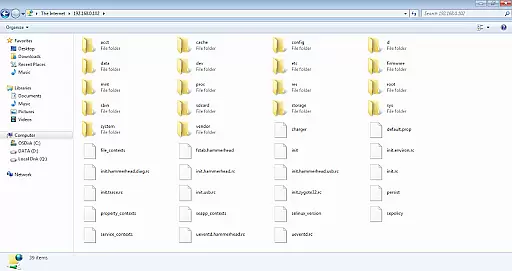
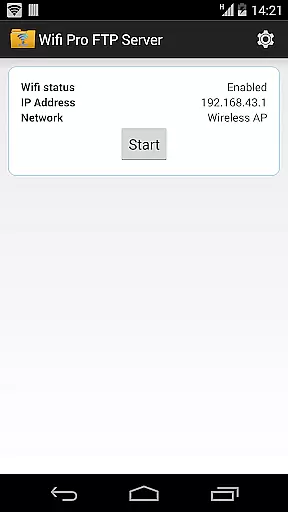
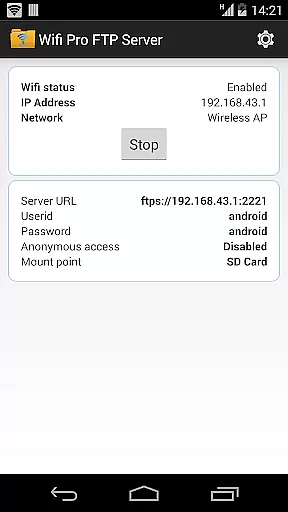
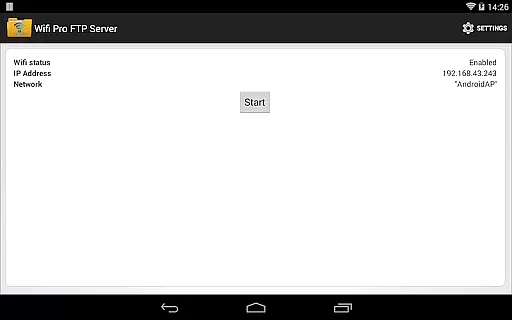
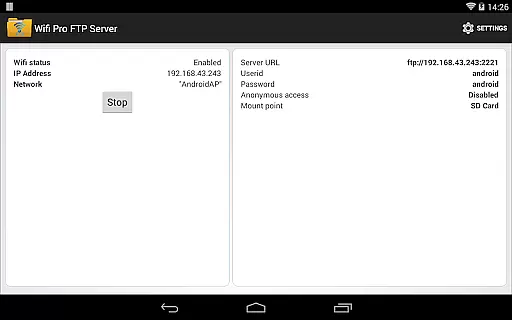
WiFi Pro FTP Server transforms your Android device into a fully functional FTP server, enabling seamless file transfers between your phone or tablet and other devices. With support for FTP over TLS/SSL (FTPS), this app ensures secure data exchanges while offering features like configurable port numbers, home folders, and user credentials.
This application is ideal for users who want to avoid cumbersome USB cables and prefer wireless file management. Whether you need to transfer photos, movies, songs, or documents, the FTP server works efficiently over Wi-Fi and even in Wi-Fi tethering mode (hotspot). Its customizable settings allow advanced users to tailor the server to their specific needs.
By hosting your own FTP server, you gain complete control over your data transfers without relying on third-party services. The app's intuitive interface and robust functionality make it an essential tool for anyone seeking efficient, wireless file management on their Android device.
WiFi Pro FTP Server boasts an array of powerful features designed to enhance your file-sharing experience. One standout feature is its support for FTPS (FTP over TLS/SSL), which provides an encrypted connection for secure file transfers. This ensures that sensitive data remains protected during transmission.
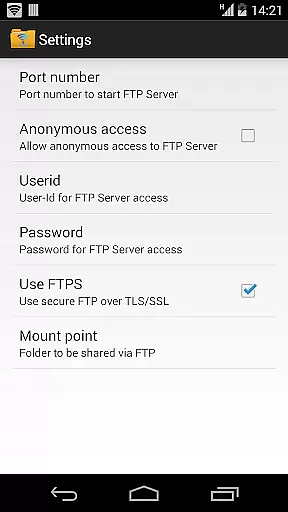
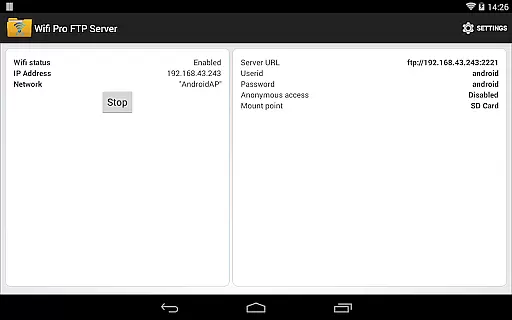
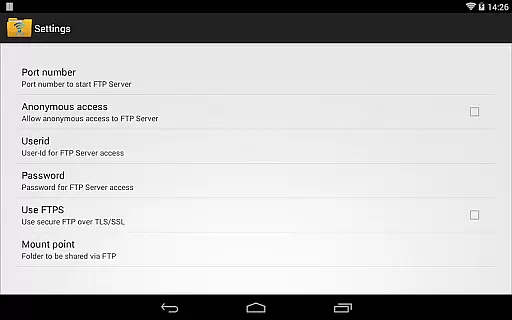
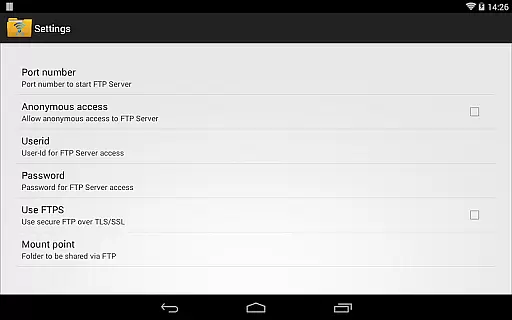
The app allows extensive customization options, including setting a unique port number, configuring anonymous access permissions, and defining a home folder as the root directory for file sharing. Additionally, users can set personalized usernames and passwords, adding another layer of security to their FTP server.
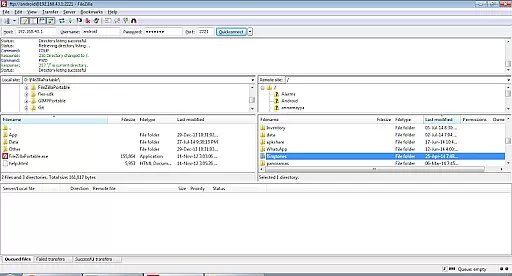
Another notable feature is its compatibility with various FTP clients such as FileZilla, making it versatile for different workflows. Furthermore, the app supports both standard Wi-Fi connections and hotspot modes, ensuring flexibility in diverse network environments. These comprehensive features collectively deliver a reliable and adaptable FTP solution tailored for power users.
WiFi Pro FTP Server excels in providing a reliable and efficient file transfer solution. The app transforms your Android device into a fully functional FTP server, enabling seamless file sharing over Wi-Fi networks. With support for FTP over TLS/SSL (FTPS), it ensures secure data transmission, which is crucial for maintaining the integrity of transferred files.
The application allows users to configure various settings such as port number, home folder, and user credentials. This customization capability enhances its functionality by letting users tailor the server environment to their specific needs. Whether you are transferring files, photos, movies, or music, the app handles large volumes with ease, ensuring that all data reaches its destination intact and promptly.
By avoiding cumbersome USB cables and supporting both standard Wi-Fi and hotspot modes, WiFi Pro FTP Server offers unparalleled convenience. Users can effortlessly manage their digital content without physical constraints, making it ideal for both personal use and collaborative projects where multiple devices need access to shared resources.
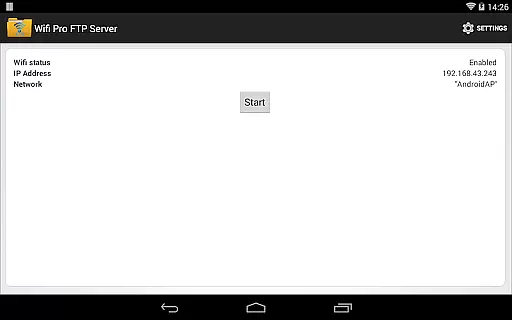
A standout feature of WiFi Pro FTP Server is its intuitive interface, designed to make file management straightforward even for less tech-savvy individuals. Upon launching the app, users are greeted with a clean layout that highlights essential functions like starting the server, configuring settings, and accessing help guides. This simplicity reduces the learning curve typically associated with setting up an FTP server.
Configuration options are presented clearly, allowing users to adjust parameters such as port numbers, home directories, and authentication methods without hassle. Default values are sensibly chosen, minimizing setup time while still offering advanced customization for experienced users who require more control over their server environment.
Furthermore, the app provides practical guidance through tooltips and FAQs accessible directly within the interface. These resources ensure that any questions about functionality or troubleshooting common issues are addressed promptly, enhancing overall user satisfaction. By combining powerful features with an easy-to-navigate design, WiFi Pro FTP Server delivers a superior user experience focused on efficiency and accessibility.
Secure FTPS support
Customizable settings
User-friendly interface
Works in hotspot mode
Efficient file transfers
No SFTP support yet
Default port limitations
Anonymous access disabled
Limited free version
Requires Wi-Fi

 4.50
4.50
Easily install aab(Android App Bundle) files on your Android device with our app
4.80
Family Locator, Share location, StayConnect with your family in real time
3.90
eXtended Permission Manager - a small app to manage permissions and AppOps
4.50
Play your X-Box games remotely in 1080p with any controller and zero latency
4.60
The ultimate tool for network analysis, wifi scanning and problem detection.
4.90
Protect your device with antivirus, storage cleanup, and system monitoring
4.70
Your personal health butler
3.60
The ideal app to be the digital eye of your family
3.40
Connect wirelessly to your computer to watch movies, browse the web, play games
5.00
Support Fossify apps with a warm thank you!
5.00
Change your GPS location instantly. Simulate routes anywhere in the world.
4.90
Monitor car performance in real time and troubleshoot malfunctions.
4.80
Quickly switch to an encrypted DNS server on Android TV
4.50
Pro Emulator is an easy to use game console emulator for a range of consoles.
4.40
Just one-tap to easy translate in any language after calls within seconds.
4.20
MS-DOS in your pocket. Play old DOS games anywhere you are ;)
4.10
A convenient photo, video, and file recovery tool.
4.00
1-Click close all background apps on Android TV
3.90
Honest Scratch app review—is it actually good for teaching kids to code? Real user insights on features, limitations, and learning outcomes.



User Reviews