
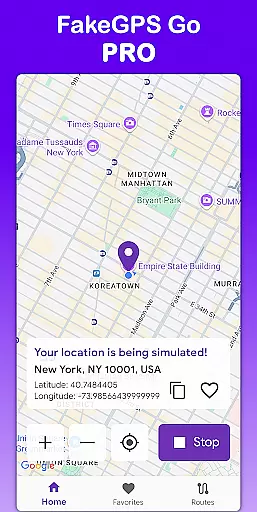
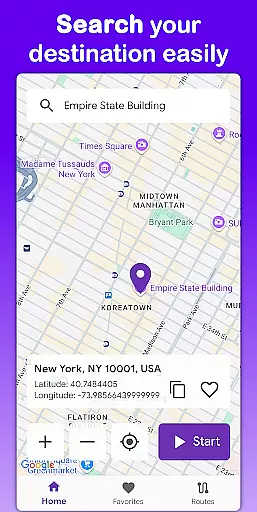
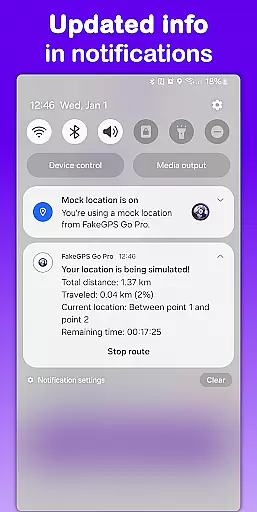
Fake GPS Go Pro is a powerful tool designed to help users instantly change their GPS location and simulate routes anywhere in the world. This app is particularly useful for developers testing location-based apps, individuals exploring virtual locations, or anyone needing to spoof their GPS position.
The application offers precise location simulation without requiring root access, making it accessible on any device. With features like route simulation, favorite location saving, and multilingual support, Fake GPS Go Pro provides both flexibility and ease of use. Its lightweight design ensures minimal battery consumption while maintaining high accuracy in GPS spoofing.
Fake GPS Go Pro stands out with its comprehensive feature set tailored for both casual and professional use. The app allows users to change their GPS location instantly with just a few taps, offering unparalleled convenience.
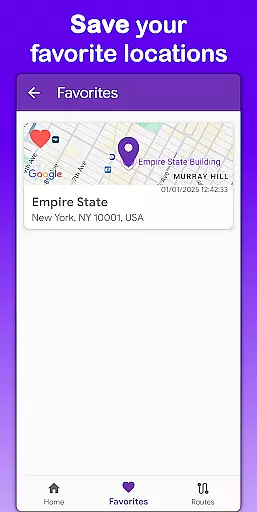
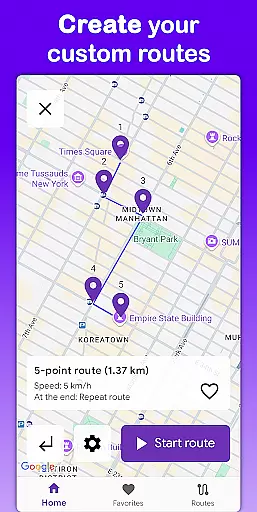
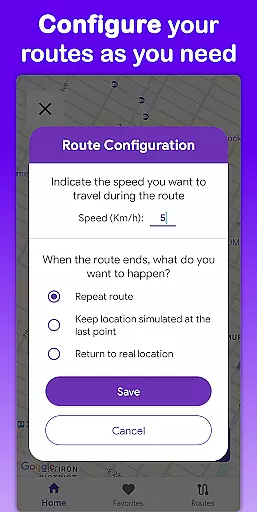
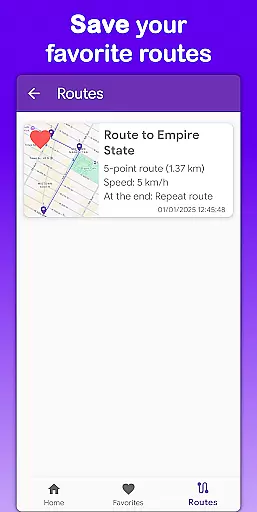
One of the standout features is the ability to simulate movement along custom routes. Users can place markers on the map to create paths, select travel speeds, and configure actions upon reaching the destination, such as stopping or repeating the route. Additionally, the app supports saving favorite locations and routes, enabling quick access to frequently used spots.
With multilingual support covering eight languages and a premium experience free of ads or interruptions, Fake GPS Go Pro ensures accessibility and uninterrupted usage for a global audience.
Core function accuracy and effectiveness are crucial for any tool application, especially one like Fake GPS Go Pro that manipulates device location. This app ensures precise GPS spoofing, allowing users to instantly change their virtual location with just a few taps on the map interface.
The app's route simulation feature demonstrates its effectiveness by letting users create custom paths. By placing markers on the map, users can simulate movement at adjustable speeds, providing realistic testing conditions for location-based services. The ability to choose actions upon reaching the end of a route, such as stopping or repeating, adds another layer of functional depth.
Users benefit from the app's high-precision location simulation without needing root access. This accessibility, combined with multilingual support in eight languages, makes the app useful for a global audience of developers and testers who require reliable location spoofing for their work.
Interface simplicity and intuitiveness are vital for user adoption, particularly in tools designed for complex functions like GPS spoofing. Fake GPS Go Pro excels in this area by providing an easy-to-use interface that allows users to change locations quickly and efficiently.
The app's design enables users to save favorite locations and routes, eliminating the need for repetitive setup and enhancing workflow efficiency. This feature demonstrates how intuitive design can simplify complex tasks, making the app accessible even to those who might be less tech-savvy.
With its lightweight nature and battery-friendly operation, the app maintains performance without compromising device functionality. The premium version's ad-free experience further enhances usability, ensuring that users can focus on their tasks without interruptions or distractions.
Easy-to-use interface
High precision GPS simulation
No root required
Lightweight and battery-friendly
Multilingual support
Intended for testing purposes only
Limited real-world applications
Premium version requires purchase
May not work with all apps
Requires technical understanding

Small and simple app to Verify Root Access and BusyBox Install!
 4.70
4.70
Bedrock Together: Join any bedrock server on Xbox/PS
4.80
With videos, electrical calculators, and built-in ebook, Ugly’s has your answer.
4.50
The Ultimate Bluetooth Keyboard & Mouse. Securely control your PC, Mac, and more
4.50
Connect wirelessly to your computer to watch movies, browse the web, play games
5.00
Screen Mirroring with sound for Samsung TV, LG TV, Sony TV, Smart TV and Browser
4.20
Pro Emulator is an easy to use game console emulator for a range of consoles.
4.40
Button mapper, mouse toggle, sleep timer and a lot of another features
4.50
Introducing Smart Printer, your ultimate destination for printing solutions!
4.00
Powerful collection of electronics tools and reference.A must for any enthusiast
4.90
Navigate with Ease and Style
4.90
Excellent scientific calculator with symbolic algebra, integrals, derivatives
4.80
Protect your device with antivirus, storage cleanup, and system monitoring
4.70 4.50
4.50
Universal TV remote control all TVs, Roku, LG, Samsung, Fire, Vizio, Sony, TCL.
4.40
Mirror your screen to Fire TV - Super fast and simple
4.40
Remote for Roku, Fire TV, Samsung TV, LG TV, Android TV, Chromecast and VIZIO TV
4.20
card-reader app
2.20
Save any video in HD - paste the link, download fast and watch offline.
4.4
Honest Scratch app review—is it actually good for teaching kids to code? Real user insights on features, limitations, and learning outcomes.



User Reviews