
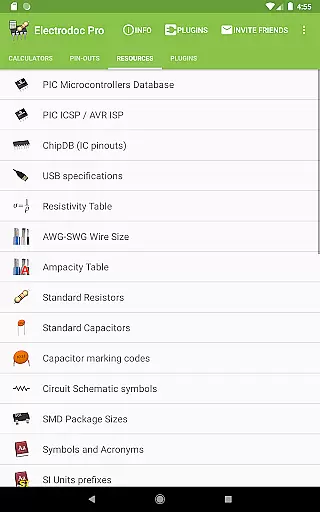
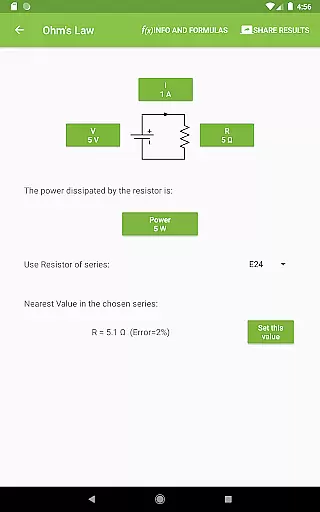
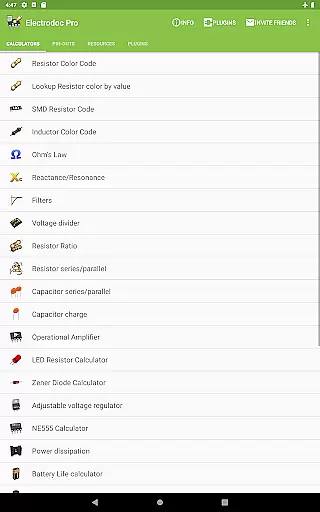
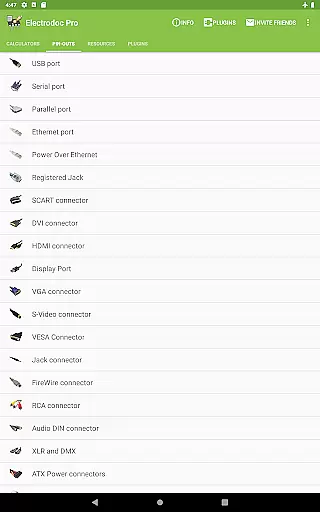
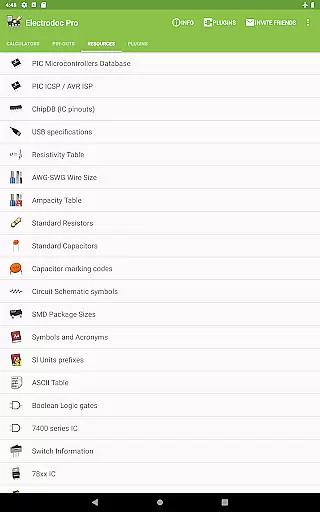
Electrodoc Pro is a comprehensive electronics toolkit designed for professionals, hobbyists, and students alike. This application serves as an essential resource by providing a wide array of tools and references crucial for electronics projects. With functionalities ranging from resistor color code decoding to complex circuit calculations, Electrodoc Pro ensures precision and efficiency in your work.
The app stands out with its ad-free PRO version, offering more features compared to the free variant. Users can access advanced calculators, design tools, and extensive reference materials that cover everything from basic electronics to intricate microcontroller pin-outs. Whether you're designing a PCB or calculating power dissipation, Electrodoc Pro equips you with the necessary instruments to streamline your workflow.
Electrodoc Pro is particularly useful in practical scenarios such as prototyping, repair work, or academic studies. By consolidating numerous electronics tools into one platform, it significantly reduces the need for multiple physical references and calculators. This consolidation not only saves time but also enhances productivity, making Electrodoc Pro an invaluable asset for anyone involved in electronics.
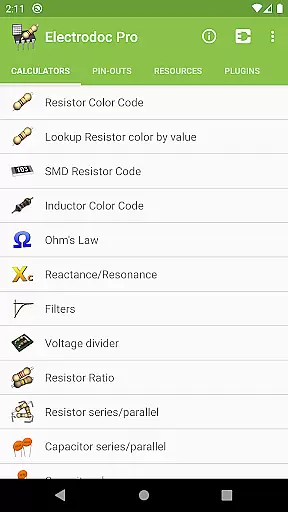
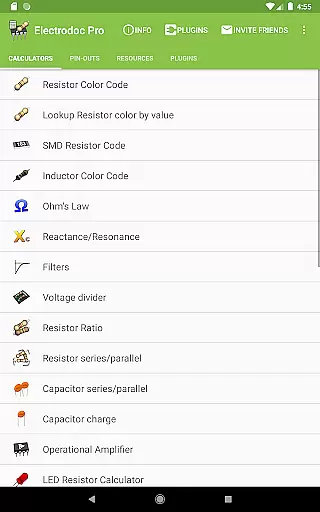
Electrodoc Pro boasts an impressive suite of features tailored to meet the diverse needs of electronics enthusiasts. One of its standout capabilities is the comprehensive resistor and capacitor code calculators, which include Resistor Color Code, SMD Resistor Code, and Capacitor series/parallel calculations. These tools simplify the process of identifying and utilizing components, thus enhancing project accuracy.
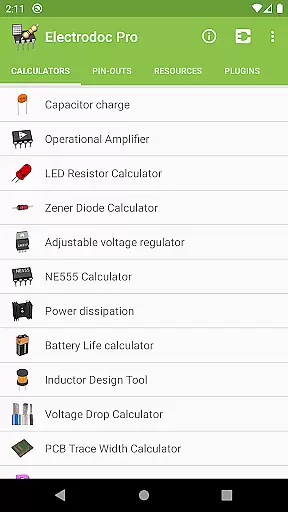
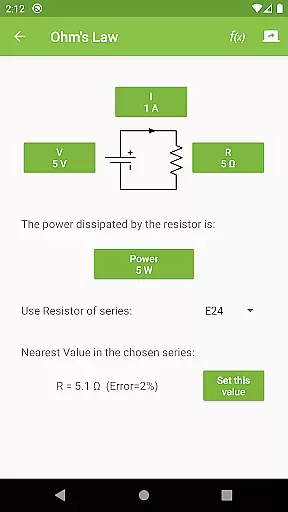
In addition to component calculators, the app provides specialized tools like the NE555 Calculator, Inductor Design Tool, and Voltage Drop Calculator. Each feature is meticulously crafted to address specific challenges faced in electronics design and troubleshooting. For instance, the Power Calculator and Decibel Converter allow users to perform quick yet precise computations, saving valuable time during complex projects.
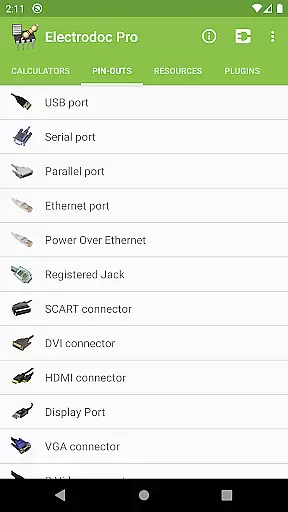
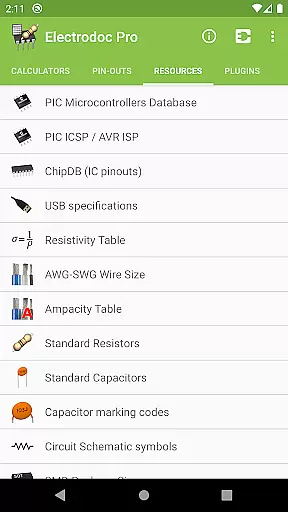
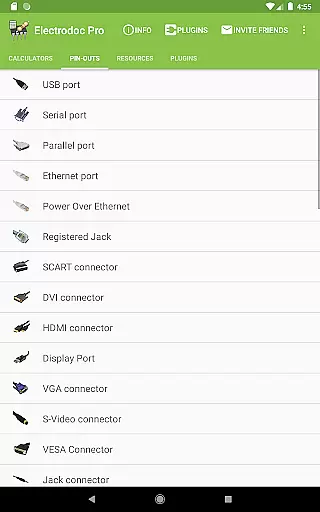
Another remarkable aspect of Electrodoc Pro is its extensive port pin-out and resources section. Covering everything from USB ports to Arduino boards, this section offers detailed information crucial for interfacing and connectivity tasks. Furthermore, the app supports plugins, enabling users to expand its functionality with additional databases and simulators. This adaptability ensures that Electrodoc Pro remains a versatile and future-proof tool in the ever-evolving field of electronics.
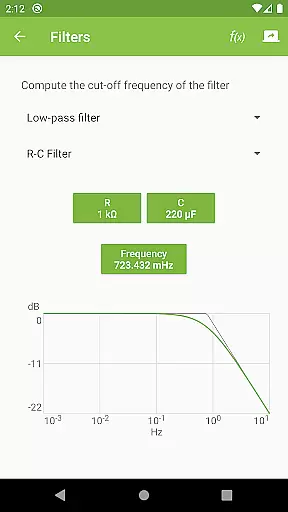
Electrodoc Pro stands out in the Tools category by offering precise and effective core functionalities that are essential for electronics enthusiasts and professionals alike. The app provides a comprehensive suite of calculators and references, including Resistor Color Code, Ohm's Law, Reactance/Resonance, and more, ensuring accurate computations for various electronic components and circuits.
The effectiveness of Electrodoc Pro is further enhanced by its support for EIA resistor series across all relevant calculators, enabling users to work with standardized values used in the industry. This feature not only streamlines the design and troubleshooting process but also ensures compatibility and consistency in electronic projects.
Users benefit from the app's ability to deliver reliable results swiftly, which is crucial when working on complex designs or during time-sensitive repairs. With Electrodoc Pro, you can trust that each calculation or reference lookup will be both accurate and efficient, empowering you to focus on the creative and analytical aspects of electronics work without second-guessing the underlying figures.
In the realm of electronic tools, Electrodoc Pro excels with an interface that marries simplicity with intuitiveness, making it accessible even to those new to electronics. Upon opening the app, users are greeted with a straightforward layout where each tool and reference is easily accessible, reducing the learning curve typically associated with specialized software.
The design philosophy behind Electrodoc Pro emphasizes ease of use without sacrificing depth. Each calculator or reference within the app follows a consistent pattern, allowing users to apply their understanding of one tool to others effortlessly. This uniformity fosters an intuitive user experience, letting individuals concentrate on solving problems rather than navigating the application.
Moreover, the absence of ads in the PRO version enhances the overall user experience by providing an uninterrupted workflow. By prioritizing clarity and coherence in its interface design, Electrodoc Pro ensures that whether you're calculating resistor values or referencing port pin-outs, the process remains smooth and instinctive, thus maximizing productivity and user satisfaction.
User-friendly interface
Comprehensive toolset
Ad-free experience
Regular updates
Wide compatibility
Premium cost
Steep learning curve
Limited offline support
No video tutorials
Occasional bugs

Easily install aab(Android App Bundle) files on your Android device with our app
 4.80
4.80
Transfer Files, APK from Phone to Watch & Install.
4.2
Quickly & easily calculate the spacing of handrail balusters
4.20
card-reader app
2.20
Detect hidden spy camera with advanced scanning {{ Premium version }}
4.00
Mirror your screen to Chromecast and Android TV - Super fast and simple
4.60
The one-and-only remote control for PC, Mac, and Linux
4.70
Screen Mirroring with sound for Samsung TV, LG TV, Sony TV, Smart TV and Browser
4.20
Automate everything from settings to photos, SMS to speech. ADC2 prize winner.
4.10
Creation, Learning, Entertainment & More — The All-in-One AI Search Engine
4.70
Play your X-Box games remotely in 1080p with any controller and zero latency
4.60
Button mapper, mouse toggle, sleep timer and a lot of another features
4.50
Forza Tuning Calculator App for Forza Horizon 5, Motorsport and Earlier Titles
4.40
Pro Emulator is an easy to use game console emulator for a range of consoles.
4.40
1-Click close all background apps on Android TV
3.90
Amateur Radio app for APRS: Track friends, exchange messages, get tactical info.
3.90
Smart and comfortable browsing experience.
3.80
Clean the junk files on your device
3.40
Unlock your Essential Key. Create custom shortcuts to your favorite apps!
4.3
Honest Scratch app review—is it actually good for teaching kids to code? Real user insights on features, limitations, and learning outcomes.



User Reviews