
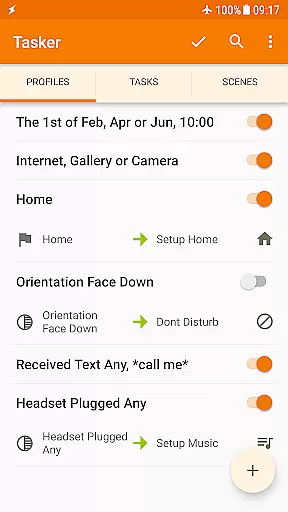
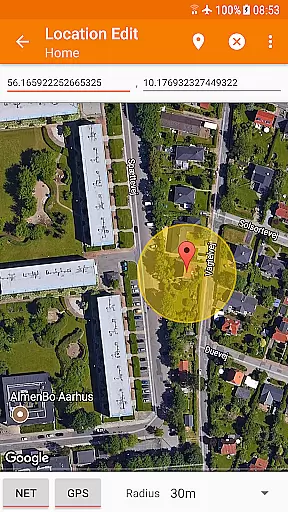
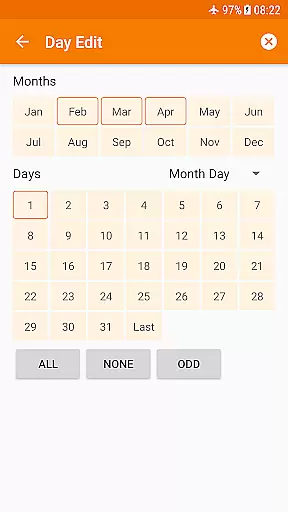
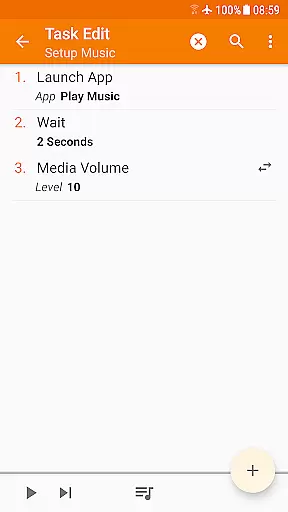
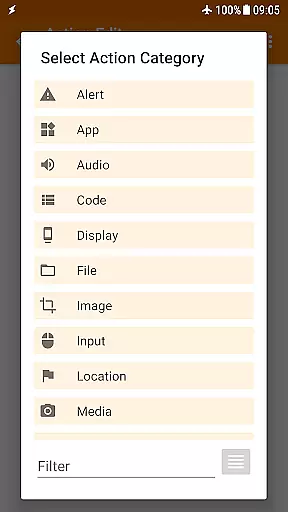
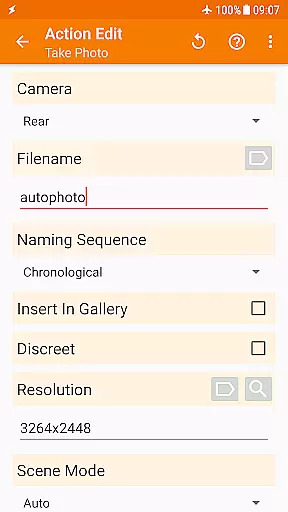
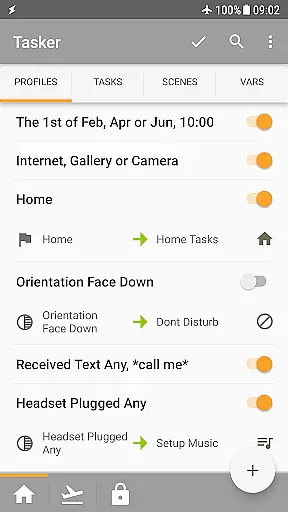
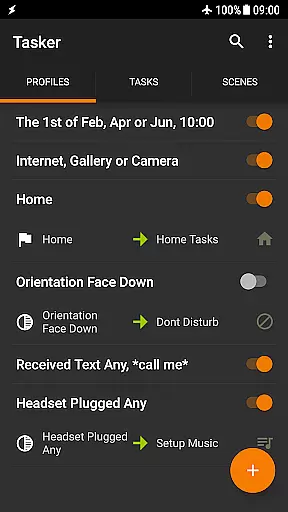
Tasker is a powerful automation tool designed to transform your Android device into a true smart device. It allows users to automate repetitive tasks based on various triggers such as location, time of day, or specific events like receiving an SMS. With over 350 actions available, Tasker can customize nearly every aspect of your phone's functionality, from changing system settings to controlling music playback.
Beyond basic automation, Tasker supports advanced features like automatic file backups to Google Drive, downloading and installing APKs directly, and even creating custom UI scenes. The app also integrates with third-party applications and web APIs, making it a developer-friendly choice for those looking to expand their device's capabilities. Whether you're a power user seeking to optimize your daily routine or a developer interested in creating standalone apps, Tasker offers the tools necessary to achieve your goals.
Tasker stands out with its extensive range of features tailored for both casual users and tech enthusiasts. The app provides over 130 contexts and events that can trigger automations, including time-based triggers, location services, and device states like Wi-Fi connectivity or received calls. This flexibility enables users to create complex automation workflows that adapt to their unique needs.
In addition to its robust automation capabilities, Tasker includes a suite of powerful actions. Users can manipulate files, send SMS messages, toggle system settings, and control media playback. Advanced features like Join integration allow remote task triggering from other devices, while the Tasker App Factory lets developers create and distribute their own apps. These features, combined with support for third-party plugins and web API calls, make Tasker an indispensable tool for maximizing productivity and customization on Android devices.
Tasker exemplifies core function accuracy and effectiveness through its comprehensive automation capabilities. The app allows users to create complex automations based on over 130 contexts, including time, location, and received messages. This precision ensures that the right task is executed at the right moment without manual intervention.
The true power of Tasker lies in its flexibility to combine various contexts with specific actions. With more than 350 available actions, ranging from sending SMS to manipulating files, users can customize their Android devices extensively. These actions are performed accurately, ensuring that each automated task achieves the desired outcome reliably.
For advanced users, Tasker offers developer-friendly features such as integration with third-party apps and web APIs. This enables users to extend Tasker's functionality beyond the device, interacting with external services seamlessly. Such extensive and accurate functionality makes Tasker a robust tool for total device automation.
Despite its powerful capabilities, Tasker maintains an interface that balances simplicity with depth. New users can easily navigate through the appu2019s structure to set up basic tasks, while advanced users can delve into complex automations. This dual approach ensures that users of all skill levels can effectively utilize Tasker.
Tasker provides various triggers like launcher shortcuts, widgets, and quick setting tiles, making it intuitive to initiate tasks. Users can manually activate their automations using familiar interfaces, reducing the learning curve associated with more complex systems. This intuitive design enhances user interaction and satisfaction.
Additionally, Tasker includes scenes that allow users to design custom UIs for displaying information or triggering tasks. This feature adds another layer of intuitiveness, enabling users to interact with their automations in a personalized manner. Overall, Taskeru2019s interface design thoughtfully bridges complexity and ease of use.
Highly customizable
Extensive automation options
Developer friendly
Rich plugin ecosystem
Powerful scene creation
Steep learning curve
Requires technical knowledge
Some features need root
Interface feels outdated
Paid unlock required

pdf merge, word to pdf, jpg to pdf, edit pdf, convert to pdf and much more!
 4.20
4.20
Unit and currency converter with easy and simple UI.
4.80
Fluid navigation gestures for all of us!
4.30
Clean the junk files on your device
3.40
Safely recover deleted photos, videos, and files with a single easy tap.
3.70
Making emulation easy for everyone!
4.30
NFC Tools can read and write NFC tags.
4.70
Enjoy a smooth mobile reading experience!
3.60
The ideal app to be the digital eye of your family
3.40
Navigate with Ease and Style
4.90
Powerful collection of electronics tools and reference.A must for any enthusiast
4.90
Fast Video Downloader, Movie Downloader, Torrent Downloader & Adblock Browser
4.70 4.50
4.50 4.50
4.50
Quickly switch to an encrypted DNS server on Android TV
4.50
Game Booster, GFX Tool is now compatible with newer game update
4.50
Mirror your screen to Fire TV - Super fast and simple
4.40
Remote for Roku, Fire TV, Samsung TV, LG TV, Android TV, Chromecast and VIZIO TV
4.20
Carry a FTP server in your pocket and avoid USB cables for file transfer
4.20
Honest Scratch app review—is it actually good for teaching kids to code? Real user insights on features, limitations, and learning outcomes.



User Reviews