
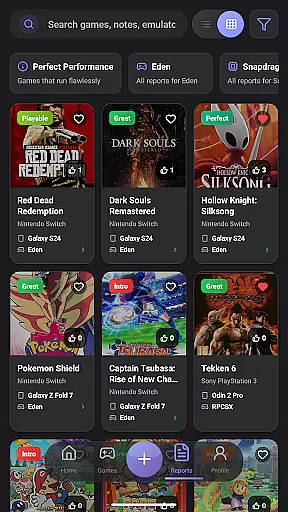
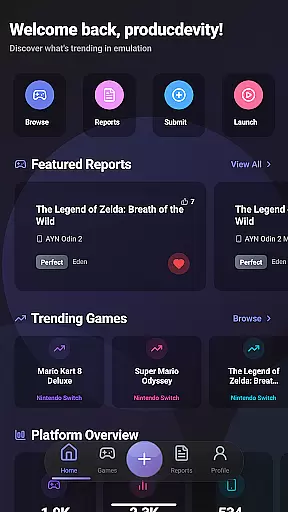
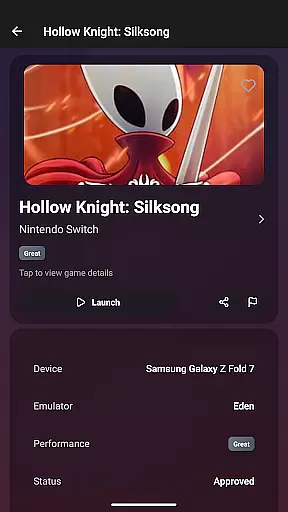
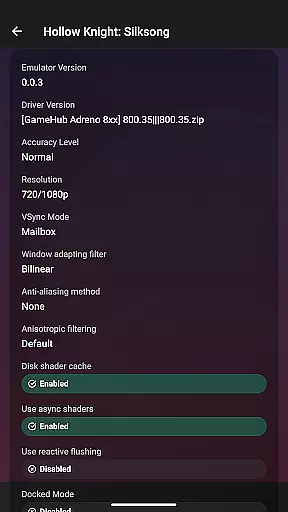
EmuReady Beta is a comprehensive emulation compatibility tool designed to help users discover which games work best on their devices. The app provides a detailed compatibility database covering thousands of games across various systems, allowing users to make informed decisions about their emulation setup.
The application's core functionality includes device-specific reports, community-driven compatibility ratings, and support for multiple emulator platforms. Whether you're using a flagship smartphone or a budget tablet, EmuReady delivers tailored information to optimize your retro gaming experience. By offering performance metrics, smart filtering options, and a voting system, the app creates a reliable ecosystem for emulation enthusiasts.
This tool proves especially valuable for retro gaming communities and emulation hobbyists who want to maximize their device's gaming potential without wasting time on trial-and-error configurations. With its intuitive interface and robust feature set, EmuReady Beta streamlines the process of finding compatible games and settings.
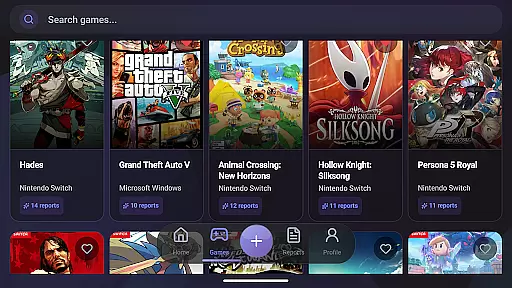
EmuReady Beta stands out with its extensive feature set tailored specifically for emulation enthusiasts. The app's Game Compatibility Database allows users to browse thousands of titles, instantly accessing performance data across different devices and emulators. This database is regularly updated through community contributions, ensuring up-to-date information.
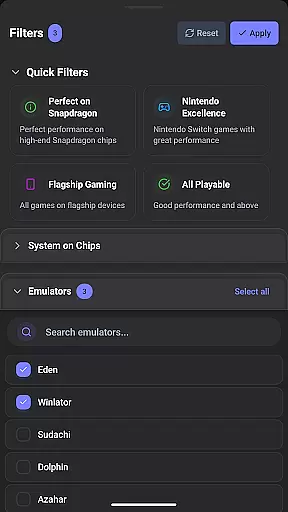
A key innovation is the app's Smart Filtering system, which enables users to refine search results by device model, emulator type, performance rating, and other crucial parameters. The integrated Vote & Comment System fosters community engagement by letting users rate reports and share their own experiences. Additionally, the Performance Tracking feature provides detailed metrics including FPS, graphical fidelity, and playability ratings from Perfect to Unplayable.
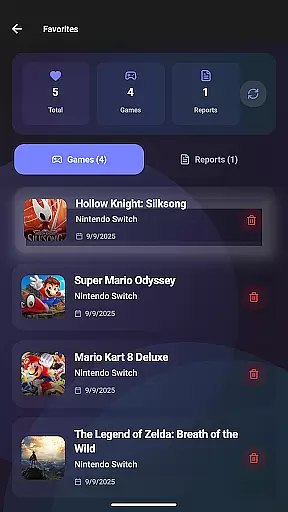
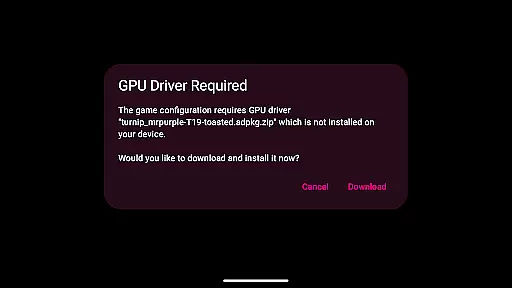
Other notable features include Dark Mode for comfortable viewing, Favorites tracking for building personal libraries, and one-touch game launch capabilities that apply optimal settings automatically. These features collectively create a powerful tool that enhances the emulation experience while maintaining an accessible interface for both beginners and experienced users.
For an emulation compatibility app like EmuReady Beta, core function accuracy is crucial for delivering reliable information to users. The application provides a comprehensive game compatibility database that allows users to browse thousands of games and instantly see how they perform on different devices and emulators.
The accuracy of EmuReady's compatibility reports stems from its community-driven platform where real users share their experiences. This crowdsourced data includes performance ratings, custom settings, and helpful notes, ensuring that the information is both accurate and reflective of real-world scenarios.
Users benefit from device-specific information tailored to their exact hardware model, whether it's a flagship phone or a budget tablet. By comparing performance across multiple emulators for systems like Nintendo Switch and 3DS, EmuReady helps users find the best emulator for each game, enhancing their overall gaming experience.
A simple and intuitive interface is essential for tools applications, especially when dealing with complex data such as game compatibility reports. EmuReady Beta excels in providing an accessible user experience through features like smart filtering, which lets users quickly find reports by device, emulator, performance rating, and more.
The app offers a clean layout where users can easily access key features such as the vote and comment system, allowing them to upvote helpful reports and contribute their own experiences. This interaction not only simplifies navigation but also fosters a sense of community among retro gaming enthusiasts.
Additionally, EmuReady includes practical functionalities such as saving favorites to build a personal compatibility library and automatic theme switching between light and dark modes for comfortable viewing at any time of day. These thoughtful design choices ensure that even newcomers to emulation can efficiently use the app without feeling overwhelmed.
User-friendly interface
Extensive game database
Community-driven reports
Smart filtering options
Device-specific optimization
Beta version limitations
Occasional stability issues
Requires manual updates
Limited emulator integration
No direct emulation capability

HD Video player and downloader for all formats, fast & smooth 4K video playback.
 4.60
4.60
Family Locator, Share location, StayConnect with your family in real time
3.90
Keep track of your Palia friendships, tasks, and inventory with Palia Notebook
4.60
VESC Tool can monitor and configure VESC-compatible devices over BLE and Wifi
4.20
Unleash gamepad precision for ultimate mobile gaming dominance.
3.90
Planner and Tracker for Stardew Valley
4.60
Fast Video Downloader, Movie Downloader, Torrent Downloader & Adblock Browser
4.70
Screen Mirroring for Roku Sticks, Roku TCL TV and Roku Hisense TV
4.50
Introducing Smart Printer, your ultimate destination for printing solutions!
4.00
Connect wirelessly to your computer to watch movies, browse the web, play games
5.00
Change your GPS location instantly. Simulate routes anywhere in the world.
4.90
Easily install aab(Android App Bundle) files on your Android device with our app
4.80
Unit and currency converter with easy and simple UI.
4.80
Learn the vast amount of system information about device and monitor it's state
4.70
Optimize your WiFi network, turn your phone into Wifi Analyzer
4.70
App to pay for FUTO Keyboard
4.60 4.50
4.50
Head tracking for PC sim games such as MSFS 2024 or Elite:Dangerous. No headset!
4.50
A simple app to back up and restore SMS & MMS messages and call logs.
4.10
Honest Scratch app review—is it actually good for teaching kids to code? Real user insights on features, limitations, and learning outcomes.



User Reviews