
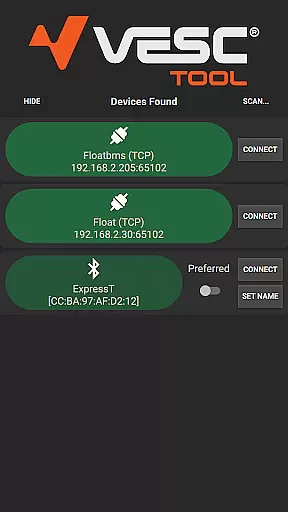
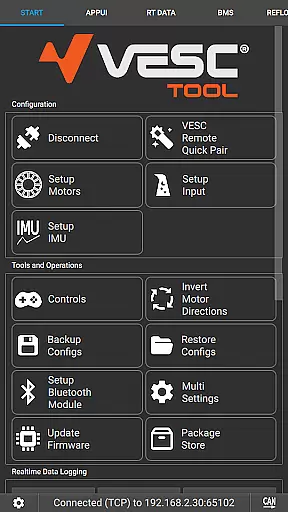
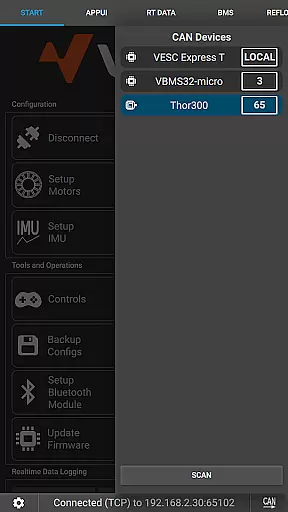
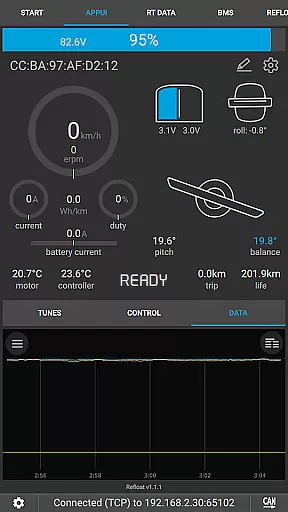
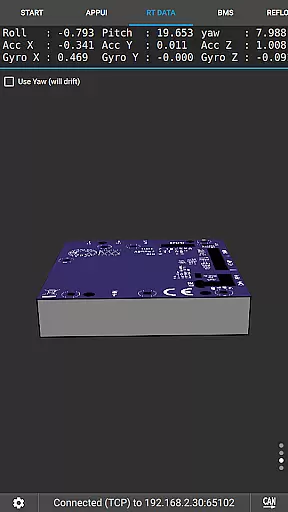
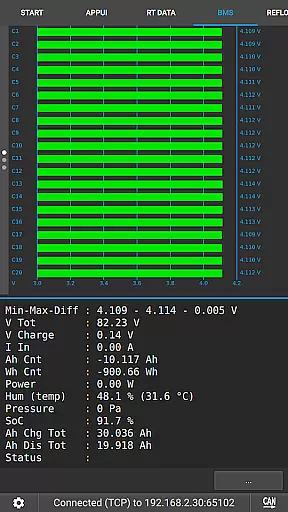
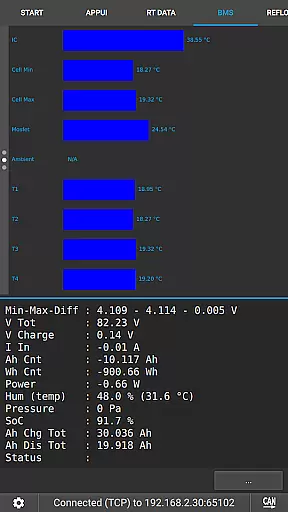
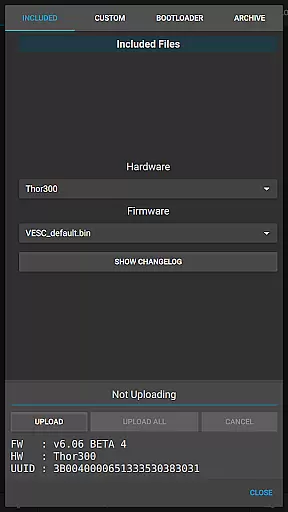
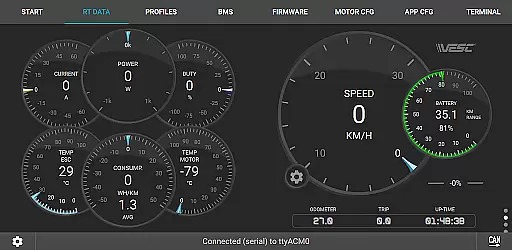
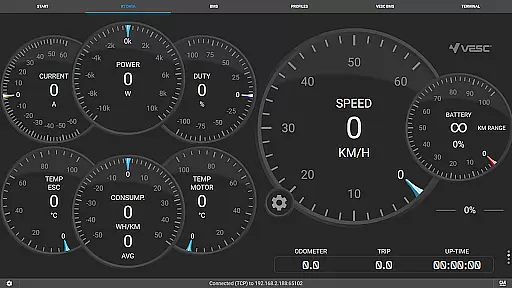
VESC Tool is a powerful mobile application designed for users who work with VESC-based hardware. This tool allows you to configure your hardware over BLE or WiFi, providing seamless connectivity and control. With its comprehensive feature set, it supports live data streaming, firmware updates, and data logging.
Whether you are a hobbyist or a professional, VESC Tool offers an intuitive interface that makes hardware management straightforward and efficient. Its compatibility with both BLE and WiFi ensures that you can connect in the way that best suits your needs. The app is particularly useful for those involved in projects related to electric skateboards, drones, or any device utilizing VESC controllers.
By using VESC Tool, you gain access to detailed configurations and real-time monitoring, which enhances your ability to fine-tune and optimize performance. Visit the official site for more details and explore the potential of your VESC-based projects.
VESC Tool stands out with its robust set of features tailored for VESC-based hardware management. One of its key capabilities is the ability to connect over BLE or WiFi, allowing for flexible and reliable communication with your devices. This feature is crucial for users who need to manage their hardware remotely or in environments where wired connections are impractical.
In addition to connectivity options, VESC Tool provides advanced functionalities such as live data streaming, which enables real-time monitoring of your hardware's performance metrics. Users can also update firmware directly through the app, ensuring that their devices are always running the latest software versions. Data logging is another significant feature, allowing users to record and analyze performance data over time.
The app's design emphasizes user experience, offering an intuitive interface that simplifies complex tasks. Whether configuring settings, updating firmware, or analyzing data logs, VESC Tool streamlines these processes, making them accessible even to less technical users. This combination of powerful features and user-friendly design sets VESC Tool apart in the realm of hardware management applications.
VESC Tool is designed to provide precise control and configuration of VESC-based hardware, ensuring that users can effectively manage their devices. The app supports both BLE and WiFi connections, enabling seamless interaction with the hardware components. This connectivity allows for accurate firmware updates, live data streaming, and reliable data logging.
The effectiveness of VESC Tool lies in its comprehensive functionality, which covers a wide range of tasks essential for VESC hardware management. Users can configure settings, monitor real-time performance metrics, and troubleshoot issues directly through the app interface. These capabilities ensure that users have all the tools they need at their fingertips, enhancing the overall user experience.
By leveraging advanced communication protocols, VESC Tool guarantees high levels of accuracy in every operation. Whether updating firmware or analyzing live data streams, users can trust that the information displayed is both timely and correct. This reliability is crucial for maintaining optimal performance and making informed decisions about hardware adjustments.
A key feature of VESC Tool is its straightforward and intuitive user interface, which simplifies the process of configuring and managing VESC-based hardware. Despite the complexity of the tasks it handles, the app presents options and controls in a clear, organized manner. This design choice ensures that even new users can quickly learn how to navigate and utilize the app's features without extensive training.
The layout of VESC Tool prioritizes ease of use, grouping related functions together and providing clear labels for each option. This logical arrangement reduces the learning curve and minimizes the risk of user error during critical operations like firmware updates or live data monitoring. Additionally, the app includes helpful tooltips and guidance, further enhancing the user experience.
Overall, the simplicity and intuitiveness of VESC Toolu2019s interface contribute significantly to its effectiveness as a tool for managing VESC hardware. By removing unnecessary complexity, the app empowers users to focus on optimizing their hardware performance rather than struggling with complicated software controls.
User-friendly interface
Comprehensive feature set
Real-time data streaming
Firmware update capability
Flexible connectivity options
Requires compatible module
Limited to VESC hardware
No offline functionality
Dependent on network stability
Advanced features may overwhelm beginners

 4.50
4.50
pdf merge, word to pdf, jpg to pdf, edit pdf, convert to pdf and much more!
4.20
Complete kernel toolbox with features to manage and tweak your rooted device
4.30
Detect hidden spy camera with advanced scanning {{ Premium version }}
4.00
Excellent scientific calculator with symbolic algebra, integrals, derivatives
4.80
Signal Strength, Mobile, Wifi, Speed Test, Bad Signals, Cellular, 5G, LTE, 4G
4.20
Creation, Learning, Entertainment & More — The All-in-One AI Search Engine
4.70
Mobile Security with Scam Protection | Malware & Virus Cleaner | Safe Browser
4.70
The ideal app to be the digital eye of your family
3.40
Connect wirelessly to your computer to watch movies, browse the web, play games
5.00
WiFi Signal Strength Meter help you detect WiFi Signal Strength in real time.
4.80
Fast Video Downloader, Movie Downloader, Torrent Downloader & Adblock Browser
4.70
HD Video player and downloader for all formats, fast & smooth 4K video playback.
4.60
Forza Tuning Calculator App for Forza Horizon 5, Motorsport and Earlier Titles
4.40
Mirror your screen to Fire TV - Super fast and simple
4.40
Pro Emulator is an easy to use game console emulator for a range of consoles.
4.40
Screen Mirroring with sound for Samsung TV, LG TV, Sony TV, Smart TV and Browser
4.20
Family Locator, Share location, StayConnect with your family in real time
3.90
Safely recover deleted photos, videos, and files with a single easy tap.
3.70
Honest Scratch app review—is it actually good for teaching kids to code? Real user insights on features, limitations, and learning outcomes.



User Reviews