
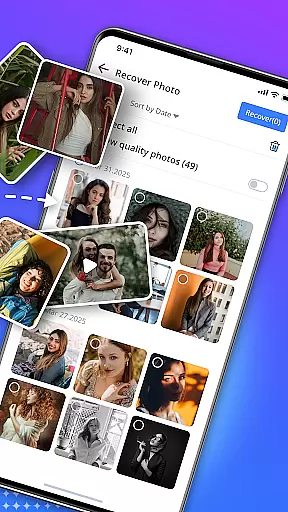
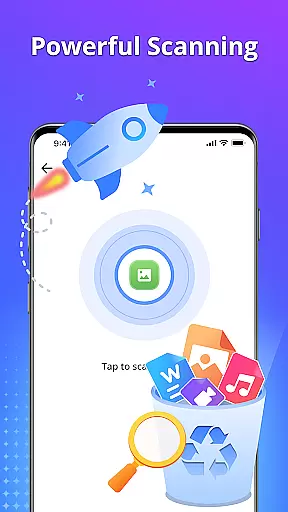
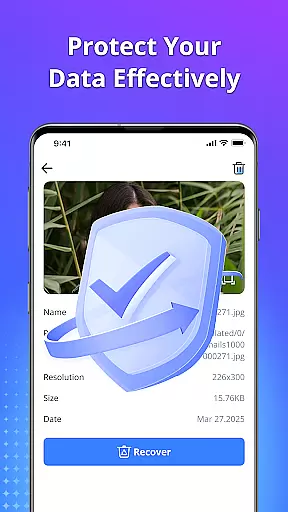
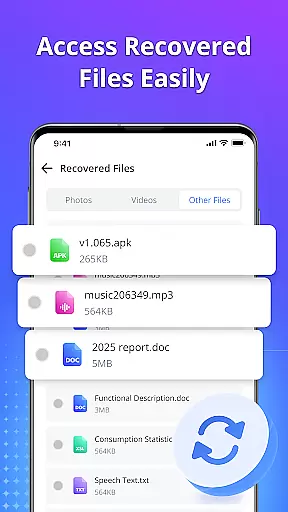
Restore Photo - Video Recover is a comprehensive data recovery tool designed to help users retrieve lost or deleted multimedia files and documents from their devices. The app's core functionality revolves around its ability to recover photos, videos, audio files, and various document formats with minimal effort.
The application employs advanced deep scan technology to locate hidden or lost data, while offering a preview feature that allows users to selectively restore only the files they need. Its standout features include HD-quality recovery, support for multiple file formats, and the ability to securely delete unwanted files to protect user privacy.
Whether it's recovering precious family photos, important work documents, or cherished video memories, this tool provides a reliable solution for both casual users and professionals who need to maintain organized digital archives.
Restore Photo - Video Recover distinguishes itself through several key features that enhance the recovery process. The app's deep scan technology is particularly noteworthy, as it can quickly identify and retrieve hidden or lost data across various file types.
One of the most valuable aspects is the preview function, which enables users to review recoverable files before initiating the restoration process. This ensures that only desired content is restored, saving both time and storage space. Additionally, the app supports recovery in HD quality, maintaining the original clarity and detail of restored files.
The application also functions as a personal recycle bin for digital files, giving users control over what to keep or permanently delete. Users can organize recovered files into custom folders, streamlining the management of retrieved data.
Restore Photo - Video Recover stands out as a powerful data recovery tool that ensures core function accuracy and effectiveness. This application is designed to retrieve lost or deleted photos, videos, audios, and documents from your device with precision. The deep scan technology employed by the app guarantees that even hidden or temporarily deleted files are found, making it an indispensable tool for anyone who has accidentally deleted important files.
The app supports multiple file formats, ensuring that no matter what type of file you need to recover, Restore Photo - Video Recover can handle it. Whether it's recovering cherished memories in the form of photos and videos or retrieving crucial documents, this app performs its tasks swiftly and reliably. With just a single tap, users can preview their recoverable files before proceeding with the restoration process, which adds an extra layer of assurance that only the desired content will be restored.
Moreover, the HD-quality recovery feature ensures that all retrieved media retains its original clarity and detail. This means that once your files are recovered, they will look as good as new, preserving the quality of your precious memories. The ability to securely delete unwanted files further enhances user privacy, giving peace of mind that sensitive information won't fall into the wrong hands. Overall, Restore Photo - Video Recover offers a fast, reliable, and safe solution for data recovery needs.
A key aspect of Restore Photo - Video Recover is its interface simplicity and intuitiveness, which makes data recovery accessible to users of all technical backgrounds. Upon launching the app, users are greeted with a clean and straightforward layout that guides them through the recovery process step-by-step. Thereu2019s no need for advanced technical knowledge or rooting the device, as the app is designed to be user-friendly right from the start.
The app provides clear options for different types of file recovery, including photos, videos, audio files, and documents. Each category is easily accessible from the main menu, allowing users to quickly select what they need to recover. The inclusion of a preview function before recovery ensures that users can make informed decisions about which files to restore, streamlining the entire process and saving valuable time.
Furthermore, Restore Photo - Video Recover offers customizable storage options, enabling users to save recovered files to specific folders on their device. This level of control not only simplifies file management but also helps keep the device organized. By focusing on a seamless user experience, Restore Photo - Video Recover proves itself as an essential tool for anyone looking to recover lost data without the hassle of complex procedures or steep learning curves.
User-friendly interface
Fast recovery process
HD quality restoration
Secure deletion option
Multiple format support
Limited free features
Premium version costly
Occasional scan errors
Large app size
Root access unavailable

Just swipe the edge to do something!
 4.40
4.40
FV File Manager Pro, Fast and powerful file manager for Android
4.60
An open-source APK explorer for Android!
4.10
MS-DOS in your pocket. Play old DOS games anywhere you are ;)
4.10
View detailed information about your Nissan Leaf the dealer never shows you.
4.10
Undelete and recover your lost or deleted files with DiskDigger!
3.40
Automate everything from settings to photos, SMS to speech. ADC2 prize winner.
4.10
Mobile Security with Scam Protection | Malware & Virus Cleaner | Safe Browser
4.70
Enjoy a smooth mobile reading experience!
3.60
Unit and currency converter with easy and simple UI.
4.80
Bedrock Together: Join any bedrock server on Xbox/PS
4.80
HD Video player and downloader for all formats, fast & smooth 4K video playback.
4.60 4.50
4.50
The Ultimate Bluetooth Keyboard & Mouse. Securely control your PC, Mac, and more
4.50
Effortlessly run ADB commands directly on your device without a PC.
4.20
Screen Mirroring with sound for Samsung TV, LG TV, Sony TV, Smart TV and Browser
4.20
Family Locator, Share location, StayConnect with your family in real time
3.90
Amateur Radio app for APRS: Track friends, exchange messages, get tactical info.
3.90
A recovery soft,it features photo recovery, video recovery, file recovery.
3.40
Honest Scratch app review—is it actually good for teaching kids to code? Real user insights on features, limitations, and learning outcomes.



User Reviews