
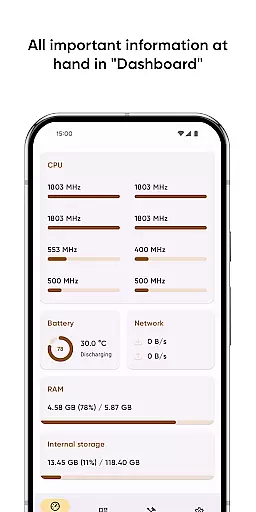
Castro Premium is a comprehensive device monitoring tool that provides real-time performance tracking and detailed system information. The app offers an extensive dashboard displaying crucial metrics like CPU usage, battery status, network activity, and memory load.
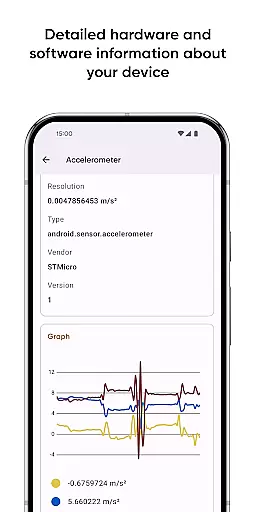
Beyond basic monitoring, Castro includes advanced features for power users. The app provides in-depth hardware statistics including processor performance, sensor data, camera specifications, and codec support. With its premium version, users gain access to enhanced customization options, professional-grade monitoring tools, and additional functionality through widgets and specialized monitors.
This application proves especially valuable for IT professionals and tech enthusiasts who require detailed insights into their device's operational parameters. The ability to export technical data and utilize testing tools makes it an indispensable utility for device maintenance and troubleshooting.
Castro Premium distinguishes itself through its comprehensive feature set. The application provides detailed monitoring capabilities across multiple device parameters including CPU/GPU performance, memory utilization, and battery health.
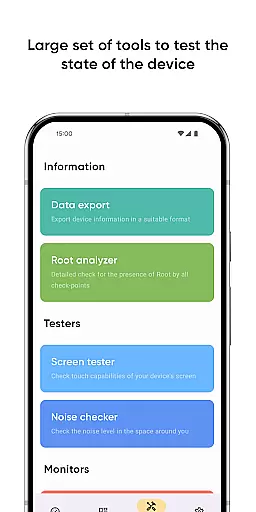
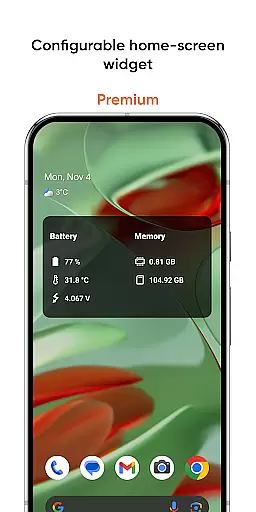
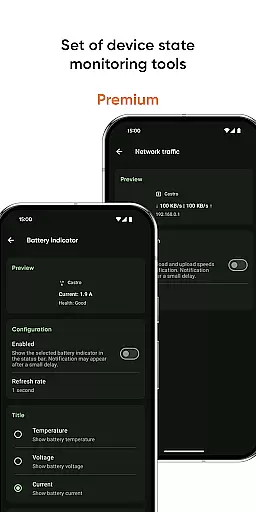
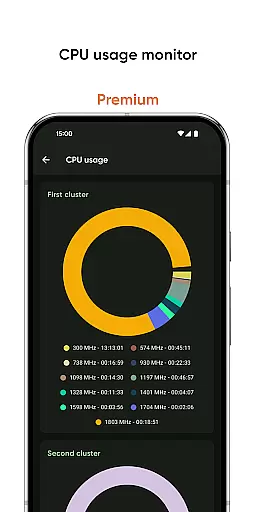
The app's strength lies in its specialized tools. Users can test display quality with the screen tester, measure environmental noise levels, and track network traffic speed. Premium subscribers benefit from advanced features such as deep interface customization, configurable home-screen widgets displaying vital statistics, and professional monitoring tools for battery properties and CPU frequency usage.
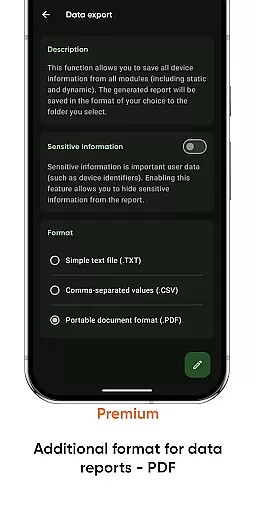
What sets Castro apart is its ability to cater to both casual users and professionals. While the dashboard provides quick access to essential information, the app's detailed reports and PDF export functionality serve more technical users who need comprehensive documentation of their device's specifications and performance metrics.
Castro Premium stands out in the Tools category by offering highly accurate and effective core functionalities that cater to users who need detailed insights into their device's performance. The app provides comprehensive statistics on processor usage, including both CPU and GPU metrics, which are crucial for understanding how your device handles different tasks.
Beyond processor statistics, Castro offers real-time monitoring of battery consumption, memory usage, and network data flow. This allows users to pinpoint exactly which applications or processes are consuming the most resources, empowering them to optimize their device's performance. The inclusion of real-time sensor data with useful graphs further enhances the user's ability to monitor their device effectively.
The true value of Castro lies in its ability to present this wealth of information in an accessible manner. Users can easily navigate through various sections such as detailed camera information, a full list of audio and video codecs, and temperature monitoring. These features ensure that users have all the necessary tools at their disposal to maintain optimal device health.
In addition to its powerful core functions, Castro Premium excels in providing an interface that is both simple and intuitive. The Dashboard feature is a testament to this, consolidating all critical information like CPU usage, battery status, network usage, and memory load into one easily accessible location. This makes it straightforward for users to get a quick overview of their device's current state without needing to dive deep into specifics.
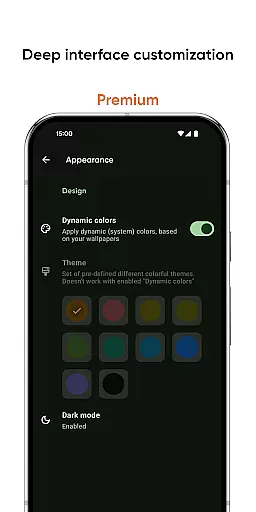
For those looking to customize their experience further, the Premium version offers deep interface customization options. Users can personalize the appearance with various colors and themes, making the app not only functional but also visually appealing. This level of personalization ensures that each user can tailor the app to their preferences while maintaining ease of use.
Additional tools such as the Screen Tester and Noise Checker add another layer of intuitiveness to the app. These features allow users to test their display state and check ambient noise levels effortlessly. By combining these practical tools with a clean and intuitive design, Castro Premium ensures that users can maximize their deviceu2019s potential without any unnecessary complexity.
Comprehensive device monitoring
Real-time performance tracking
Advanced customization options
Professional-grade testing tools
Detailed technical reporting
Premium features subscription-based
Interface may overwhelm beginners
Advanced tools require technical knowledge
Extensive permissions required
Some features need specific hardware

pdf merge, word to pdf, jpg to pdf, edit pdf, convert to pdf and much more!
 4.20
4.20
HD Camera captures every special moment.
4.60
Complete kernel toolbox with features to manage and tweak your rooted device
4.30
Family Locator, Share location, StayConnect with your family in real time
3.90
Detect hidden spy camera with advanced scanning {{ Premium version }}
4.00
Signal Strength, Mobile, Wifi, Speed Test, Bad Signals, Cellular, 5G, LTE, 4G
4.20
The one-and-only remote control for PC, Mac, and Linux
4.70
Download any file easily and quickly with Downloader
4.2
Remote Play with FSR upscaling, low latency & full controller support
4.80
Navigate with Ease and Style
4.90
Excellent scientific calculator with symbolic algebra, integrals, derivatives
4.80
ADB support Android 4.X-Android 13(Support wireless pair mode).No root required!
4.70
Small and simple app to Verify Root Access and BusyBox Install!
4.70
Protect your device with antivirus, storage cleanup, and system monitoring
4.70
FV File Manager Pro, Fast and powerful file manager for Android
4.60
Clean up large files and similar photos, fast and easy to use
4.40
PC precision for mobile gaming: dominate with keyboard and mouse!
4.30
Making emulation easy for everyone!
4.30
Save any video in HD - paste the link, download fast and watch offline.
4.3
Honest Scratch app review—is it actually good for teaching kids to code? Real user insights on features, limitations, and learning outcomes.



User Reviews