
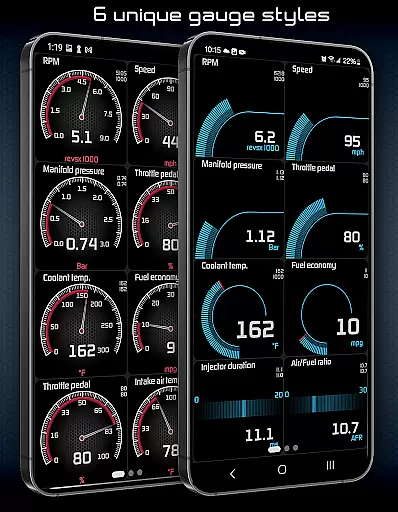
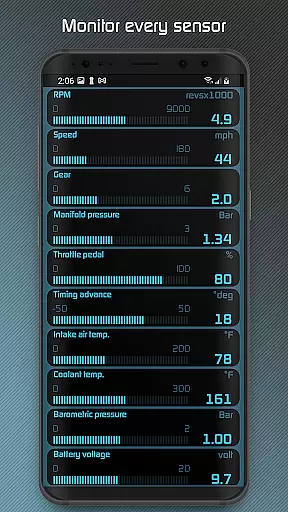
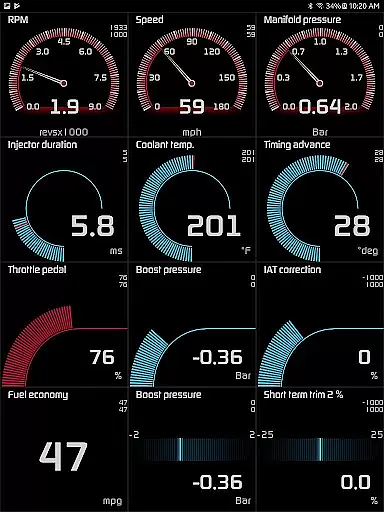
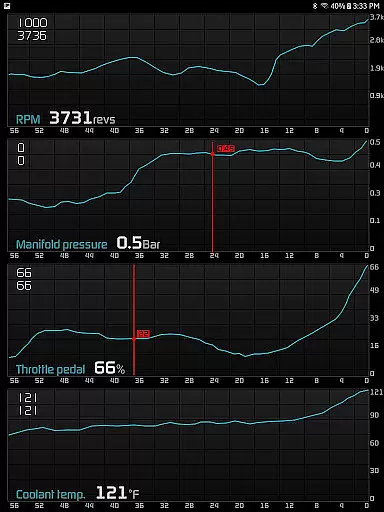
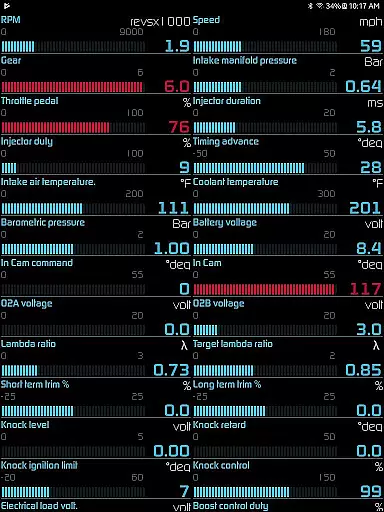
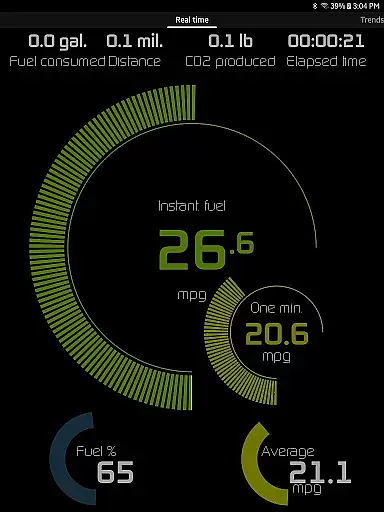
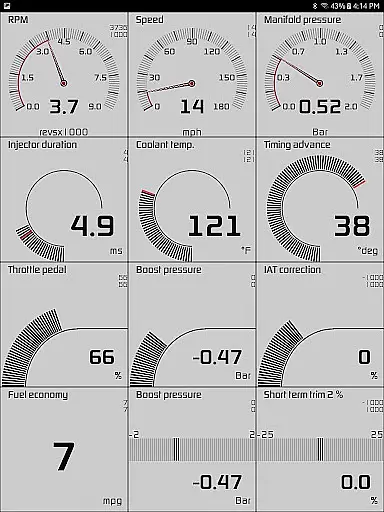
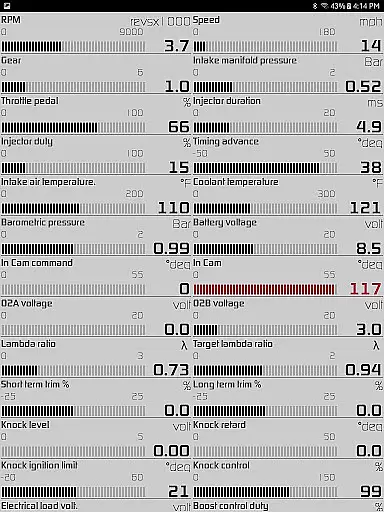
Hondata is a powerful automotive tool that transforms your Android device into a comprehensive performance tracking and diagnostic system for Honda vehicles. The app provides real-time monitoring of up to 80 sensors, including fuel economy, boost pressure, and battery voltage, through customizable gauges and interactive graphs.
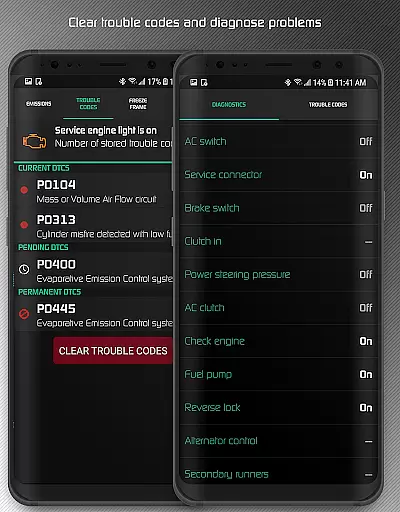
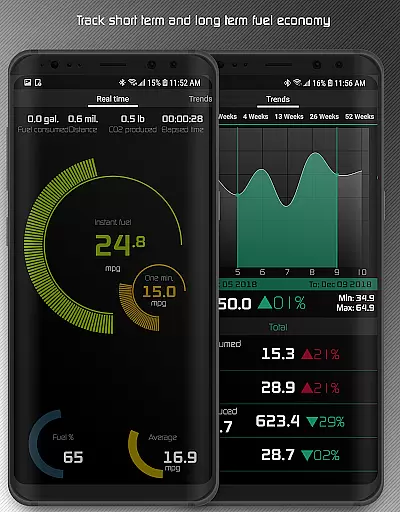
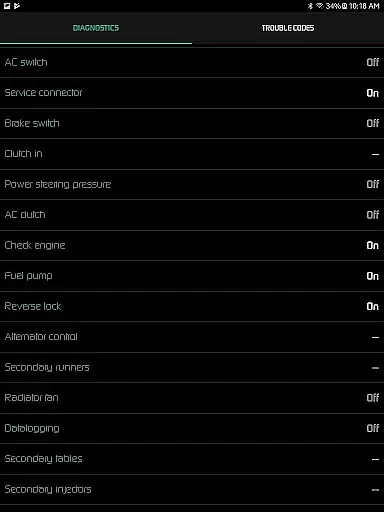
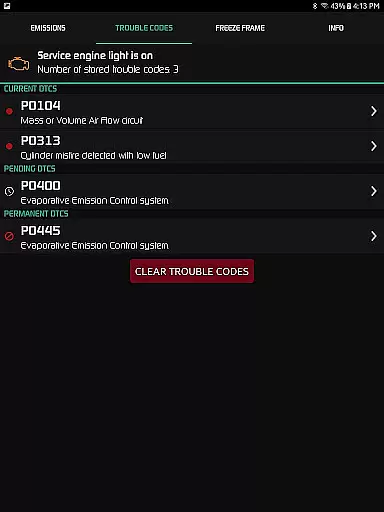
One of the standout features is the ability to troubleshoot vehicle malfunctions by accessing the onboard ECU. Users can read and clear trouble codes, reset the service engine light, and access detailed diagnostics parameters like engine knock count and VTEC pressure. Additionally, the app offers advanced fuel economy tracking with multiple calculation methods and various display units.
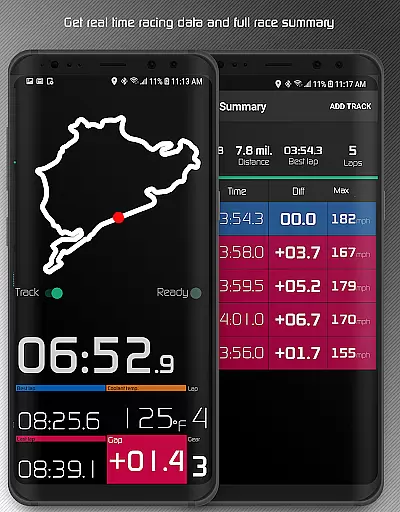
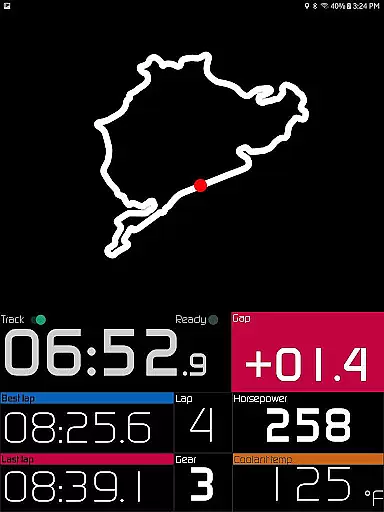
The Hondata app also includes specialized racetrack functionality, allowing users to measure drag race times, lap times, and track positions using GPS. This feature makes it an invaluable tool for both daily drivers and automotive enthusiasts who participate in track events.
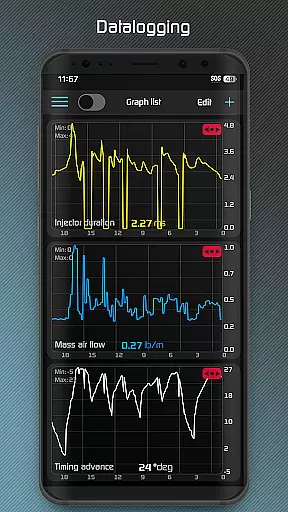
The Hondata app boasts an impressive array of features designed for automotive enthusiasts. Its customizable gauge system allows users to monitor up to 80 real-time sensors, including unique metrics like G-force and turbo boost pressure. The interactive graphing feature enables simultaneous recording of up to four sensor data streams, which can be exported as CSV files for further analysis.
For diagnostic purposes, the app provides comprehensive OBD-II functionality, including reading and clearing trouble codes, resetting service lights, and accessing advanced diagnostic parameters. The fuel economy tracking system stands out with its five different calculation methods and support for multiple measurement units across three time intervals.
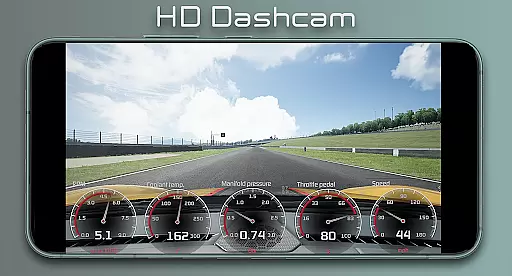
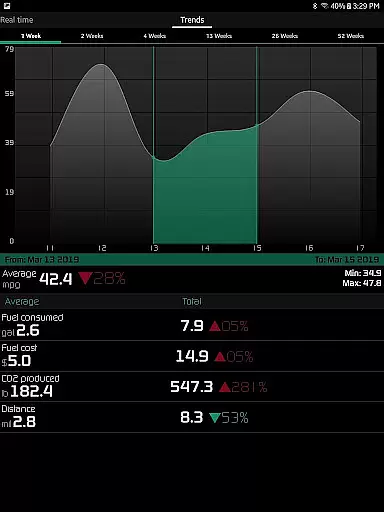
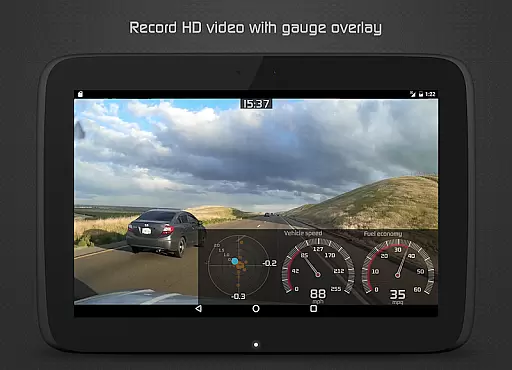
Racetrack enthusiasts will appreciate the app's dedicated features for performance measurement, including drag race timing (0-60 mph, quarter-mile), lap time tracking, and GPS-based circuit mapping. The app even supports video recording with superimposed gauge data and offers long-term performance tracking through interactive historical graphs.
The Hondata app offers an extensive range of core functions that are both accurate and effective for Honda vehicle owners. With the ability to monitor over 80 sensors in real time, users can track critical aspects such as fuel economy, boost pressure, battery voltage, and G force. This real-time data access ensures that vehicle performance is accurately reflected, providing users with precise insights into their car's operation.
One of the key features includes interactive graph plotting for sensor data, allowing simultaneous recording from up to four sensors. This functionality not only enhances the precision of performance tracking but also supports exporting recorded data to CSV files for further analysis. The inclusion of metric and imperial units across all gauges and graphs underlines the app's commitment to catering to a global audience with varying measurement preferences.
Additionally, the Hondata app empowers users with diagnostic capabilities by enabling them to read and clear vehicle trouble codes and reset service engine lights. Access to around 40 diagnostic parameters, including engine knock count and VTEC pressure, allows for an in-depth understanding of potential issues before visiting a mechanic. Such comprehensive diagnostic tools ensure effective troubleshooting and maintenance of Honda vehicles.
Hondata stands out with its intuitive interface that simplifies complex automotive data into an accessible format for users. The customizable gauges provide a straightforward way to visualize real-time sensor information, making it easy for drivers to monitor their vehicle's status at a glance. This level of personalization ensures that users can tailor the display to their specific needs and preferences, enhancing overall usability.
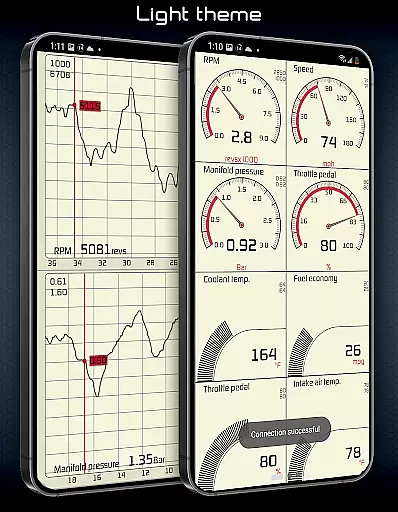
Beyond customization, the app offers two themes to choose from, ensuring visual comfort and clarity during use. Features like speed limit warnings and HUD gauges for night driving exemplify how Hondata integrates essential functionalities within a clean, user-friendly design. These elements contribute to safer driving experiences without overwhelming the driver with unnecessary complexity.
Moreover, landscape mode availability across all views underscores Hondatau2019s dedication to interface flexibility. Whether used on the go or while stationary, this feature allows for optimal viewing angles and interaction convenience. By prioritizing simplicity and intuitiveness in its design, Hondata ensures that users of all technical backgrounds can effectively utilize its powerful automotive monitoring and diagnostic tools.
Comprehensive sensor monitoring
Advanced diagnostic capabilities
Customizable interface options
Detailed fuel economy tracking
Professional-grade racetrack features
No Android Auto support
Limited device compatibility
Requires specific hardware
Complex for beginners
Potential connection issues

Quickly switch to an encrypted DNS server on Android TV
 4.50
4.50
1-Click close all background apps on Android TV
3.90
Remote for Roku, Fire TV, Samsung TV, LG TV, Android TV, Chromecast and VIZIO TV
4.20
Unlock your Essential Key. Create custom shortcuts to your favorite apps!
4.5
Save any video in HD - paste the link, download fast and watch offline.
4.2
Smart and comfortable browsing experience.
3.80
Detect hidden spy camera with advanced scanning {{ Premium version }}
4.00
Introducing Smart Printer, your ultimate destination for printing solutions!
4.00
Enjoy a smooth mobile reading experience!
3.60
Enjoy smooth gameplay with Game Booster
4.90
Excellent scientific calculator with symbolic algebra, integrals, derivatives
4.80
WiFi Signal Strength Meter help you detect WiFi Signal Strength in real time.
4.80
Remote Play with FSR upscaling, low latency & full controller support
4.80
Learn the vast amount of system information about device and monitor it's state
4.70
Mirror your screen to Chromecast and Android TV - Super fast and simple
4.60
Complete kernel toolbox with features to manage and tweak your rooted device
4.30
Screen Mirroring with sound for Samsung TV, LG TV, Sony TV, Smart TV and Browser
4.20
A simple app to back up and restore SMS & MMS messages and call logs.
4.10
Automate everything from settings to photos, SMS to speech. ADC2 prize winner.
4.10
Honest Scratch app review—is it actually good for teaching kids to code? Real user insights on features, limitations, and learning outcomes.



User Reviews