
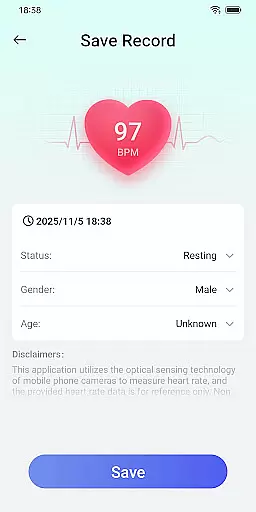
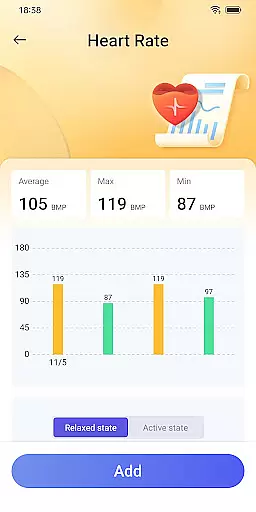
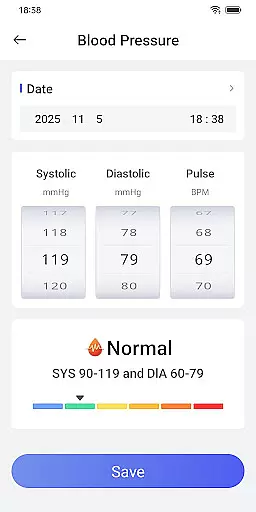
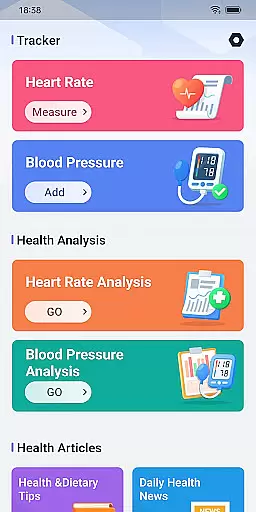
Daily HealthTracker is a comprehensive health monitoring tool that transforms your smartphone into a personal health assistant. The app utilizes the phone's camera to intelligently capture changes in fingertip blood flow, providing real-time heart rate measurements. It also supports manual input and recording of blood pressure data, making health management more accessible.
Designed for various user groups, Daily HealthTracker is particularly beneficial for sports enthusiasts monitoring training intensity, middle-aged and elderly individuals managing daily health, and office workers aiming to prevent cardiovascular diseases. By setting reminder alarms, users can maintain consistent health tracking, ensuring they never miss critical health updates.
The app strictly adheres to Google Play policies, safeguarding user data privacy while delivering valuable health insights. Although the heart rate data provided is for reference only and may vary due to lighting and device models, it offers an intelligent and convenient way to keep track of essential health metrics on a daily basis.
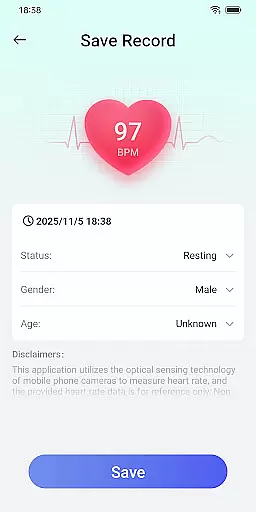
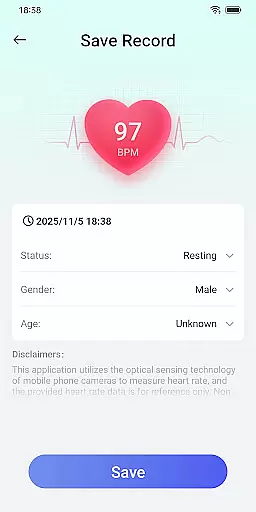
Daily HealthTracker stands out with its innovative use of smartphone technology for health monitoring. The app captures real-time heart rate using the phone's camera by analyzing changes in fingertip blood flow. This feature eliminates the need for additional hardware and makes health tracking more convenient.
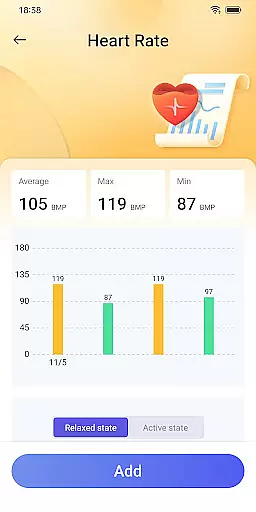
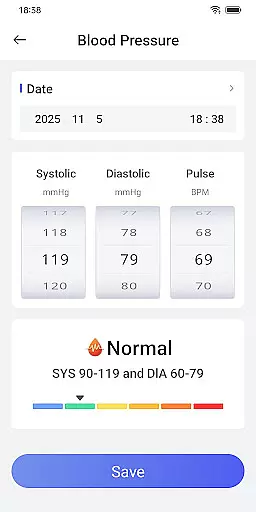
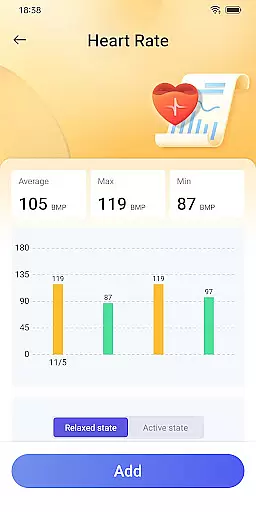
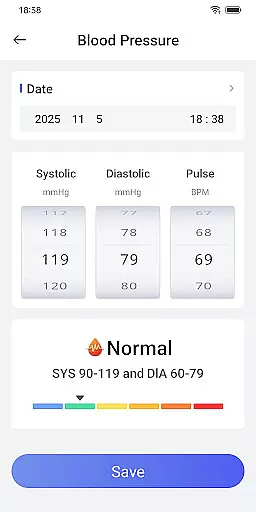
Blood pressure tracking is another core feature, allowing users to manually input and record their readings. Users can monitor fluctuations over time, helping them manage hypertension risks effectively. Customizable reminder alarms ensure users remember to take their measurements regularly.
With specific use cases in mind, the app caters to sports enthusiasts, elderly individuals, and office workers. While the heart rate data is not medical-grade, the app provides a practical solution for everyday health monitoring, promoting a proactive approach to personal health management.
Accuracy and effectiveness in core functions are essential for any tool-based application, especially one focused on health tracking. Daily HealthTracker excels in this area by providing reliable heart rate monitoring through a smartphone camera. The app intelligently captures changes in fingertip blood flow to measure real-time heart rate, ensuring that users receive precise data tailored to their needs.
In addition to heart rate monitoring, the app supports the input and recording of blood pressure data. This dual functionality allows users to track both metrics seamlessly, making health management simpler and more intelligent. By offering features such as reminder alarms for heart rate measurements and blood pressure recordings, Daily HealthTracker ensures that users never miss an important health check.
The value of Daily HealthTracker lies in its ability to cater to various user groups, including sports enthusiasts, middle-aged and elderly individuals, and office workers. Each group benefits from accurate health data, which helps them manage their well-being effectively. Whether it's monitoring training intensity or preventing cardiovascular diseases, the app provides tools that support informed health decisions.
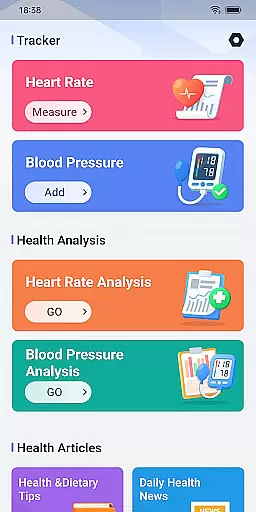
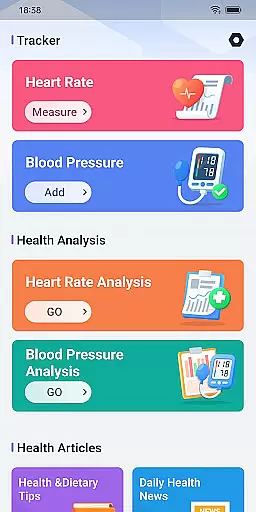
A simple and intuitive interface is crucial for ensuring that users can navigate an application effortlessly. Daily HealthTracker achieves this by offering a clean design that prioritizes ease of use. Upon opening the app, users are greeted with straightforward options for measuring heart rate and recording blood pressure, eliminating any unnecessary complexity.
The app also includes helpful features like reminder alarms, which can be set up quickly and easily. These reminders ensure that users consistently monitor their health without having to remember each measurement time manually. Such thoughtful design elements contribute to a seamless user experience, allowing individuals to focus on their health rather than figuring out how to use the app.
Furthermore, Daily HealthTracker adheres to Google Play policies, ensuring that user data privacy is protected while maintaining a high standard of usability. With quick access features available after granting default home screen permissions, users enjoy a streamlined interaction process. Overall, the app's commitment to simplicity and intuitiveness makes it an accessible tool for managing personal health efficiently.
User-friendly interface
Real-time heart rate monitoring
Blood pressure tracking
Customizable reminders
Privacy-focused design
Heart rate accuracy varies
Requires manual input
No medical certification
Limited to smartphone capabilities
Dependent on device quality

Change your GPS location instantly. Simulate routes anywhere in the world.
 4.90
4.90
A powerful, easy-to-use flight computer on your phone or tablet!
3.80
A recovery soft,it features photo recovery, video recovery, file recovery.
3.40
1-Click close all background apps on Android TV
3.90
Save any video in HD - paste the link, download fast and watch offline.
4.2
Quickly & easily calculate the spacing of handrail balusters
4.20
eXtended Permission Manager - a small app to manage permissions and AppOps
4.50
App to pay for FUTO Keyboard
4.60
The ultimate tool for network analysis, wifi scanning and problem detection.
4.90
Connect wirelessly to your computer to watch movies, browse the web, play games
5.00
Creation, Learning, Entertainment & More — The All-in-One AI Search Engine
4.70
HD Camera captures every special moment.
4.60
Canon PRINT is a companion app for your Canon printer.
4.60
The Ultimate Bluetooth Keyboard & Mouse. Securely control your PC, Mac, and more
4.50
Screen Mirroring for Roku Sticks, Roku TCL TV and Roku Hisense TV
4.50
Just one-tap to easy translate in any language after calls within seconds.
4.20 4.10
4.10
Safely recover deleted photos, videos, and files with a single easy tap.
3.70
Undelete and recover your lost or deleted files with DiskDigger!
3.40
Honest Scratch app review—is it actually good for teaching kids to code? Real user insights on features, limitations, and learning outcomes.



User Reviews