
Windows 11 represents a significant evolution in PC operating systems, designed to deliver a seamless user experience across devices. The interface features a centered Start menu and taskbar icons, offering intuitive navigation and enhanced productivity tools.
This operating system introduces powerful multitasking capabilities like Snap Layouts and virtual desktops, enabling users to organize their workspace efficiently. With integrated Microsoft Teams, direct access to the Microsoft Store, and optimized performance for gaming and creativity, Windows 11 is suitable for both professional and personal use.
Windows 11 boasts several innovative features that set it apart from its predecessors. The new Start menu design emphasizes simplicity and efficiency, while the Widgets panel provides personalized content feeds powered by AI.
Security enhancements include hardware-based isolation, encryption, and malware protection through Windows Hello and BitLocker. Additionally, the operating system supports Android apps, giving users access to a wider range of applications directly from their PCs.
When evaluating a tool-based application like Windows 11, the precision and effectiveness of its core functions are paramount. This operating system is designed to offer seamless performance across various tasks, ensuring that users can rely on it for both everyday activities and more demanding computational needs.
Windows 11 achieves this by integrating advanced processing capabilities, efficient memory management, and swift execution of commands. The operating system's architecture supports high-speed data processing without compromising stability, making it suitable for professional environments where time is critical.
For users, this means experiencing faster boot times, quicker application launches, and smooth multitasking abilities. Whether you're working on complex projects or simply browsing the web, the system ensures that all operations run smoothly and efficiently.
The benefit extends beyond just speed; it encompasses reliability in executing tasks without errors. Users can trust that their workflows will not be interrupted by system lags or crashes, thus enhancing overall productivity and satisfaction with the digital experience provided by Windows 11.
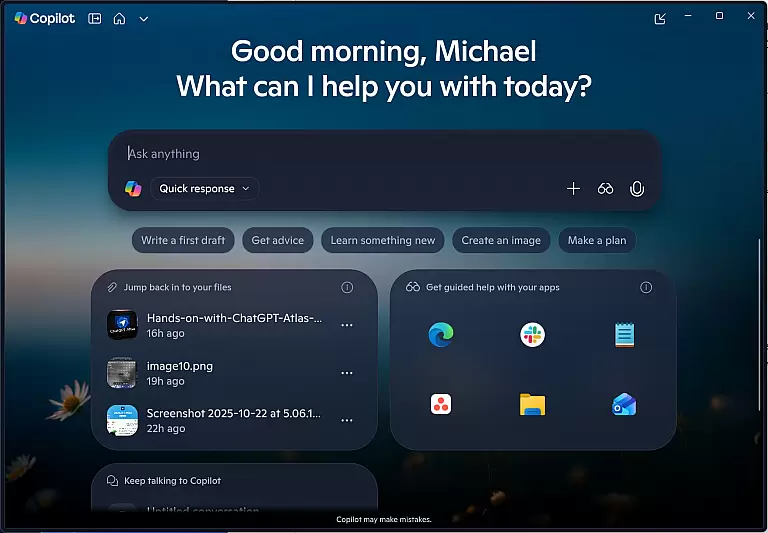
A simple and intuitive interface is crucial for any tool application, and Windows 11 excels in providing an accessible user experience. The design philosophy behind this operating system emphasizes ease of use without sacrificing functionality, catering to both novice and experienced users alike.
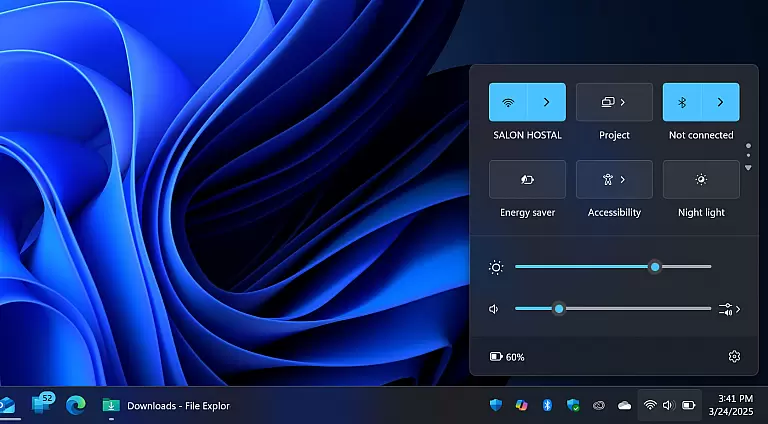
Windows 11 introduces a cleaner, more organized layout with streamlined menus and settings. This thoughtful arrangement allows users to navigate through options effortlessly, finding what they need without unnecessary complexity. Visual cues guide interactions, reducing the learning curve associated with new software.
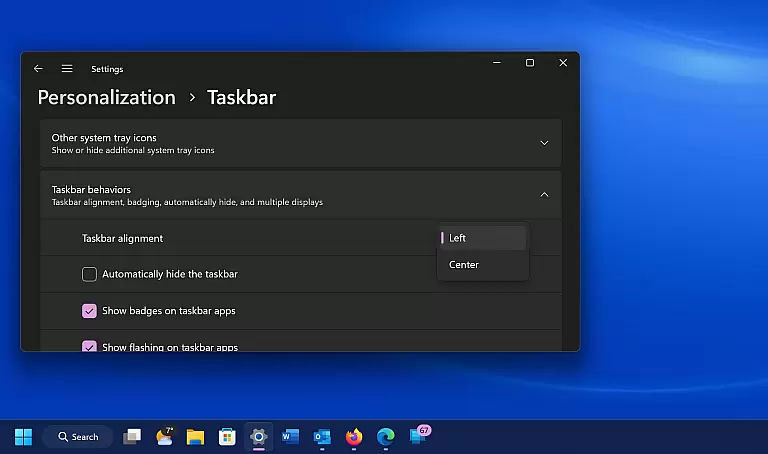
Moreover, customizable features enable personal adjustments according to individual preferences. Users can tailor aspects such as taskbar placement, widget visibility, and virtual desktop configurations, creating a personalized workspace that feels natural to interact with daily.
This balance between powerful capabilities and straightforward usability ensures that everyone from casual computer users to IT professionals finds value in using Windows 11, enhancing their interaction with technology while maintaining focus on achieving their goals efficiently.
Modernized UI
Enhanced security
Better multitasking
Gaming optimization
Android app support
Higher system requirements
Limited upgrade path
Some features exclusive to specific hardware
Occasional compatibility issues
Learning curve for new layout

Change your GPS location instantly. Simulate routes anywhere in the world.
 4.90
4.90
A recovery soft,it features photo recovery, video recovery, file recovery.
3.40
Head tracking for PC sim games such as MSFS 2024 or Elite:Dangerous. No headset!
4.50
HD Video player and downloader for all formats, fast & smooth 4K video playback.
4.60
Family Locator, Share location, StayConnect with your family in real time
3.90
Connect wirelessly to your computer to watch movies, browse the web, play games
5.00
Game Booster, GFX Tool is now compatible with newer game update
4.50
NFC Tools can read and write NFC tags.
4.70
Remote Play with FSR upscaling, low latency & full controller support
4.80
Support Fossify apps with a warm thank you!
5.00
Enjoy smooth gameplay with Game Booster
4.90
Protect your device with antivirus, storage cleanup, and system monitoring
4.70
Connect instantly to a fast, encrypted VPN with one tap
4.60
App to pay for FUTO Keyboard
4.60
Universal TV remote control all TVs, Roku, LG, Samsung, Fire, Vizio, Sony, TCL.
4.40
An open-source APK explorer for Android!
4.10
Introducing Smart Printer, your ultimate destination for printing solutions!
4.00
1-Click close all background apps on Android TV
3.90
Fun lie-detection pranks for friends and parties.
3.80
Honest Scratch app review—is it actually good for teaching kids to code? Real user insights on features, limitations, and learning outcomes.



User Reviews