
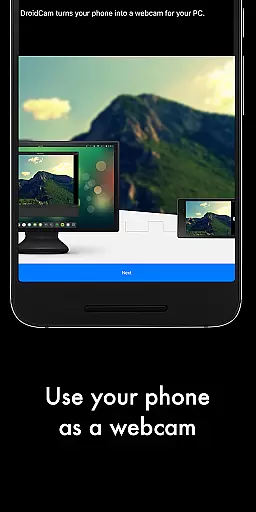
DroidCamX HD (Classic) is a versatile tool that transforms your Android device into a high-quality webcam for your computer. This application supports both video and audio transmission, making it ideal for video conferencing, streaming, and more.
The app offers multiple connectivity options including Wi-Fi and USB, with support for 720p/1080p video quality in HD mode. Its unique features like the 'Smooth FPS' option ensure stable video performance while allowing users to operate other apps in the background or turn off the screen to save battery.
Whether you're working from home, engaging in online education, or streaming content, DroidCamX provides a reliable and flexible solution for all your webcam needs.
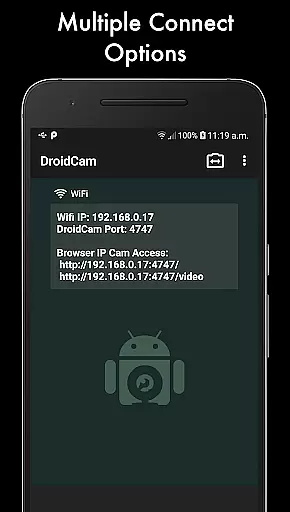
DroidCamX stands out with its comprehensive feature set tailored for seamless webcam functionality. The app allows users to connect their Android devices to computers via Wi-Fi or USB, providing flexibility based on different usage scenarios.
One of the key highlights is its support for HD video modes up to 1080p, ensuring crystal-clear video quality. The 'Smooth FPS' setting helps stabilize video transmission, which is crucial during important virtual meetings or live streams. Additionally, the app's ability to work in the background or with the screen off makes it highly efficient for power conservation.
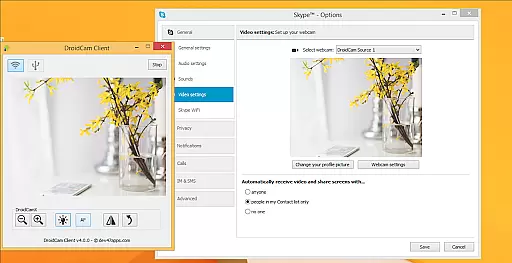
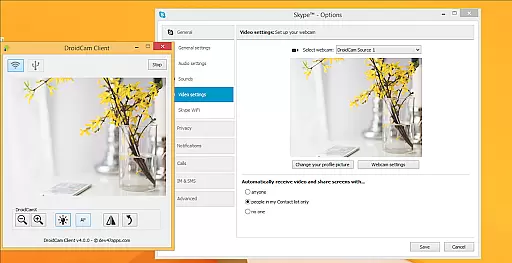
Advanced controls available on the Windows client include options like Mirror, Flip, Brightness, and Contrast adjustments, giving users complete command over their video output. These professional-grade features make DroidCamX an excellent choice for both casual and professional use.
DroidCamX HD (Classic) excels in delivering accurate and effective core functionality by transforming your Android device into a high-quality webcam. This app ensures that both audio and video streams are transmitted seamlessly to your computer, providing a reliable communication tool for various scenarios.
The application supports multiple connection methods including Wi-Fi and USB, ensuring flexibility and convenience. With the added support for 720p/1080p video through HD Mode, users can expect clear and detailed video quality. The 'Smooth FPS' option further enhances video stability, making it suitable for professional and casual use alike.
One of the standout features is its ability to operate efficiently in the background, allowing users to utilize other apps without interruption. Additionally, the app conserves battery life by functioning even when the screen is off. These practical aspects ensure that DroidCamX meets the demands of users who require uninterrupted and efficient performance.
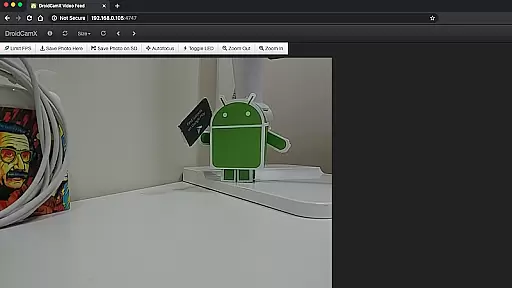
The interface design of DroidCamX HD (Classic) emphasizes simplicity and intuitiveness, ensuring that users can easily navigate and utilize its features without a steep learning curve. Upon launching the app, users are greeted with a straightforward layout that highlights essential functions such as camera controls, which include auto-focus, zoom, and flash settings.
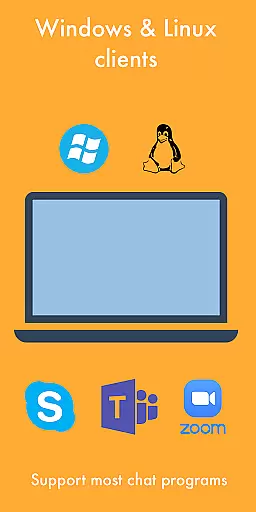
Connecting your Android device to a computer is streamlined through clear instructions and compatibility with both Windows and Linux clients. This ease of setup is crucial for users who may not be technically inclined but still require a dependable webcam solution. The availability of additional resources on the developer's website further aids in simplifying the installation process.
Advanced controls available on the Windows client, such as mirror, flip, brightness, and contrast adjustments, add another layer of user-friendly customization. These options empower users to tailor their webcam experience according to their specific needs while maintaining an intuitive control scheme. Overall, DroidCamX combines essential functionality with an accessible interface, enhancing user satisfaction and productivity.
High-quality video
Flexible connectivity
Background operation
Battery efficient
Professional controls
Requires PC client
USB setup complex
Limited Mac support
Occasional lags
Premium version cost

App that Recover your pictures, videos or files after you delete them.
 4.20
4.20
Effortlessly run ADB commands directly on your device without a PC.
4.20
A non-root local ADB shell client. READ BELOW!
3.40
Bedrock Together: Join any bedrock server on Xbox/PS
4.80
Quickly check the frequency of the Earth
4.30
Mirror your screen to Fire TV - Super fast and simple
4.40
Game Booster, GFX Tool is now compatible with newer game update
4.50
Pro Emulator is an easy to use game console emulator for a range of consoles.
4.40
Clean up large files and similar photos, fast and easy to use
4.40
Fast Video Downloader, Movie Downloader, Torrent Downloader & Adblock Browser
4.70
Protect your device with antivirus, storage cleanup, and system monitoring
4.70 4.50
4.50
Head tracking for PC sim games such as MSFS 2024 or Elite:Dangerous. No headset!
4.50
Making emulation easy for everyone!
4.30
Just one-tap to easy translate in any language after calls within seconds.
4.20
Carry a FTP server in your pocket and avoid USB cables for file transfer
4.20 4.10
4.10
An open-source APK explorer for Android!
4.10
Introducing Smart Printer, your ultimate destination for printing solutions!
4.00
Honest Scratch app review—is it actually good for teaching kids to code? Real user insights on features, limitations, and learning outcomes.



User Reviews