
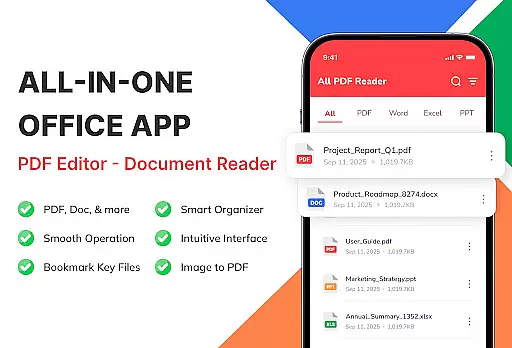
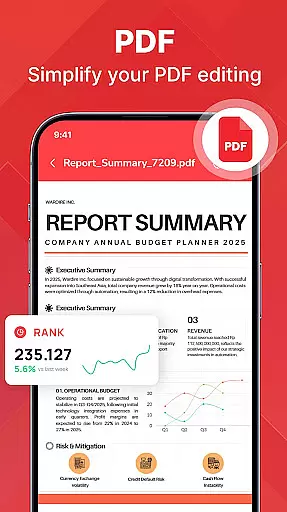
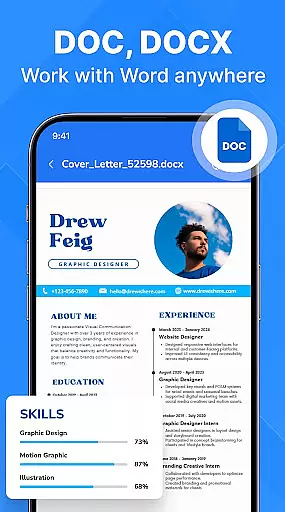
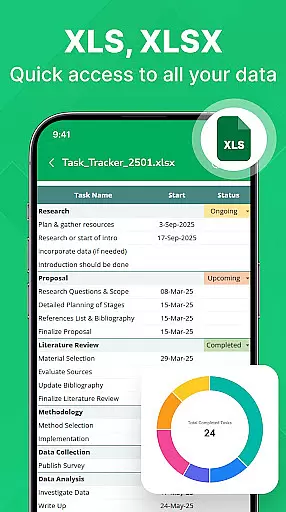
Document Viewer - PDF Reader is a versatile document management tool designed to streamline how you handle files on your Android device. This app supports multiple formats including PDF, Word, Excel, and PowerPoint, making it an all-in-one solution for document viewing. With its intuitive interface, users can easily organize, read, and manage their essential files from a single platform.
The app's standout feature is its unified viewer that maintains perfect formatting across different file types. Whether you're reading eBooks, reviewing reports, or swiping through presentations, the experience remains smooth and reliable. Its lightweight design ensures quick loading times and stable performance, even on older devices. Document Viewer - PDF Reader is ideal for students, professionals, and everyday users who need instant access to their documents anytime, anywhere.
One of the key use cases is for remote workers who require secure and efficient access to project files while traveling. The app's offline functionality and private file storage provide peace of mind, ensuring your important documents remain safe and accessible without an internet connection. This makes Document Viewer - PDF Reader an invaluable tool for boosting productivity in any professional or personal setting.
Document Viewer - PDF Reader offers a comprehensive set of features that cater to various document management needs. The app's core functionality lies in its ability to handle multiple file formats seamlessly. Users can open PDF files instantly, review Word documents with accurate formatting, view Excel sheets with clear charts, and swipe through PowerPoint slides while preserving every visual detail.
Smart file management tools help users stay organized. The app automatically detects document files stored on your device and provides multiple sorting options including name, size, and date. Recent and Favorite categories allow quick access to frequently used files, while category browsing helps locate specific document types faster. These organizational features ensure you spend less time searching and more time working.
What sets this app apart is its optimization for efficiency and reliability. The lightweight design ensures smooth navigation between pages and stable performance across various Android devices. Additionally, the clean user interface and offline functionality make it easy to use in any situation. Whether you're studying lecture notes, reviewing business reports, or accessing manuals, Document Viewer - PDF Reader delivers a consistent and dependable experience.
For a document viewer app like PDF Reader - Document Viewer, core function accuracy and effectiveness are paramount. This app ensures that every PDF, Word, Excel, and PowerPoint file opens instantly without any formatting issues. The app is optimized to deliver smooth scrolling and quick page navigation, which is crucial for users who need to access information rapidly.
The effectiveness of this tool is demonstrated through its ability to automatically detect document files stored on your device. It provides smart file management features such as sorting and searching by name, size, or date. These capabilities ensure that users can organize their documents efficiently and retrieve them quickly when needed, enhancing overall productivity.
Moreover, the app's lightweight design ensures it runs smoothly on various Android devices, providing a stable performance even with large files. Users benefit from reliable access to their documents anytime, making it an ideal solution for students, professionals, and remote workers alike. With its offline functionality, users can review reports, study notes, or open manuals without worrying about internet connectivity.
A simple and intuitive interface is vital for a seamless user experience in document viewing apps. PDF Reader - Document Viewer boasts a clean, easy-to-use interface that allows users to open, read, and organize their documents effortlessly. Its straightforward design eliminates the learning curve, enabling users to focus on their content rather than figuring out complex controls.
The app supports multiple document formats including PDF, Word, Excel, and PowerPoint, all accessible via a unified viewer. This consolidation simplifies the process of switching between different types of documents, offering a hassle-free experience. Users can swipe through presentations, review essays, view tables, and read eBooks with perfect formatting, ensuring an engaging interaction with their files.
Additionally, the app offers intuitive file management options such as accessing Recent or Favorite documents easily and browsing by category for faster access. These features contribute to a streamlined workflow, allowing users to manage their files efficiently. Whether you're a student studying lecture slides or a professional reviewing spreadsheets, the app's intuitive layout ensures you spend less time managing files and more time being productive.
User-friendly interface
Multi-format support
Offline functionality
Fast loading times
Private file storage
Limited editing features
No cloud integration
Basic annotation tools
Occasional format issues
Ads in free version

 4.50
4.50
A convenient photo, video, and file recovery tool.
4.00
1-Click close all background apps on Android TV
3.90
Unlock your Essential Key. Create custom shortcuts to your favorite apps!
4.2
Quickly & easily calculate the spacing of handrail balusters
4.20
Optimize your WiFi network, turn your phone into Wifi Analyzer
4.70
Making emulation easy for everyone!
4.30
Quickly check the frequency of the Earth
4.30
fast and easy mp3 music downloader
4.80
Change your GPS location instantly. Simulate routes anywhere in the world.
4.90
The one-and-only remote control for PC, Mac, and Linux
4.70
HD Camera captures every special moment.
4.60
FV File Manager Pro, Fast and powerful file manager for Android
4.60 4.50
4.50
Game Booster, GFX Tool is now compatible with newer game update
4.50
PC precision for mobile gaming: dominate with keyboard and mouse!
4.30
Automate everything from settings to photos, SMS to speech. ADC2 prize winner.
4.10
Amateur Radio app for APRS: Track friends, exchange messages, get tactical info.
3.90
Fun lie-detection pranks for friends and parties.
3.80
Honest Scratch app review—is it actually good for teaching kids to code? Real user insights on features, limitations, and learning outcomes.



User Reviews