
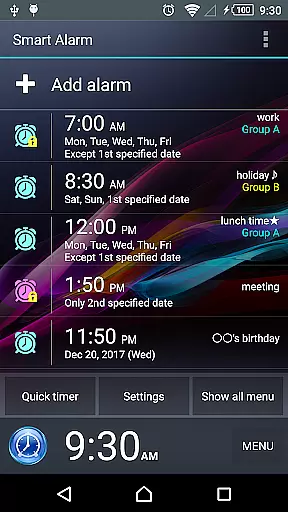
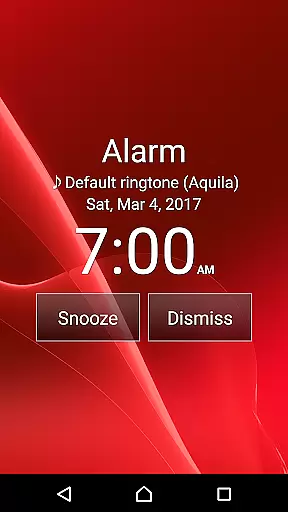
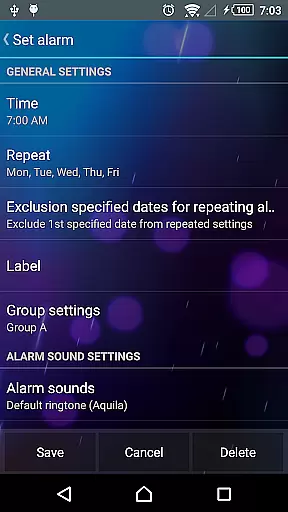
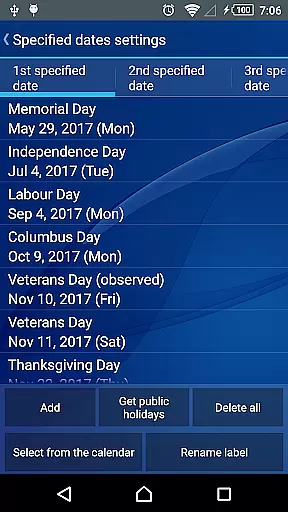
Smart Alarm is a feature-rich alarm clock application designed to provide users with a reliable and customizable wake-up solution. The app offers essential functionalities such as snooze, weekly repeat settings, and holiday exclusions, ensuring maximum flexibility for various user schedules. Its intuitive interface allows effortless operation while supporting personalized options like SD card music selection and transparency settings that blend the app seamlessly with your device's wallpaper.
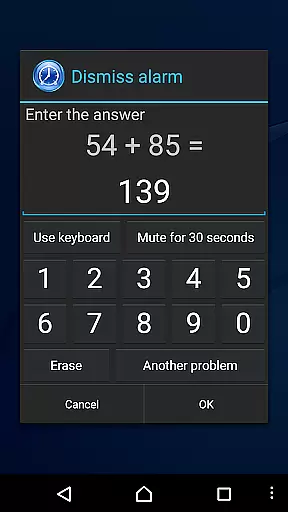
Beyond basic alarm features, Smart Alarm includes innovative modes to enhance user experience. The gradual volume increase and two-stage vibration strength help create a gentler wake-up process. Advanced security measures, including math problem-solving and number entry requirements to stop alarms, prevent oversleeping. With extensive customization options for hardware buttons and silent mode settings, this app caters to diverse user preferences and device configurations.
Smart Alarm distinguishes itself through its comprehensive feature set tailored for modern lifestyles. The application supports complex scheduling options, allowing users to exclude public holidays from weekly alarm cycles and customize alert behavior based on device state. Its sophisticated alarm termination methods, including mathematical challenges and custom code entry, represent a significant advancement in preventing accidental alarm dismissal.
The app's technical capabilities extend to system-level integrations, enabling features such as automatic startup on device boot and lock screen integration for next alarm display. Advanced permission utilization ensures optimal performance while maintaining system stability. The implementation of SD card-based alarm sounds and backup functionality demonstrates the developer's attention to user convenience and data security. These features collectively position Smart Alarm as a robust solution for both casual users and those requiring precise alarm management.
Smart Alarm offers extensive coverage of essential lifestyle features that cater to various user needs. The app includes a snooze function, weekly repeat options, and holiday exclusions for the United States, ensuring that alarms are both flexible and context-aware.
With the ability to use music from an SD card as an alarm sound, gradual volume increase, and two-stage vibration settings, Smart Alarm provides users with customizable wake-up experiences. These features help tailor the alarm experience to individual preferences, promoting a smoother start to the day.
The app also allows customization of hardware keys for alarm control and offers specialized modes like silent mode and headphone output settings. This level of personalization ensures that users can integrate the alarm seamlessly into their daily routines without disrupting their preferred device setups.
Smart Alarm stands out through its commitment to content authenticity and credibility. The app is rigorously tested to ensure reliable performance across a wide range of devices, providing users with confidence in its functionality.
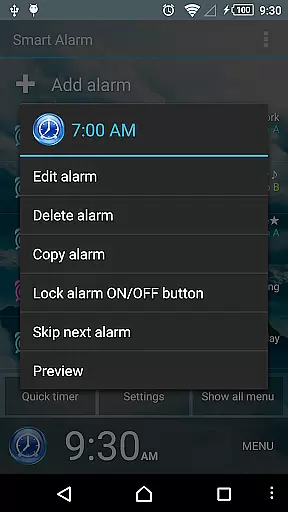
While disclaimers clarify that the app's operation may vary by device, this transparency reinforces trustworthiness. Users are encouraged to verify alarm settings using the preview feature, ensuring accuracy and reliability before committing to important wake-up times.
Additionally, permissions such as preventing the device from sleeping during alerts, controlling vibrations, and managing startup configurations highlight the app's dedication to delivering a dependable and uninterrupted alarm service. These elements collectively enhance the overall credibility of Smart Alarm within the lifestyle category.
User-friendly interface
Highly customizable settings
Gradual wake-up options
Advanced security features
Comprehensive scheduling capabilities
Paid version only
Device compatibility issues
No guaranteed functionality
Limited support obligations
Requires careful configuration

Duo Watch Face (animated)
 4.0
4.0
BILT interactive 3D instructions help you get the job done right
3.50
Paranormal EVP, Ghost Box, Spirit box, ITC, Haunted, Spirit communication device
3.70
Discover your Nationality, Family Origin, and Ancestry from one selfie
4.50
Get the news, events and savings that matter to you with AARP Now.
4.80
Digital smart watch face made for Wear OS.
4.70
Celebrate the holidays with Advent Calendar: daily surprises and festive fun!
4.4
Wear your favorite memories, loved ones, pets or travel photos on your watch
4.1
Control your Tapo smart devices from anywhere.
4.60
My Diary - Daily Journal with lock: Diary journal app and secret diary with lock
4.80
Good magnifier app to see tiny things bigger and more clearly!
4.80
Unique "Isometric" style digital watch face for Wear OS
4.50
Chat, meet genuine singles in your area. Real connections start with being real.
4.30
Discounts, savings, and rewards
4.20
Use your device sensors to detect energy and convert it into spoken words.
4.10
Communicate with your vehicles and Powerwalls anytime, anywhere
3.60
Big bold digital watch face with 30 colors, 6 complications and AOD.
4.4
A daily quote for success
4.5
Cute animated Thanksgiving watchface for your WearOS smartwatch
4.1


User Reviews