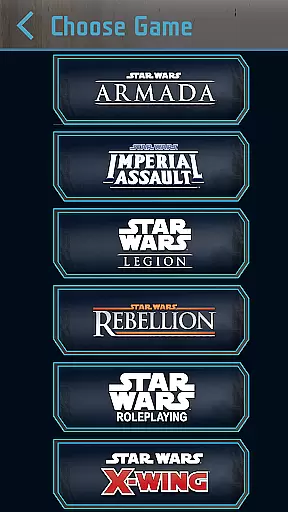
Star Wars Dice is an essential digital tool designed to enhance tabletop gaming experiences for fans of Fantasy Flight Games' Star Wars series. This app serves as a virtual dice-rolling solution, catering to various iterations including Star Wars: Armada, Imperial Assault, Legion, Rebellion, and the Roleplaying Game. With its physics-based rolling mechanism, players can enjoy accurate and dynamic outcomes that mirror physical dice rolls.
Beyond basic functionality, Star Wars Dice offers customization options such as over 20 thematic background images and adjustable interface styles. Whether you're strategizing your next move in X-Wing or embarking on a roleplaying adventure, this app streamlines gameplay by providing quick access to necessary tools without interrupting immersion.
The true value of Star Wars Dice lies in its ability to integrate seamlessly into gaming sessions, allowing users to focus on strategy and storytelling rather than manual calculations. Its intuitive design ensures accessibility for both casual players and dedicated enthusiasts, making it an indispensable companion for any Star Wars gaming setup.
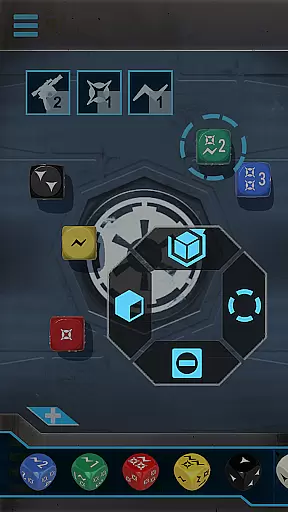
Star Wars Dice stands out with its specialized features tailored for Fantasy Flight Games' diverse Star Wars titles. The app's core feature is its physics-based dice roller, which accurately simulates the rolling dynamics of physical dice while offering the convenience of digital manipulation. Players can choose from multiple game-specific dice sets, ensuring compatibility across different gaming systems.
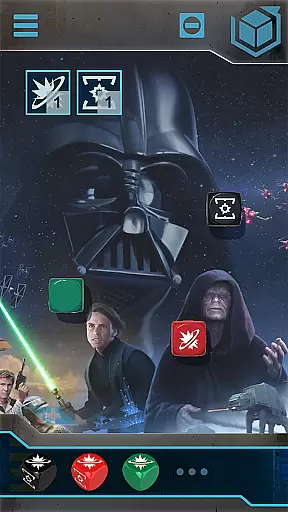
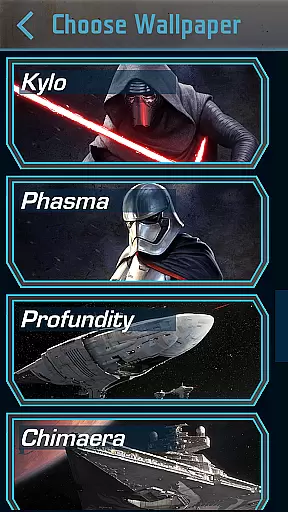
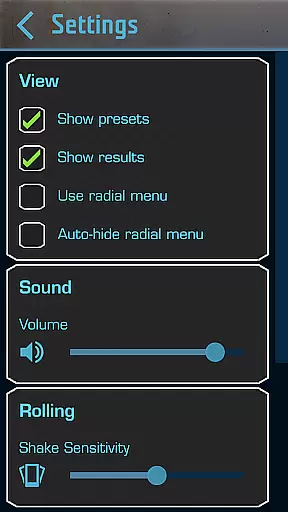
Customization is key in enhancing user experience, and Star Wars Dice delivers with over 20 unique background images that capture iconic moments from the Star Wars universe. Additionally, users can toggle between 1.0 and 2.0 interface styles based on personal preference, while adjustable shake sensitivity allows precise control over when dice are rolled. These thoughtful additions demonstrate the app's commitment to providing both functionality and personalization.
Another notable feature is the ability to create custom presets for frequently used dice combinations, saving valuable time during intense gaming sessions. This level of preparation and organization elevates the overall gaming experience, allowing players to maintain momentum and focus on strategic decision-making without sacrificing authenticity or immersion.
In the realm of digital gaming accessories, content diversity and regular updates play a pivotal role in maintaining user engagement. Star Wars Dice app excels in this area by offering a physics-based dice roller tailored for each of Fantasy Flight Games' Star Wars game lines. This ensures that players can enjoy an authentic and varied experience across different gaming scenarios.
The application goes beyond just dice rolling by including over 20 custom background images. These backgrounds not only enhance the visual appeal but also allow users to personalize their gaming sessions according to their preferences. Such customization options contribute significantly to the overall freshness of the application's content.
Moreover, the app provides users with the flexibility to choose between 1.0 and 2.0 interface styles. This feature caters to both nostalgic gamers who prefer a classic look and those who seek a more modern aesthetic. By accommodating varying tastes, Star Wars Dice maintains its relevance and appeal among its user base.
User engagement duration and retention are critical metrics for any entertainment application. The Star Wars Dice app addresses these aspects by integrating seamlessly with Fantasy Flight Games' Star Wars games such as Star Wars: Armada, Star Wars: Imperial Assault, and others. This compatibility ensures that users can rely on the app during their gaming sessions, thus extending the time they spend within the app.
One of the standout features is the ability to create custom presets for dice rolls. This functionality not only simplifies complex gaming mechanics but also encourages users to experiment with different configurations, leading to longer and more immersive gaming sessions. As users invest time in setting up their preferences, they are more likely to return to the app repeatedly.
Additionally, adjustable shake sensitivity allows users to fine-tune their interaction with the dice roller. This personalization aspect enhances user satisfaction and comfort, which in turn fosters loyalty and increases retention rates. By focusing on these user-centric features, Star Wars Dice successfully keeps its audience engaged over extended periods.
User-friendly interface
Wide game compatibility
Highly customizable options
Physics-based rolling accuracy
Regular updates and support
Limited to FFG games
No offline multiplayer
Occasional bugs reported
Requires stable internet
Premium feel but free

Watch whatever you want, whenever you want, wherever you want.
 3.30
3.30
Live TV, sports & holiday movies — stream on phone, tablet & TV
4.60
Watch short films, dramas, reels, series and movies anytime on Micro Drama.
4.60
Triple A is a highly complex, kinetic, and interactive visualizer.
4.50
SpiritWave is paranormal ITC application.
5.00
Real ghost box scanner with echo, reverb, EMF, & multi-stream channels.
3.80
Fool your friends & Family with Fake ultrasound test report
3.60
Stories that spark in seconds.
4.80
Watch TV shows, movies, and stream Live TV channels without a subscription!
3.80
Colorful flows will relax and calm you down, or get you trippy and creative!
4.90
Play games. Earn real rewards. Cash out in 3hours via PayPal or gift cards.
4.40
Create and play realistic-looking mock Emergency Alert System messages.
4.30
Official KennysGifs Stickers
4.20
Your choice of 350+ networks plus movies and full TV series on-demand.
3.70
With the credits you earn play more games
2.90
Simulation of Dashboard / Touch Screen for Tesla. (Works without actual Tesla).
4.0
A wonderful collection of the most beautiful sounds of animals and birds
4.2
Music visualizer and party effects for your Nanoleaf devices
4.2
Stream over 80 hours of exclusive mashups and remixes by DJ Rehab.
4.5


User Reviews