
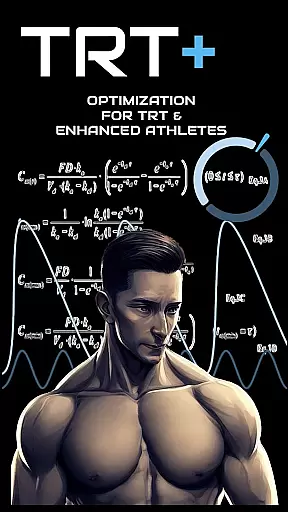
TRT Plus is a comprehensive health and fitness application specifically designed for individuals undergoing Testosterone Replacement Therapy (TRT) and those pursuing peak physical conditioning. The app offers an all-in-one solution to manage every aspect of your TRT journey, from tracking protocols and analyzing bloodwork to optimizing medication schedules.
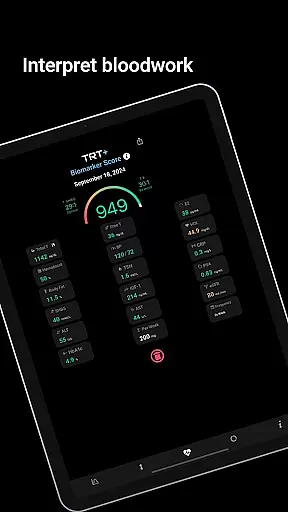
With advanced features like pharmacokinetic modeling, users can visualize how different compounds behave over time. The app includes over 80 pre-configured compounds, making it easy to set up and manage your protocol with just a few taps. Additionally, TRT Plus provides enhanced bloodwork analysis tailored for optimization, ensuring you have clear insights into your health metrics and how they relate to your fitness goals.
Whether you're focused on contest preparation or general health maintenance, TRT Plus equips you with the tools needed to stay organized and informed throughout your TRT process.
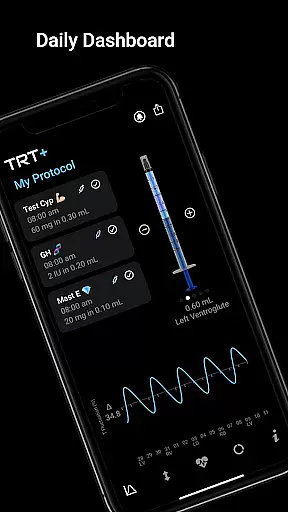
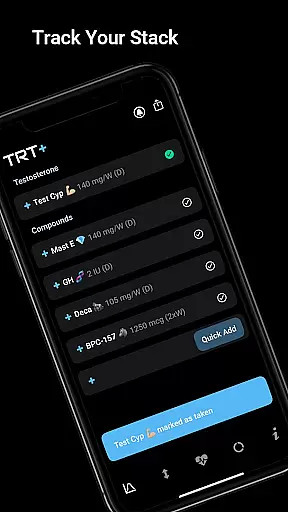
TRT Plus stands out with its robust set of features designed to enhance the TRT experience. One of the key highlights is the protocol tracker, which includes a daily dashboard showing your schedule and checkboxes to mark tasks as complete. This ensures you never miss an important step in your regimen.
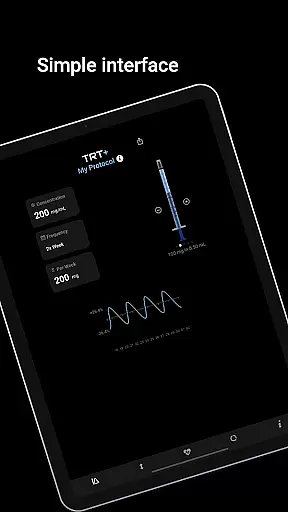
The app also offers advanced tools like the Visual Syringe feature, which simplifies injection stacking, and dynamic inventory tracking to monitor your supplies. Users benefit from automated reminders for medications and bloodwork, ensuring timely actions that keep your therapy on track. Furthermore, the integration with pathology partners allows access to athlete-specific markers, providing deeper insights beyond standard panels.
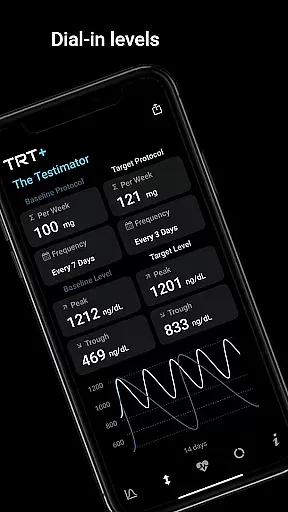
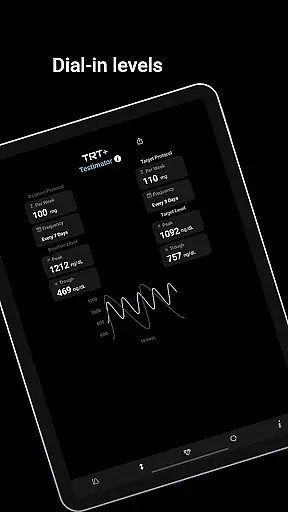
Another innovative feature is The Testimator™, which helps analyze individual responses to testosterone and fine-tune protocols accordingly. With these capabilities, TRT Plus not only tracks but actively enhances your TRT strategy through personalized recommendations and predictive modeling.
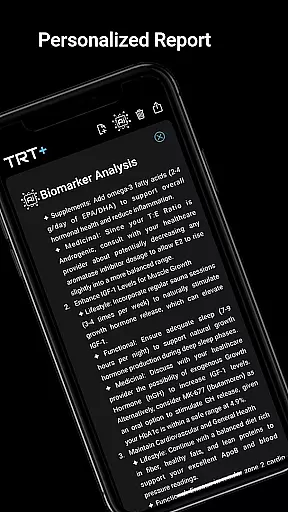
Personalized planning in TRT Plus is a cornerstone feature designed to optimize your health journey. This functionality leverages advanced algorithms to create tailored protocols based on individual biomarkers and goals. By analyzing over 80 pre-configured compounds, the app provides a personalized approach to testosterone replacement therapy and performance enhancement.
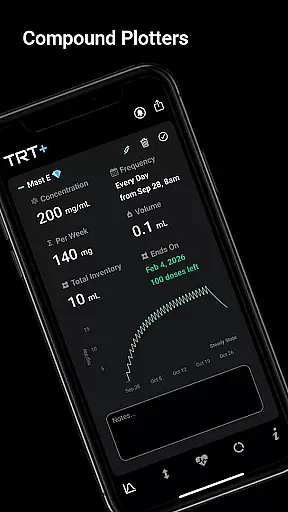
The app's protocol tracker and steroid plotter charts allow users to visualize compound behavior over time. These tools help in understanding peak levels, steady-state timing, and clearance patterns for each compound. With one-tap setup options, users can easily integrate classic to cutting-edge compounds into their regimen, ensuring a customized plan that evolves with their needs.
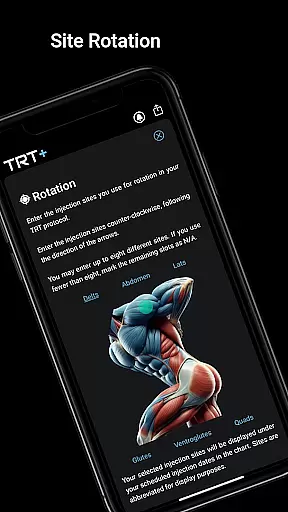
TRT Plus goes beyond simple tracking by offering dynamic inventory management and automated reminders. Users receive notifications for medication schedules and injection rotations, promoting adherence to their personalized plans. The rotation planner ensures even distribution of injection sites, while inventory tracking alerts users when supplies are running low, allowing for uninterrupted treatment.
Ultimately, personalized planning in TRT Plus empowers users to take control of their health with precision and confidence. By combining pharmacokinetic modeling with practical tools like medication reminders and inventory management, the app delivers a comprehensive solution for optimized performance and well-being.
Progress visualization in TRT Plus offers users a clear and engaging way to track their health improvements over time. This feature transforms complex data into easy-to-understand visual representations, helping users monitor their journey from testosterone replacement therapy to peak conditioning. Through interactive charts and graphs, users can observe fluctuations in their T levels and other key biomarkers.
The app's visual syringe tool provides immediate feedback on daily injections, showing how different compounds interact within the body. This real-time visualization helps users understand the effectiveness of their current protocol and make informed adjustments. Additionally, the compound half-life charting feature illustrates how various substances behave over time, offering valuable insights into optimal dosing schedules.
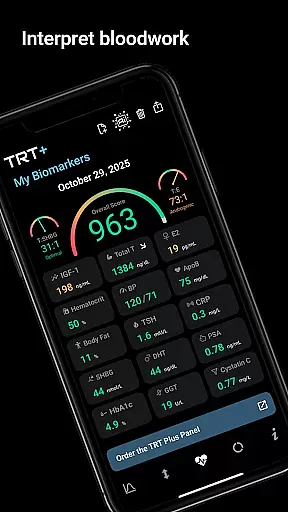
TRT Plus enhances progress visualization through its detailed bloodwork analysis. Users can upload their lab results to receive a color-coded breakdown of their biomarkers, indicating areas that need attention. The app's weighted algorithm scores overall protocol effectiveness, providing a quantitative measure of progress and highlighting potential areas for improvement.
By combining these visualization tools with personalized recommendations, TRT Plus creates a powerful feedback loop for continuous optimization. Users gain a deeper understanding of their physiological responses, enabling them to fine-tune their protocols and achieve better outcomes. This comprehensive approach to progress tracking ensures users remain motivated and informed throughout their health journey.
User-friendly interface
Comprehensive protocol tracking
Advanced bloodwork analysis
Automated reminders
Integration with pathology partners
Premium pricing
Complex for beginners
Limited free features
Region-dependent services
Requires frequent updates

SportWerks - Workout Tracker for Wear OS Watches
 3.90
3.90
Personal Measurements - Track your gains!
4.50
The app helps you address digestive symptoms based on the Fast Tract Diet.
3.50
HRV4Training helps you optimize goals and improve performance. No sensors needed
3.30
Get alert about getting out of desired heart rate zone.
4.10
Show your support for the development of FitNotes - Gym Workout Log
4.90
Walk. Earn: Get rewarded for every step! Walk, move, and earn real rewards.
4.70
Easy to use step counter, calorie counter helps lose weight, count steps offline
4.80
Point, scan, and unlock truth in every bite.
4.50
Medbridge GO gets you moving - get back to doing what you love, faster!
4.90
Weight loss app: home workout for women to lose weight & burn calories.
4.80
Mind on steroids - relaxation, productivity, meditation and sleep!
4.60
Period Tracker, the easiest way to track your periods!
4.50
Binaural Beats - Fully Customizable Waves - Pure Sound - No Loops
4.50
Pilates, Calisthenics, Yoga
4.50
Looking to take control of your health? Our psychology-based programs can help.
4.10
3D Body Measurement System
3.60
The Wear OS BeechBand app is designed to alleviate anxiety and other conditions
4.4
Using Recognise™ has been shown to reduce pain and improve performance.
4.3


User Reviews