
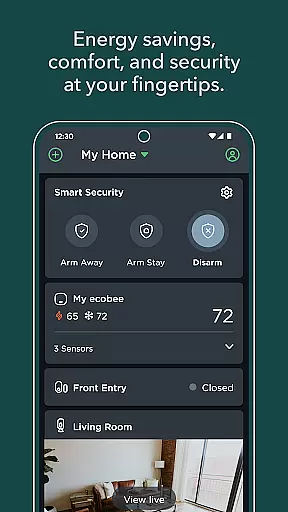
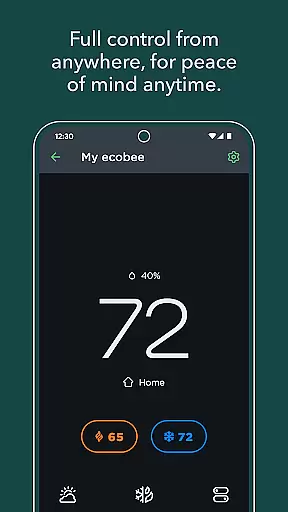
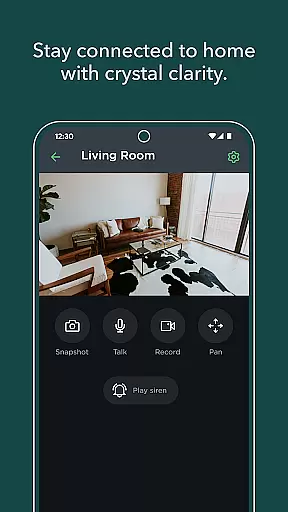
ecobee is a smart home solution that transforms your living space into an intelligent, adaptive environment. The app serves as the central control hub for ecobee devices, including smart thermostats, SmartCameras, and SmartSensors. With its advanced learning capabilities, ecobee optimizes energy usage while ensuring comfort when you're home and security when you're away.
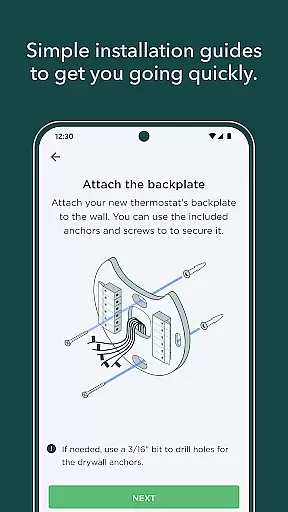
The app provides step-by-step installation guidance for new devices, customizable thermostat scheduling, and smart home automation through Autopilot. It also offers intelligent alerts for monitoring entryways and other critical areas of your home. Additionally, users can search for utility rebates to save on energy bills, making it a comprehensive tool for modern homeowners seeking efficiency and convenience.
ecobee stands out with its diverse range of features designed to enhance home management. One key feature is its ability to control multiple smart devices, such as thermostats, cameras, and sensors, all from a single interface. This integration simplifies daily operations and ensures seamless connectivity across devices.
Another notable feature is Autopilot, which uses advanced algorithms to create automated routines based on user behavior and preferences. This not only saves energy but also enhances comfort by predicting heating and cooling needs. Furthermore, the app's intelligent alert system monitors doors, windows, and other access points, providing real-time notifications to keep your home secure. These features collectively offer a smarter, safer, and more efficient home experience.
When it comes to managing your home environment, the authenticity and accuracy of device listings are crucial. The ecobee app provides verified information about its range of smart devices, ensuring that users can trust the products they are integrating into their homes.
The application offers step-by-step installation instructions for new ecobee devices, guaranteeing that each product is set up correctly and functions as intended. This meticulous attention to detail in the setup process enhances the reliability of the device information provided.
Users benefit from authentic property listings through the assurance that their smart home ecosystem will operate seamlessly. Whether it's a smart thermostat or SmartSensor, customers know exactly what to expect from their devices' performance.
This level of authenticity not only builds user confidence but also optimizes the overall experience with ecobee products, leading to greater satisfaction and peace of mind when managing home environments remotely.
Effective home management is at the core of the ecobee app's offerings, allowing users to control various aspects of their living space with ease. From adjusting thermostats to setting up schedules, the app provides comprehensive tools for maintaining an ideal home environment.
One standout feature is Autopilot, which enables the creation of smart home automations. These automations adapt based on user behavior and preferences, offering personalized comfort while optimizing energy usage and savings.
In addition to climate control, ecobee extends its home management capabilities by providing intelligent alerts for monitoring entryways and other critical areas. This ensures security and awareness of activities within your home.
By integrating these sophisticated home management features, ecobee empowers users with both convenience and advanced control over their domestic spaces, enhancing daily life through technology-driven solutions.
User-friendly interface
Energy-saving automation
Comprehensive device control
Real-time security alerts
Utility rebate eligibility
Requires compatible devices
Premium subscription needed
Initial setup complexity
Limited third-party integrations
Higher upfront cost

Draw your floor plan smartly. Make house design blueprint with home planner app
 3.60
3.60
AI-powered home design, interior design, home decor, and room design solutions
4.50
Control Fire TV & mirror your phone screen instantly over Wi-Fi.
3.30
Schlage Lock Company LLC
4.00
Find your next home, house, apartment, condo, casa, flat, rental, studio, or bed
4.70
Turn old phones into security cameras, baby monitors, pet cams, and more.
4.70
An easier way to make payments and maintenance requests from anywhere.
3.50
Set up your devices, customize settings, and monitor your home—from anywhere
4.40
Find homes for sale and apartments for rent in the best neighborhood.
4.70
Convert your Phone to HiSense Smart TV Remote Control
4.70
Map-based search app for apartments and homes for rent.
4.60
Tailored Care Guides For Houseplants, Indoor Plants, Garden Plants & Flowers.
4.60
Control the scent and ambiance of your home and car, right from your phone.
4.50
The official app for Home Assistant. Control your home anywhere in the world.
4.30
Turn your phone into a wifi cam with smart features and umlimited reach.
4.20
Universal Tv Remote Control for all Tv. Cast for chromecast & all Tv Controller
4.20
AI floor creator to design your dream house, plan rooms & style your home
4.00
Find the perfect paint color with advanced tools to explore and visualize color.
3.80
Universal TV Remote for TV, control all Smart TVs with your mobile phone.
4.3


User Reviews