
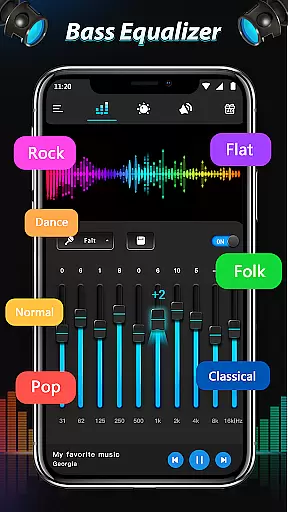
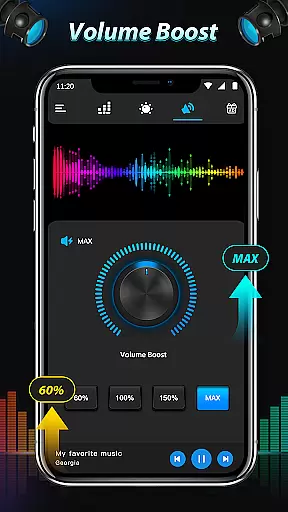
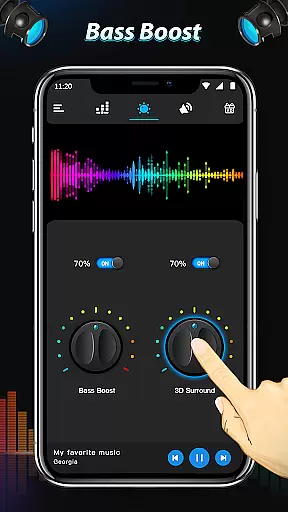
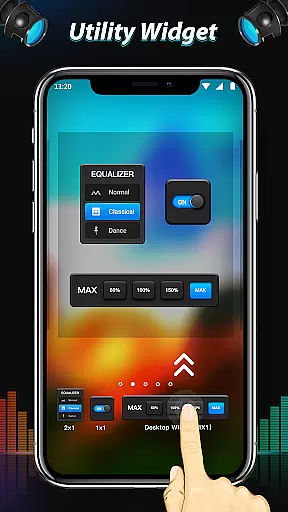
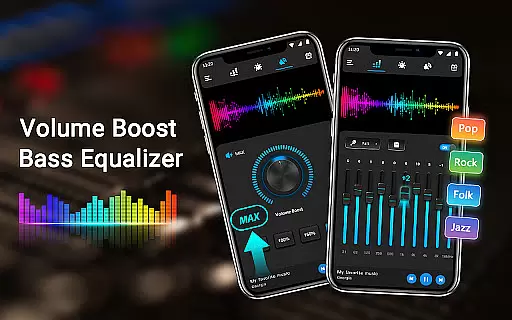
Equalizer & Bass Booster Pro is a premium audio enhancement application designed to elevate the sound quality of Android devices. This app offers a comprehensive suite of audio tools including a five-band equalizer, bass boost, and virtualizer effects that work together to deliver an unparalleled audio experience.
The app's intuitive interface allows users to customize their listening experience with 22 built-in equalizer presets or create and save their own custom settings. Whether you're enjoying music, watching videos, or tuning into radio FM, Equalizer & Bass Booster Pro ensures optimal sound performance. For best results, use the app with headphones to fully appreciate the depth and clarity it brings to your audio content.
Equalizer & Bass Booster Pro stands out with its robust feature set tailored for audiophiles. The app includes a precise five-band equalizer that lets users fine-tune specific frequency ranges, ensuring balanced and rich sound output. Additionally, the bass boost effect adds depth and power to low frequencies, making every beat resonate with energy.
Beyond basic adjustments, the app provides advanced functionalities such as a virtualizer effect that creates an immersive surround sound experience. Users can control media volume directly within the app and monitor audio levels through the live stereo LED VU meter. With seamless integration into the notification bar and compatibility across most music and video players, Equalizer & Bass Booster Pro delivers both convenience and superior audio quality.
In the realm of digital audio management Equalizer & Bass Booster Pro distinguishes itself not by offering an extensive music library but by enhancing the music you already own. The app focuses on refining personal audio collections rather than providing a new repository of tracks.
While it doesn't directly manage music libraries or verify copyrights its suite of sound-enhancing features ensures that each track in your collection is heard as intended by the artist. This indirectly supports copyright authenticity by preserving the integrity of purchased music.
Users benefit from a personalized experience where their existing music collection is transformed with improved clarity and depth. The five-band equalizer and bass boost effects allow for tailored sound profiles which means your curated playlists can now be enjoyed with studio-like quality.
Equalizer & Bass Booster Pro excels in delivering superior audio quality options to users seeking an enhanced listening experience. With its five-band equalizer and virtualizer effects the app provides granular control over sound frequencies allowing for precise adjustments that cater to individual preferences.
The inclusion of 22 equalizer presets offers a starting point for users to explore different soundscapes while the ability to create and save custom presets ensures that personal audio tastes are not just met but exceeded. Whether you're tuning into classical symphonies or modern electronic beats the app adapts to provide optimal audio fidelity.
For audiophiles and casual listeners alike these audio quality options translate into a richer more immersive experience. By fine-tuning every aspect of the sound output from deep resonant bass to crisp high notes the application guarantees that every note is delivered with clarity and precision.
Enhances sound quality significantly
Easy-to-use interface
Wide range of presets available
Compatible with various media players
Customizable audio settings
Premium version comes at a cost
Advanced features may overwhelm beginners
Headphones required for optimal experience
Interface could be more visually appealing
Occasional bugs reported by users

Time Guru will strengthen your internal sense of musical time via random muting.
 4.30
4.30
Formerly known as Spotistats! View your top tracks, artists, albums and more!
4.40
Tune in to the greatest hits on UK Radio | The home of Capital, Smooth & Heart.
4.90
Walkout Song DJ is the most intuitive app to manage your sports music.
4.70
Enhance the sound quality of your devices, listen to what you want
4.50
Ultimate Sonos Controller
4.70
The official Sonos app
4.10
Be a true music maker: create beats, mix and make music like a real DJ!
4.30
Play your music offline without limits
4.80
Full-featured, High-Quality Groovebox Workstation, perfect for Live Performance!
4.80
Listen radio AM / FM Stations. Live AM / FM Radio App Station. Radio Com.
4.70
SqueezePlayer turns your Android phone or tablet into a SqueezeBox on its own!
4.60
Learn the notes on the guitar fretboard fast with this easy and fun app
4.60
Enjoy singing any song, no matter how high or low it is
4.30
A High-Precision Audio Spectrum Analysis App
4.20
Sing, record, and create music together — enhanced by smart voice tools.
4.00
Learn to play the piano using falling notes!
3.80
Slow music down without changing pitch.
3.70
MilkDrop for Android TV
3.00


User Reviews