
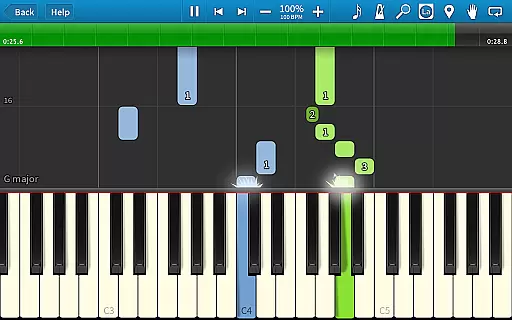
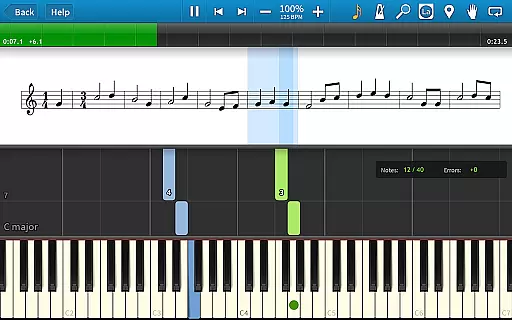
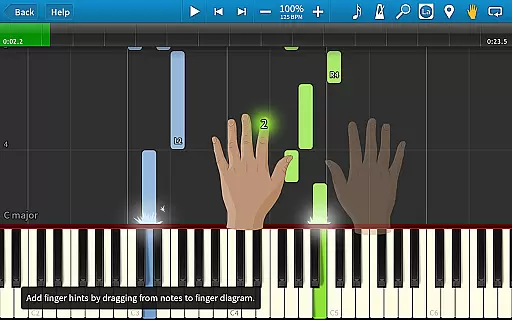
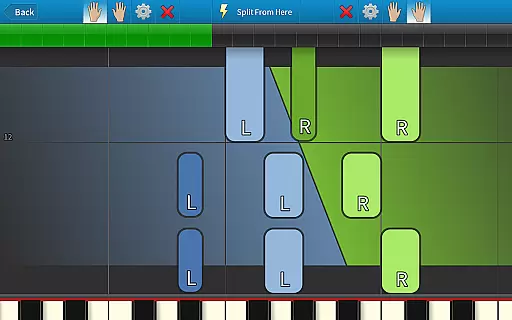
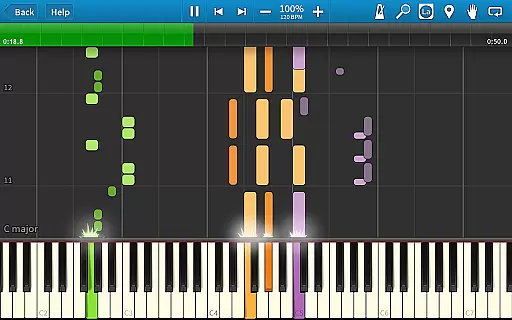
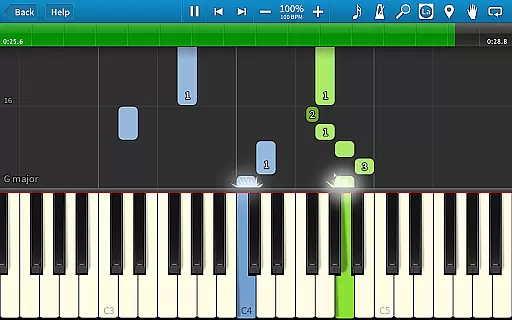
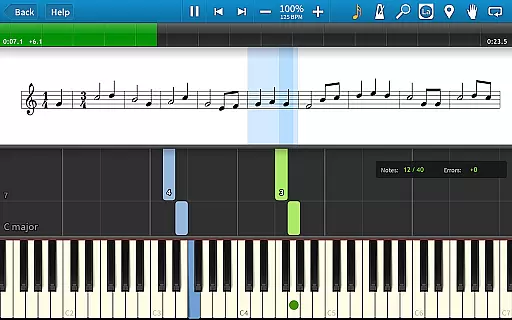
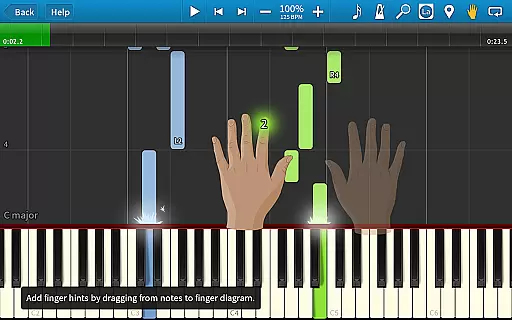
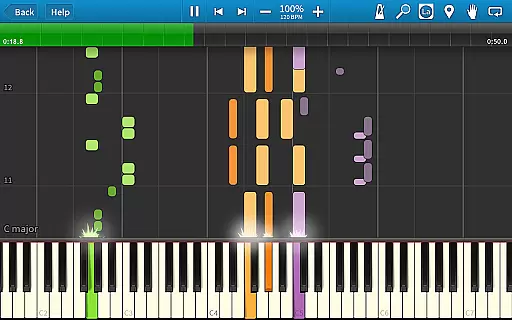
Synthesia is an innovative music learning application that allows users to start playing piano immediately, even without the ability to read sheet music. The app supports both touchscreen interaction and connection with a digital keyboard, providing a realistic piano-playing experience. Users can practice melodies with helpful feedback, as Synthesia waits for the correct note input in Melody Practice mode. It also offers compatibility with lighted keyboards, multiple visual feedback options including sheet music and falling notes, and hints for proper finger placement.
With additional features like loops, bookmarks, and a built-in metronome, Synthesia caters to learners of all levels. The free version includes over 20 songs, while the premium version unlocks 150+ songs, a multi-track recorder, and lifetime upgrades without any recurring subscription fees. Whether you're a beginner or an experienced musician, Synthesia provides a comprehensive platform for improving your musical skills.
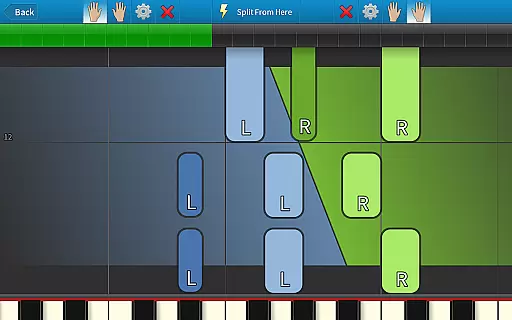
Synthesia stands out with its versatile feature set tailored for music learners. One of its key features is the ability to practice using either hand separately or together, allowing users to develop balanced skills. The app's Melody Practice mode ensures users hit the correct note before proceeding, reinforcing proper technique. Additionally, Synthesia supports external MIDI devices, enabling users to connect their own digital pianos and play along with visual guidance from the app.
The app also offers various display options, including traditional sheet music, falling note blocks, or a combination of both, catering to different learning preferences. With integrated learning aids such as finger hints for every song, Synthesia helps users adopt the correct playing techniques. Advanced features like the multi-track recorder, extensive song library, and compatibility with most MIDI files make it a powerful tool for both practice and performance preparation.
When it comes to music learning applications, the size and authenticity of the music library are crucial factors. Synthesia offers an impressive collection of over 150 built-in songs, catering to various skill levels and musical tastes. This extensive library ensures that users have access to a diverse range of musical pieces, keeping their learning experience engaging and comprehensive.
Beyond the included tracks, Synthesia supports any MIDI song ever created, significantly expanding its music library. This compatibility allows users to import and learn virtually any piece of music they desire, making the app highly versatile and adaptable to individual preferences. The ability to work with MIDI files also enables users to practice with custom compositions or rare pieces not typically available in standard music learning apps.
Synthesia takes copyright seriously, ensuring all included songs are properly licensed and legal to use. This commitment to copyright authenticity provides peace of mind for users, knowing they are working with legitimate content. Additionally, the app's support for user-created MIDI files maintains this standard by allowing only original compositions or properly licensed works to be imported and used within the application.
Audio quality plays a vital role in music learning applications, directly impacting the user's experience and progress. Synthesia excels in this area by offering multiple audio quality options that cater to different needs and device capabilities. Users can choose from various sound settings, ensuring optimal performance regardless of their equipment specifications.
The application supports high-quality instrument sounds, providing realistic audio feedback during practice sessions. This feature is particularly important when connecting digital keyboards, as it allows users to experience authentic piano sounds while practicing. The app's sophisticated audio engine ensures minimal latency, creating a seamless connection between key presses and sound output.
Synthesia also includes advanced audio features such as a built-in metronome and multi-track recording capabilities. These tools enhance the learning experience by allowing users to maintain proper timing and review their performances. The combination of high-fidelity audio output, low-latency response, and professional-grade features makes Synthesia stand out among music learning applications, delivering exceptional audio quality for both casual learners and serious musicians.
User-friendly interface
Supports external MIDI devices
Comprehensive learning aids
No subscription required for premium
Versatile practice modes
Limited free content
Interface may feel dated
Advanced features locked behind paywall
Occasional sync issues with MIDI
Steep learning curve for beginners

Offline and always ad-free - stream in the highest quality available.
 4.10
4.10
The only true audiophile music player with Hi-Fi audio rendering and DSP engine
3.90
Make songs with AI! Any genre, custom lyric, song generator for music creation!
4.80
The Minimalistic Premium Music Player. Handmade with passion for music
2.20
Slow music down without changing pitch.
3.70
Master Salsa Rhythm quickly and with a lot of fun!
4.30
Responsive piano with great sounds, graphics, and songs
4.80
Turn Every Moment into Music
3.60
Play your music offline without limits
4.80
SqueezePlayer turns your Android phone or tablet into a SqueezeBox on its own!
4.60
Pay Once, no monthly payment
4.60
A complete sound package for the sound engineer or enthusiast
4.60
A synth that really lets you shape your sounds!
4.50
Enhance the sound quality of your devices, listen to what you want
4.50
Help you quickly get started with Shokz headphones
4.40
Advanced 10-Band Audio Graphic Equalizer Sound Booster Pro
4.30
A sleek, no-frills player designed for true music lovers.
4.20
Powerful beat maker & DJ mixer to remix tracks, make music, & perform DJ mix
3.70
The Skullcandy App Experience
3.20


User Reviews