
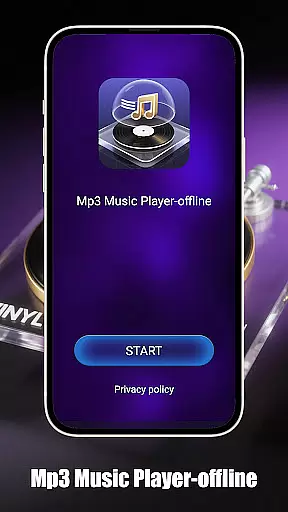
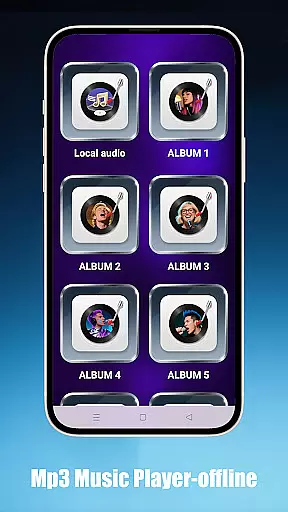
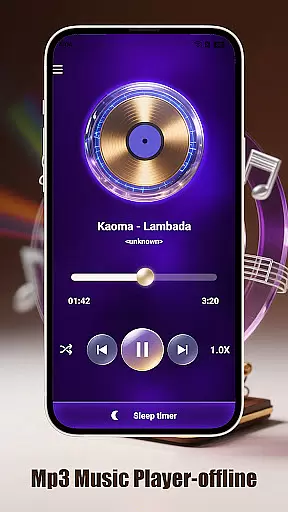
Mp3 Music Player - Offline is a dedicated music player for audiophiles who prefer local MP3 playback. With its sleek design and no-frills approach, this app offers powerful playback controls without requiring an internet connection.
Key features include smart playback modes with loop, shuffle, and adjustable speed options, as well as effortless access to local music files through folder, artist, or album browsing. The minimalist interface ensures an immersive experience, making it perfect for focused listening sessions.
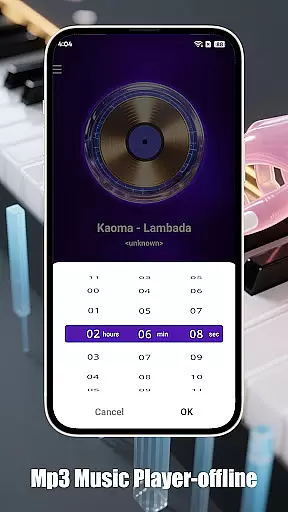
This app stands out with its comprehensive feature set tailored for music enthusiasts. Enjoy advanced playback options like adjustable speed (0.5x–2.0x), ideal for podcasts or language learning, and a sleep timer to conserve battery life.
The app provides seamless navigation of your music library, allowing you to browse by folder, artist, or album. Its ultra-fast search function ensures you find tracks instantly. Designed for focus, the landscape-optimized UI offers a distraction-free environment, while the lightweight build preserves device resources.
When it comes to music players, the size and authenticity of the music library are crucial factors. Mp3 Music Player - Offline focuses on allowing users to play their local MP3 files without the need for internet connectivity. This ensures that users have complete control over their music collection while maintaining copyright legality.
The app supports a wide range of local music files, which means you can organize and enjoy your personal music library with ease. By playing files directly from your device, the app avoids any potential copyright issues associated with streaming services. This makes it an ideal choice for users who prioritize legal compliance and personal ownership of their music.
Moreover, the ability to browse and play songs by folder, artist, or album adds another layer of convenience. Users can quickly find and play their favorite tracks without worrying about copyright infringement. The ultra-fast search feature further enhances this experience by allowing instant access to any song within the library.
Audio quality is a significant aspect of any music player application, and Mp3 Music Player - Offline excels in providing various options to enhance the listening experience. With adjustable playback speed ranging from 0.5x to 2.0x, users can customize the audio output according to their preferences or specific needs, such as learning or podcast listening.
The minimalist interface of the app ensures that there are no distractions, allowing users to focus solely on their music. This simplicity extends to the audio settings, where users can easily adjust the speed without navigating through complex menus. Such features make the app not only user-friendly but also versatile for different types of audio content.
In addition to adjustable speed, the app offers a sleep timer function that automatically stops music playback to conserve battery life. This feature is particularly useful for those who enjoy falling asleep to music, ensuring that the app does not run unnecessarily throughout the night. Overall, these audio quality options contribute to a superior and personalized listening experience.
User-friendly interface
Advanced playback controls
Offline functionality
Efficient battery usage
Fast music search
Limited to MP3 format
No cloud integration
Basic equalizer settings
No social sharing
Ads in free version

Over 100 million tracks available for high quality streaming and download
 4.60
4.60
More downloads than any other metronome. Includes drum machine & tempo trainer.
4.80
Advanced 10-Band Audio Graphic Equalizer Sound Booster Pro
4.30
Next generation modular control surface
4.10
Listen radio AM / FM Stations. Live AM / FM Radio App Station. Radio Com.
4.70
The iconic iOS metronome app is now on Android.
3.70
Ringtone Maker is free app create ringtone from music files or your recording.
4.40
Full featured mp3 and audio player with Chromecast and Android Auto support.
4.40
Melody Beat: Great for travel, workouts, offline vibes, play your tunes anytime.
4.10
Make songs with AI! Any genre, custom lyric, song generator for music creation!
4.80 4.70
4.70
Ultimate Sonos Controller
4.70
Super Sound Editor, Song Maker & Mixer, Vocal Remover, Voice Recorder & Changer!
4.60
AI Music Maker: Generate And Compose AI Tunes & AI Songs & AI Music & AI Melody!
4.60
Equalizer, Bass Booster and Volume Booster (Eq & Bass) improve sound quality
4.30
The alternative folder based music player.
4.20
Background pads for your band
3.80
Simple mp3 and mp4 player with advanced features.
3.40
Simply convert wav to mp3. Clear. Reliable. Safe.
4.0


User Reviews