
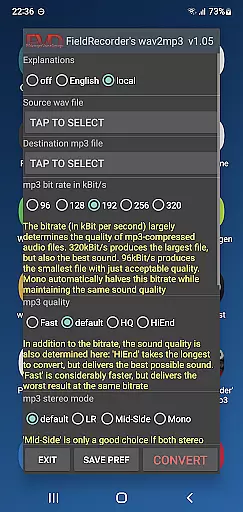
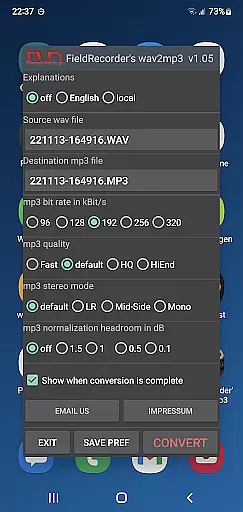
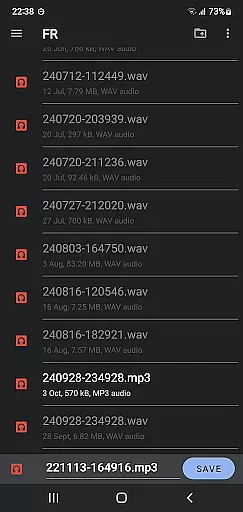
FieldRecorder's wav2mp3 is a streamlined audio conversion tool designed for users who need to convert WAV files to MP3 format without any hassle. The app eliminates common frustrations such as intrusive ads, rating prompts, and complex navigation, offering a seamless experience with just one screen to manage the entire process. Users can effortlessly select source and destination files and initiate the conversion in the background.
This application stands out due to its minimalistic design and efficient performance. With a download size under 1.3MB, it is significantly lighter than comparable apps, which average around 20MB. It ensures user privacy by not collecting data or soliciting ratings, making it a trustworthy choice. Additionally, the app provides clear error messages and responsive customer support, ensuring that any issues are promptly addressed.
FieldRecorder's wav2mp3 is ideal for professionals and casual users alike who require quick and reliable file conversions. Its compatibility with the Field Recorder app allows for remote control functionality, enhancing workflow efficiency. Whether you're managing audio files for professional projects or personal use, this app delivers a straightforward solution with customizable options tailored to individual preferences.
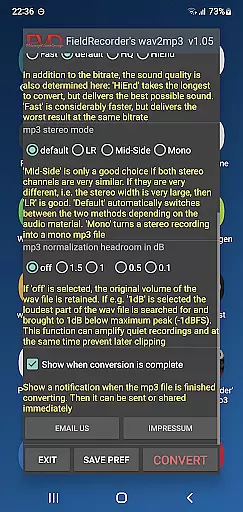
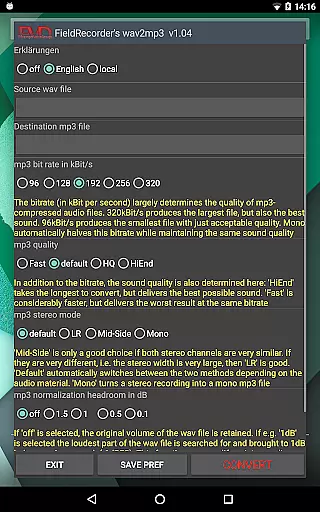
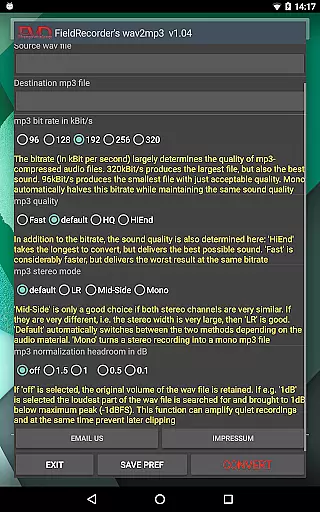
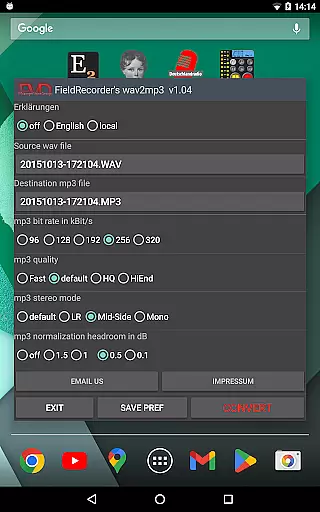
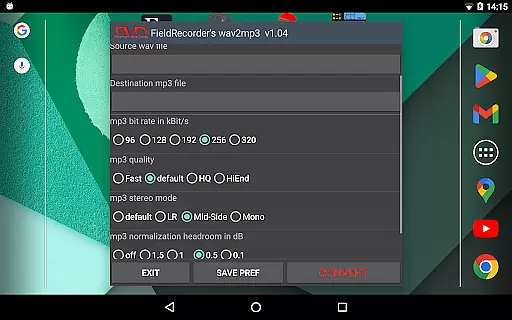
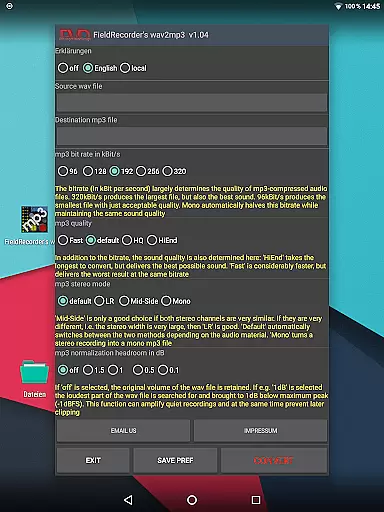
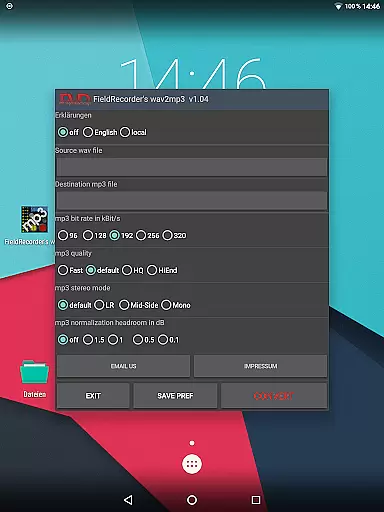
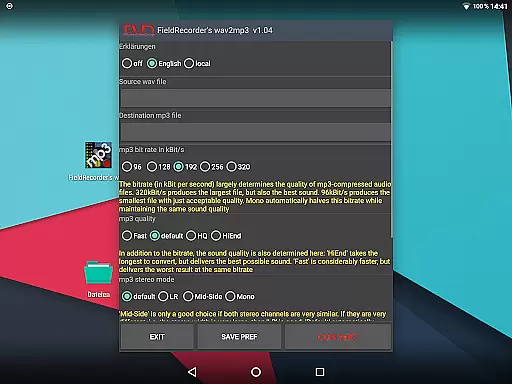
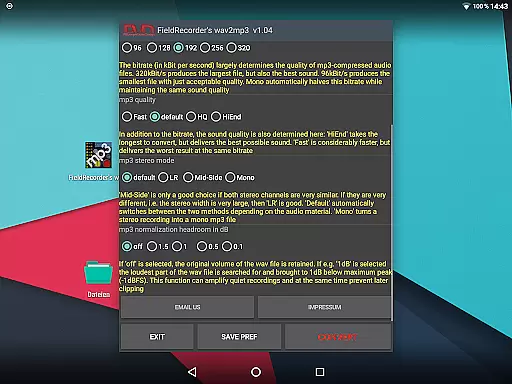
FieldRecorder's wav2mp3 offers a range of features that cater to both novice and advanced users. One of its standout capabilities is the ability to customize various conversion parameters, allowing users to tailor the output to their specific needs. Options include selecting from five common bit rates, choosing stereo modes, and adjusting the complexity of the MP3 encoding process to balance between speed and sound quality.
The app also provides several preset options that simplify the conversion process while still allowing for customization. Users can save their preferred settings for future use, ensuring consistency across multiple conversions. Additional features include language selection for explanatory texts, volume normalization, and the option to receive notifications upon completion of the conversion process. These functionalities ensure that users have complete control over their audio files.
Furthermore, FieldRecorder's wav2mp3 emphasizes user convenience and privacy. The app operates efficiently in the background, allowing users to multitask without interruptions. Its commitment to user privacy is evident through its no-data-collection policy and transparent monetization strategy, relying solely on the purchase price. This dedication to user-centric design makes FieldRecorder's wav2mp3 a reliable and efficient tool for all audio conversion needs.
FieldRecorder's wav2mp3 may not boast an extensive music library, but it excels in providing a streamlined and efficient conversion process. The app focuses on converting WAV files to MP3 with minimal fuss and maximal ease of use.
The emphasis here is on the quality of service rather than the quantity of content. This app ensures that each file you convert maintains its integrity and adheres to copyright standards by allowing users to manage their own content without imposing restrictions or limitations.
Users benefit from the peace of mind that comes with knowing they are operating within legal boundaries while using this tool for their audio conversion needs. There's no collection of user data, ensuring privacy and security during the conversion process.
When it comes to audio quality options, FieldRecorder's wav2mp3 provides several customizable settings that allow users to fine-tune their conversions. Options include bitrate selection, complexity settings for the MP3 encoding process, and stereo mode configurations.
These features ensure that whether you're looking for faster conversion times or higher fidelity output, this app can accommodate your preferences. The ability to adjust these parameters means that users have control over the balance between speed and sound quality.
Moreover, the app offers guidance in multiple languages and sensible presets for common use cases, making it accessible and user-friendly. With clear explanations and intuitive controls, users can achieve professional-grade results tailored to their specific requirements.
User-friendly interface
No ads or data collection
Customizable conversion options
Lightweight app size
Responsive customer support
Limited to WAV to MP3 conversion
No batch processing feature
Basic UI design
Fewer advanced features
Requires manual updates

DJ Music Mixer Pro is a real DJ controllers and DJ Music Studio to remix DJ.
 4.40
4.40
Simple & Intuitive Metronome
4.70
The ultimate media player for Android devices
3.90
Next generation modular control surface
4.10
A sleek, no-frills player designed for true music lovers.
4.20
Play KORG’s revolutionary touch-based instrument on a variety of devices.
4.40
Versatile MP3 recorder with auto-backup to Dropbox and Google Drive
4.10
Full featured mp3 and audio player with Chromecast and Android Auto support.
4.40
Be a true music maker: create beats, mix and make music like a real DJ!
4.30
Voice recorder - Audio recorder. Best recorder for recording
4.90
Play your hearts out on TouchTunes jukeboxes & connect with fellow music lovers.
4.80
Make songs with AI! Any genre, custom lyric, song generator for music creation!
4.80
Pay Once, no monthly payment
4.60
AI Music Maker: Generate And Compose AI Tunes & AI Songs & AI Music & AI Melody!
4.60
A synth that really lets you shape your sounds!
4.50
Formerly known as Spotistats! View your top tracks, artists, albums and more!
4.40
Time Guru will strengthen your internal sense of musical time via random muting.
4.30
Offline Tunes, Unlimited Vibes
3.90
Make music anywhere. Turn your device into an instrument.
4.4


User Reviews