
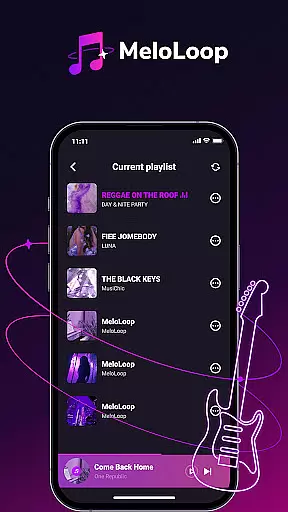
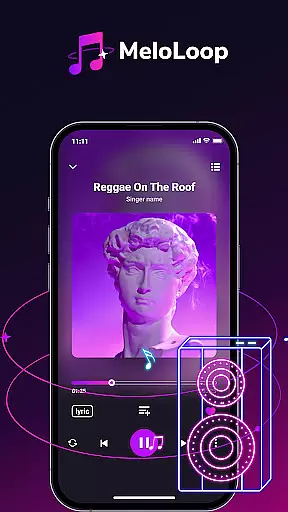
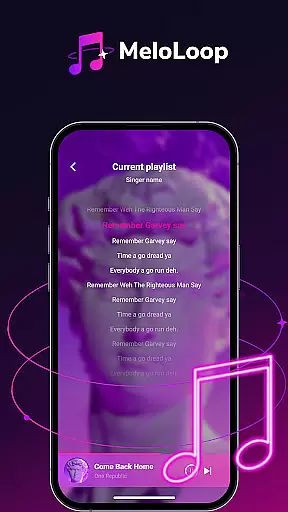
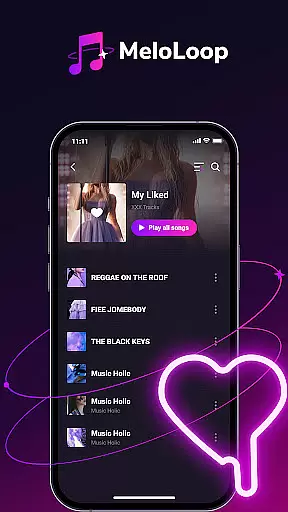
MeloLoop is a premium music player designed for audiophiles who demand the best listening experience. This application offers instant access to your local music library through smart scanning technology, supporting multiple formats including MP3, FLAC, and WAV. Enjoy lossless audio playback anytime, anywhere, even without an internet connection.
The app goes beyond basic playback with intelligent music curation features. It automatically organizes your collection by album, artist, and mood while allowing custom tagging for personalized management. MeloLoop also serves as your personal music studio, enabling unlimited playlist creation and exclusive collection building.
Whether you're relaxing late at night, traveling, or enjoying studio-quality sessions, MeloLoop elevates every listening moment. Its elegant interface and robust feature set make it the perfect companion for discerning music enthusiasts.
MeloLoop distinguishes itself through its comprehensive feature set tailored for music aficionados. The app's instant local library function employs smart scanning to detect all audio files on your device, ensuring nothing is left behind. With support for various high-quality formats and offline lossless playback, users can enjoy their music collection without compromise.
Its intelligent music curation system sets MeloLoop apart from standard players. The app automatically sorts tracks by album, artist, and mood, while custom tags allow for advanced organization. This makes finding specific songs effortless, saving users time and enhancing their listening experience.
MeloLoop's personal music studio capabilities enable creative freedom. Users can create unlimited playlists based on themes or moods, build exclusive collections, and manage their entire music library with ease. These features combine to offer a sophisticated solution for organizing and enjoying digital music collections.
When it comes to music players, the size and authenticity of the music library are crucial factors. MeloLoop offers an impressive local library that is instantly accessible through a smart scan feature.
This ensures all your audio files, whether they are MP3, FLAC, or WAV, are organized and ready for lossless playback anytime, even without an internet connection. This extensive support for various formats enhances user experience by catering to different preferences and needs.
The application's commitment to copyright authenticity is evident in its ability to manage and play back legally acquired music files. Users can be confident that their playlists and collections comply with legal standards, thus ensuring peace of mind while enjoying high-quality audio.
MeloLoop stands out in providing superior audio quality options, making it a top choice for discerning audiophiles who demand the best listening experience. The player supports lossless playback, preserving the original sound quality of your audio files.
Whether you're relaxing late at night, traveling, or engaging in studio-quality listening sessions, MeloLoop delivers pristine audio performance. Its advanced capabilities allow users to appreciate every detail and nuance in their music, elevating the overall auditory experience.
Additionally, the ability to create unlimited themed playlists and exclusive collections means users can tailor their listening sessions exactly how they want, further enhancing the personalized nature of the app's audio offerings.
Lossless audio quality
Smart library scanning
Advanced organization tools
Multiple format support
Offline playback capability
No streaming service integration
Limited social sharing options
Advanced features may overwhelm beginners
Occasional scanning delays
Premium price point

VB-AUDIO Software / VBAN-Receptor allows listening to any VBAN Streams
 4.10
4.10
Listen to live FM radio stations, sports, music and news on global radios online
4.70
Save hundreds of dollars for a physical strobe tuner and instead use this app.
4.50
Bass Booster Pro takes auto-equalizing to the next level!
4.30
The official Sonos app
4.10
Learn the notes on the guitar fretboard fast with this easy and fun app
4.60
Play KORG’s revolutionary touch-based instrument on a variety of devices.
4.40
The iconic iOS metronome app is now on Android.
3.70
MilkDrop for Android TV
3.00
Full-featured, High-Quality Groovebox Workstation, perfect for Live Performance!
4.80
Super Sound Editor, Song Maker & Mixer, Vocal Remover, Voice Recorder & Changer!
4.60
Recording studio w/ 10k beats, pro vocal FX and a network of 20M rappers & fans!
4.60
Help you quickly get started with Shokz headphones
4.40
Master Salsa Rhythm quickly and with a lot of fun!
4.30
PowerAudio is a powerful offline music player.
4.20
Turn your phone into a musical instrument from the future!
3.90
The ultimate media player for Android devices
3.90
The Cubase remote control app
3.60
Make music anywhere. Turn your device into an instrument.
4.2


User Reviews