
Guitar Fretboard Note Trainer is a specialized app designed to help guitarists master the notes on their instrument's fretboard. This essential skill is crucial for progressing musicians, and the app makes learning both fun and effective through progressive games.
The app features four distinct training modes that cater to different learning styles. Users can practice naming notes, finding specific notes across all positions, and challenging their memory with progressively difficult quizzes. With customizable difficulty levels and an audio option to hear each note, this app provides a comprehensive learning experience suitable for beginners and advanced players alike.
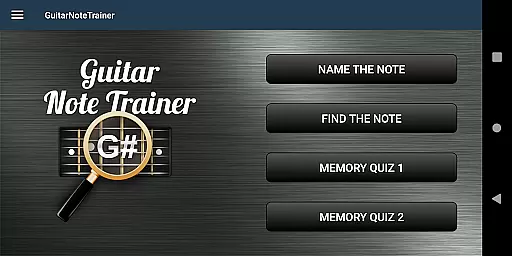
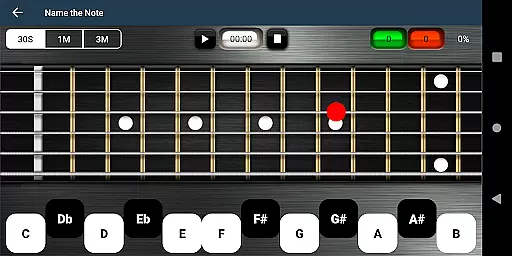
The app offers four unique training modes to develop fretboard knowledge. The 'Name The Note' mode tests users' ability to identify displayed notes, while 'Find A Note' challenges them to locate specific notes across all six string positions.
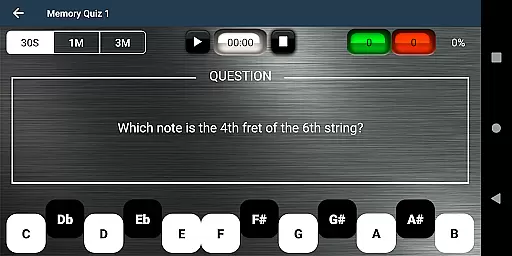
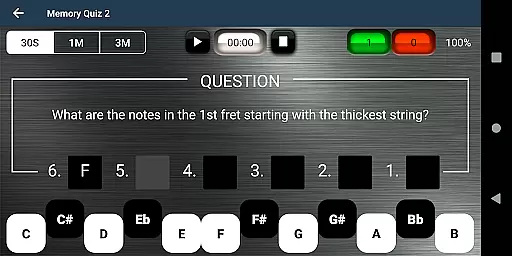
For memory training, two specialized quizzes are available. Memory Quiz 1 requires naming notes based on their position, and the more challenging Memory Quiz 2 demands identifying all notes across an entire fret. The app includes easy options for beginners and a helpful audio feature that plays each selected note.
A unique cheat function allows users to swipe diagonally across the fretboard to reveal all notes temporarily. This feature, combined with the app's gamified approach, creates an engaging learning environment that accommodates various skill levels and learning paces.
When it comes to music learning applications like Guitar Fretboard Note Trainer, the size and authenticity of the music library are crucial. This app offers a comprehensive selection of notes across the guitar neck, ensuring that learners have access to all essential notes and positions.
The application provides four distinct training modes, each designed to reinforce note recognition and memory. These include Name The Note, Find A Note, Memory Quiz 1, and Memory Quiz 2. Such variety not only enriches the learning experience but also guarantees that users engage with a wide array of musical notes.
Furthermore, the app ensures copyright authenticity by focusing on fundamental music theory and note recognition without infringing on copyrighted material. This approach allows users to learn in a safe and legal environment, free from concerns about unauthorized content usage.
By integrating these features, Guitar Fretboard Note Trainer supports an extensive and authentic music learning journey, making it an invaluable tool for progressing guitarists.
Audio quality is paramount in music education apps, directly impacting the user's learning experience. Guitar Fretboard Note Trainer addresses this need by offering an audio option that lets users hear the notes as they select them on the fretboard.
This auditory feedback is essential for developing a musician's ear, allowing users to associate the visual identification of a note with its corresponding sound. Such a feature enhances the learning process, making it more interactive and engaging.
In addition to basic audio playback, the app includes various difficulty settings and 'Easy' options for beginners. These settings ensure that learners at all levels can practice comfortably, gradually increasing the complexity as their skills improve.
Overall, the inclusion of robust audio quality options in Guitar Fretboard Note Trainer significantly boosts its educational value, providing users with a well-rounded and immersive learning experience.
Interactive learning
Progressive difficulty
Audio feedback
Beginner-friendly
Comprehensive coverage
Limited advanced features
No chord recognition
Basic interface design
Occasional ads
Premium upgrade cost

Simply convert wav to mp3. Clear. Reliable. Safe.
 4.3
4.3
10-Band Audio Equalizer, Sound / Bass Booster for Spotify Users & Music Players
4.40
The ultimate media player for Android devices
3.90
Listen radio AM / FM Stations. Live AM / FM Radio App Station. Radio Com.
4.70
Offline Music Player & MP3 Player.Powerful equalizer, Lyrics, Themes, Tag Editor
4.80
Offline Music Player&MP3 Player with themes, equalizer, lyrics, music play mode
4.60
The original SP-1200 experience on your iPad
4.20
Offline Tunes, Unlimited Vibes
3.90
Sing, record, and create music together — enhanced by smart voice tools.
4.00
Brian Eno and Peter Chilvers’ acclaimed music app Bloom, radically reinvented.
4.80
Performance-Synthesizer & Multi-Track-Sequencer, polyphonic + multi timbral!
4.70
Ultimate Sonos Controller
4.70
Save hundreds of dollars for a physical strobe tuner and instead use this app.
4.50
Manage your Sonos system directly from your home-screen!
4.40
Time Guru will strengthen your internal sense of musical time via random muting.
4.30
Time Trainer: accurate metronome w tools to help you develop your internal time!
4.20
A High-Precision Audio Spectrum Analysis App
4.20
Permanently backup Now Playing. Maps, filters & listening stats.
4.00
Learn to play the piano using falling notes!
3.80


User Reviews