
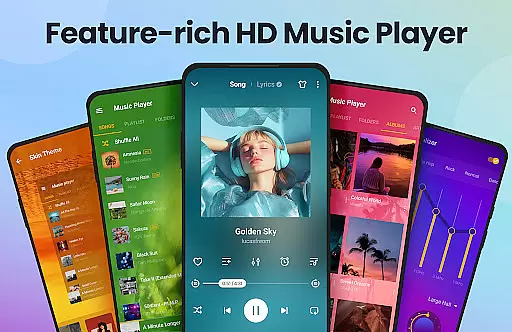
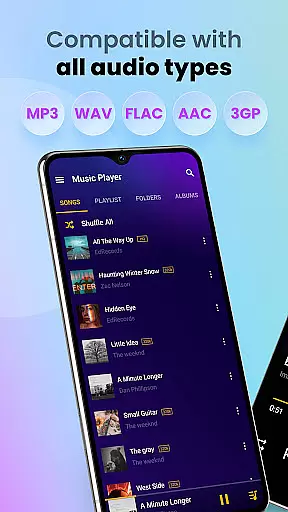
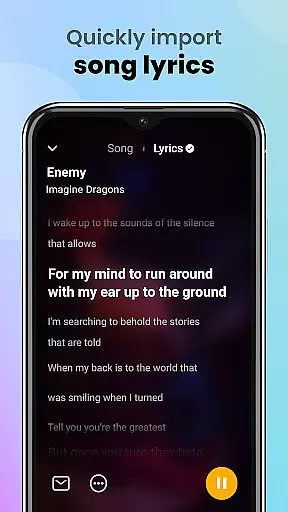
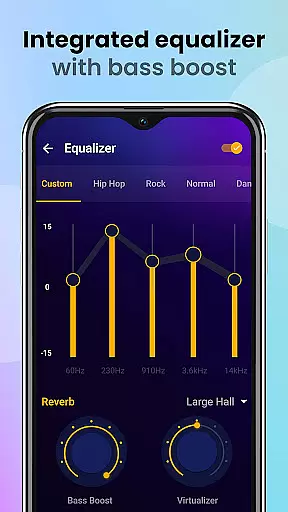
Music Player & MP3 Player is a premier audio playback application for Android devices, offering an exceptional listening experience. This app supports all major audio formats including MP3, MIDI, WAV, FLAC, AAC, and APE, ensuring comprehensive compatibility. With its powerful built-in equalizer featuring bass boost and reverb effects, users can customize their sound profiles to match their preferences.
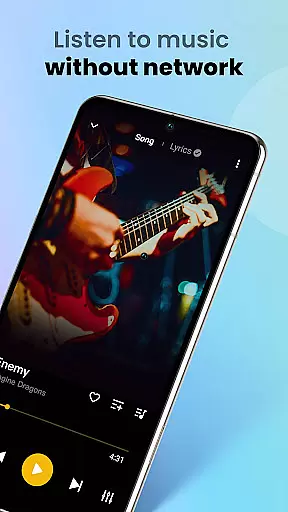
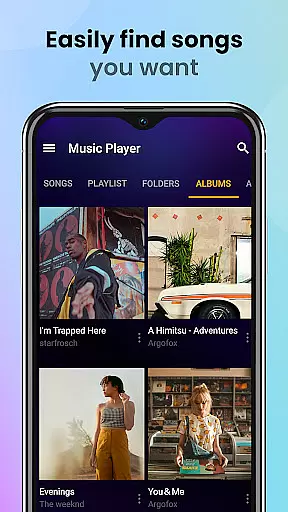
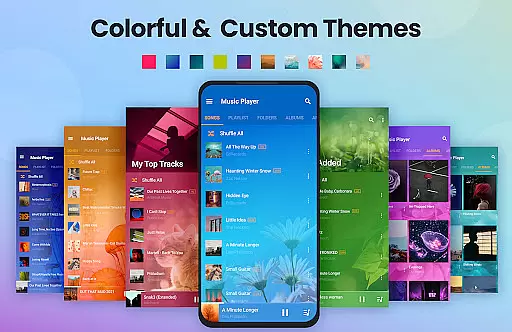
The user interface is both stylish and intuitive, allowing seamless navigation through your music library. You can browse tracks by songs, artists, albums, folders, or playlists. The app also includes practical features like offline playback, sleep timer, and lock screen controls, making it perfect for various listening scenarios whether you're at home or on the go.
One of the standout features of Music Player & MP3 Player is its robust equalizer, which enhances the audio quality with options like bass boost and reverb effects. This allows users to tailor their listening experience according to different music genres and personal tastes. Additionally, the app's support for high-quality audio playback ensures that every note and beat is rendered with precision.
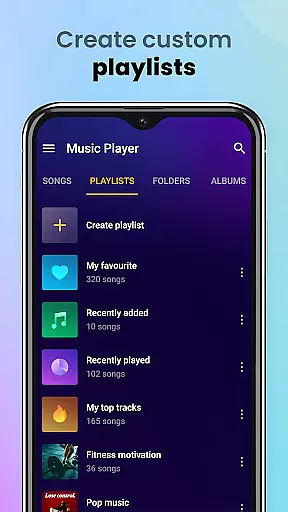
Another remarkable aspect is the app's ability to automatically scan and organize all audio files on your device. It provides multiple viewing options such as by songs, artists, albums, folders, and playlists, thus simplifying music management. Users can also create custom playlists and mark favorite songs, while additional functionalities like setting songs as ringtones and sharing music via social media further enrich the overall utility of this versatile music player.
When evaluating a music player application, the size and authenticity of its music library are crucial factors. Music Player & MP3 Player offers an extensive collection that supports all major audio formats including MP3, MIDI, WAV, FLAC, AAC, and APE. This ensures users have access to a wide variety of music genres and types without worrying about format compatibility.
The app emphasizes copyright authenticity by allowing users to manage and play their legally acquired local music files. It is designed for individuals who own a personal collection of music and seek a high-quality platform to enjoy their tunes. By focusing on playing local files, it avoids the legal complexities associated with streaming services.
Users benefit from this approach as they can organize and enjoy their entire music library in one place. The app's ability to scan all audio files automatically makes it easy to manage large collections. Additionally, features like creating custom playlists and setting songs as ringtones enhance the overall user experience.
This focus on a legitimate and comprehensive music library provides peace of mind. Listeners can be confident that they are enjoying their music in a way that respects both their ownership rights and the artists' intellectual property. Such dedication to authenticity sets Music Player & MP3 Player apart in the crowded field of music applications.
Audio quality is paramount when selecting a music player, and Music Player & MP3 Player excels in delivering high-fidelity sound. The application supports various audio formats such as MP3, MIDI, WAV, FLAC, AAC, and APE, ensuring that users can listen to their music in the best possible quality. This versatility allows audiophiles to enjoy lossless audio formats that preserve the nuances of the original recordings.
Beyond format support, the app includes a powerful equalizer with bass boost and reverb effects. These features enable users to customize their listening experience according to personal preferences or to suit different music genres. Whether you prefer enhanced bass for electronic music or a flatter response for classical pieces, the equalizer provides the necessary tools to optimize sound output.
Additional functionalities contribute to maintaining high audio standards. For instance, the ability to play songs in shuffle, order, or loop ensures uninterrupted listening sessions tailored to individual moods. Moreover, lock screen controls and notification bar playback allow for convenient management of music without compromising sound quality.
Ultimately, Music Player & MP3 Player caters to discerning listeners who demand top-notch audio performance. Its combination of broad format support, advanced equalization options, and user-friendly features positions it as an ideal choice for anyone seeking superior sound reproduction on their Android device.
User-friendly interface
High-quality audio playback
Comprehensive format support
Powerful equalizer settings
Offline music access
No integrated music downloader
Limited advanced editing tools
Occasional UI glitches
Ads in free version
Large app size

The Cubase remote control app
 3.60
3.60
Listen to live FM radio stations, sports, music and news on global radios online
4.70
Powerful beat maker & DJ mixer to remix tracks, make music, & perform DJ mix
3.70
A High-Precision Audio Spectrum Analysis App
4.20
Simple & Intuitive Metronome
4.70
The ultimate media player for Android devices
3.90
The alternative folder based music player.
4.20
24,000 free audio books and no ads!
4.90
The official Sonos app
4.10
Your song collections with lyrics and chords on Android smartphones and tablets.
4.80
More downloads than any other metronome. Includes drum machine & tempo trainer.
4.80
Make songs with AI! Any genre, custom lyric, song generator for music creation!
4.80 4.70
4.70
Most Advanced AI Song Generator and Music Creator. Rap, Pop, Rock, Gospel & more
4.70
Record, Mix & Master with all n-Track effects, 64-bit audio and Stem Separation.
4.70
SqueezePlayer turns your Android phone or tablet into a SqueezeBox on its own!
4.60
DJ Music Mixer Pro is a real DJ controllers and DJ Music Studio to remix DJ.
4.40
A sleek, no-frills player designed for true music lovers.
4.20
The iconic iOS metronome app is now on Android.
3.70


User Reviews