
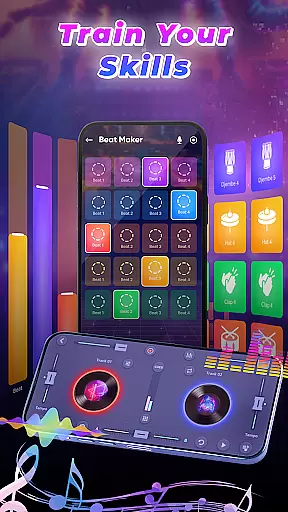
DJ Music Mixer - Beat Maker is a comprehensive music creation tool designed for both amateur and professional DJs. This app provides an all-in-one solution for mixing tracks, creating beats, and applying various sound effects. With features like Equalizer and Bass Booster, users can customize their audio experience while enjoying high-quality mixing tools.
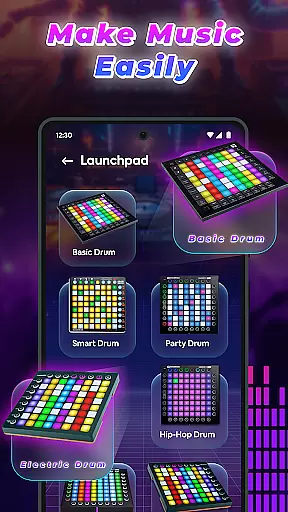
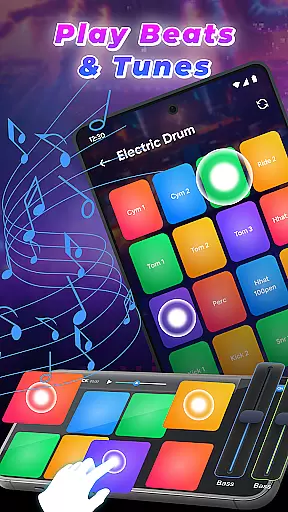
The app stands out with its professional beat maker functionality, offering multiple drum kits that range from classic to modern styles. Additionally, the built-in launchpad samples allow for creative remixing opportunities. Whether performing live or crafting tracks in the studio, DJ Music Mixer - Beat Maker supports HD recording so that mixes can be saved in optimal formats.
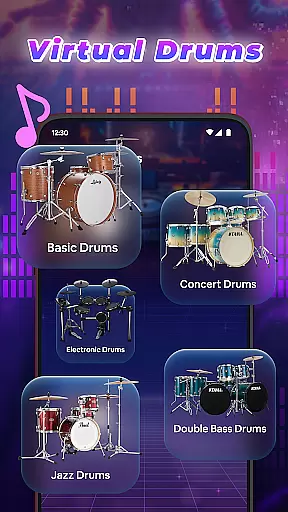
DJ Music Mixer - Beat Maker boasts an array of sophisticated features tailored for music enthusiasts. The app includes a professional beat maker with diverse drumming styles and kits such as Ludwig, Electronic, Jazz, and African drums. Users can explore these sounds through an intuitive interface available in both horizontal and vertical orientations.
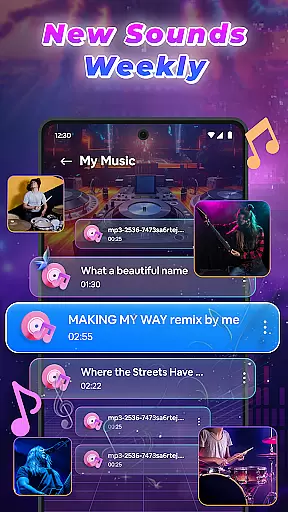
Another highlight is the advanced DJ music mixer which grants access to a full library of tracks, artists, albums, and folders. It allows for real-time effects application and seamless transitions between songs thanks to optimized beat detection technology. Moreover, users can save their creations directly onto their device with HD audio quality, ensuring that every mix sounds crisp and clear.
In the realm of digital music creation, having access to an extensive music library is crucial for unleashing creativity. DJ Music Mixer - Beat Maker offers a vast array of tracks, artists, albums, and folders at your disposal, ensuring that your creative process is not hindered by the lack of variety.
Moreover, the app emphasizes the importance of copyright authenticity, providing users with peace of mind when utilizing its library for their mixes. This means every sample, beat, and track available within the app is properly licensed, allowing creators to focus on their art without legal concerns looming over their heads.
The integration of various drum kits such as Ludwig, Electronic, Jazz, African, and more adds another layer of depth to the music library. These kits cater to different musical styles from classic to modern beats, enabling users to experiment with diverse sounds and genres.
By prioritizing both the size of its music library and the authenticity of its content, DJ Music Mixer - Beat Maker empowers DJs and music producers to craft unique compositions with confidence, knowing they have a rich palette of sounds at their fingertips.
Audio quality stands as a pivotal element in music production, influencing the overall listening experience. DJ Music Mixer - Beat Maker addresses this need by offering high-definition audio recording capabilities, ensuring that every mix you create retains its clarity and richness even after the export process.
Furthermore, the app supports saving your creations in suitable formats that preserve the integrity of the sound. This flexibility allows users to tailor their output according to specific requirements, whether it's for professional distribution or personal enjoyment.
With advanced features like Equalizer and Bass Booster, users can fine-tune their audio to achieve the desired effect. These tools not only enhance the auditory experience but also provide a level of customization that caters to individual preferences and project needs.
Ultimately, DJ Music Mixer - Beat Maker's commitment to superior audio quality options ensures that both amateur enthusiasts and seasoned professionals can produce mixes that stand out, delivering an immersive and captivating sound experience to their audience.
User-friendly interface
Wide range of drum kits
Real-time sound effects
HD recording capability
Versatile music library access
May require learning curve
Some features might need internet
Limited free content
Possible in-app purchases
Interface could overwhelm beginners

Simply convert wav to mp3. Clear. Reliable. Safe.
 4.3
4.3
Equalizer, Bass Booster and Volume Booster (Eq & Bass) improve sound quality
4.30
The Music Journey in Your Hands
4.30
A synth that really lets you shape your sounds!
4.50
Time Trainer: accurate metronome w tools to help you develop your internal time!
4.20
Simple & Intuitive Metronome
4.70
Ultimate Sonos Controller
4.70
Unleash your creativity! Turn simple prompts into full fledged songs.
4.70
Get alarms that fit your lifestyle and wake up to the sounds you love.
4.80
Gorgeous UI, Powerful music Search and Equalizer, the great choice for you!
4.70
Taal player that lets you sing any Indian & Western song with Tabla & Tanpura
4.60
Reverse your voice & songs instantly! Fun singing challenge with cool effects.
4.60
Full featured mp3 and audio player with Chromecast and Android Auto support.
4.40
Powerful 10-Band equalizer pro with sound booster improves Android audio quality
4.30
A sleek, no-frills player designed for true music lovers.
4.20
Versatile MP3 recorder with auto-backup to Dropbox and Google Drive
4.10
Control your MIDI USB or Bluetooth devices in app and avoid some trampling
3.30
Remove ads permanently from Music Visualizer
4.4
Music Streaming suite for Ampache, Nextcloud Music and compatible backends.
4.0


User Reviews