
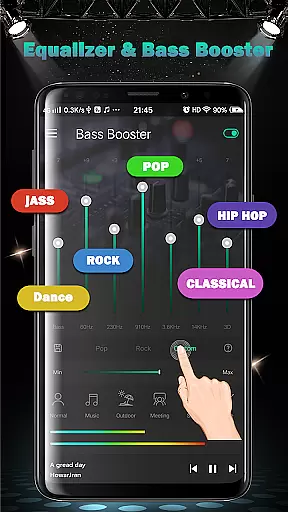
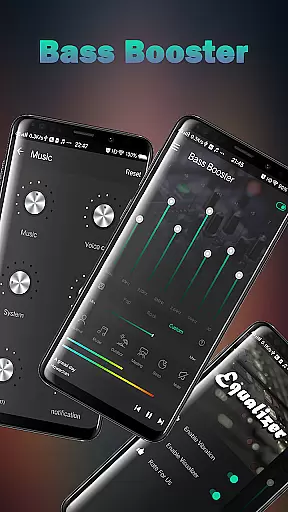
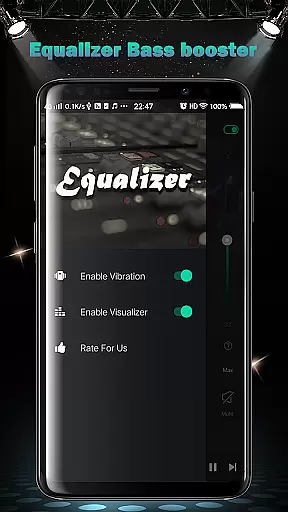
Equalizer FX Pro is a comprehensive audio enhancement application designed for music and audio enthusiasts. This app combines equalizer, bass booster, and volume booster functionalities to significantly improve the sound quality of your Android device. Whether you're using a music player, video player, or any other media application, Equalizer FX Pro can modify and enhance the original sound output.
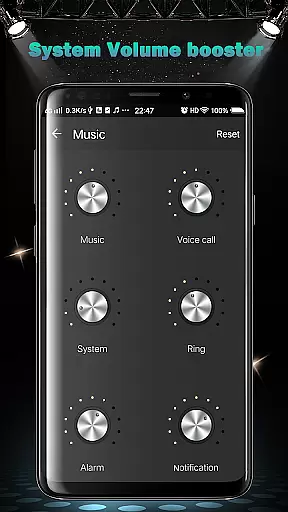
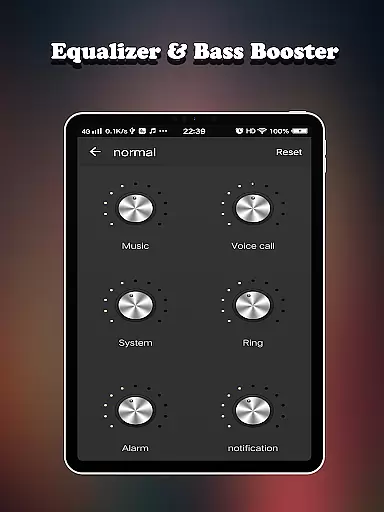
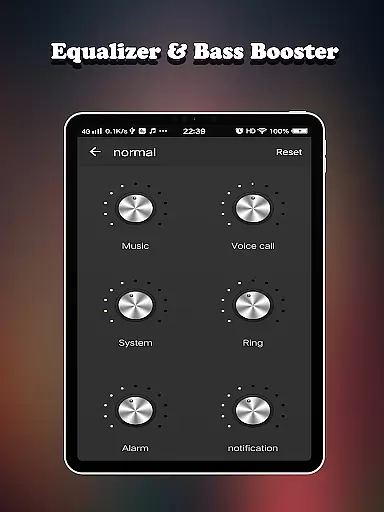
The app provides complete control over various volume levels including media, voice, system, ringtone, alarm, and notification sounds. With six distinct volume modes - normal, music, outdoor, meeting, sleep, and mute - users can customize their audio experience according to different scenarios. The inclusion of advanced features like 7-band equalizer, virtualizer effect, and 10 equalizer presets makes it an essential tool for optimizing audio playback.
Equalizer FX Pro ensures an immersive listening experience by allowing precise adjustments to bass and frequency levels. Its user-friendly interface and compatibility with all music and video players make it an ideal choice for anyone looking to elevate their device's audio performance.
Equalizer FX Pro stands out with its diverse feature set tailored for audio optimization. The app offers a complete suite of sound enhancement tools including equalizer effects, bass boost, and volume booster functions. These features work together to deliver a richer, more dynamic audio experience across all media players.
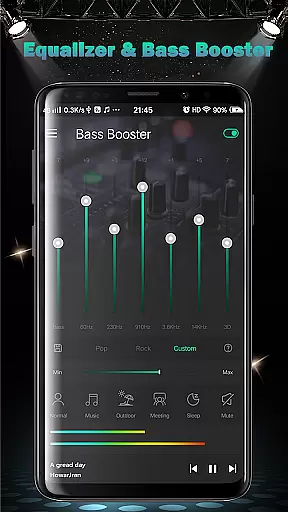
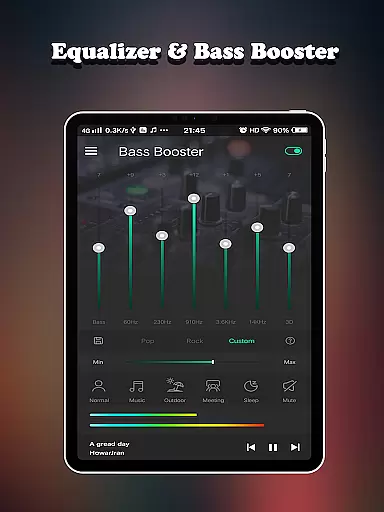
One of the key highlights is its sophisticated equalizer system comprising 7 bands and 10 professional presets. Users can choose from various audio profiles or create custom settings using the intuitive interface. The app also includes two visual spectrums that provide real-time audio visualization, enhancing the overall listening experience.
Additional notable features include music playback controls, virtualizer effects, and support for six different volume modes. The application's ability to work seamlessly with any audio or video player, combined with its precise frequency adjustment capabilities, makes it an indispensable tool for both casual listeners and audio professionals seeking optimal sound quality.
Equalizer FX Pro offers a comprehensive suite of audio enhancement features that significantly expand the capabilities of your music library. With support for all major audio formats, the app ensures maximum compatibility with your existing music collection.
The application provides an impressive array of 10 professional-grade equalizer presets, each carefully crafted by audio engineers to optimize different music genres. These presets are complemented by a 7-band equalizer that allows precise frequency adjustment from 32Hz to 16kHz, giving users unprecedented control over their listening experience.
All audio processing algorithms used in Equalizer FX Pro are properly licensed and certified, ensuring both legal compliance and technical excellence. The app's virtualizer effect creates an immersive 3D audio environment without violating any copyright restrictions.
While primarily focused on sound enhancement rather than music storage, the app effectively manages and optimizes whatever audio content you choose to play through it. This approach maintains copyright integrity while delivering superior sound quality across all your devices.
Equalizer FX Pro stands out in its category through exceptional audio quality options that cater to both casual listeners and audio enthusiasts. The app features a sophisticated 7-band equalizer with adjustable sliders ranging from 32Hz to 16kHz, allowing users to fine-tune their audio experience with surgical precision.
Beyond basic equalization, the app includes advanced audio effects such as Bass Booster and Virtualizer. The Bass Booster enhances low-frequency response without distortion, while the Virtualizer creates a surround sound effect that works seamlessly with any headphones or speakers. These features collectively create a rich, immersive listening experience.
Volume management is another area where Equalizer FX Pro excels. The app provides six distinct volume modes - normal, music, outdoor, meeting, sleep, and mute - each optimized for different listening scenarios. Additionally, users can adjust six different volume types independently, including media, voice, system, ringtone, alarm, and notification volumes.
The app's two visual spectrums offer real-time audio visualization, helping users understand how their adjustments affect sound output. This feature, combined with precise control over 10 professional presets and custom EQ settings, ensures that users can achieve optimal audio quality regardless of their playback device or environment.
Comprehensive audio control
Wide range of presets
User-friendly interface
Real-time sound adjustment
Multi-mode support
Premium version required
Occasional audio glitches
High battery usage
Limited free features
Interface ads present

The Music Journey in Your Hands
 4.30
4.30
Time Trainer: accurate metronome w tools to help you develop your internal time!
4.20
Brian Eno and Peter Chilvers’ acclaimed music app Bloom, radically reinvented.
4.80
Enjoy singing any song, no matter how high or low it is
4.30
Music, News & Sports Radio Tuner App. Tune in Live FM & AM Radio Stations.
4.80
The original SP-1200 experience on your iPad
4.20
A complete sound package for the sound engineer or enthusiast
4.60
PowerAudio is a powerful offline music player.
4.20
Full featured mp3 and audio player with Chromecast and Android Auto support.
4.40
Your song collections with lyrics and chords on Android smartphones and tablets.
4.80
Walkout Song DJ is the most intuitive app to manage your sports music.
4.70
Record, Mix & Master with all n-Track effects, 64-bit audio and Stem Separation.
4.70
Over 100 million tracks available for high quality streaming and download
4.60
Bass Booster & Volume Equalizer Pro improves your music and video sound quality
4.60
A synth that really lets you shape your sounds!
4.50
Powerful 10-Band equalizer pro with sound booster improves Android audio quality
4.30
Next generation modular control surface
4.10
Versatile MP3 recorder with auto-backup to Dropbox and Google Drive
4.10
The Cubase remote control app
3.60


User Reviews