
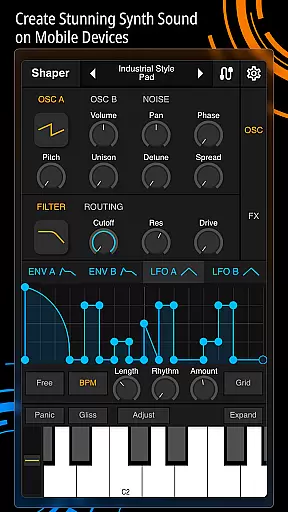
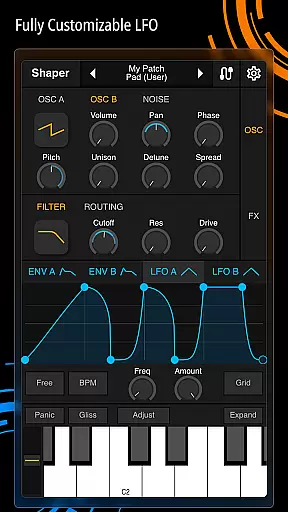
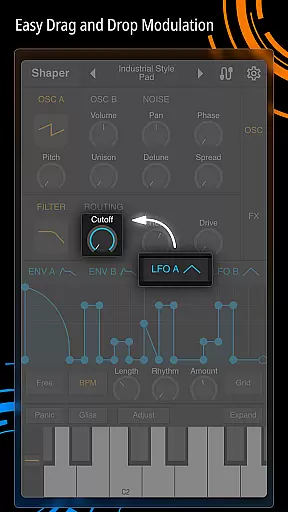
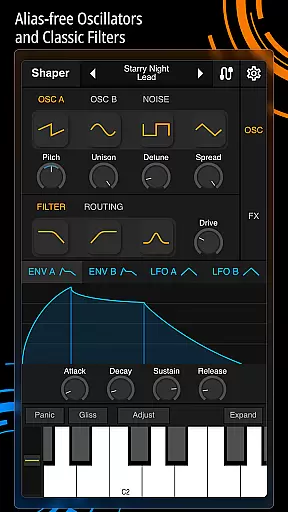
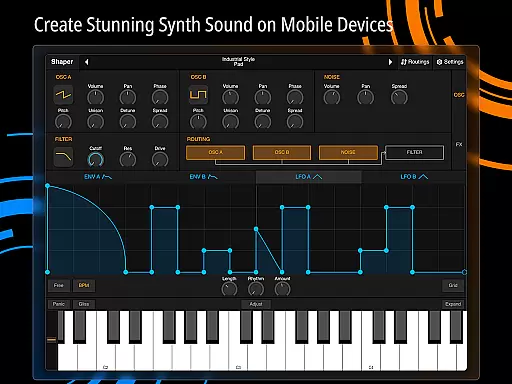
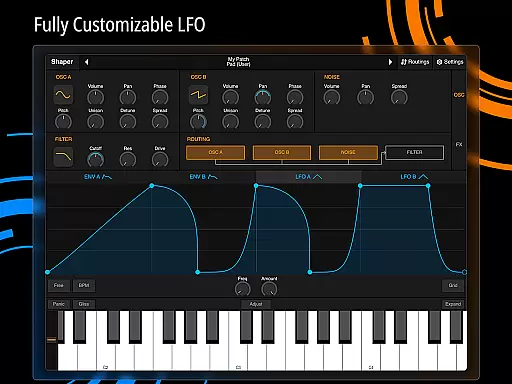
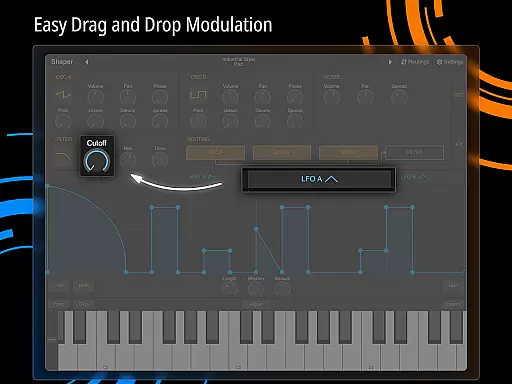
Shaper is a professional-grade subtractive synthesizer designed specifically for mobile platforms. This application empowers musicians and sound designers to craft dynamic sounds through an advanced modulation matrix, configurable LFO graphs, and an intuitive drag-and-drop modulation assignment system.
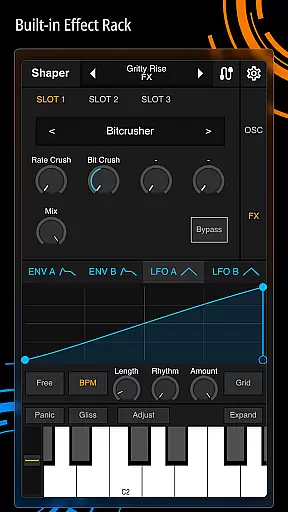
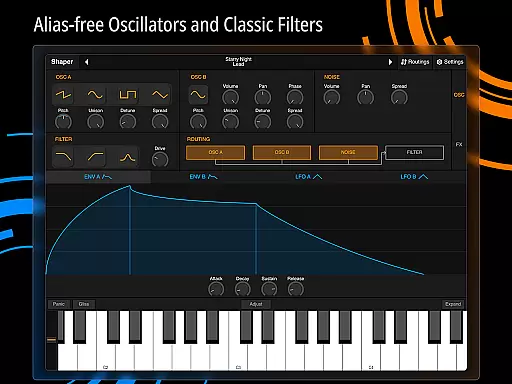
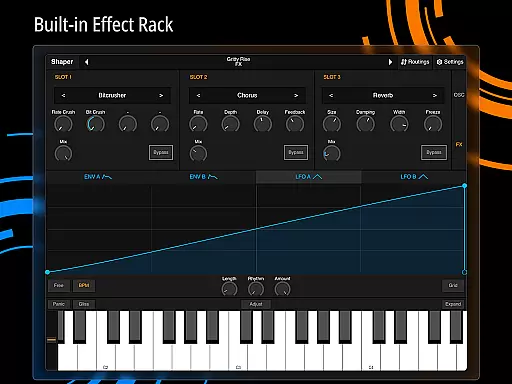
The app includes a classic analog filter known for its amazing sound quality, along with eight additional built-in effects such as Bitcrusher, Chorus, Delay, Groove Delay, Distortion, Filter, Phaser, and Reverb. Whether you're creating music on-the-go or exploring new soundscapes, Shaper provides a seamless and inspiring creative experience.
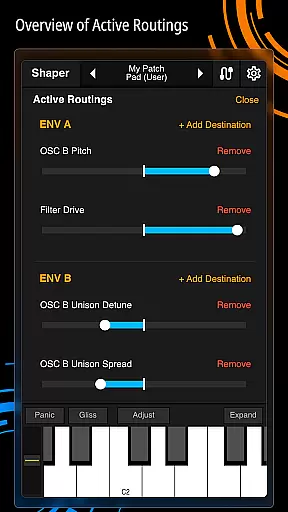
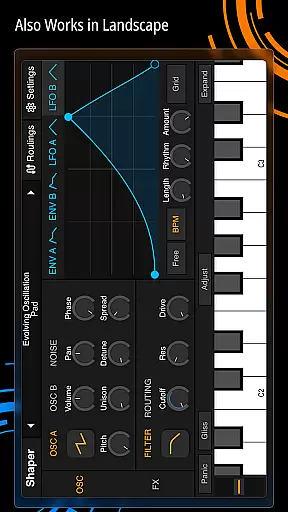
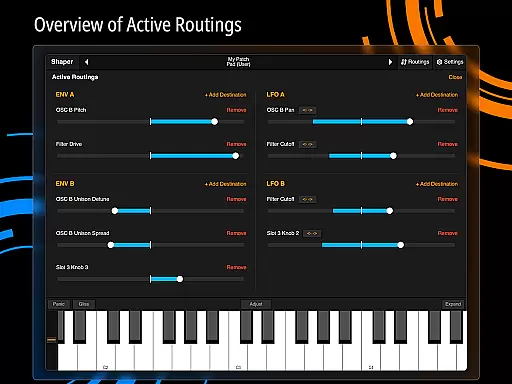
Shaper stands out with its comprehensive set of features tailored for sound synthesis enthusiasts. The advanced modulation matrix allows users to create complex sound interactions, while the fully configurable LFO graphs provide precise control over sound modulation.
One of the key highlights is the intuitive drag-and-drop modulation assignment, making it easy to experiment with different sound designs. Additionally, the inclusion of a classic analog filter ensures high-quality audio output. With eight built-in effects like Bitcrusher, Chorus, Delay, and Reverb, users can enhance their creations with professional-grade audio processing.
When evaluating a music application like Shaper, the size and diversity of its music library play a crucial role in user satisfaction. A comprehensive library ensures that users have access to a wide range of sounds and presets, which is essential for creating varied compositions.
Shaper offers an extensive collection of built-in effects including Bitcrusher, Chorus, Delay, Groove Delay, Distortion, Filter, Phaser, and Reverb. These effects enrich the sound design process, allowing users to experiment with different audio landscapes. The availability of these features indicates a well-stocked library that caters to both beginners and professionals.
Copyright authenticity is another critical aspect. Users need assurance that the sounds they use are legally safe and properly licensed. Shaper's official website and documentation provide detailed insights into the app's compliance with copyright laws, giving users peace of mind when crafting their musical pieces.
Ultimately, Shaper's robust library not only enhances creativity but also ensures that all audio components are legitimate and free from legal issues, making it a reliable tool for musicians and sound designers alike.
Audio quality options are vital for any music production app as they determine the clarity and richness of the final output. High-quality audio settings allow users to produce professional-grade tracks that meet industry standards.
Shaper excels in this area by offering advanced modulation capabilities such as a fully configurable LFO graph and an intuitive drag-and-drop modulation assignment. These features enable precise control over sound parameters, ensuring high-fidelity audio output.
In addition to its modulation tools, Shaper includes an amazing-sounding classic analog filter. This filter enhances the warmth and depth of audio signals, providing users with the ability to fine-tune their soundscapes to perfection. Such attention to detail underscores the app's commitment to superior audio quality.
By prioritizing audio quality options, Shaper empowers users to create dynamic and rich compositions that stand out. Whether you're a novice or an experienced producer, the app's sophisticated audio features ensure your projects sound polished and professional.
Advanced modulation options
Intuitive user interface
High-quality sound output
Wide range of effects
Seamless creative workflow
Steep learning curve
Requires specific hardware
Limited free features
No MIDI support
Occasional bugs

Turn your phone into a musical instrument from the future!
 3.90
3.90
JBL PartyBox APP works with 110/310/710/120/320/520/Encore/Encore 2/Encore Ess 2
4.80
Guzheng Master supports many playing techniques as an acoustic Guzheng
4.50
AI Music Maker: Generate And Compose AI Tunes & AI Songs & AI Music & AI Melody!
4.60
Voice recorder - Audio recorder. Best recorder for recording
4.90
Smart piano keyboard, Classical to Pop, Real-time multiplayer connection!
4.20
Let your Android device with the sound effects you want
4.50
Full featured mp3 and audio player with Chromecast and Android Auto support.
4.40
Customize Your Favorite Songs and Videos with booster.
4.70
Most Advanced AI Song Generator and Music Creator. Rap, Pop, Rock, Gospel & more
4.70
Listen to live FM radio stations, sports, music and news on global radios online
4.70
Pay Once, no monthly payment
4.60
The best music and audio player, with beautiful UI, music search and equalizer.
4.60
Enhance the sound quality of your devices, listen to what you want
4.50
Manage your Sonos system directly from your home-screen!
4.40
Your HD audio recorder on the go for music, meetings, ambience, animal sounds…
4.30
Sing, record, and create music together — enhanced by smart voice tools.
4.00
The ultimate media player for Android devices
3.90
Learn to play the piano using falling notes!
3.80


User Reviews