
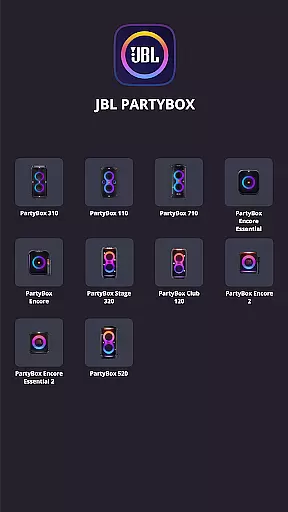
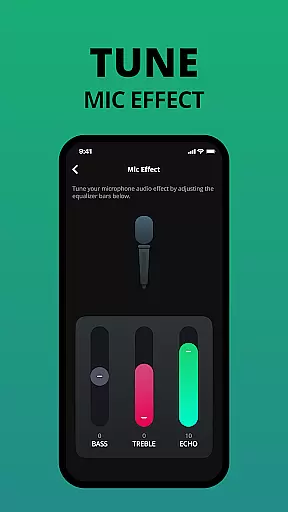
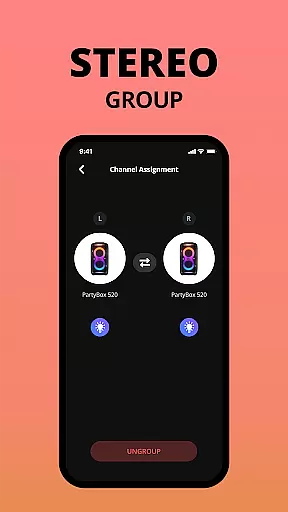
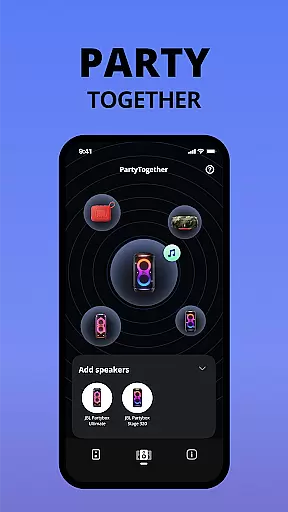
JBL PartyBox is a powerful mobile application designed specifically for users who own compatible JBL PartyBox speaker models. This app allows you to wirelessly connect and control your PartyBox 310, PartyBox 110, PartyBox 710, PartyBox Encore Essential, PartyBox Encore, PartyBox 520, PartyBox Stage 320, PartyBox Club 120, PartyBox Encore 2, PartyBox Encore Essential 2, Partylight Beam, or Partylight Stick speakers directly from your smartphone. With its intuitive interface, the app provides seamless wireless connectivity, personalized speaker settings, and access to software updates.
One of the standout features of the JBL PartyBox app is its ability to enhance your audio experience by allowing you to customize various speaker settings. Whether you're hosting a party or enjoying a quiet evening at home, this app ensures that your sound system delivers optimal performance tailored to your preferences. The app also serves as a hub for receiving important firmware updates and accessing product support, making it an essential tool for maintaining your speaker's functionality and extending its lifespan.
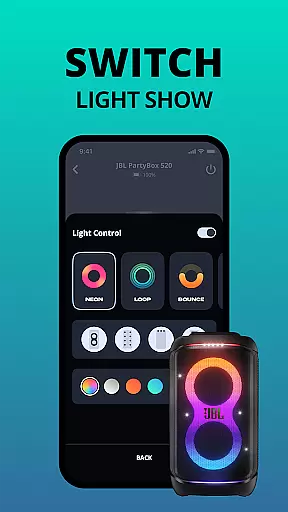
The JBL PartyBox app offers a comprehensive set of features that cater to both casual listeners and audio enthusiasts. First and foremost, it enables wireless connectivity between your mobile device and compatible JBL PartyBox speakers. This feature eliminates the need for physical connections, providing greater flexibility in speaker placement and usage. Additionally, the app includes advanced customization options that allow users to adjust sound settings, lighting effects, and other parameters to suit their specific needs.
Another notable feature is the app's ability to deliver timely software updates directly to your speaker. These updates often include performance improvements, new functionalities, and security enhancements that help keep your device running smoothly. Furthermore, the JBL PartyBox app provides convenient access to technical support resources, ensuring that users can quickly resolve any issues they may encounter. With its combination of practical tools and user-friendly design, this app significantly enhances the overall experience of owning a JBL PartyBox speaker system.
When it comes to music applications, the size and authenticity of the music library are crucial factors. The JBL PartyBox app offers a comprehensive selection of tracks that users can access, ensuring they have a wide variety of music options for any occasion. This vast library is not just about quantity; it also guarantees quality by featuring only legitimately licensed content.
The app's dedication to copyright authenticity means that each track available has been vetted and verified, providing peace of mind for users who want to enjoy their music without legal concerns. By prioritizing legitimate content partnerships, JBL PartyBox ensures that artists are compensated fairly while listeners enjoy high-quality audio experiences.
For users, this translates into an assurance of accessing a rich and diverse collection of songs that are updated regularly. Whether you're planning a party or simply enjoying some personal time, the extensive and authentic music library within the JBL PartyBox app enhances your experience by delivering reliable and top-notch musical selections.
Audio quality is paramount when selecting a music application, and the JBL PartyBox app excels in providing superior sound options. It allows users to connect wirelessly to compatible speakers, ensuring that the audio output remains clear and robust without degradation from wired connections. This feature is particularly beneficial for those who demand high-fidelity sound during their events or gatherings.
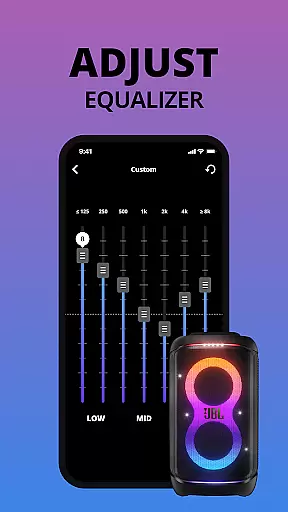
Moreover, the app provides various settings for personalizing your speaker's performance directly from your device. Users can adjust equalizer settings, balance levels, and other audio parameters to suit their preferences or the acoustics of the environment they are in. Such customization empowers users to optimize their listening experience according to different genres or moods.
In addition to personalized control over audio settings, the JBL PartyBox app ensures that all software updates enhance sound capabilities further. These updates often include improvements in audio processing algorithms which maintain the integrity of sound reproduction across all compatible devices. With these advanced audio quality options, listeners can be confident they're experiencing music as intended by the artists with pristine clarity and depth.
User-friendly interface
Wireless connectivity
Customizable settings
Regular software updates
Comprehensive support resources
Limited speaker compatibility
No offline functionality
Occasional connection issues
Requires stable internet
Basic equalizer options

Time Guru will strengthen your internal sense of musical time via random muting.
 4.30
4.30
The Skullcandy App Experience
3.20
Pay Once, no monthly payment
4.60
Permanently backup Now Playing. Maps, filters & listening stats.
4.00
Simple & Intuitive Metronome
4.70
Ultimate Sonos Controller
4.70
Recording studio w/ 10k beats, pro vocal FX and a network of 20M rappers & fans!
4.60
Listen to offline music and sounds from all categories
4.70
Customize Your Favorite Songs and Videos with booster.
4.70
Walkout Song DJ is the most intuitive app to manage your sports music.
4.70
Over 100 million tracks available for high quality streaming and download
4.60
Help you quickly get started with Shokz headphones
4.40
Ringtone Maker is free app create ringtone from music files or your recording.
4.40
Enjoy singing any song, no matter how high or low it is
4.30
Offline and always ad-free - stream in the highest quality available.
4.10
Sing, record, and create music together — enhanced by smart voice tools.
4.00
Turn your phone into a musical instrument from the future!
3.90
The only true audiophile music player with Hi-Fi audio rendering and DSP engine
3.90
Learn to play the piano using falling notes!
3.80


User Reviews