


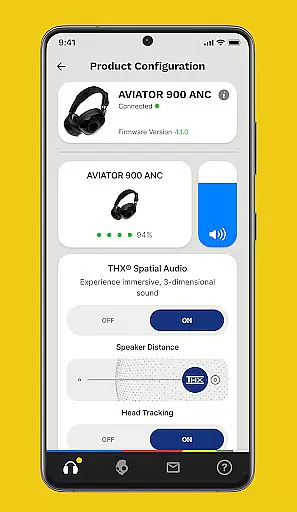


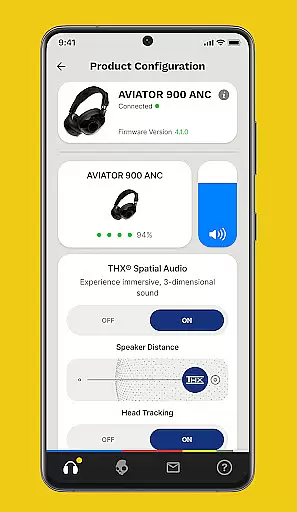


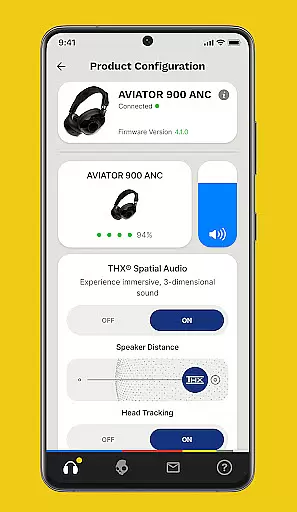
The Skullcandy App is a dedicated audio companion that allows users to enhance and customize their listening experience. With this app, you can control various product features and settings, access detailed user guides, and update firmware versions for select Skullcandy products. Whether you're looking to personalize your sound profile or keep your device up-to-date with the latest firmware, the Skullcandy App provides all the necessary tools.
One of the standout features is Personal Sound, which lets you tune your audio device to match your unique hearing profile after taking a simple hearing assessment. Additionally, the app offers Equalizers & Hearing Modes that adapt to different noise environments and preferences. This ensures an optimal listening experience in any situation. The app also supports firmware updates, ensuring your Skullcandy devices always deliver top-notch performance.
The Skullcandy App boasts a variety of advanced features designed to elevate your audio experience. One key feature is Personal Sound, which creates a customized sound profile based on your hearing abilities. By completing a straightforward hearing test within the app, you can enjoy music tailored specifically to your auditory needs.
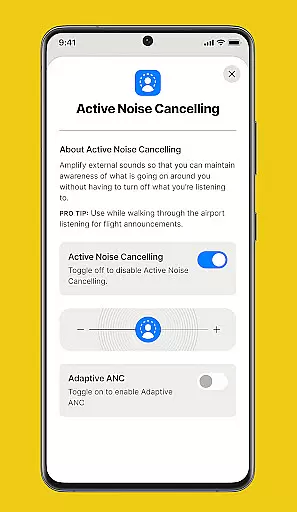
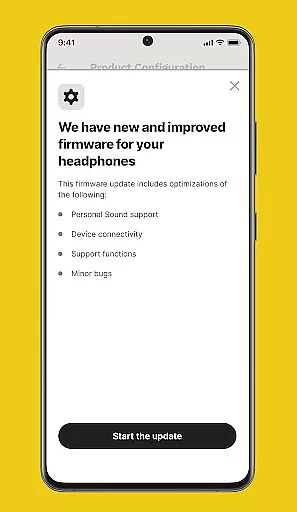
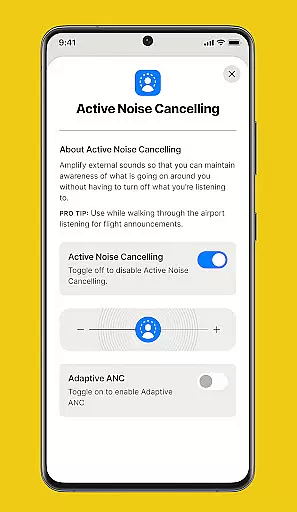
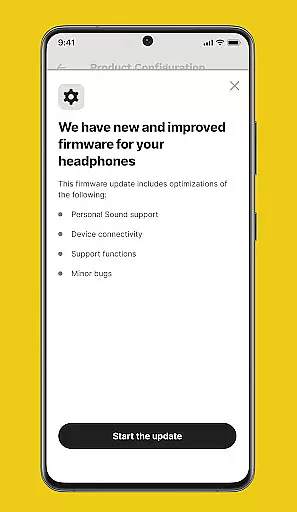
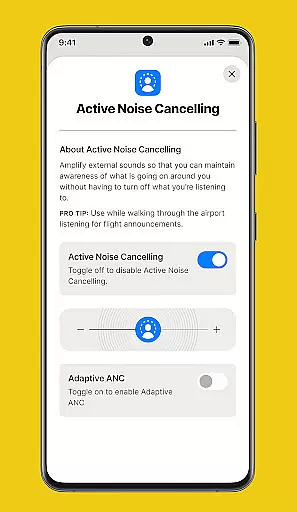
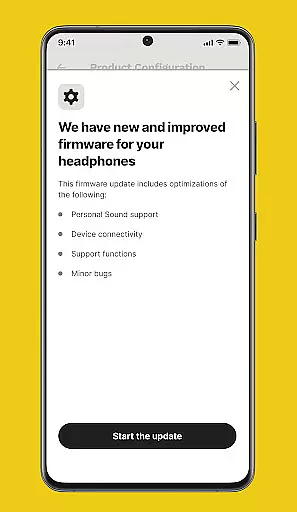
In addition to personalized sound, the app includes adjustable Equalizers & Hearing Modes. These modes can be toggled on or off depending on your current environment and listening preferences, providing flexibility and control over your audio output. Firmware updates are another crucial aspect, as they ensure your Skullcandy devices remain equipped with the latest enhancements and improvements released by the manufacturer.
For added convenience, the app provides comprehensive User Guides & Support. Detailed manuals and quick guides help you maximize the potential of your Skullcandy products, while push notifications alert you to available upgrades, keeping your devices at peak performance levels.
When it comes to digital music platforms, the size and authenticity of the music library are crucial factors for users. The Skullcandy app offers a unique approach by focusing on personal sound profiles rather than hosting an extensive music collection. This personalized experience ensures that each user gets the most out of their audio content.
The app allows users to take a simple hearing assessment, creating a customized sound profile that optimizes their listening experience. While the Skullcandy app may not boast millions of tracks like some streaming services, its focus on quality over quantity ensures that users enjoy their music with enhanced clarity and detail.
Regarding copyright authenticity, Skullcandy maintains compliance by working directly with licensed product firmware updates. These updates ensure that all audio processing features remain legally compliant while delivering optimal performance. Users can trust that their personalized sound experience is both legal and of high quality.
Audio quality is paramount for any music application, and Skullcandy excels in providing various options to enhance this aspect. The app offers advanced equalizer settings and hearing modes that allow users to fine-tune their listening experience according to different environments and preferences. These features ensure that whether you're in a noisy street or a quiet room, your audio remains clear and enjoyable.
Skullcandy's commitment to maintaining top-notch audio quality extends to its regular firmware updates. As new improvements become available, users receive notifications to upgrade their devices. These updates often include enhancements to sound processing algorithms, ensuring that your Skullcandy products always deliver the latest in audio technology.
Furthermore, the app provides detailed user guides and support resources. These materials help users understand how to maximize their device's audio capabilities, from adjusting equalizer settings to optimizing noise cancellation features. With these comprehensive tools, Skullcandy ensures that every user can achieve professional-level audio quality tailored to their specific needs.
Customizable sound profiles
Intuitive user interface
Regular firmware updates
Detailed user guides
Personalized hearing assessment
Limited device compatibility
No offline functionality
Occasional connectivity issues
Firmware update delays
Basic customer support

Fun & Easy Voice Changer – Record, Edit & Add Hilarious Effects!
 4.50
4.50 4.70
4.70
SqueezePlayer turns your Android phone or tablet into a SqueezeBox on its own!
4.60
Make music anywhere. Turn your device into an instrument.
4.5
Walkout Song DJ is the most intuitive app to manage your sports music.
4.70
Music Streaming suite for Ampache, Nextcloud Music and compatible backends.
4.0
Guzheng Master supports many playing techniques as an acoustic Guzheng
4.50
A sleek, no-frills player designed for true music lovers.
4.20
One-tap booster for max volume - enjoy powerful sound with this audio booster
4.50
Make songs with AI! Any genre, custom lyric, song generator for music creation!
4.80
Performance-Synthesizer & Multi-Track-Sequencer, polyphonic + multi timbral!
4.70
Bass Booster & Volume Equalizer Pro improves your music and video sound quality
4.60
Recording studio w/ 10k beats, pro vocal FX and a network of 20M rappers & fans!
4.60
Full featured mp3 and audio player with Chromecast and Android Auto support.
4.40
The Music Journey in Your Hands
4.30
Master Salsa Rhythm quickly and with a lot of fun!
4.30
Time Trainer: accurate metronome w tools to help you develop your internal time!
4.20
Network/Cloud Streaming, Visualization, Graphic Equalizer and Sound Effects.
4.20
The ultimate media player for Android devices
3.90


User Reviews