
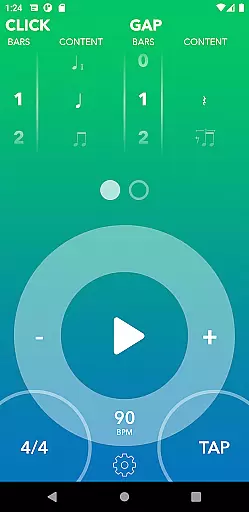
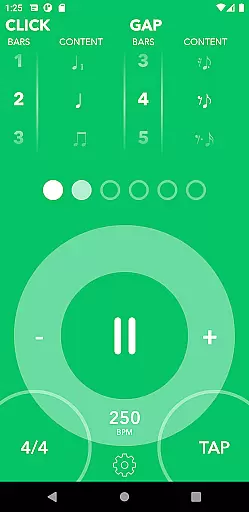
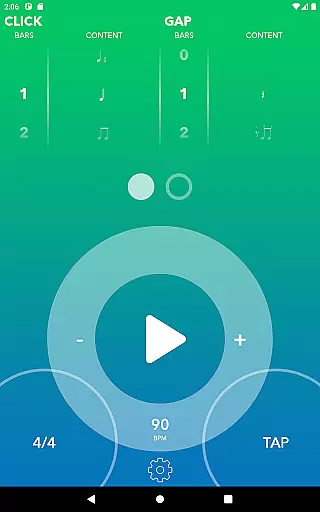
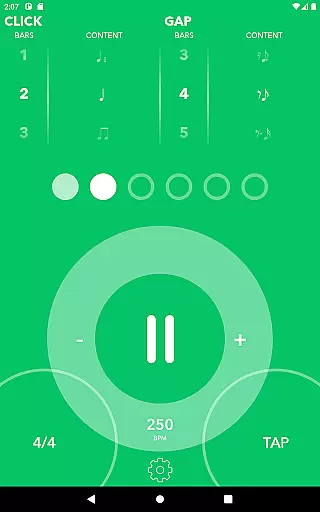
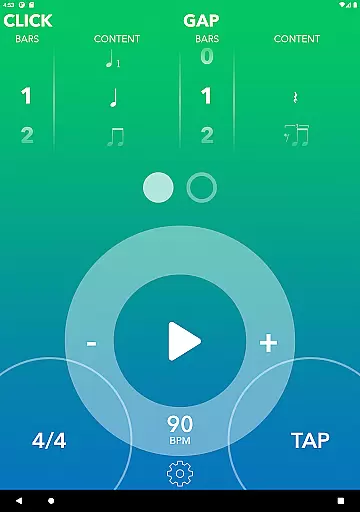
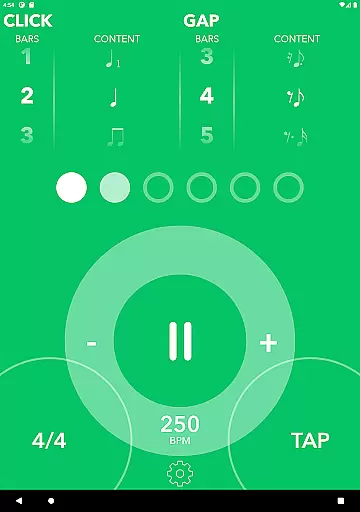
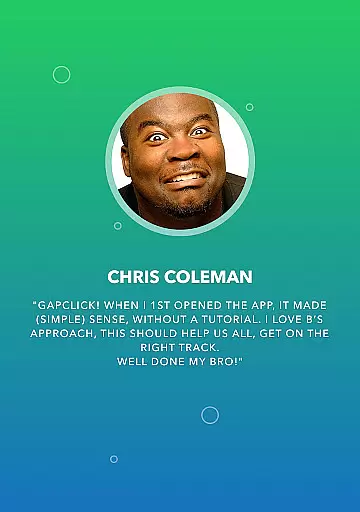
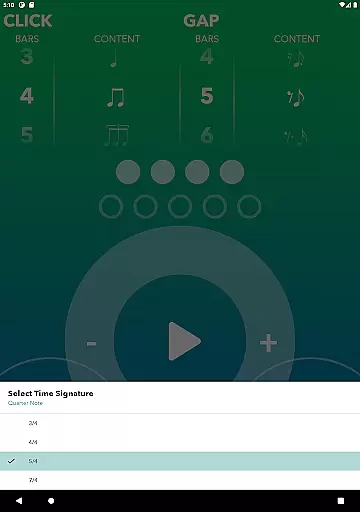
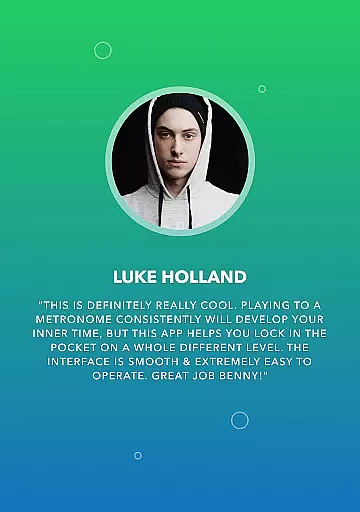
Gap Click by Benny Greb is a specialized metronome app designed to enhance drummers' timing and groove. Unlike traditional metronomes, it incorporates a unique 'gap' feature where the click drops out for a customizable number of bars, challenging users to maintain tempo independently. This Music & Audio app also offers 'moving click' functionality that shifts the click from downbeat to offbeat positions, helping musicians internalize complex rhythms.
The app supports both binary and ternary rhythms with various syncopated patterns, catering to different skill levels. With personalized settings like visual feedback, beat accents, and custom click sounds handpicked by Benny Greb himself, this tool provides a comprehensive practice solution. The one-time purchase model includes all current and future features, making it an invaluable asset for drummers looking to refine their timing skills at any level.
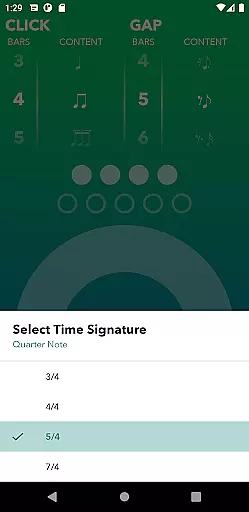
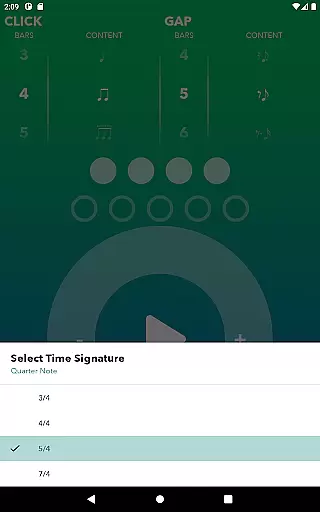
Gap Click stands out in the Music & Audio category through its innovative approach to rhythm training. The app's signature feature is its configurable gap system, allowing users to set varying lengths of silent measures between clicks. This trains musicians to maintain consistent tempo without external reference points. The moving click function further enhances this training by placing click sounds on offbeat positions across different time signatures including 3/4, 4/4, 5/4, and 7/4.
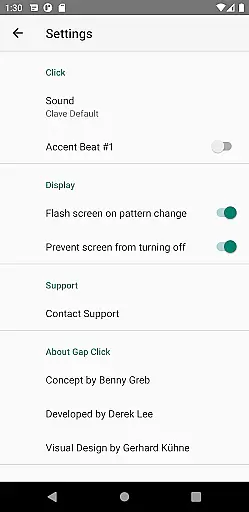
Additional notable features include a nostalgic click wheel for precise tempo setting, multiple syncopated pattern options for both click and gap portions, and various customization options. Users can personalize their experience with visual feedback indicators, measure accents, screen flash notifications, and a selection of high-quality click samples curated by Benny Greb. These comprehensive features create an adaptive learning environment suitable for both beginner and professional drummers seeking to elevate their rhythmic accuracy.
When it comes to music applications, the size and authenticity of the music library are crucial factors. Gap Click by Benny Greb offers a unique approach to rhythm training that stands apart from traditional metronomes. The app provides a diverse set of syncopated patterns and time signatures, which serve as an innovative library for drummers.
The application includes standard quarter-note time signatures such as 3/4, 4/4, 5/4, and 7/4, allowing users to practice with a variety of rhythms. These are not pre-recorded tracks but customizable beats that can be adjusted to fit the user's practice needs. This flexibility ensures that musicians have access to a wide range of rhythmic structures, akin to having a vast music library at their disposal.
Regarding copyright authenticity, users can trust that the content provided within the Gap Click app is legitimate. All patterns have been hand-picked by Benny Greb himself, a renowned figure in the drumming education community. His expertise guarantees that the material is both original and respectful of copyright laws, providing peace of mind for users who wish to engage with the content without legal concerns.
By focusing on the development of a drummer's internal sense of time rather than simply offering a static set of audio files, Gap Click emphasizes learning and adaptability. This educational aspect enriches the value of its 'music library,' ensuring that each pattern serves a purpose in the growth of the musician's timing skills.
Audio quality is paramount when it comes to music applications, especially those designed for instrument practice. Gap Click by Benny Greb places a strong emphasis on delivering high-quality sound options to enhance the practice experience for drummers. The app features a selection of click samples personally curated by Benny Greb, ensuring that each sound is clear and precise.
Users can choose from various click sounds to find their preferred tone, which is critical when maintaining timing during practice sessions. A crisp and accurate click sound helps drummers develop their internal clock and improve their playing precision. With Gap Click, every tick is engineered to provide optimal feedback, making it easier for users to stay locked into the rhythm.
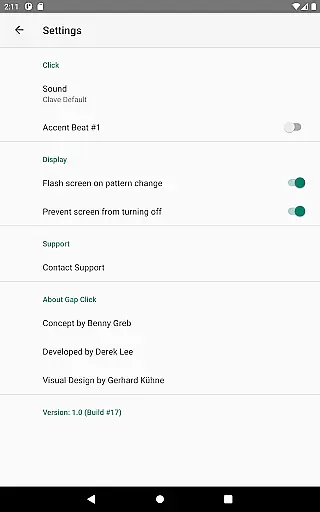
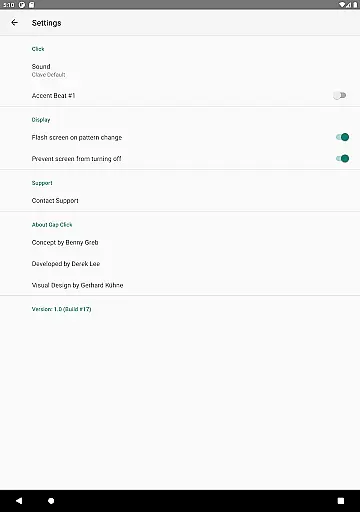
In addition to selecting different click sounds, the app also allows for visual feedback customization. Musicians can accent the first beat of each measure or turn off accents entirely based on their preference. This combination of auditory and visual cues caters to individual learning styles and preferences, thus enhancing the overall audio experience.
Gap Click stands out by offering these personalized audio settings without any hidden costs; there are no in-app purchases necessary to unlock features. Once purchased, users gain access to all current and future features, including any updates that may further refine audio quality options. This commitment to quality ensures that musicians receive the best possible tool for honing their craft.
Unique gap training method
Customizable click patterns
Professional sound quality
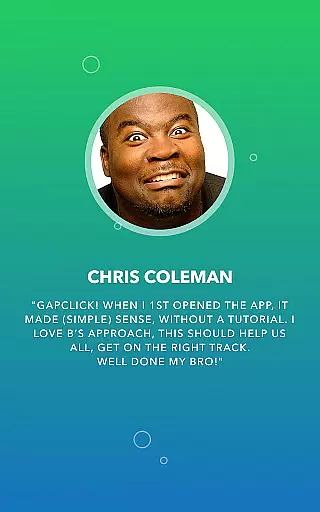
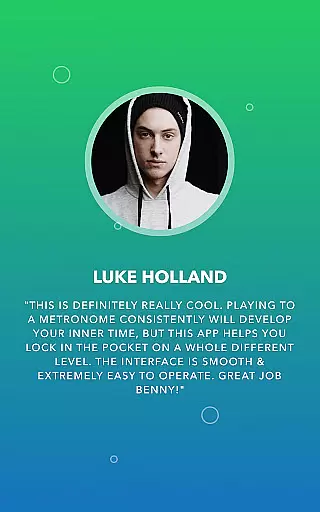
Intuitive user interface
No in-app purchases
Limited to rhythm training
Advanced features may overwhelm beginners
Specific to drum practice
Interface could appear dated
Requires basic music knowledge

Fun & Easy Voice Changer – Record, Edit & Add Hilarious Effects!
 4.50
4.50
Your HD audio recorder on the go for music, meetings, ambience, animal sounds…
4.30
Gorgeous UI, Powerful music Search and Equalizer, the great choice for you!
4.70
VB-AUDIO Software / VBAN-Receptor allows listening to any VBAN Streams
4.10
A High-Precision Audio Spectrum Analysis App
4.20
Permanently backup Now Playing. Maps, filters & listening stats.
4.00
Next generation modular control surface
4.10
USB audio recording and playback finally possible on Android 3.1 or higher!
3.90
Versatile MP3 recorder with auto-backup to Dropbox and Google Drive
4.10 4.70
4.70
Most Advanced AI Song Generator and Music Creator. Rap, Pop, Rock, Gospel & more
4.70
Visualize the guitar fretboard, master scales & play through changes like a pro!
4.50
Equalizer, Bass Booster and Volume Booster (Eq & Bass) improve sound quality
4.30
Advanced 10-Band Audio Graphic Equalizer Sound Booster Pro
4.30
Turn your Android phone into a professional audio analyser with up to 120 bands.
4.00
Turn your phone into a musical instrument from the future!
3.90
The ultimate media player for Android devices
3.90
Learn to play the piano using falling notes!
3.80
Simply convert wav to mp3. Clear. Reliable. Safe.
4.0


User Reviews