
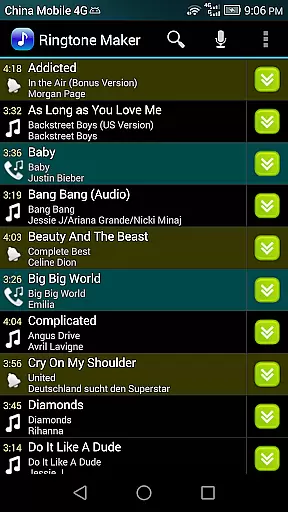
Ringtone Maker Pro is a comprehensive audio editing tool designed for creating personalized ringtones, alarms, and notifications. The app supports multiple audio formats including MP3, WAV, AAC/MP4, and 3GPP/AMR files, making it versatile for various user needs.
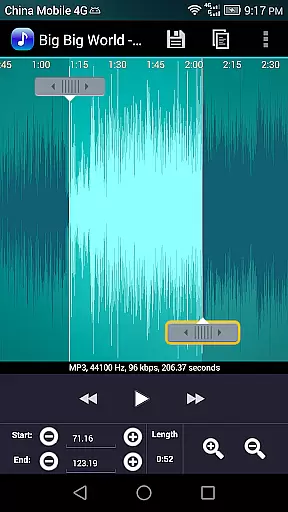
One of the standout features is its intuitive timeline interface that allows users to precisely set start and end points for audio clips. This functionality, combined with professional-grade editing tools like fade in/out effects and volume adjustment for MP3 files, enables users to create high-quality audio content with ease.
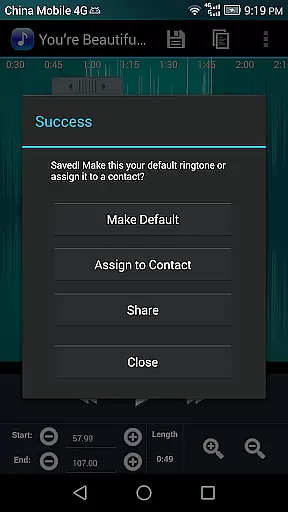
The application's value extends beyond simple ringtone creation. Its ability to assign custom ringtones directly to contacts and manage these assignments through an organized interface makes it particularly useful for users who want to personalize their communication experience. Additionally, the waveform visualization at five zoom levels provides precise control over audio editing.
Ringtone Maker Pro offers an impressive array of features that cater to both casual users and audio enthusiasts. The app's copy, cut, and paste functionality streamlines the editing process while maintaining audio quality throughout modifications.
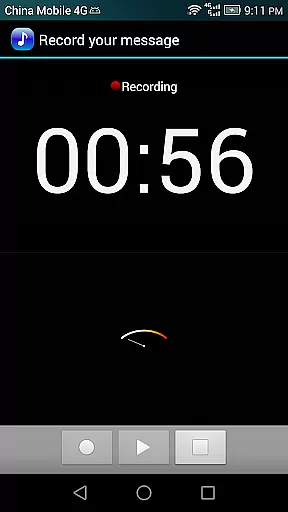
Advanced capabilities include the ability to preview edited files before saving, view detailed waveform representations, and utilize a touch interface for setting precise audio clip boundaries. Users can also record new audio clips directly within the app and edit them immediately, providing a complete audio creation solution.
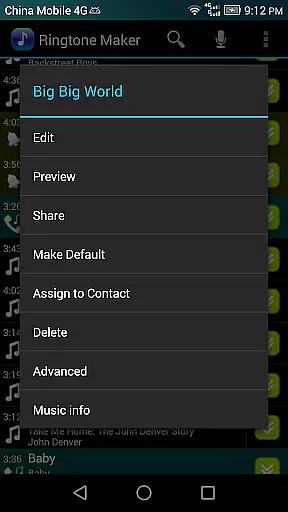
What sets this app apart is its comprehensive file management system. Users can sort audio files by tracks, albums, or artists, and save edited content in dedicated folders for ringtones, notifications, alarms, or music. The app's permission structure ensures secure access to necessary device functions while maintaining user privacy.
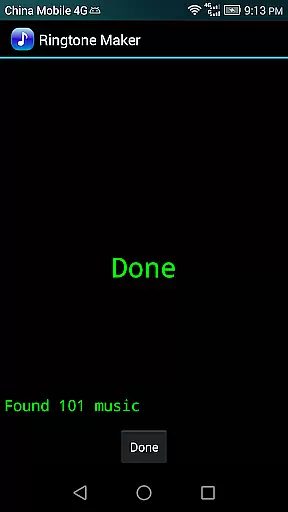
Ringtone Maker Pro offers a comprehensive music library that allows users to create ringtones, alarms, and notifications from various audio file formats such as MP3, WAV, AAC/MP4, and 3GPP/AMR. The application ensures that all the audio files used are copyright compliant, providing peace of mind for users who want to personalize their devices without infringing on intellectual property rights.
The app's extensive compatibility with multiple audio formats means that users can work with a wide range of music tracks, ensuring a diverse selection for creating unique ringtones. This flexibility empowers users to utilize their personal music collection or legally obtained audio files, thus maintaining copyright authenticity while enjoying customization.
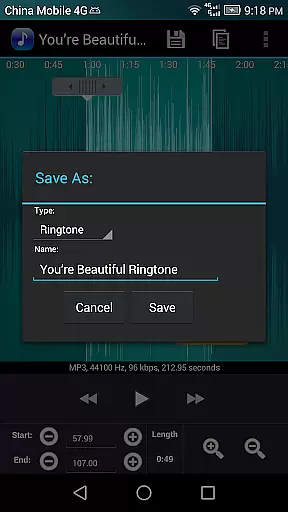
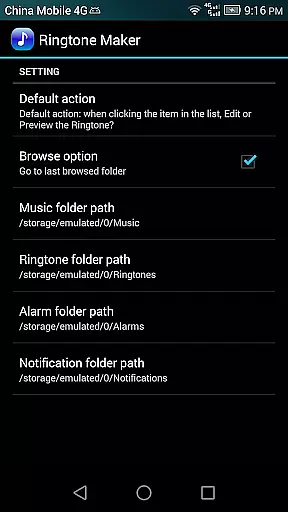
With Ringtone Maker Pro, users have the freedom to edit and save their creations in specific directories on their SD card, such as 'ringtones', 'notifications', and 'alarms'. This structured approach not only maintains order but also simplifies the process of managing and assigning audio files to different functions on the device.
One of the standout features of Ringtone Maker Pro is its ability to provide high-quality audio options. Users can adjust volume levels and apply fade-in/out effects specifically for MP3 files, ensuring that the output meets their auditory preferences and maintains clarity.
The app includes a waveform representation of audio files, available at five zoom levels, allowing for precise editing. This visual tool aids in setting accurate start and end points for ringtones, which contributes to the overall audio quality by eliminating unwanted sections and focusing on the desired sound clip.
Furthermore, Ringtone Maker Pro enables users to preview their edited ringtone files before saving. This feature ensures that the audio quality matches expectations and allows for any final adjustments prior to assignment as a ringtone, alarm, or notification, guaranteeing an optimal listening experience every time.
User-friendly interface
Multiple audio format support
Precise editing controls
Comprehensive file management
Direct contact assignment
Requires storage permission
Contact access needed
No cloud backup
Basic UI design
Occasional ads

Turn your phone into a musical instrument from the future!
 3.90
3.90
Performance-Synthesizer & Multi-Track-Sequencer, polyphonic + multi timbral!
4.70
DJ Music Mixer Pro is a real DJ controllers and DJ Music Studio to remix DJ.
4.40
DJ Music Mixer - DJ Remix: remix songs, make beat music & record mix of DJ.
4.40
JBL PartyBox APP works with 110/310/710/120/320/520/Encore/Encore 2/Encore Ess 2
4.80
Permanently backup Now Playing. Maps, filters & listening stats.
4.00
Advanced 10-Band Audio Graphic Equalizer Sound Booster Pro
4.30
Uninterrupted Tunes, Unmatched Vibes
3.90
Be a true music maker: create beats, mix and make music like a real DJ!
4.30
Make songs with AI! Any genre, custom lyric, song generator for music creation!
4.80
Gorgeous UI, Powerful music Search and Equalizer, the great choice for you!
4.70
Unleash your creativity! Turn simple prompts into full fledged songs.
4.70
Over 100 million tracks available for high quality streaming and download
4.60
Learn the notes on the guitar fretboard fast with this easy and fun app
4.60
Reverse your voice & songs instantly! Fun singing challenge with cool effects.
4.60
A High-Precision Audio Spectrum Analysis App
4.20
The original SP-1200 experience on your iPad
4.20
Versatile MP3 recorder with auto-backup to Dropbox and Google Drive
4.10
Learn to play the piano using falling notes!
3.80


User Reviews