
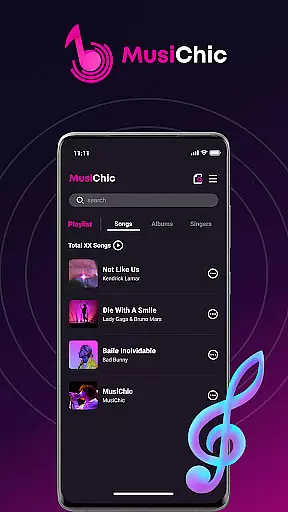
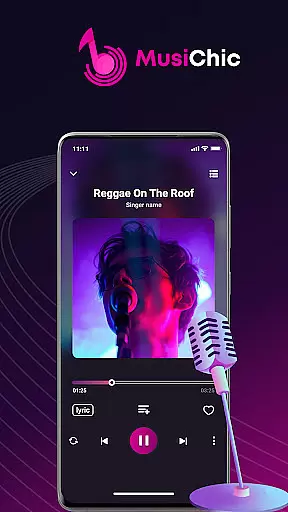
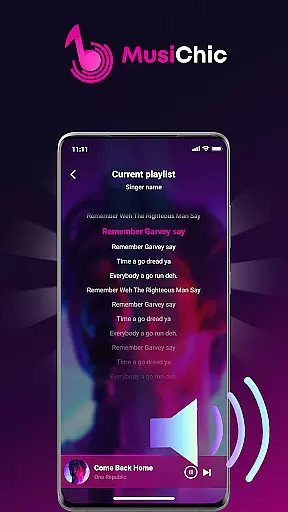
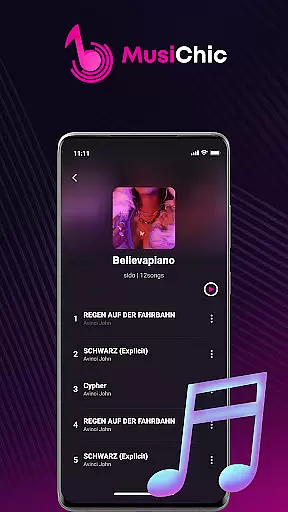
MusiChic is a premium offline music player designed for discerning music enthusiasts who value both quality and functionality. This application transforms your mobile device into a personal concert hall, delivering lossless audio playback across multiple formats while offering an intelligent organizational system.
The app's key strength lies in its ability to manage local music libraries with exceptional efficiency. Through smart scanning technology, it automatically categorizes your collection by album, artist, and genre. Whether you're relaxing at home or traveling abroad, MusiChic ensures uninterrupted access to your favorite tracks without requiring an internet connection.
MusiChic distinguishes itself through several innovative features that enhance the listening experience. Its instant local library function employs advanced scanning algorithms to quickly identify and organize audio files, supporting various popular formats including MP3, FLAC, and WAV.
The app's intelligent curation system goes beyond basic organization by providing lightning-fast search capabilities and customizable playlists. Users can create unlimited collections tailored to their preferences while enjoying crystal-clear sound quality that rivals professional audio equipment. These features combine to create a personalized music salon right on your mobile device.
A comprehensive music library is essential for any music player application. MusiChic offers an extensive local library that supports various major audio formats, ensuring users have access to a wide range of music without worrying about compatibility issues.
The app's smart audio file scanning feature automatically detects and organizes music files on your device, making it easy to manage your collection. This functionality not only enhances user convenience but also guarantees that all content within the library is authentic and legally owned by the user.
With support for lossless audio playback, MusiChic ensures that listeners experience their music in the highest possible quality. The emphasis on copyright authenticity means users can enjoy their personal collections with peace of mind, knowing that their listening habits comply with legal standards.
Superior audio quality is a hallmark of any premium music player. MusiChic excels in this area by providing lossless audio playback capabilities, allowing users to listen to their favorite tracks exactly as the artists intended.
The application supports multiple audio formats, catering to audiophiles who demand the best sound reproduction. Whether you prefer FLAC, WAV, or other high-fidelity formats, MusiChic delivers an unparalleled listening experience that captures every nuance of your music collection.
Additionally, the app's intelligent music curation features enhance the overall audio experience. By organizing tracks based on album, artist, and genre, users can create personalized playlists that suit their mood and preferences, further enriching their musical journey.
Lossless audio quality
Smart file scanning
Offline playback support
Multi-format compatibility
Intuitive organization
No streaming service
Limited social features
Premium price point
Android only
Complex interface

Formerly known as Spotistats! View your top tracks, artists, albums and more!
 4.40
4.40
The Music Journey in Your Hands
4.30
DJ Music Mixer Pro is a real DJ controllers and DJ Music Studio to remix DJ.
4.40
Your song collections with lyrics and chords on Android smartphones and tablets.
4.80
Super Sound Editor, Song Maker & Mixer, Vocal Remover, Voice Recorder & Changer!
4.60
Play your hearts out on TouchTunes jukeboxes & connect with fellow music lovers.
4.80
Let your Android device with the sound effects you want
4.50
Sheet music reader, piano & music note player. Play music score & learn to read.
3.90
Ringtone Maker is free app create ringtone from music files or your recording.
4.40
Tune in to the greatest hits on UK Radio | The home of Capital, Smooth & Heart.
4.90
Voice recorder - Audio recorder. Best recorder for recording
4.90
JBL PartyBox APP works with 110/310/710/120/320/520/Encore/Encore 2/Encore Ess 2
4.80
Gorgeous UI, Powerful music Search and Equalizer, the great choice for you!
4.70
Most Advanced AI Song Generator and Music Creator. Rap, Pop, Rock, Gospel & more
4.70
Ultimate Sonos Controller
4.70
Recording studio w/ 10k beats, pro vocal FX and a network of 20M rappers & fans!
4.60
Reverse your voice & songs instantly! Fun singing challenge with cool effects.
4.60
A synth that really lets you shape your sounds!
4.50
The Minimalistic Premium Music Player. Handmade with passion for music
2.20


User Reviews