
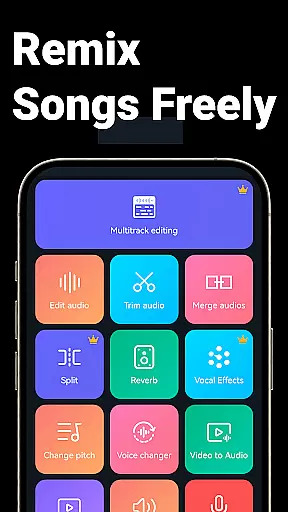
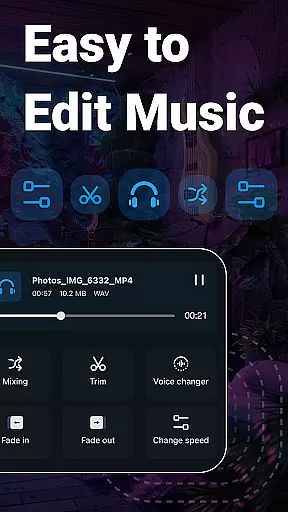
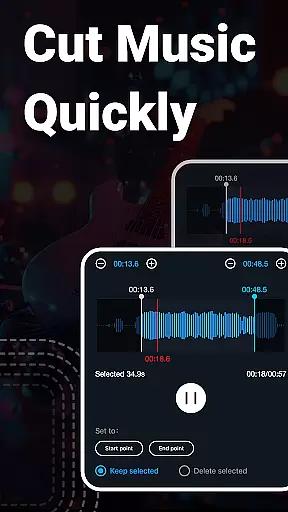
Music Audio Editor, MP3 Cutter is a comprehensive audio editing tool designed for both casual users and professionals on Android. This powerful app allows you to cut, splice, mix, and convert audio files with precision and ease. Whether you're creating custom ringtones or editing music tracks, the application provides all necessary features including vocal removal, pitch adjustment, and format conversion.
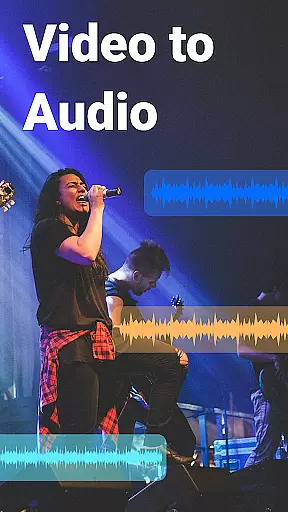
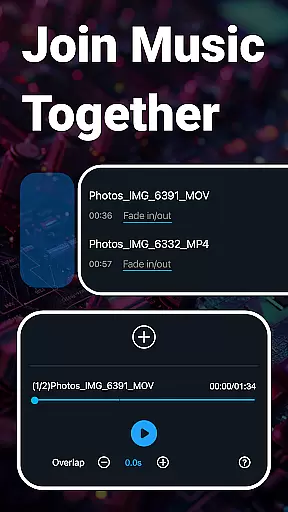
The app stands out with its multitrack editing capabilities, letting you work on multiple audio layers simultaneously. You can also enhance your projects with fade-in/out effects, tempo changes, and equalizer settings. With additional functionalities like video-to-audio conversion and batch processing, it caters to a wide range of audio editing needs while maintaining an intuitive user interface.
One of the key strengths of Music Audio Editor, MP3 Cutter is its extensive feature set that covers all fundamental and advanced audio editing tasks. The app offers precise cutting tools that allow edits down to milliseconds, alongside robust splicing functions for combining tracks seamlessly. Its ability to change volume, pitch, and playback speed makes it versatile for creative sound design.
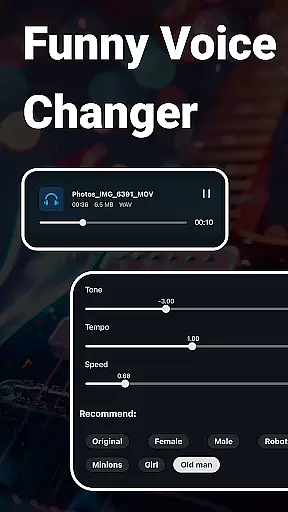
Beyond basic editing, the app includes innovative features such as voice changing, which lets you alter audio to mimic different voices, and vocal removal for isolating instrumental parts from songs. The integrated music equalizer and compressor provide further control over your audio output quality. Moreover, support for various formats ensures compatibility across devices, making this app a one-stop solution for all your audio editing requirements.
When it comes to music editing applications, the size and authenticity of the music library are crucial factors. Music Audio Editor, MP3 Cutter offers an extensive library with over 2000 royalty-free tracks available for download and use. This vast collection ensures that users have a wide variety of music genres and styles at their disposal, catering to different project needs and creative expressions.
The app places a strong emphasis on copyright authenticity. All the music tracks provided are guaranteed to be free from copyright issues, allowing users to incorporate them into their projects without legal concerns. This is particularly beneficial for content creators who require music for videos, podcasts, or other multimedia projects where licensing could otherwise be a hurdle.
Moreover, the integration of these tracks within the application is seamless. Users can easily browse, preview, and download their desired music directly through the app interface. The availability of multiple audio formats such as mp3, aac, wav, flac, m4a, and amr further enhances the versatility of the music library, ensuring compatibility with various devices and platforms.
In summary, Music Audio Editor, MP3 Cutter not only provides a large and diverse music library but also assures users of the legal and hassle-free use of its contents. This feature significantly enriches the user experience by offering both quantity and quality in its music offerings.
Audio quality is paramount when editing and producing music or audio files. Music Audio Editor, MP3 Cutter excels in providing users with a range of audio quality options to suit different requirements and preferences. Whether you're looking to maintain high fidelity in your audio projects or need smaller file sizes for easier sharing, this app has got you covered.
The application supports various audio formats including mp3, aac, wav, flac, m4a, and amr, each known for its unique balance between quality and compression. Users can choose the output sound channel, sample rate, and bit rate according to their specific needs. This flexibility allows for precise control over the final audio output, whether it's for professional-grade music production or casual listening.
Additionally, the app includes advanced features like audio compression and equalizer settings. These tools enable users to fine-tune their audio files further, adjusting parameters such as pitch, tempo, and volume to achieve the desired sound quality. The inclusion of a multitrack audio editor adds another layer of sophistication, allowing for complex audio mixing and editing tasks.
In essence, Music Audio Editor, MP3 Cutter empowers users with comprehensive audio quality options. By offering a blend of format support, customizable settings, and advanced editing capabilities, the app ensures that every audio project meets the highest standards of sound excellence.
User-friendly interface
Extensive format support
Advanced editing tools
Vocal removal feature
Multitrack capabilities
Occasional bugs reported
Ads in free version
Complex for beginners
Limited iOS availability
Heavy on storage

The Cubase remote control app
 3.60
3.60
Simple & Intuitive Metronome
4.70
The only true audiophile music player with Hi-Fi audio rendering and DSP engine
3.90
Bass Booster Pro takes auto-equalizing to the next level!
4.30
Music Streaming suite for Ampache, Nextcloud Music and compatible backends.
4.5
Listen radio AM / FM Stations. Live AM / FM Radio App Station. Radio Com.
4.70
Offline Music Player&MP3 Player with themes, equalizer, lyrics, music play mode
4.60
Powerful 10-Band equalizer pro with sound booster improves Android audio quality
4.30
Responsive piano with great sounds, graphics, and songs
4.80
A synth that really lets you shape your sounds!
4.50
Save hundreds of dollars for a physical strobe tuner and instead use this app.
4.50
Help you quickly get started with Shokz headphones
4.40
Your HD audio recorder on the go for music, meetings, ambience, animal sounds…
4.30
A sleek, no-frills player designed for true music lovers.
4.20
PowerAudio is a powerful offline music player.
4.20
VB-AUDIO Software / VBAN-Receptor allows listening to any VBAN Streams
4.10
The official Sonos app
4.10
Sing, record, and create music together — enhanced by smart voice tools.
4.00
Slow music down without changing pitch.
3.70


User Reviews