
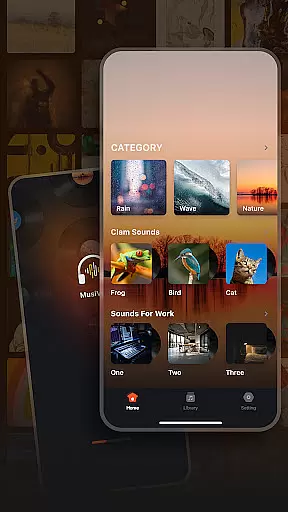
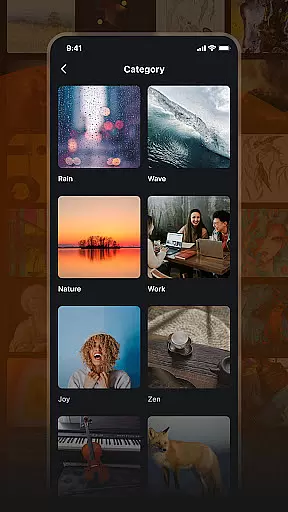
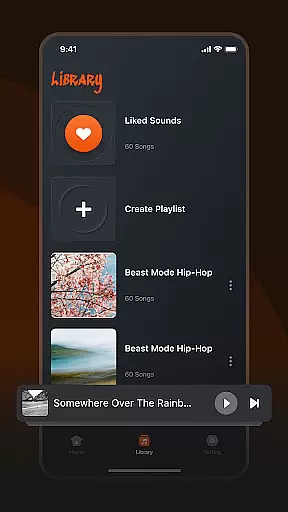
Musivibe is a feature-rich offline music player designed to enhance your listening experience. The app intelligently categorizes various soundscapes including rain, ocean waves, and nature sounds, making it easy to find the perfect audio for any mood or setting. Whether you need background music for work or relaxing sounds for meditation, Musivibe delivers a seamless experience across all devices.
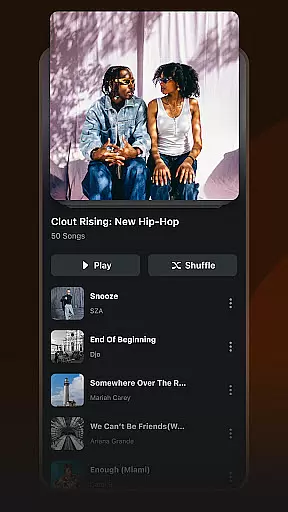
With its intuitive user interface and powerful customization options, users can create personalized playlists that suit their individual preferences. The ability to stream, edit, and share playlists adds another layer of versatility, ensuring that your music journey remains unique and engaging.
Musivibe stands out with its diverse range of sound categories, from cheerful melodies to zen-like atmospheres. Each category is carefully curated to provide an immersive listening experience. The app's playlist management system allows users to not only organize their favorite tracks but also customize them extensively.
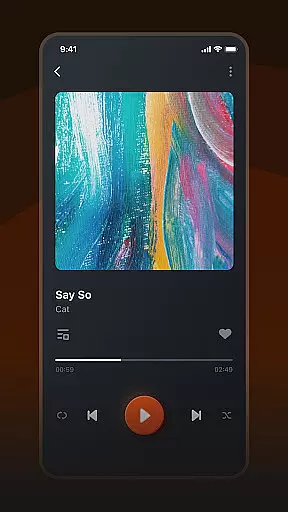
The in-app UI design focuses on simplicity and functionality, ensuring effortless navigation. Users can easily create new playlists, add songs, and modify existing ones. Additionally, the sharing feature enables seamless distribution of custom playlists across social platforms, enhancing user interaction and connectivity.
When it comes to music applications, the size and authenticity of the music library are crucial factors. Musivibe offers an extensive collection of categorized songs and sounds, ranging from Rain, Ocean Waves to Instruments and Animals. This diverse library ensures that users have access to a wide variety of music genres without any copyright infringement issues.
The application's commitment to copyright authenticity means that all tracks are legally obtained, giving users peace of mind while enjoying their favorite tunes. By categorizing its vast music library, Musivibe makes it easy for users to find exactly what they're looking for, whether it's ambient sounds for relaxation or energetic beats for workouts.
Musivibe's dedication to providing a comprehensive and legal music library enhances the overall user experience. With this app, you can be sure that you're accessing a vast array of music that respects intellectual property rights, ensuring a worry-free listening experience anytime, anywhere.
Audio quality is paramount when choosing a music player, and Musivibe excels in offering various audio quality options. The app supports high-quality audio formats, allowing users to enjoy crystal-clear sound whether they're listening to nature sounds or their favorite tunes. This focus on superior audio quality ensures that every note and sound is reproduced faithfully, just as the artist intended.
In addition to supporting high-quality formats, Musivibe also allows users to customize their listening experience through personalized playlists. You can create and organize playlists that suit your mood, knowing that each track will be played in the best possible quality. This feature is particularly beneficial for audiophiles who demand the highest standards in audio reproduction.
By prioritizing both audio quality options and user customization, Musivibe sets itself apart as a premier music player. Users can stream, edit, and share custom playlists with confidence, knowing that their creations will be enjoyed in optimal sound quality by themselves and others.
User-friendly interface
Customizable playlists
Wide sound variety
Offline playback support
Intuitive organization tools
Limited advanced equalizer
No lyrics display feature
Occasional app slowdowns
Ads in free version
Large app size

Equalizer, Bass Booster and Volume Booster (Eq & Bass) improve sound quality
 4.30
4.30
Control your MIDI USB or Bluetooth devices in app and avoid some trampling
3.30
VB-AUDIO Software / VBAN-Receptor allows listening to any VBAN Streams
4.10
Walkout Song DJ is the most intuitive app to manage your sports music.
4.70
More downloads than any other metronome. Includes drum machine & tempo trainer.
4.80
Record, Mix & Master with all n-Track effects, 64-bit audio and Stem Separation.
4.70
Voice recorder - Audio recorder. Best recorder for recording
4.90
Powerful 10-Band equalizer pro with sound booster improves Android audio quality
4.30
Be a true music maker: create beats, mix and make music like a real DJ!
4.30
Tune in to the greatest hits on UK Radio | The home of Capital, Smooth & Heart.
4.90
Make songs with AI! Any genre, custom lyric, song generator for music creation!
4.80
AI Music Maker: Generate And Compose AI Tunes & AI Songs & AI Music & AI Melody!
4.60
A complete sound package for the sound engineer or enthusiast
4.60
Enhance the sound quality of your devices, listen to what you want
4.50
Bass Booster Pro takes auto-equalizing to the next level!
4.30
PowerAudio is a powerful offline music player.
4.20
Background pads for your band
3.80
The Cubase remote control app
3.60
The Skullcandy App Experience
3.20


User Reviews