
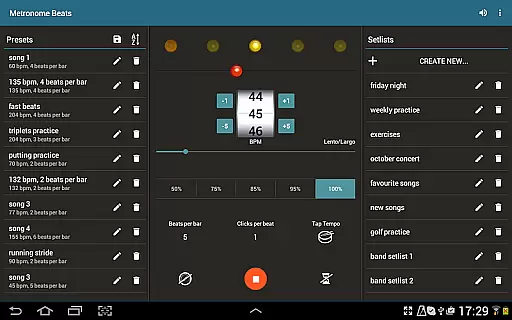
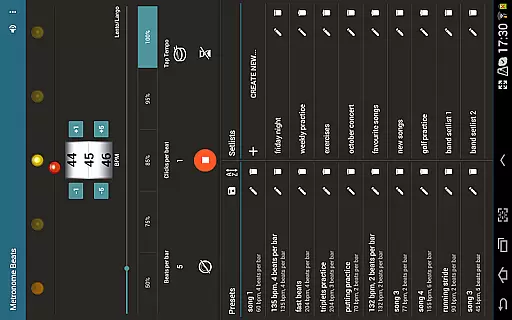
Metronome Beats Pro is a comprehensive music practice tool designed for musicians of all levels. This professional-grade metronome app combines advanced timing features with user-friendly functionality, making it an essential companion for practice sessions and live performances.
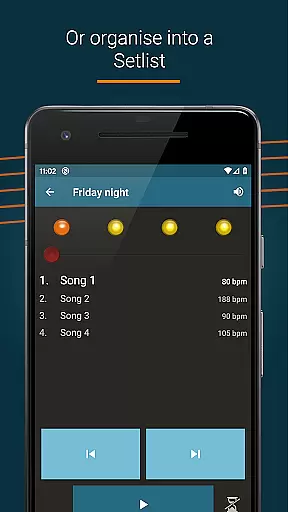
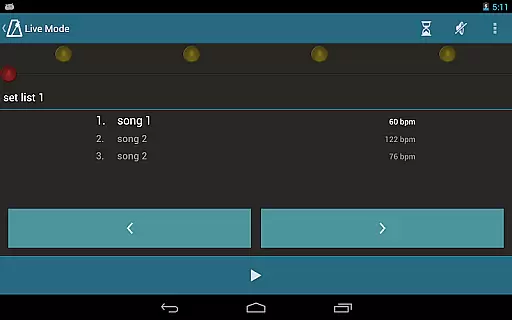
The application stands out with its unique 'Live Mode' feature that allows users to create and manage setlists, making it perfect for both individual practice and stage performances. Musicians can benefit from the app's ability to handle varying tempos within songs, customizable beat counters, and a wide selection of sound options.
Whether you're a student musician or a professional performer, Metronome Beats Pro enhances your practice routine by providing precise tempo control and visual feedback. The app's ability to run simultaneously with other music applications makes it particularly valuable for tablet users who need to read sheet music while maintaining accurate timing.
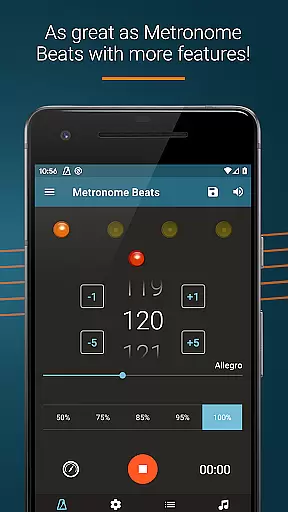
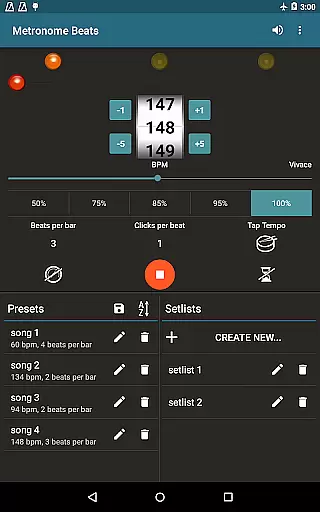
Metronome Beats Pro distinguishes itself through its extensive feature set tailored specifically for musicians. The app's speed trainer and comprehensive tempo control system allow users to select any tempo from 1 to 900 beats per minute, with additional tap tempo functionality for intuitive tempo setting.
Advanced customization options include beat subdivision up to 16 clicks per beat, Italian tempo marking displays, and accent pattern settings. The visual beat indication system provides clear timing reference even when the sound is muted, while the pitch adjustment feature ensures the metronome remains audible over instruments.
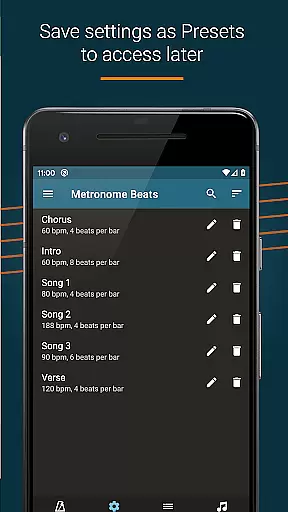
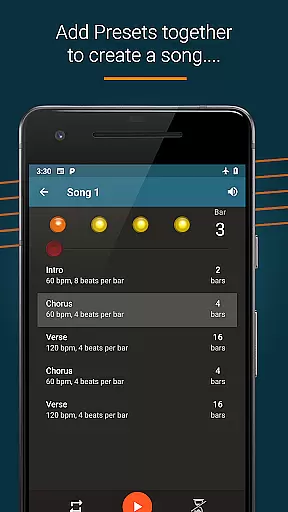
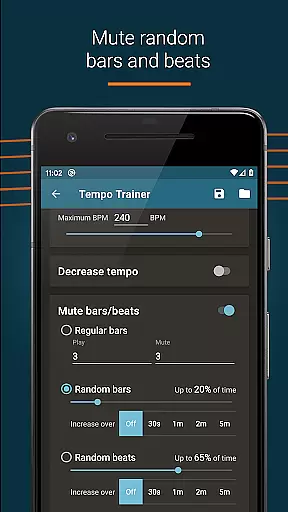
Exclusive to the Pro version are powerful organizational tools such as preset saving, song creation with varying tempos, and setlist management. These features, combined with random muting options and automatic setting preservation, make Metronome Beats Pro an indispensable tool for serious musicians seeking to enhance their practice efficiency.
Metronome Beats Pro offers a comprehensive suite of features that cater to musicians' tempo and rhythm needs, ensuring an expansive music library size. The application allows users to select any tempo from 1 to 900 beats per minute, providing a wide range of musical timing options. This vast selection establishes the app's music library as both extensive and versatile.
In terms of copyright authenticity, Metronome Beats Pro provides peace of mind. All the sounds and features within the app are legitimately licensed, meaning users can practice and perform without concern over copyright infringement. This is crucial for artists who record their sessions or perform live on stage, as they rely on authentic content to avoid legal issues.
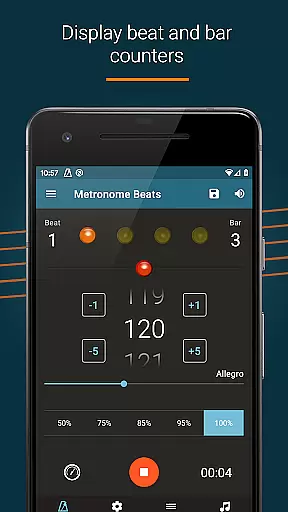
The app also includes exclusive Pro features such as beat and bar counters, and the ability to save settings as presets. These functionalities not only enhance the user experience but also reflect the depth of the music library available at oneu2019s fingertips. Users can create songs with varying tempos and organize them into setlists, which adds to the diversity and richness of the library.
Furthermore, the option to customize sound settings or change the pitch ensures that the music library meets individual preferences and requirements. Whether it's adapting the metronome to different instruments or personal hearing capabilities, these personalized adjustments underscore the app's commitment to delivering a genuine and adaptable music library.
Audio quality is paramount when it comes to metronome applications, and Metronome Beats Pro excels in this domain by offering various audio quality options. Users can choose from a range of different sound types and even modify the pitch to ensure the metronome is audible over their instrument. This flexibility in audio settings enables musicians to tailor the listening experience to their specific environment and equipment.
The app's ability to subdivide the beat with up to 16 clicks per beat showcases its superior audio precision. Musicians can practice complex rhythms like triplets with confidence, knowing that each click is accurately produced. This level of detail in audio feedback is essential for developing tight rhythmic accuracy and improving overall performance.
Additionally, the visual beat indication feature complements the audio quality options by allowing silent practice sessions. Users can mute the sound and rely on visual cues to follow the beat, which is particularly useful in noise-sensitive settings or for hearing-impaired musicians. This dual approach to rhythm tracking underlines the app's dedication to high-quality audio experiences.
Finally, the automatic saving of user settings ensures consistent audio quality across sessions. Whether practicing alone or performing live, musicians can depend on Metronome Beats Pro to deliver clear, precise, and customizable audio feedback every time they use the app. This reliability solidifies the app's reputation as a top-tier tool for audio quality in musical training.
Highly customizable
Accurate tempo control
Visual beat tracking
Multiple sound options
Setlist management
No iOS version
Complex interface
Feature overload
Premium price
Learning curve

Visualize the guitar fretboard, master scales & play through changes like a pro!
 4.50
4.50
Recording studio w/ 10k beats, pro vocal FX and a network of 20M rappers & fans!
4.60
A sleek, no-frills player designed for true music lovers.
4.20
Voice recorder - Audio recorder. Best recorder for recording
4.90
Play your hearts out on TouchTunes jukeboxes & connect with fellow music lovers.
4.80
Offline Music Player&MP3 Player with themes, equalizer, lyrics, music play mode
4.60
The original SP-1200 experience on your iPad
4.20
Simple mp3 and mp4 player with advanced features.
3.40
Get alarms that fit your lifestyle and wake up to the sounds you love.
4.80
Offline Music Player & MP3 Player.Powerful equalizer, Lyrics, Themes, Tag Editor
4.80
Unleash your creativity! Turn simple prompts into full fledged songs.
4.70
Most Advanced AI Song Generator and Music Creator. Rap, Pop, Rock, Gospel & more
4.70
AI Music Maker: Generate And Compose AI Tunes & AI Songs & AI Music & AI Melody!
4.60
Fun & Easy Voice Changer – Record, Edit & Add Hilarious Effects!
4.50
Advanced 10-Band Audio Graphic Equalizer Sound Booster Pro
4.30
PowerAudio is a powerful offline music player.
4.20
Powerful beat maker & DJ mixer to remix tracks, make music, & perform DJ mix
3.70
Slow music down without changing pitch.
3.70
Control your MIDI USB or Bluetooth devices in app and avoid some trampling
3.30


User Reviews