
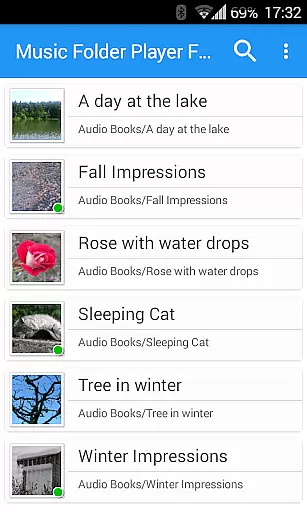
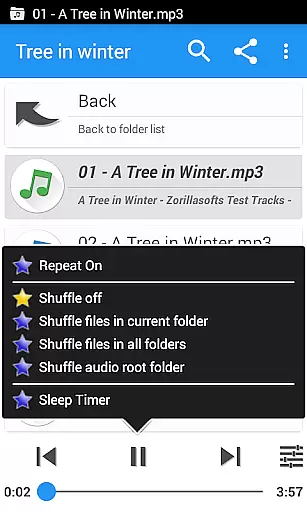
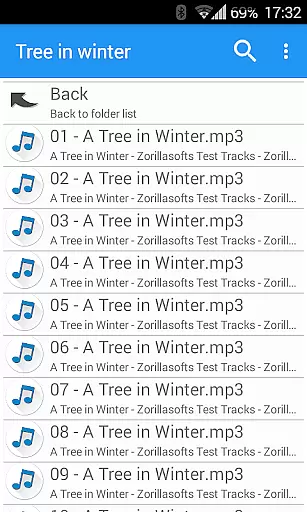
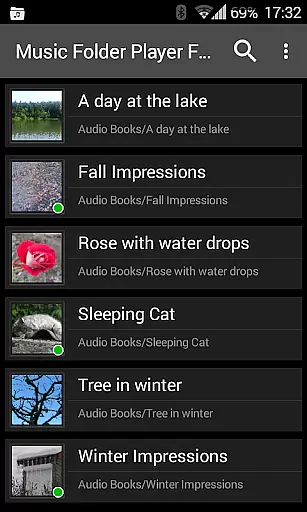
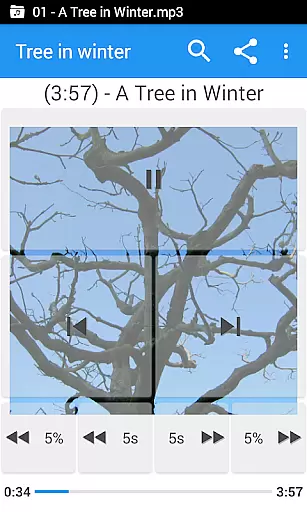
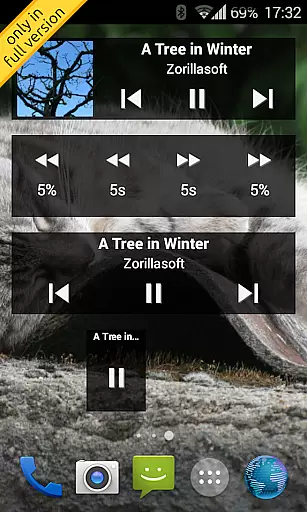
Music Folder Player Full is a specialized audio player designed for users who prefer organizing their music files in folders rather than traditional categories like artist or album. This full version offers an ad-free experience with additional features such as homescreen widgets.
The app provides advanced functionalities including playback speed control, equalizer settings, and virtual room effects. Its folder-based organization system caters to users with diverse music libraries, from small collections to extensive archives. The inclusion of unique features like 432 Hz playback mode and pre-amplification makes it particularly appealing to audiophiles and podcast enthusiasts.
With its comprehensive feature set, Music Folder Player Full serves as an excellent solution for users seeking a customizable and feature-rich music playback experience on their Android devices.
Music Folder Player Full stands out with its innovative approach to music organization and playback. The app's Material Design interface ensures a modern and intuitive user experience across different Android versions.
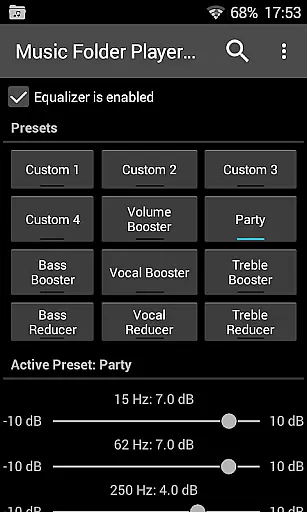
Among its notable features are four configurable seek buttons for precise navigation through podcasts and audiobooks, and an advanced equalizer with both customizable and predefined settings. The app supports various playback modes including speed control with pitch correction and 432 Hz tuning, catering to specific listening preferences.
Additional practical features include homescreen widgets for quick access, virtual folders for favorite tracks, and gesture controls for volume adjustment. These comprehensive capabilities make the app suitable for both casual listeners and power users requiring detailed control over their audio experience.
When evaluating a music player application like Music Folder Player Full, the size and diversity of its supported music library is crucial. This app allows users to organize their audio tracks in folders rather than traditional artist or album categories, making it suitable for those with extensive collections. The app supports virtually unlimited music files, limited only by device storage.
Besides sheer capacity, the app ensures that all content remains authentic and respects copyright. It does not impose restrictions on file types or sizes, allowing users to import any legally owned audio tracks without concern for format compatibility. This flexibility empowers users to manage their entire music library seamlessly.
The benefit to users is significant. By supporting various formats and enabling folder-based organization, listeners can enjoy an uninterrupted experience across different devices. Whether you're managing a small playlist or a vast collection, this app provides the tools necessary to keep everything organized while preserving original quality and metadata.
Audio quality is paramount when selecting a music player, and Music Folder Player Full excels in offering diverse options tailored to audiophiles. With advanced features such as equalizer settings, virtual room effects, and speed control with pitch correction, users can customize playback according to personal preferences. These enhancements ensure optimal sound reproduction regardless of genre or recording quality.
The app includes four customizable equalizer presets alongside eight predefined ones, including Bass Booster and Vocal Booster modes. Additionally, Android 4.2+ users gain access to unique functionalities like pre-amplification and 432 Hz playback mode, which cater specifically to high-fidelity listening experiences. Such comprehensive controls allow precise tuning of every track's sonic characteristics.
Ultimately, these capabilities translate into tangible benefits for users. Listeners can fine-tune their audio output to match specific environments or moods, enhancing overall enjoyment. Whether enjoying podcasts, audiobooks, or music albums, the ability to adjust parameters ensures each session delivers maximum auditory satisfaction.
User-friendly interface
Advanced equalizer settings
Customizable playback options
Comprehensive widget support
Unique audio features
No iOS version available
Complex for beginners
Some features Android-specific
Paid full version only
Requires folder organization

Formerly known as Spotistats! View your top tracks, artists, albums and more!
 4.40
4.40
Performance-Synthesizer & Multi-Track-Sequencer, polyphonic + multi timbral!
4.70
Your song collections with lyrics and chords on Android smartphones and tablets.
4.80
USB audio recording and playback finally possible on Android 3.1 or higher!
3.90
The best music and audio player, with beautiful UI, music search and equalizer.
4.60
Super Sound Editor, Song Maker & Mixer, Vocal Remover, Voice Recorder & Changer!
4.60
Play KORG’s revolutionary touch-based instrument on a variety of devices.
4.40
Manage your Sonos system directly from your home-screen!
4.40
Be a true music maker: create beats, mix and make music like a real DJ!
4.30
Ultimate Sonos Controller
4.70
Unleash your creativity! Turn simple prompts into full fledged songs.
4.70
Listen radio AM / FM Stations. Live AM / FM Radio App Station. Radio Com.
4.70
Recording studio w/ 10k beats, pro vocal FX and a network of 20M rappers & fans!
4.60
Equalizer, Bass Booster and Volume Booster (Eq & Bass) improve sound quality
4.30
The Music Journey in Your Hands
4.30
Network/Cloud Streaming, Visualization, Graphic Equalizer and Sound Effects.
4.20
Sheet music reader, piano & music note player. Play music score & learn to read.
3.90
Make music anywhere. Turn your device into an instrument.
4.5
Music Streaming suite for Ampache, Nextcloud Music and compatible backends.
4.2


User Reviews