
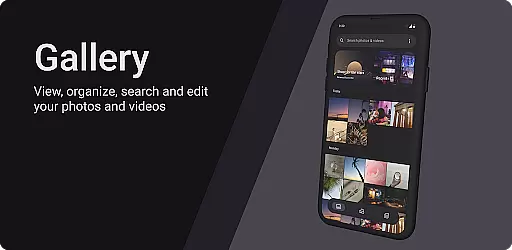
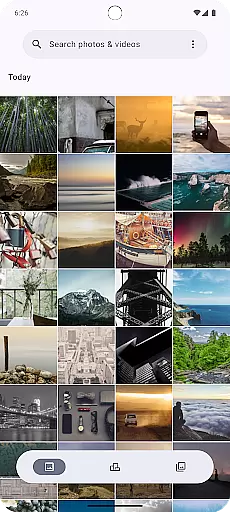
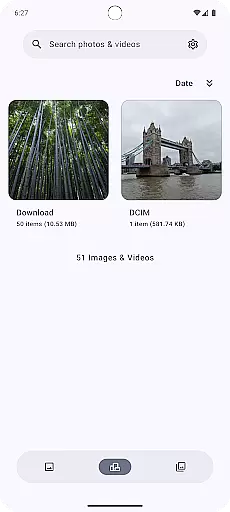
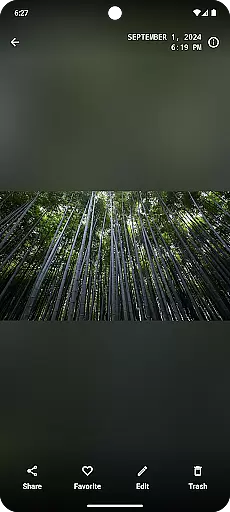
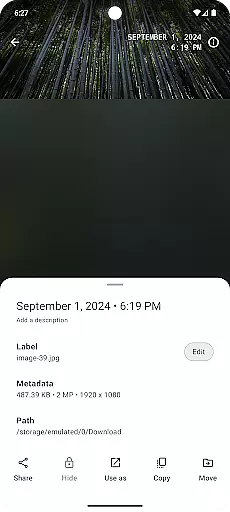
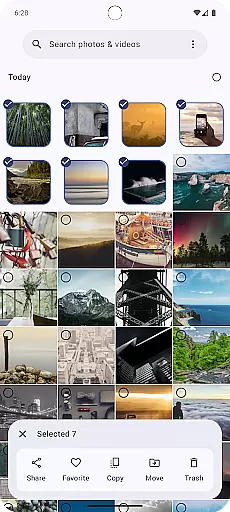
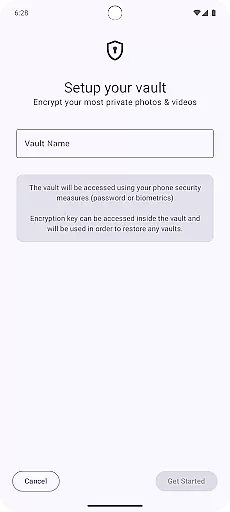
Gallery is a modern photography application designed for Android users who appreciate an intuitive and visually appealing way to manage their photos. Built with Jetpack Compose, this app offers a sleek interface that makes photo management effortless.
The core functionality of Gallery revolves around organizing, viewing, and editing images with ease. Users can browse through their photo library, search for specific images, and apply various filters and enhancements. Its seamless integration with Android ensures optimal performance and compatibility across devices.
Ideal for photographers and casual users alike, Gallery provides a streamlined platform for preserving memories. Whether you're looking to quickly find a photo or spend time enhancing your collection, this app delivers both power and simplicity in one package.
Gallery stands out with its innovative use of Jetpack Compose, which allows for a highly responsive and customizable user interface. The app supports a variety of image formats, ensuring that all your photos are accessible regardless of their origin.
One of the key features is its advanced search capability, enabling users to locate images by date, location, or tags. Additionally, Gallery includes basic editing tools such as cropping, rotating, and filtering, allowing for quick enhancements without needing to switch to another app.
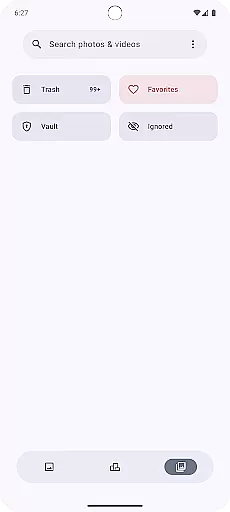
Another notable feature is its privacy-focused design. Users can secure sensitive images behind biometric authentication or PIN codes, providing peace of mind when managing personal content. This combination of powerful tools and security measures makes Gallery a top choice for Android photography enthusiasts.
Real-time capture and preview functionality is essential for any photography application as it allows users to see exactly what the camera sees before taking a shot. This ensures that users can make necessary adjustments to achieve the perfect photo.
Gallery app, built with Jetpack Compose, offers an intuitive real-time capture experience by leveraging advanced camera APIs. The app provides users with a responsive interface that accurately displays the camera feed, allowing them to frame their shots precisely.
Users benefit from this feature by being able to adjust settings such as exposure, focus, and white balance in real time. This immediate feedback empowers photographers to experiment with different settings and compositions without delay, enhancing their creative process.
The value of real-time capture and preview lies in its ability to improve photo quality and user satisfaction. By offering a seamless and accurate preview experience, Gallery app ensures that users can consistently capture high-quality images that meet their expectations.
AI beauty and enhancement features have become increasingly popular in photography apps, providing users with tools to improve their photos automatically. The naturalness of these enhancements is crucial to maintaining the authenticity of the original image.
With Gallery app, users can take advantage of sophisticated AI algorithms designed to enhance facial features while preserving a natural look. The app intelligently applies beautification effects that smooth skin textures and brighten facial features without making the image appear overly processed or artificial.
This approach benefits users by delivering professional-quality retouching that enhances portraits in a subtle and pleasing manner. Whether capturing selfies or group photos, the AI enhancements adapt to different scenarios, ensuring consistent and realistic results.
Ultimately, the AI beauty and enhancement capabilities of Gallery app add significant value by offering users an easy way to elevate their photography. The emphasis on naturalness ensures that edited photos retain their genuine essence, providing a satisfying and authentic user experience.
User-friendly interface
Advanced search options
Secure storage solutions
Customizable UI elements
Cross-device compatibility
Limited advanced editing
No cloud backup option
Occasional performance lags
Fewer integrations with third-party apps
Basic organizational tools

A collection of tools and reference tables for DPs, ACs, DITs and Operators.
 4.70
4.70
Create funny photos and videos with the popular Time Warp Scan filter.
4.90
How old age camera Gender Swap App Face Shape Hairstyle App Hair Styler App fun!
4.00
Virtual makeup, hair filters & body tuner—edit from face to full body!
4.20
HD Camera Pro with HD Video shooting, Panorama, Photo editor , Beauty Camera.
4.50
Pro version: AR sun/moon tracker for any date. Tool for photographers & planners
4.90
live datamoshing
4.00
Snap photos remotely using your Garmin watch as the camera trigger
4.2
Try an anime version, cartoon yourself, and generate AI hug or aging videos!
3.70
Photo editor: AI filters, photo enhancer, pic collage maker, AI art generator.
4.80
The original Rarevision VHS look seen everywhere!
4.70
Automatically backup your photos and videos to computer, NAS and Cloud services
4.60
AI photo editor with hair editor, retouch tools, hair color changer & filters!
4.50
Movie camera, supports pro recording settings for filming. Try it and be amazed!
4.50
Fit multiple photos on one post. Create carousels & scroll layouts for Instagram
4.50
Create & Edit with AI: AI Remove, Enhance, Retouch, Filter
4.10
Turn photos into cartoons & avatars! - Photo Editor, Cartoon Face!
3.90
Perfect photos with body shaping, BG changer and object remover.
3.70
GCamera allows all GCam features on all phone models! Better photos with GCamera
3.30


User Reviews