
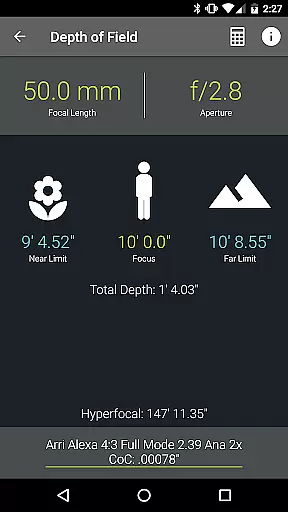
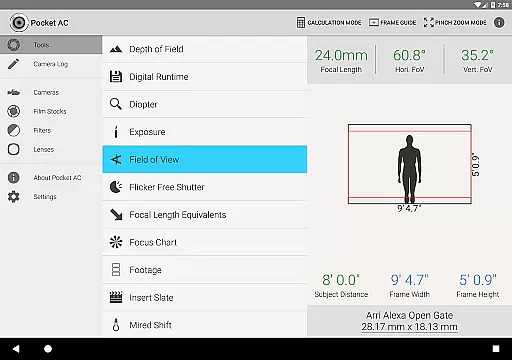
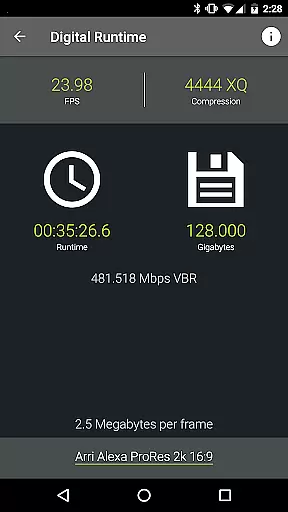
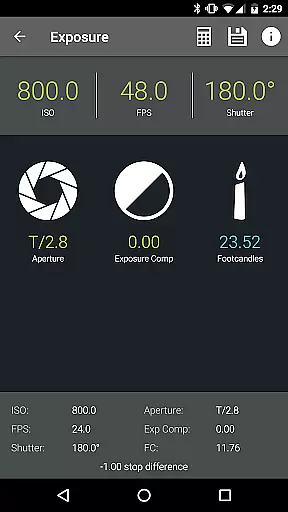
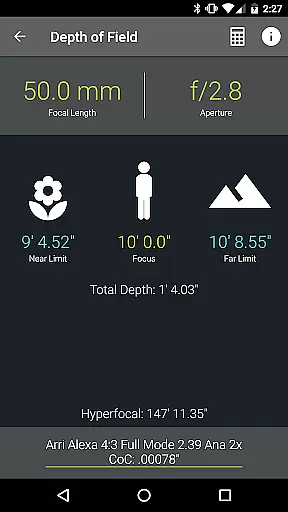
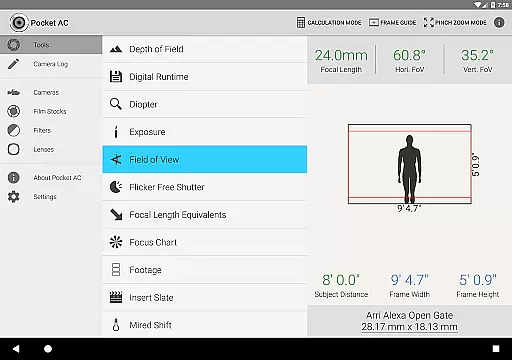
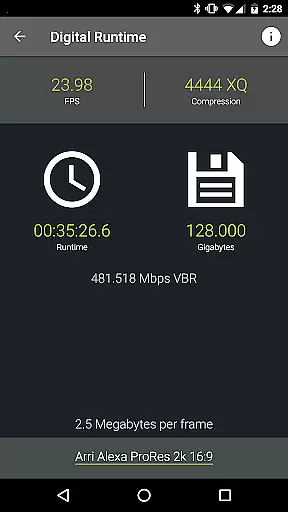
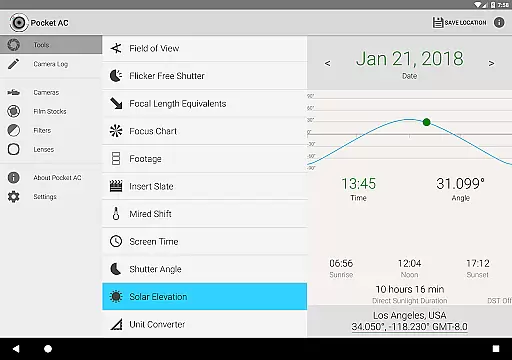
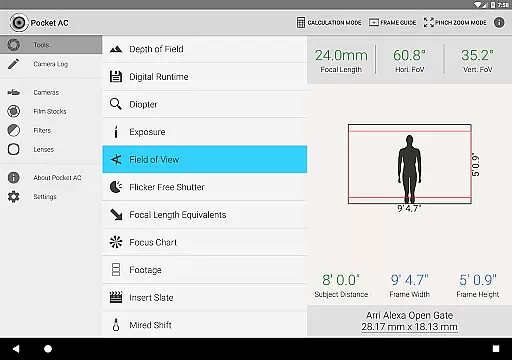
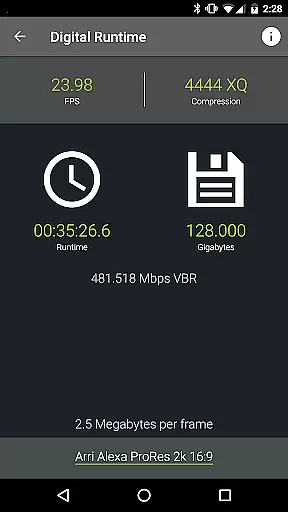
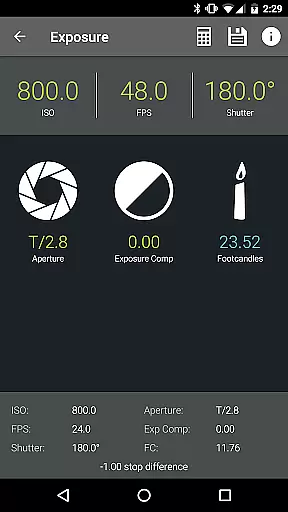
Pocket AC is an essential mobile application tailored for cinematographers and videography professionals, providing a comprehensive suite of tools and reference materials. The app features advanced calculators for depth of field, exposure, and field of view, alongside practical utilities like the digital runtime calculator and unit converter. These tools are designed to streamline pre-production planning and on-set execution.
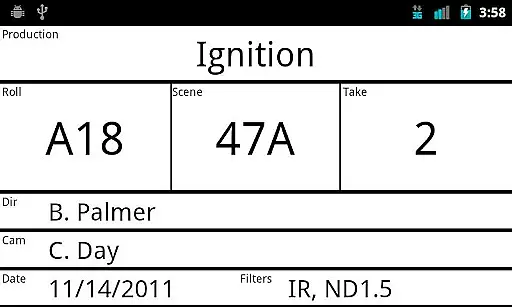
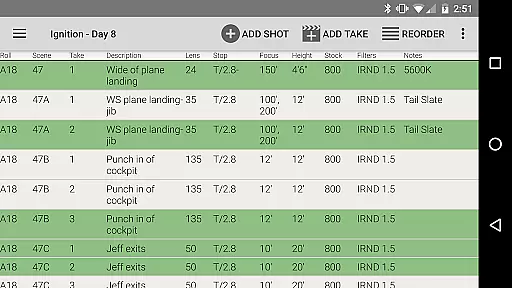
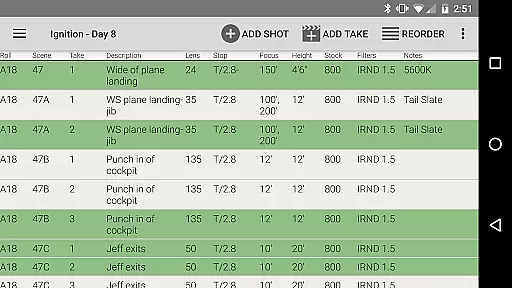
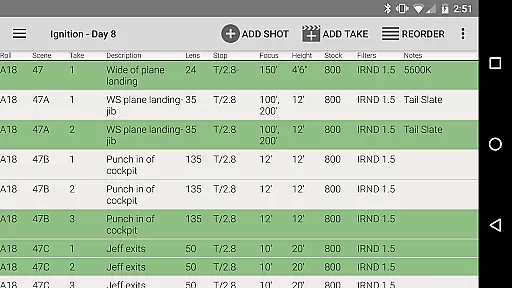
In addition to its calculation capabilities, Pocket AC offers an extensive database of camera specifications, lens catalogs, and film stocks. The built-in camera log function allows users to efficiently document shooting setups and export detailed reports in multiple formats. This makes it an invaluable asset for managing complex production data across various cameras and lenses.
Whether working with Arri, Blackmagic, Canon, or Sony equipment, Pocket AC supports a wide range of professional devices. Its intuitive interface and collaborative features enable real-time logging and sharing among crew members. By consolidating critical production information into one accessible platform, this app significantly enhances workflow efficiency for film and video professionals.
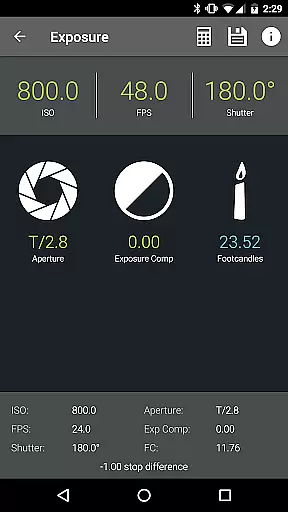
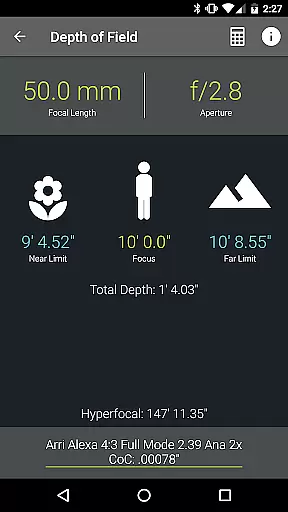
Pocket AC distinguishes itself through its comprehensive collection of specialized tools designed for motion picture professionals. The application includes sophisticated calculators for essential cinematographic measurements such as depth of field, exposure values, and field of view calculations, even supporting focal reducers. These tools help professionals achieve precise technical results during production.
The app's reference tables provide detailed specifications for over 140 camera models and more than 2000 lenses, including support for both traditional film and modern digital formats. Its unique camera log functionality enables users to record shooting parameters and export them in various professional formats, including PDF and CSV. The real-time collaboration feature allows multiple users to contribute to the same log simultaneously.
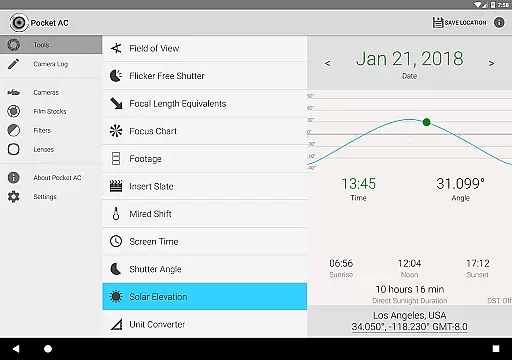
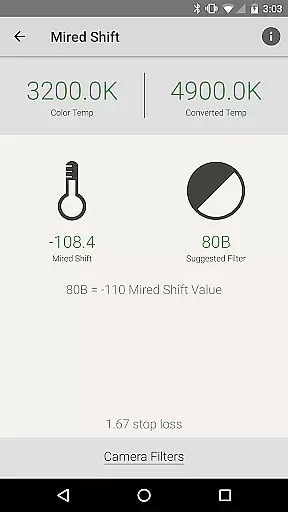
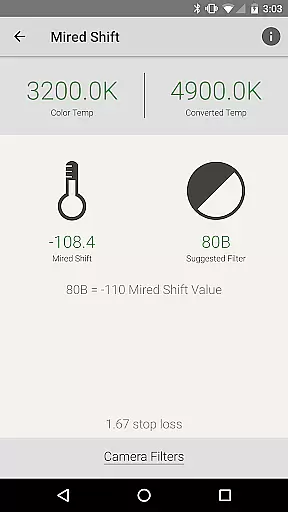
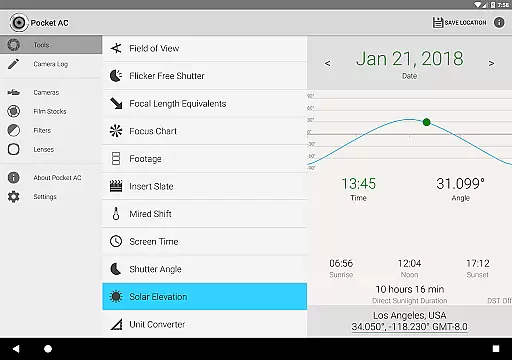
What sets Pocket AC apart is its integration of practical tools with professional workflow requirements. Features like the insert slate with sync beep, mired shift calculations, and solar elevation tracking demonstrate the app's attention to industry-specific needs. The ability to store custom camera settings and access production statistics makes it an indispensable tool for camera assistants and cinematographers seeking to optimize their workflow.
Real-time capture and preview functionality is essential for professional cinematographers and videographers who need to ensure every shot meets their exact specifications. Pocket AC offers a comprehensive suite of tools that allow users to accurately plan and execute each shot with precision.
The application provides advanced features such as Depth of Field calculators, Exposure settings, and Field of View previews, which are crucial for preparing shots before they are captured. These tools help in visualizing the final output even before the camera starts rolling, thus saving time and resources during production.
For users, this means they can experiment with different settings and immediately see how these changes will affect the final footage. This capability not only enhances creativity but also ensures technical accuracy, leading to higher-quality video content.
By integrating real-time data and analytics into the capture process, Pocket AC empowers filmmakers to make informed decisions quickly, thereby improving overall workflow efficiency and production value.
While primarily focused on professional cinematography tools, Pocket AC also incorporates features that enhance the natural beauty of the captured footage without compromising its authenticity. The app includes various tools that assist in optimizing video quality while maintaining the original essence of the scene.
One notable feature is the Digital Runtime and Filesize calculator, which helps in managing compression settings effectively. Proper compression is vital for retaining the natural look of videos, especially when dealing with high-resolution formats used in modern cinema.
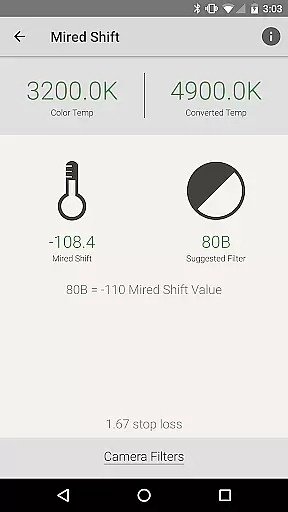
Additionally, the Mired Shift and Filter Suggestions tool aids in selecting appropriate filters that enhance colors naturally. This ensures that the enhancements made are subtle yet effective, preserving the realistic appearance of the footage.
Overall, these enhancement features contribute to producing visually appealing content that remains true to the director's vision, providing a balance between technical excellence and artistic integrity.
Comprehensive toolset
Extensive camera support
Real-time logging
Professional export formats
Collaborative features
Complex interface
Steep learning curve
Requires technical knowledge
No beginner tutorials
Subscription pricing

Safe & smart flight with Go Fly drone controller for 40+ drone camera, zone map
 4.50
4.50
Create funny photos and videos with the popular Time Warp Scan filter.
4.90
Viewfinder, Light meter, Reciprocity failure time, DOF & Bellows Extension
4.60
Create collages easily! Nice pic collage maker & background eraser for Instagram
4.50
Photo editor: AI filters, photo enhancer, pic collage maker, AI art generator.
4.80
USB Storage Access for Photos, Videos, Music and Documents
3.80
Collage your moments in one tap: 1000+ layouts, filters, stickers, and texts.
4.90
Hair color changer, AI haircut app, fun hair editor and buzz cut filter for all!
3.80
Discover & download millions of art for The Frame TV or Hisense CanvasTV
4.60
The original Rarevision VHS look seen everywhere!
4.70
Light-weight Media Gallery app for Android made with Jetpack Compose
4.60
Photo Exif Editor allows to view, add and modify EXIF data of multiple photos
4.50
HD Camera Pro with HD Video shooting, Panorama, Photo editor , Beauty Camera.
4.50
Virtual makeup, hair filters & body tuner—edit from face to full body!
4.20
Professional photography on your mobile phone
4.20
Photo editor: face & body editor, beauty cam, filters and quality enhancer.
4.00
How old age camera Gender Swap App Face Shape Hairstyle App Hair Styler App fun!
4.00
Pet Camera
3.70
HD Photo gallery and photo manager to edit, hide private photos, videos & albums
4.4


User Reviews