
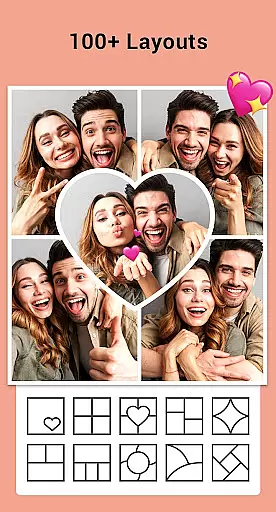
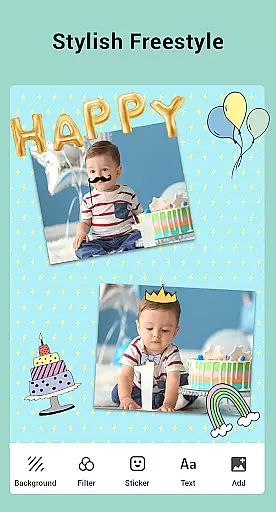

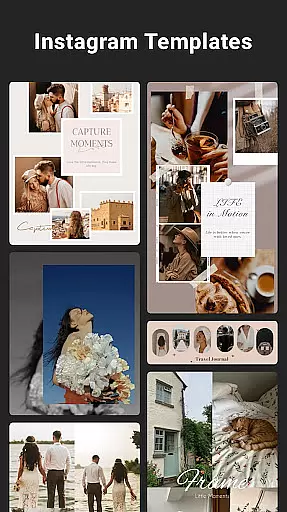
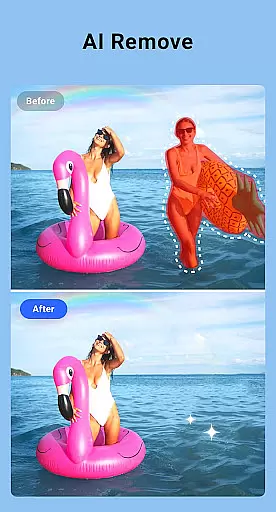
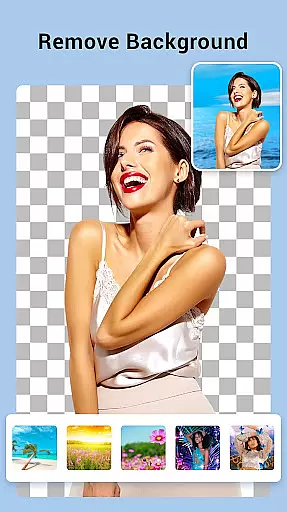
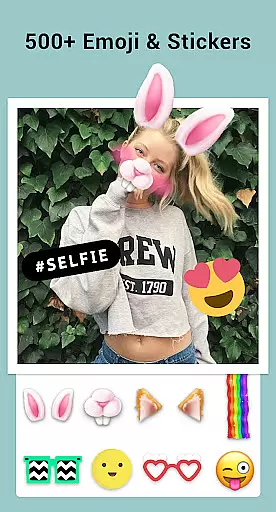
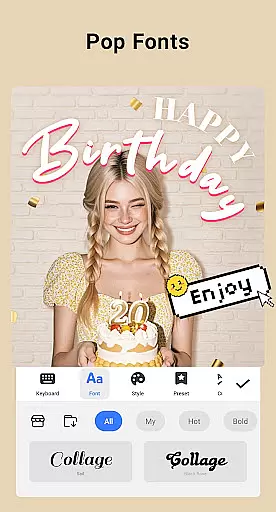
Collage Maker is a versatile photo collage and editing application designed for creative enthusiasts. The app allows users to instantly combine multiple photos into stunning collages using over 100 layouts, backgrounds, stickers, fonts, and other customization tools. With its AI Photo Enhancer feature, users can transform low-quality or damaged images into high-definition masterpieces with just one tap. Whether you're creating side-by-side comparisons, Instagram-ready posts, or stylized scrapbooks, Collage Maker provides all the necessary tools in an intuitive interface.
The app supports both grid-style and freeform designs, enabling users to crop, filter, add text, and apply artistic doodles to their images. It also offers specialized templates for Instagram stories, YouTube thumbnails, and more, making it ideal for social media content creators. By saving projects in high resolution, users can ensure professional-quality outputs for both digital sharing and printing purposes.
Collage Maker stands out with its comprehensive set of features tailored for photo editing and collage creation. Users can merge up to 100 photos into a single collage, choosing from various layout options such as grids, freestyle arrangements, and custom ratios. The app includes advanced editing tools like filters, text overlays, stickers, and doodles, allowing for extensive personalization. Its unique Multi-fit functionality ensures compatibility with different platforms by offering adjustable aspect ratios, including square formats optimized for Instagram.
One of the standout innovations is the AI Photo Enhancer, which automatically improves image quality, making old or blurry photos look vibrant and clear. Additionally, the app provides 100+ story templates inspired by film, magazines, and ripped paper styles, catering to diverse aesthetic preferences. These features collectively empower users to produce visually appealing content while maintaining ease of use and flexibility.
Real-time capture and preview functionality is essential for photography apps like Collage Maker. This feature allows users to see exactly what their final collage will look like as they create it.
Collage Maker excels in this area by providing instant previews of photo collages. As users select different layouts, apply filters, or add stickers and text, they can immediately see the results. This real-time feedback helps users make better creative decisions.
The app's real-time capabilities extend to its AI Photo Enhancer feature as well. Users can instantly see the transformation of their blurry or damaged photos into high-quality images with just one tap. This immediate visual confirmation builds trust in the app's capabilities.
By offering robust real-time capture and preview features, Collage Maker enables users to work more efficiently and confidently. They can experiment with different design elements knowing they'll see the exact outcome before finalizing their creations.
AI-powered beauty and enhancement features have become crucial in modern photo editing applications. Collage Maker incorporates advanced AI technology to enhance photos while maintaining natural-looking results.
The app's AI Photo Enhancer transforms low-quality images into stunning HD versions without introducing artificial artifacts. It intelligently analyzes each photo and applies enhancements that preserve the original image's authenticity while improving its quality.
When using filters and effects, Collage Maker ensures that modifications appear organic rather than over-processed. The app achieves this balance through sophisticated algorithms that understand natural lighting and color patterns.
This approach to AI enhancement provides users with professional-grade results that still look genuine. Whether creating social media content or personal keepsakes, users can be confident that their edited photos will maintain a natural appearance while benefiting from improved quality.
User-friendly interface
Extensive customization options
AI-powered photo enhancement
Versatile layout choices
High-resolution output
Requires storage permissions
Limited free features
Some tools may overwhelm beginners
Occasional ads in free version
Premium subscription needed for full access

Effortlessly organize, view and share your photos & videos with Gallery app!
 4.40
4.40
All-in-One Editor & AI Photo Enhancer, Beautify & Retouch, Collage, Cartoonify
4.20
[3DSteroid Pro] is a stereoscopic application for Android.
4.30
Cartoon and artistic effects for your photos and videos
4.70
Superimpose one photo on top of another using the original Superimpose app!
3.20
A reflected light meter with spot metering and incident light metering.
4.40
Astrophotography with your smartphone, photo live stacking and much more!
3.90
A light meter for true photographers.
4.20
Discover How to Plan any Sun, Moon and Milky Way Photo You Imagine in Seconds
4.70
Gallery show photo, video, slideshow, is perfect 3D effect private photo albums.
4.80
Photo editor: AI filters, photo enhancer, pic collage maker, AI art generator.
4.80
Light-weight Media Gallery app for Android made with Jetpack Compose
4.60
Future baby face generator: AI kids generator, kid face! What my baby look like?
4.40
Turn your phone into a professional camera - full DSLR manual photography
4.30
AI-powered video creator by MiniMax - Where ideas meet cinema
4.20
How old age camera Gender Swap App Face Shape Hairstyle App Hair Styler App fun!
4.00
Perfect photos with body shaping, BG changer and object remover.
3.70
Over 800 film simulation recipes for Fujifilm. Black Friday Offer!
4.5
Add a dreamy vibe to your selfies and videos with soft style filters
4.5


User Reviews