

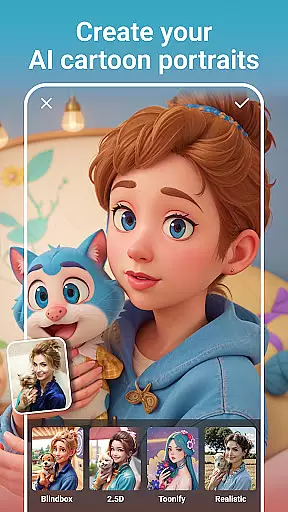
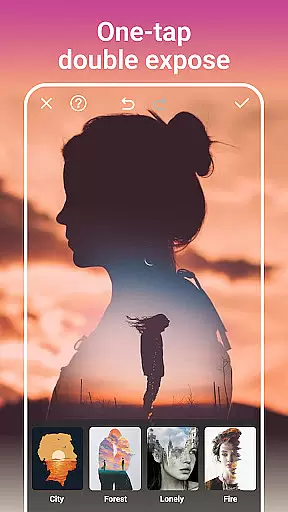
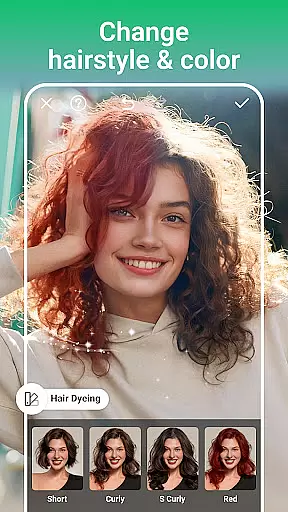
AI Photo Editor - PhotoArt is a comprehensive photography application that utilizes artificial intelligence to deliver professional-grade photo editing capabilities. The app offers an extensive suite of features including AI Face Swap, Magic Eraser, and One-Tap Enhance, enabling users to effortlessly improve their photos. With over 100 filters and effects, users can explore various styles such as retro, film, portrait, and more.
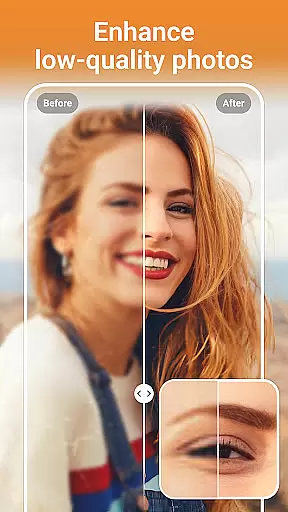
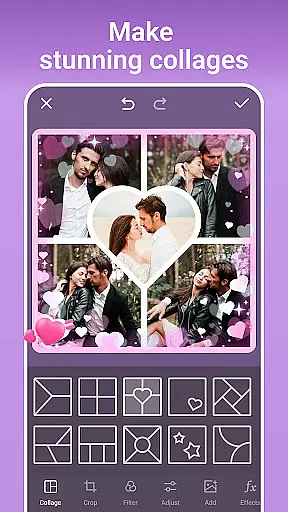
The app's intuitive interface provides easy-to-use tools like HSL, Highlight, Split Tone, and Curves for precise color adjustments. Users can also boost photo resolution, restore old photos, and remove unwanted objects with intelligent gap-filling technology. Creative professionals and hobbyists alike will appreciate the ability to create stunning collages, personalized stickers, and unique double exposure effects.
PhotoArt stands out by offering advanced AI-driven tools such as Age Changer, Sky Replacement, and Open Eyes, which push the boundaries of traditional photo editing. Whether you're looking to enhance your social media presence or simply want to preserve precious memories in high quality, PhotoArt provides all the necessary tools to create watermark-free, visually striking images across multiple platforms.
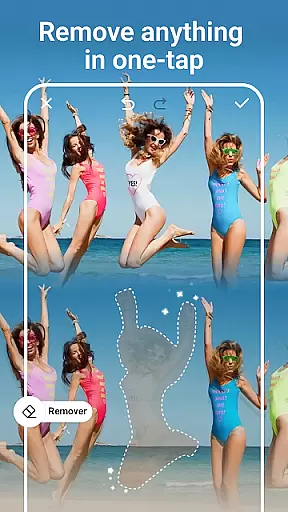
PhotoArt distinguishes itself through its innovative AI-powered features that cater to diverse photo editing needs. The AI Face Swap and AI Cartoon Filters allow users to experiment with whimsical transformations while maintaining natural results. The Magic Eraser tool intelligently removes unwanted elements from photos and fills gaps seamlessly, preserving the image's integrity.
For users seeking creative expression, the app offers Double Exposure effects, Blur Background feature, and a vast library of light effects. These tools enable the creation of artistic compositions that range from subtle enhancements to dramatic visual statements. Additionally, the app includes professional-grade tools like HSL, Highlight, Split Tone, and Curves, giving users precise control over color grading and photo enhancement.
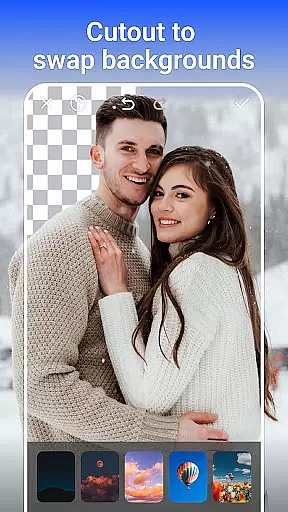
Advanced restoration features let users breathe new life into old photographs without requiring specialized skills. The AI-driven background removal and replacement tool simplifies complex editing tasks, while the revolutionary Age Changer and Sky Replacement features demonstrate the app's commitment to pushing the boundaries of mobile photo editing. These sophisticated tools ensure that both amateur and professional photographers can achieve their desired results with minimal effort.
Real-time capture and preview functionality is essential for any photography app as it allows users to see exactly what they are capturing before taking the shot. PhotoArt offers a seamless real-time preview experience, ensuring that every photo taken meets the user's expectations without delay.
The application leverages advanced AI algorithms to enhance the live viewfinder feed, providing features such as live filters, exposure adjustments, and focus peaking. This empowers users to make informed decisions about composition, lighting, and subject matter while framing their shots.
With PhotoArt, photographers can experiment with over 100 filters and effects in real time, seeing changes applied instantly to the camera preview. This immediate feedback loop not only saves time during post-processing but also enhances creativity by allowing instant experimentation with different styles.
Ultimately, the real-time capture and preview capabilities of PhotoArt ensure that users can confidently take high-quality photos, knowing precisely how the final image will look even before pressing the shutter button.
AI beauty and enhancement features have become a cornerstone of modern photo editing, allowing users to refine and perfect their images with unprecedented ease. PhotoArt stands out by offering AI-driven enhancements that maintain natural aesthetics, avoiding the artificial look often associated with digital retouching.
The app's AI Face Retouch tool intelligently smooths skin textures while preserving important facial details, ensuring subjects retain their unique characteristics. Advanced algorithms analyze facial structures to apply enhancements that look authentic rather than overly processed.
Beyond basic retouching, PhotoArt provides comprehensive beauty tools including makeup simulation, body reshaping, and height adjustment features. These tools work harmoniously to create polished yet believable results, catering to both casual users and professional photographers seeking subtle improvements.
By prioritizing natural-looking enhancements, PhotoArt enables users to elevate their portraits while maintaining the genuine essence of the original photograph, resulting in images that look professionally edited yet authentically human.
User-friendly interface
Extensive filter selection
Powerful AI tools
Professional color adjustment
Creative collage options
Occasional processing delays
Advanced features may overwhelm beginners
Some tools require premium subscription
Learning curve for professional tools
Large file size

Effortlessly organize, view and share your photos & videos with Gallery app!
 4.40
4.40
Find time and duration of different sunlight phases at any location
4.90
Android Native system HD camera app. Never been so simple and faster.
4.70
Photo Exif Editor allows to view, add and modify EXIF data of multiple photos
4.50
Raw Image Viewer. Gallery with support of raw images (.cr3, .cr2, .nef, .raf).
2.00
Professional photography on your mobile phone
4.20
Luminar: Photo Editor - easy picture editing with AI
4.20
Collage your moments in one tap: 1000+ layouts, filters, stickers, and texts.
4.90
Discover & download millions of art for The Frame TV or Hisense CanvasTV
4.60
Safe & smart flight with Go Fly drone controller for 40+ drone camera, zone map
4.50
Create Business Headshots, Polaroid Filter, Retake Photos,Profile Pics,AI Photos
4.50
Create AI photos & videos with Enhancer; restore, fix, beautify, enhance photos
4.50
Turn your phone into a professional camera - full DSLR manual photography
4.30
Transform Photos: Edit, Beautify and Craft Memories & Make Collages!
4.10
Remote control of the phone camera from your Wear OS smartwatch
3.70
Pet Camera
3.70
Professional video recording application with manual controls for filmmakers!
2.80
Long exposure camera with computational photography
2.60
Remote control the phone camera shutter from your smartwatch and take a picture
1.60


User Reviews