
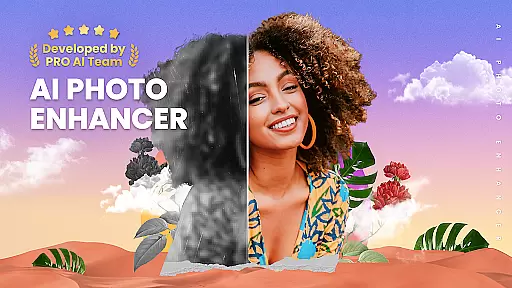
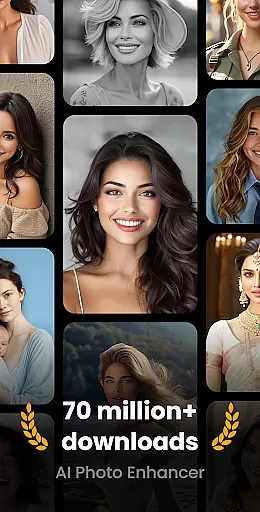
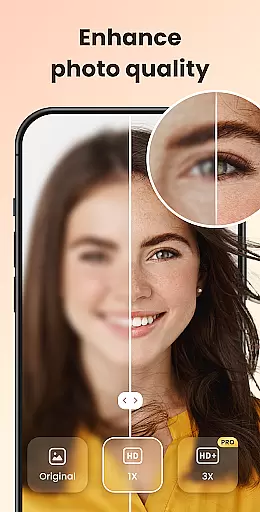
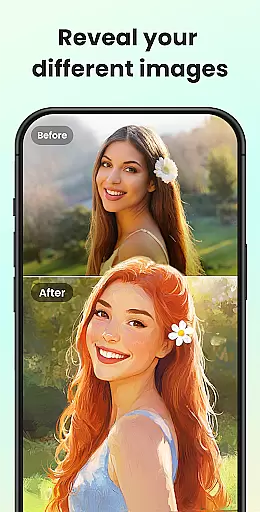
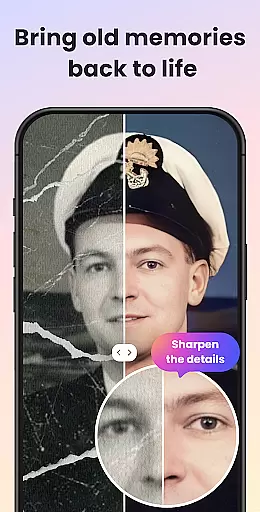
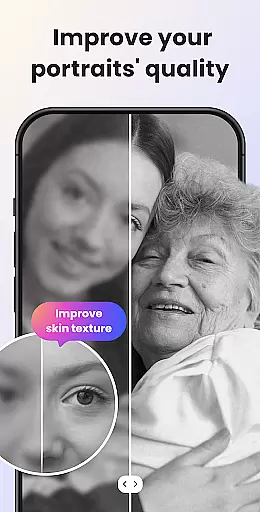
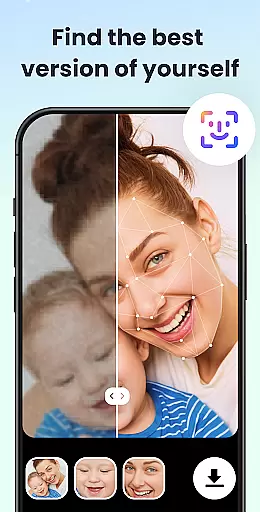
UpFoto is an AI-powered photo enhancement application designed to transform low-quality, blurry, and damaged images into high-definition masterpieces. The app utilizes cutting-edge artificial intelligence technology to optimize portrait details, restore old photos, and improve overall resolution by up to 800%. Whether you're looking to enhance facial features in selfies or revitalize cherished family memories from decades past, UpFoto delivers remarkable results with just one click.
This powerful photography tool not only clears up pixelated pictures but also prepares for future creative possibilities such as cartoon effects and smart filters. Its intuitive interface makes it accessible for both amateur photographers and professionals seeking efficient ways to breathe new life into their digital archives.
UpFoto stands out with its comprehensive suite of AI-driven photo editing capabilities. At the core of its functionality is the ability to recognize faces within images automatically, allowing users to enhance facial details with precision. This feature ensures that every portrait retains its natural beauty while achieving a professional-grade finish.
Beyond simple enhancements, UpFoto excels at restoring severely damaged photographs. By repairing scratches and other imperfections, this app gives new life to heirloom images. Additionally, users can increase photo resolution significantly—up to 800%—without losing clarity, making it ideal for large-format printing or digital presentations where detail matters most.
Real-time capture and preview functionality is essential for photography applications as it allows users to see exactly what the camera is capturing before taking a shot. UpFoto leverages advanced AI technology to ensure that every moment captured is previewed with utmost clarity and detail.
The app processes images instantly, providing users with a live view that closely matches the final output. This feature is particularly beneficial when adjusting settings such as exposure, focus, and white balance, ensuring that the user can fine-tune their shots to perfection before capturing.
With real-time preview, users of UpFoto can confidently frame their shots, knowing that what they see on the screen is what they will get in the final image. This eliminates guesswork and enhances the overall photography experience by making it more intuitive and reliable.
AI beauty and enhancement features are crucial for modern photo editing apps, offering users the ability to enhance their photos naturally without over-processing. UpFoto specializes in this area by using sophisticated algorithms to beautify selfies and optimize portrait details while maintaining authenticity.
This application intelligently recognizes faces within photos and applies enhancements that highlight natural features. Whether it's smoothing skin texture or sharpening eye details, the modifications are subtle yet effective, preserving the original character of the subject.
Users benefit from UpFoto's commitment to natural enhancement by achieving professional-looking results effortlessly. The app ensures that enhanced photos retain their genuine feel, allowing users to refresh old memories or improve new captures with confidence in the quality and realism of the edits.
User-friendly interface
Advanced AI technology
One-click enhancement
High-resolution output
Comprehensive editing tools
Subscription required
Limited free features
Occasional processing delays
Internet connection needed
Privacy concerns

Gallery show photo, video, slideshow, is perfect 3D effect private photo albums.
 4.80
4.80
All-in-One Editor & AI Photo Enhancer, Beautify & Retouch, Collage, Cartoonify
4.20
HD Photo gallery and photo manager to edit, hide private photos, videos & albums
4.1
Light-weight Media Gallery app for Android made with Jetpack Compose
4.60
Movie camera, supports pro recording settings for filming. Try it and be amazed!
4.50
See your baby AI baby face generator AI baby maker Face generator babymaker fun!
4.70
The original Rarevision VHS look seen everywhere!
4.70
Unlock the full potential of your DJI drone with Litchi
4.50
Photo & Video Gallery app to manage albums and save WA Status easily.
4.70
Perfect body tune & face app - photo retouch, makeup, slim body & beautify face.
4.80
Enhance, retouch & create your story - Share the moment with Photoshop Express.
4.60
Create Business Headshots, Polaroid Filter, Retake Photos,Profile Pics,AI Photos
4.50
Trendy TikTok time warp scan funny filter app brings you unique photos & videos.
4.40
Future baby face generator: AI kids generator, kid face! What my baby look like?
4.40
AI portrait generator and polaroid AI selfie, fun AI generated AI photo creator!
4.30
live datamoshing
4.00
Superimpose one photo on top of another using the original Superimpose app!
3.20
Application for remote controlling DSLR
3.00
Photo Album Watch Face shows your favorite pictures as a Watchface.
1.90


User Reviews