
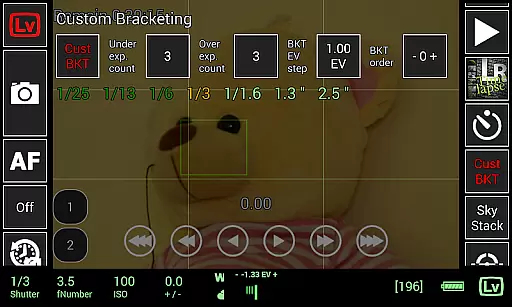
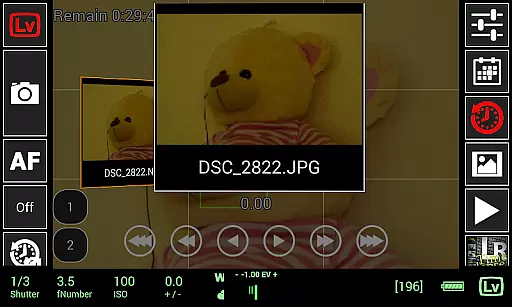
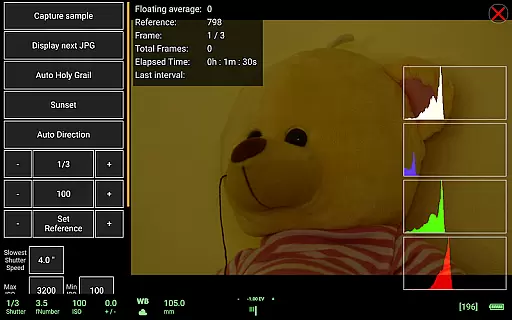
qDslrDashboard is a powerful photography application designed for DSLR and mirrorless camera users who want to control their Nikon, Canon, or Sony cameras remotely. The app offers advanced features such as remote capture, synchronized shooting, live view with histogram analysis, and manual focus adjustment during live view sessions. It also supports multiple camera connections through USB OTG adapters or wireless routers, making it ideal for professional photographers who need flexibility in their workflow.
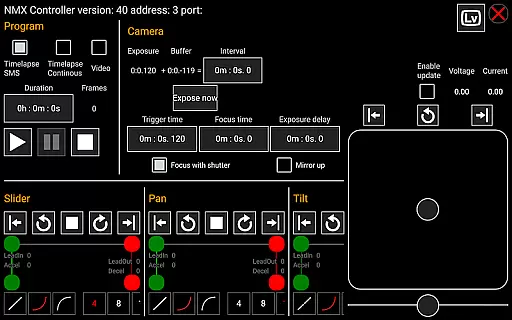
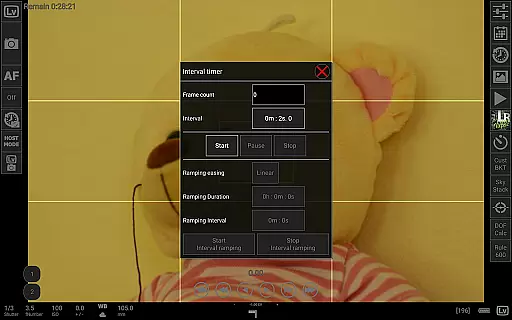
In addition to basic camera control, qDslrDashboard provides specialized tools like time-lapse creation, focus stacking, custom bracketing, and movie recording initiation for supported models. Its compatibility with accessories like WU-1a/1b adapters and Bluetooth-enabled motion controllers enhances its versatility. Whether you're capturing astrophotography or conducting complex studio shoots, this app ensures precision and convenience while expanding creative possibilities.
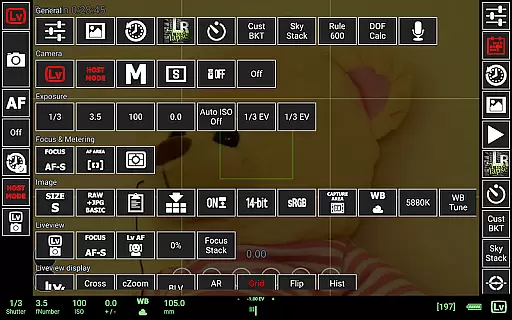
qDslrDashboard stands out due to its extensive feature set tailored for professional photographers. One of its key highlights is the ability to connect multiple cameras simultaneously, either via USB OTG adapters or portable wireless routers (ddserver). This allows users to synchronize captures across different devices, ensuring consistent results in multi-camera setups. Additionally, the app enables detailed property adjustments directly from your Android device, including ISO, shutter speed, aperture settings, and more.
The app excels in post-capture functionality as well. Users can browse, transfer, and preview images stored on their cameras, including RAW files, without needing a computer. Advanced tools like live view histograms, sound-initiated capture modes, and depth-of-field calculators provide technical assistance during shoots. Furthermore, integrations with motion controllers and support for LRTimelapse automation make qDslrDashboard an indispensable tool for timelapse enthusiasts and filmmakers alike.
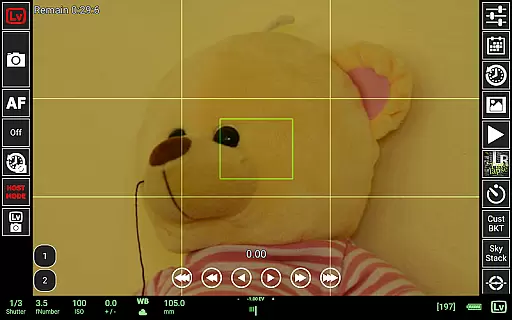
Real-time capture and preview functionality is essential for photographers who need precise control over their shots. qDslrDashboard offers a comprehensive solution that allows users to connect their Nikon, Canon DSLR, or Sony mirrorless camera to an Android device using a USB OTG adapter. This connection enables instant image previews directly on the mobile screen.
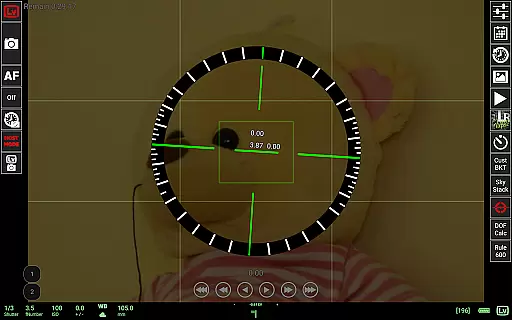
The application supports live view functionality with histogram display, providing real-time exposure analysis. Photographers can make informed decisions about lighting and composition without leaving the shooting position. The manual focus movement feature during live view ensures perfect focus adjustments while maintaining the ability to preview changes instantly.
Users benefit from immediate visual feedback on both JPG and RAW images, allowing for professional-grade quality control. The application's sophisticated preview system includes detailed image examination capabilities, making it easier to identify potential issues before transferring files to a computer. This real-time workflow significantly enhances the efficiency of photo sessions.
While primarily focused on professional photography features, qDslrDashboard incorporates advanced image enhancement tools that maintain natural-looking results. The application provides various customization options for image processing, ensuring that enhancements complement the original photograph rather than overpowering it. These features are particularly useful when working with portrait photography or product shots requiring subtle improvements.
The software includes automatic exposure correction and color balance adjustment tools that preserve the authenticity of the original scene. Users can apply these enhancements during the capture process or afterward when browsing images stored on the camera. The application's intelligent algorithms analyze image data to suggest optimal enhancement settings while keeping the final result looking natural.
Photographers appreciate the ability to create custom profiles that define specific enhancement parameters for different shooting scenarios. This feature ensures consistent results across multiple images while maintaining the organic feel of each photograph. The combination of professional-grade controls and intelligent enhancement tools makes qDslrDashboard suitable for both amateur enthusiasts and professional photographers seeking natural-looking image improvements.
Advanced camera control
Multi-camera support
Live view histogram
Time-lapse automation
Wireless connectivity
Requires USB OTG adapter
Complex setup process
Limited camera models
No iOS version available
High learning curve

Easily stitch panoramas from multiple photos or video.
 4.40
4.40
Viewfinder, Light meter, Reciprocity failure time, DOF & Bellows Extension
4.60
Create collages easily! Nice pic collage maker & background eraser for Instagram
4.50
Create AI Photos, Improve and restore quality of blurry, old or damaged pics.
4.20
Take videos and pictures with the popular TikTok TIME WARP SCAN filter.
4.60
A must-have app for landscape photographers
4.60
AI photo enhancer with Sora 2! Enhance, descratch, and colorize your old photos.
4.50
Professional camera app that brings DSLR manual photography controls to Android.
4.20
A unique animation app. Powerful, easy to use, and lots of fun.
4.30
Amazing Photo Effects - The most fun you can have with your photos!
4.70
Your personal guide to the sun and moon. Plan ahead, visualize and predict!
4.70
1M influencer's special filter
4.60
Discover & download millions of art for The Frame TV or Hisense CanvasTV
4.60
HD Camera Pro with HD Video shooting, Panorama, Photo editor , Beauty Camera.
4.50
All-in-One Editor & AI Photo Enhancer, Beautify & Retouch, Collage, Cartoonify
4.20
Catch sunlight, sunrise sunset times and sun phases with the AR sun tracker.
4.10
live datamoshing
4.00
Remote control of the phone camera from your Wear OS smartwatch
3.70
Perfect photos with body shaping, BG changer and object remover.
3.70


User Reviews